

Choosing RAM for a Ryzen build isn’t like picking it for any random PC. AMD’s Ryzen chips are unusually sensitive to memory speed and timings, because the Infinity Fabric that links the cores scales with your RAM clock. Get the kit right and you unlock real gaming performance. Get it wrong and you leave frames on the table or, worse, boot to a black screen because the kit won’t play nicely with the memory controller. This walkthrough takes you from figuring out your platform to locking in a stable profile, step by step, in plain language.
What you’ll need
You’ll need three things: your motherboard’s exact model, your Ryzen CPU generation, and a few minutes in BIOS. That’s it. No special tools. Before you buy, know whether your board is AM4 (DDR4) or AM5 (DDR5), because the two aren’t interchangeable and the slots are keyed differently. For current chips, our guides to the best DDR5 RAM for Ryzen 9000 and the best RAM for Ryzen in 2026 narrow the field fast.
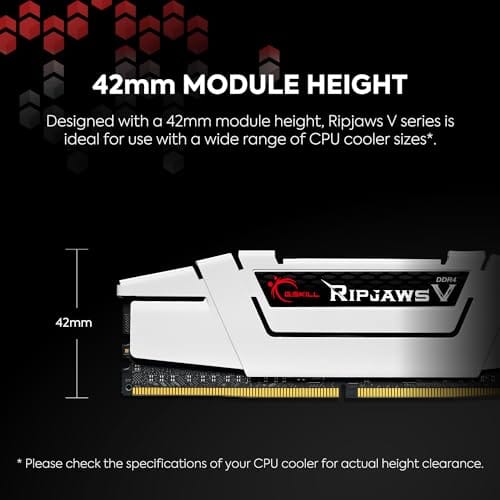
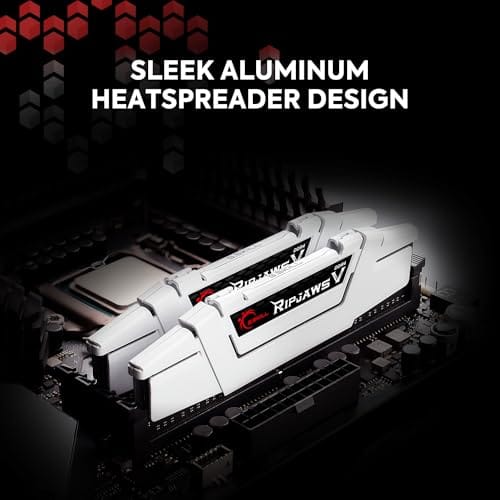
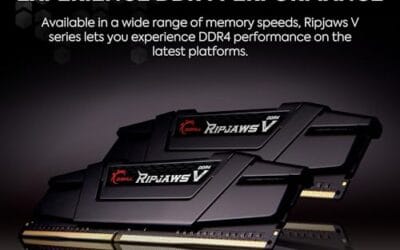
If you’re on an older AM4 platform like a Ryzen 5000 or 3000 chip, you’re in DDR4 territory, and a proven kit matters more than raw numbers. The G.SKILL Ripjaws V DDR4 32GB (2x16GB) 3600 kit at $219.99, rated 4.1, is a sensible reference point for that generation: CL18-22-22-42 timings at 1.35V, and 3600 MT/s is the classic AM4 target. Just don’t buy DDR4 for an AM5 board. It won’t fit.

Pros
- DDR4-3600 XMP at 1.35V is the Ryzen AM4 sweet spot, aligning FCLK 1:1 at 1800MHz for best latency.
- Matched 2x16GB kit is factory-tested as a pair, reducing dual-channel instability compared to mixing sticks.
- Compatible with both Intel XMP and AMD DOCP/A-XMP BIOS profiles without manual sub-timing adjustments.
- Ships with JEDEC SPD fallback so the system always boots safe at default clocks before XMP is enabled.
Cons
- CL18 primary latency is mid-range; DDR4-3600 CL16 kits exist for buyers prioritizing tighter timings.
- No ECC support, so workstation or Threadripper ECC builds need a different kit entirely.
The G.SKILL RipjawsV F4-3600C18D-32GVK is a mid-range DDR4 desktop kit targeting Intel and AMD mainstream platform builders who want 32GB capacity at DDR4-3600 without overpaying for CL14 or CL16 enthusiast kits. It ships as a matched 2x16GB dual-channel pair in the standard 288-pin U-DIMM form factor.
The defining spec here is the XMP profile: DDR4-3600 at CL18-22-22-42, 1.35V. On AMD AM4 Ryzen systems, 3600MHz is the well-documented sweet spot for achieving a 1:1 FCLK ratio at 1800MHz, which keeps infinity fabric latency in check and translates to measurable gains in lightly-threaded workloads and gaming frame times compared to DDR4-3200 or lower.
CL18 is a genuine trade-off at this speed. Competing DDR4-3600 kits with CL16 or CL14 exist and offer lower absolute latency, though they typically carry a price premium. Owners report stable XMP operation across a wide range of B450, X570, and Z490/Z590 boards, but reaching rated speed on some budget AM4 boards may require manual sub-timing adjustments or AGESA microcode updates.
Buy this if you are building or upgrading an AM4 Ryzen or Intel LGA1700 desktop and want reliable 32GB DDR4-3600 dual-channel performance without tuning. Skip this if you need CL16 or tighter for competitive latency, or if your board has a limited QVL and you have not verified compatibility via G.SKILL's configurator tool first.
Platform Support: This kit uses 288-pin DDR4 U-DIMM and is compatible with Intel LGA1700 (Z690/Z790) and AMD AM4 (B450/X470/B550/X570) platforms. AM5 uses DDR5 exclusively, so this kit is not compatible with Ryzen 7000/9000 series builds on AM5 boards.
XMP and DOCP Activation: Rated speed of DDR4-3600 CL18-22-22-42 at 1.35V requires enabling XMP (Intel) or DOCP/A-XMP (AMD) in BIOS. Default JEDEC SPD boots at DDR4-2133 or DDR4-2400. On AM4, DDR4-3600 aligns FCLK at 1800MHz for a 1:1 ratio, which is the recommended operating point for Ryzen 3000 and 5000 series CPUs.
Slot Population and Mixing: Install both sticks in the recommended dual-channel slots per your motherboard manual, typically A2 and B2 in a 4-slot board. G.SKILL explicitly warns against mixing this kit with other modules; doing so voids the matched-pair guarantee and risks instability at XMP speeds.
Cooler Clearance: Exact heatspreader height is not specified in the source data, but RipjawsV modules are noted for a lower profile than Trident Z or RGB variants, reducing conflicts with wide tower coolers. Verify clearance if using a low-clearance cooler on a tight ITX board.
Step 1: Confirm your platform (AM4 vs AM5)
Start by identifying your socket, because it dictects everything downstream. AM4 boards use DDR4, and they pair with Ryzen 1000 through 5000 series chips. AM5 boards use DDR5 and pair with Ryzen 7000 and 9000 series. There’s no crossover. A DDR4 stick physically won’t seat in a DDR5 slot, and vice versa, because the notch is in a different spot. Check your motherboard model on the maker’s site if you’re unsure, or look at the RAM you already own.
Why does this matter so much? Because the “right” speed target changes completely between the two. On AM4 with DDR4, the goal is 3600 MT/s. On AM5 with DDR5, the goal sits far higher, around 6000 MT/s for the current sweet range. Buying the wrong memory type is the single most expensive mistake here, so nail this down before you touch a checkout page.
Step 2: Match speed to the Infinity Fabric
Ryzen’s performance secret is keeping the memory clock in sync with the Infinity Fabric clock, called FCLK. When they run 1:1, latency drops and games gain frames. On AM4, DDR4-3600 lines up with a 1800 MHz FCLK for that clean 1:1 ratio, which is exactly why the G.SKILL 3600 kit above is the classic AM4 target rather than a faster-on-paper 4000 kit that breaks the ratio.
On AM5, the math shifts. DDR5-6000 pairs with a 2000 MHz FCLK for the same 1:1 behavior, and that’s why 6000 is the number you’ll see recommended for Ryzen 9000 builds. Going higher than 6000 often forces a 2:1 ratio that adds latency and can hurt gaming despite the bigger bandwidth figure. Don’t chase the highest MT/s number. Chase the one that keeps the fabric in step.
Timings matter alongside speed, though less than people fear. The CAS latency, that CL number, tells you how many cycles the memory waits before delivering data, so lower is better at the same speed. The G.SKILL DDR4-3600 kit runs CL18, a solid mainstream figure for AM4, while a good AM5 kit targets CL30 at 6000. Between a fast kit with loose timings and a slightly slower kit with tight ones, the practical difference is usually a couple of frames, so buy the validated 3600 CL18 or 6000 CL30 kit and move on rather than agonizing over the last nanosecond.
Step 3: Pick capacity and kit configuration
32GB is the target for a 2026 gaming build, and it’s why the G.SKILL reference kit is a 2x16GB set rather than 4x8GB. Two sticks, not four. That matters because Ryzen’s memory controller handles two modules more easily than four, and a two-stick kit is far more likely to hit its rated speed without a fight. Four sticks put more electrical load on the controller and often force you to drop the clock to stay stable.
Buy your RAM as a single matched kit, never two separate pairs. A kit like the 2x16GB G.SKILL set is binned and validated to run together, while mixing two purchases invites instability even when the specs look identical. If you think you’ll want 64GB later, buy a 2x32GB kit now rather than planning to add sticks. Populating all four slots down the road usually means retuning everything.
Step 4: Enable EXPO or XMP in BIOS
Fresh out of the box, your RAM runs at a slow JEDEC default, often 2133 or 4800 MT/s, until you tell the board otherwise. This is the step most people miss. Reboot into BIOS, find the memory profile setting, and enable EXPO on an AMD kit or XMP on an Intel-branded kit like the G.SKILL Ripjaws V, which lists both. That one toggle loads the rated speed and timings, so DDR4-3600 actually runs at 3600 instead of 2133.
After you enable the profile, save and reboot. The board may cycle a couple of times while it trains the memory, which is normal and can take 30 seconds or more on the first boot. If it posts to Windows, you’re most of the way there. If it doesn’t, don’t panic. The troubleshooting section below covers exactly what to do when a profile won’t stick.
Step 5: Verify stability and timings
Once you’re in Windows, confirm the RAM is actually running at its rated spec. Open a monitoring tool like CPU-Z and check the memory tab: it should show your target frequency (remember DDR is double data rate, so DDR4-3600 reads as 1800 MHz in the tool) and the timings you expect, like CL18 on the G.SKILL kit. If it reads 1066 MHz, the profile didn’t apply and you’re still on the default.
Then verify it’s stable under load. Run a memory stress utility such as Karhu RAM or the built-in Windows Memory Diagnostic for a few passes, or Memtest86 from a USB stick for a thorough overnight run. Zero errors means you’re done. Any errors mean you need to loosen a timing, nudge voltage, or drop the speed a notch. Stability beats a bigger number every single time on Ryzen.
Troubleshooting common issues
The PC won’t boot after enabling EXPO
This is common and fixable. If the board fails to post after you enable the profile, wait through two or three retry cycles, because it may still be training. If it stays dark, clear CMOS using the board’s jumper or button, which resets to defaults. Then re-enter BIOS and try a slightly lower speed, or bump DRAM voltage a hair toward 1.4V on DDR4. Some kits need a small nudge.
RAM runs slower than its rated speed
If CPU-Z shows less than your kit’s rating, you almost certainly forgot to enable EXPO or XMP, or it silently failed. Go back into BIOS and confirm the profile is active, not just selected. On AM5, if a 6000 kit only holds 5600, the memory controller on that particular chip may not do 6000 at 1:1, and dropping to a stable 5600 is smarter than fighting it.
Only two of four slots detected
If you’re running four sticks and the board sees only two, reseat them firmly until each clicks, and confirm you’re using the slots the manual recommends (usually A2 and B2 for a two-stick setup). A single unseated module or a speck of dust in the slot causes this constantly. This is also why we push two-stick kits: fewer modules, fewer failure points, and an easier path to full rated speed.
Before and after: what to expect
Before tuning, RAM at a 2133 or 4800 default leaves real performance sitting idle, and 1% lows in games feel choppy because the memory can’t feed the cores fast enough. After enabling the profile and confirming a 1:1 fabric ratio, you’ll typically see smoother frame pacing and a measurable bump in CPU-bound titles. On Ryzen especially, going from default speed to a proper DDR4-3600 or DDR5-6000 profile is one of the cheapest performance gains available.
The gain isn’t hypothetical either. In CPU-limited games, moving from a slow default to a tuned profile can add several percent of average frame rate and, more noticeably, firm up those 1% lows so the game stops hitching in busy scenes. Productivity work that leans on memory bandwidth, like compression or heavy spreadsheets, benefits too. And it costs you nothing beyond a BIOS toggle you already paid for when you bought a rated kit.
Variations and advanced setups
If you want to push further, manual timing tuning squeezes out more once EXPO is stable. Tightening the primary timings or adjusting subtimings can shave latency, though the gains are small and the effort is real. For a Ryzen 9000 chip aimed purely at gaming, most builders stop at a stable DDR5-6000 CL30 profile and call it good. Creators running heavy multitasking may prefer 64GB (2x32GB) over chasing the last few nanoseconds of latency.
There’s a middle path too. AMD’s tools and community presets let you load a known-good timing set for popular kits without learning every subtiming by hand. If you enjoy tinkering, start by tightening tRFC and the secondary timings, since those often give the best return for the risk. If you don’t, the EXPO profile you enabled in step 4 already captures the bulk of the performance, and walking away stable beats a marginal gain you spent a weekend chasing.
Common questions
What RAM speed is best for Ryzen?
It depends on your platform. On AM4 DDR4, target 3600 MT/s for the 1:1 fabric ratio, which is why the G.SKILL 3600 kit is a classic pick. On AM5 DDR5, target 6000 MT/s. Both numbers keep the Infinity Fabric in sync, and that sync matters more to Ryzen than raw bandwidth does.
Is 32GB enough for a Ryzen gaming build?
Yes, 32GB is the comfortable target for 2026 gaming and light multitasking. A 2x16GB kit like the G.SKILL Ripjaws V covers current titles with room for a browser and Discord open. Go to 64GB only if you do heavy content creation or run virtual machines alongside games.
Can I use DDR4 RAM in a new Ryzen 9000 build?
No. Ryzen 9000 uses the AM5 socket, which is DDR5 only. The DDR4 G.SKILL kit here fits AM4 boards with Ryzen 5000 and earlier. The slot keying is different, so a DDR4 stick physically won’t seat in an AM5 board. Match the memory type to the socket.
Do I have to enable EXPO or XMP?
Yes, or your RAM runs at its slow default speed. Enabling EXPO on an AMD kit, or XMP on a kit that lists it like the Ripjaws V, loads the rated speed and timings. Without that toggle, a 3600 or 6000 kit idles at 2133 or 4800, and you lose the performance you paid for.




























Write Your Review
No reviews yet. Be the first to share your experience!