

Here’s the number that settles most arguments before they start: a dual-channel kit built from two DIMMs and a dual-channel kit built from four DIMMs can land within 1-3% of each other in gaming, yet the four-stick setup asks noticeably more of your memory controller. That gap matters most on modern AMD and Intel platforms, where a fully populated board sometimes refuses to hit its rated speed. If you’re weighing capacity against clean stability, the config you choose changes how much overclock headroom you actually keep. For deeper picks, our guides on RAM for gaming and video editing and the best 32GB RAM kit pair well with what follows.
Matchup at a glance
Two sticks means one matched kit dropped into the two slots your motherboard prefers, usually A2 and B2. It’s the config board makers validate first, the one that reaches advertised speeds with the least fuss. Four sticks means either two kits combined or a single four-DIMM kit, doubling capacity or filling every slot for the look and the headroom. On paper the four-stick path gives you more memory and, in some rare workloads, a slight bandwidth edge from rank interleaving. In practice it loads the CPU’s integrated memory controller harder, which can force a lower stable frequency.
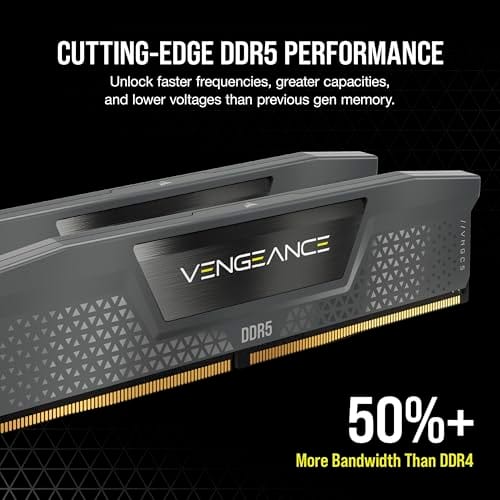
So the real question isn’t which holds more data. It’s which price tier hands you working stability plus room to grow. A two-stick 32GB kit like the G.SKILL RipjawsV at $229.99 leaves two slots open for later. A DDR5 pair like the Corsair Vengeance 2x8GB at $234.99 starts smaller but rides a newer standard. Both are dual-channel. The difference shows up the moment you push past stock timings.
Spec sheet showdown
| Factor | 2 Sticks (2 DIMMs) | 4 Sticks (4 DIMMs) | G.SKILL RipjawsV 2x16GB | Corsair Vengeance 2x8GB |
|---|---|---|---|---|
| Channel setup | Dual-channel, slots A2/B2 | Dual-channel, all four filled | Dual-channel DDR4 | Dual-channel DDR5 |
| Capacity shown | Flexible, slots free | Higher, slots full | 32GB (2x16GB) | 16GB (2x8GB) |
| Rated speed | Easier to reach | Often harder to reach | 3600MT/s CL18-22-22-42 | Up to 5200MHz CL40 |
| Voltage | Standard | Standard, more controller strain | 1.35V, XMP | EXPO / XMP 3.0 |
| Price | Lower per config | Higher combined | $229.99 (4.6 rating) | $234.99 (4.4 rating) |
Read that table sideways and the pattern is clear. The stick count barely touches raw capacity numbers on its own. What it touches is the ease of hitting rated speed and the strain on the controller. That’s the axis most buyers overlook.
Two sticks strengths
Two matched sticks is the config engineers validate first, and it shows. You’ll hit your XMP or EXPO profile with fewer boot retries, and high-frequency kits stay stable more readily. On Ryzen especially, the integrated memory controller loves a light load. Populate only A2 and B2 and a 6000MT/s DDR5 profile that a four-stick board fights to reach will often lock in on the first try. That reliability is worth real money once you factor in the hours you won’t spend chasing a failed boot.
There’s an upgrade angle too. Buy a 2x16GB kit today and you keep two slots empty for a future capacity bump. The catch is honest: mixing a second kit later can reintroduce the four-stick strain, so the cleanest path is buying the capacity you need up front. Still, for gamers and general users, two sticks delivers the same in-game frame rates as four while sidestepping most tuning headaches. It’s the safe default, and there’s nothing boring about a rig that simply posts every time.
Signal integrity plays a quiet role here as well. With two DIMMs, the memory traces on the board carry a lighter electrical load, so the signal stays clean at high frequencies. That’s a big part of why a two-stick kit tends to overclock further and hold tighter timings. If you like to tune sub-timings or chase a manual profile past XMP, fewer sticks gives you more room to work. For a lot of enthusiasts, that headroom is the entire reason they stick with a pair.
Four sticks strengths
Four sticks earns its place when capacity is the whole point. Filling all four slots lets you reach 64GB or 128GB without hunting for expensive high-density modules, which usually cost more per gigabyte. Content creators running large timelines, 3D artists, and folks juggling virtual machines feel that headroom directly. There’s also rank interleaving: four single-rank sticks can behave like a denser arrangement the controller shuffles more efficiently, and a handful of bandwidth-hungry tasks pick up a few percent from it.
The tradeoff is the memory controller. Four DIMMs pull harder on it, and on DDR5 that often means dialing back the frequency to stay stable, sometimes from 6000MT/s down to 5200 or lower. A newer dual-stick DDR5 kit shows how much a fresh platform matters here; the Corsair Vengeance 2x8GB runs EXPO and XMP 3.0 profiles up to 5200MHz at CL40, and it’s a clean starting pair you can later expand with matched modules if your workload truly demands the capacity.
Worth noting: a four-stick config isn’t automatically slower than a two-stick one. Plenty of four-DIMM builds run rock-solid at their rated speed, especially on Intel platforms and with quality boards that have well-designed memory topology. The point isn’t that four sticks is bad. It’s that the extra slots ask more of your controller and your board, so the ceiling for a stable overclock sits a little lower. Know your platform, and the risk shrinks.

Pros
- AMD EXPO profile activates 5200MHz CL40-40-40-77 with a single BIOS toggle on Ryzen 7000 boards.
- Low 35mm module height clears virtually any AM5 or LGA1700 tower cooler without physical conflict.
- 1.25V operating voltage sits within DDR5 spec, reducing thermal stress on integrated PMIC under sustained load.
- Aluminum heatspreader aids passive heat dissipation in open-air cases without requiring active cooling.
Cons
- 16GB total capacity is increasingly marginal for content creation workflows and modern open-world titles running texture packs.
- 5200MHz CL40 offers modest latency compared to DDR5-6000 CL30 kits that hit the Ryzen 7000 FCLK 1:1 ratio sweet spot.
The CORSAIR Vengeance DDR5 16GB 2x8GB is a mid-range DDR5 kit targeting AMD Ryzen 7000 series and Intel 12th-generation-or-newer desktop builds. It ships with both AMD EXPO and Intel XMP 3.0 profiles, making it broadly compatible across AM5 and LGA1700 or LGA1851 platforms without manual timing configuration.
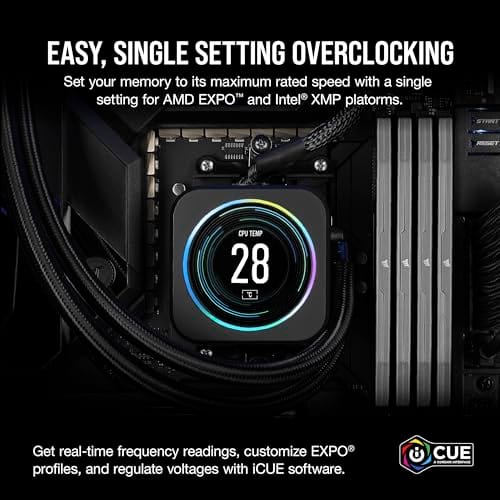
The standout feature is dual-profile support at a frequency that loads with a single BIOS toggle. At 5200MHz CL40-40-40-77 and 1.25V, it sits within DDR5 JEDEC specification territory, and onboard voltage regulation on the module itself reduces dependency on motherboard power delivery for the memory rail, which matters on budget AM5 boards with fewer VRM phases dedicated to DRAM.
The honest trade-off at this tier is frequency positioning. Ryzen 7000 performs best at DDR5-6000 with CL30 timings, where FCLK and memory controller run at a clean 1:1 ratio. This kit at 5200MHz places it below that threshold, meaning buyers on AM5 leave some CPU bandwidth on the table. The 16GB total capacity is also worth scrutinizing for any workload beyond gaming or light productivity.
Buy this if you are building a budget-to-mid AM5 or Intel DDR5 system and need reliable plug-and-play EXPO or XMP activation without manual overclocking. Skip this if your platform is AM5 and you plan to run a Ryzen 7000 CPU near its performance ceiling, where DDR5-6000 CL30 kits deliver measurably better throughput and latency at comparable pricing.
Platform Requirements: DDR5 requires AMD 600-series or newer motherboards paired with Ryzen 7000 series or newer CPUs, or Intel 600-series or 700-series boards with 12th-generation Core or newer. DDR5 is not backward compatible with DDR4 slots. Verify your motherboard QVL lists this kit before purchasing.
EXPO and XMP Activation: The rated 5200MHz speed requires enabling AMD EXPO or Intel XMP 3.0 in BIOS. Without activation, the kit defaults to DDR5-4800 JEDEC. On Ryzen 7000, DDR5-6000 is the accepted 1:1 FCLK sweet spot; this kit at 5200MHz runs below that threshold, which carries a small but measurable bandwidth and latency penalty versus a tuned DDR5-6000 kit.
Physical Clearance: Module height is 35mm, which clears nearly all air coolers without conflict. The 1.25V operating voltage and onboard PMIC mean power comes from the module itself rather than solely from the motherboard, reducing stress on budget boards with lighter DRAM power stages.
Capacity and Channel Config: The 2x8GB configuration fills two slots in dual-channel. CORSAIR explicitly advises against mixing kits, so expansion to 32GB requires replacing both modules with a validated 2x16GB kit rather than adding a second 2x8GB pair.
Real-world scenarios
The 1440p gamer
A single 2x16GB kit is plenty. Games rarely touch more than 16GB in play, and the extra headroom covers background apps. Two sticks here means a faster, more stable memory profile and identical frame rates to a four-stick build. Save the cash.
The video editor on a deadline
Timelines with 4K footage and heavy effects eat RAM fast. This is where four sticks or two high-capacity sticks pays off, pushing you to 64GB so scrubbing stays smooth. If you go four DIMMs, accept a slightly lower clock as the price of that capacity.
The upgrader adding sticks later
Dropping two more modules into a running system is the trickiest path. Even matching brand and speed doesn’t guarantee the controller cooperates at full rated speed. Owner reports show mixed kits sometimes needing a manual speed drop. Buy the capacity as one kit when you can.
The Ryzen 9800X3D builder
On this chip, memory stability is a known sensitivity, which our DDR5 for Ryzen 9800X3D guide covers in depth. Two sticks is the community-favored route for hitting a fast, tight profile without a fight. Four sticks can work, but you’re trading some frequency for the slot count.
Pricing and availability
Both compared kits sit near the same price, which tells you the stick decision isn’t really a cost fight, it’s a capability one. The G.SKILL RipjawsV 2x16GB DDR4 lands at $229.99 with a strong 4.6 rating, running 3600MT/s at CL18-22-22-42 on 1.35V. The Corsair Vengeance 2x8GB DDR5 sits at $234.99 with a 4.4 rating, rated up to 5200MHz CL40. Neither lists a public review count, so lean on the ratings and the specs rather than volume.
If you want more budget-minded options, our budget RAM picks for 2026 break down where the value tiers land right now. Availability on mainstream DDR4 and DDR5 kits stays steady, though high-density four-DIMM sets fluctuate more and command a premium.
Which to buy
For most builders, two sticks wins. It’s cheaper to reach a stable rated speed, kinder to your memory controller, and it leaves an upgrade path open. Gamers, students, and everyday users get the same performance without the four-DIMM headaches. Go four sticks only when you genuinely need 64GB or more and your work rewards it, and even then, prefer a matched four-module kit over two mismatched pairs.
If you’re building fresh and want a proven two-stick 32GB base that stays stable and leaves room to grow, the G.SKILL RipjawsV 2x16GB is an easy call at $229.99 with its 4.6 rating and proven 3600MT/s CL18 profile. It’s the config that just works, and that reliability is the real value here.

Pros
- DDR4-3600 XMP at 1.35V is the Ryzen AM4 sweet spot, aligning FCLK 1:1 at 1800MHz for best latency.
- Matched 2x16GB kit is factory-tested as a pair, reducing dual-channel instability compared to mixing sticks.
- Compatible with both Intel XMP and AMD DOCP/A-XMP BIOS profiles without manual sub-timing adjustments.
- Ships with JEDEC SPD fallback so the system always boots safe at default clocks before XMP is enabled.
Cons
- CL18 primary latency is mid-range; DDR4-3600 CL16 kits exist for buyers prioritizing tighter timings.
- No ECC support, so workstation or Threadripper ECC builds need a different kit entirely.
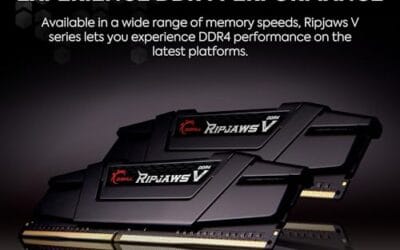
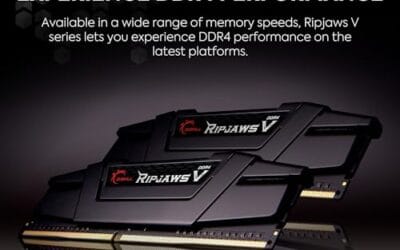
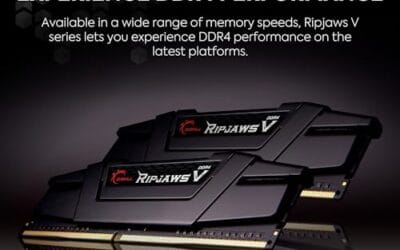
The G.SKILL RipjawsV F4-3600C18D-32GVK is a mid-range DDR4 desktop kit targeting Intel and AMD mainstream platform builders who want 32GB capacity at DDR4-3600 without overpaying for CL14 or CL16 enthusiast kits. It ships as a matched 2x16GB dual-channel pair in the standard 288-pin U-DIMM form factor.
The defining spec here is the XMP profile: DDR4-3600 at CL18-22-22-42, 1.35V. On AMD AM4 Ryzen systems, 3600MHz is the well-documented sweet spot for achieving a 1:1 FCLK ratio at 1800MHz, which keeps infinity fabric latency in check and translates to measurable gains in lightly-threaded workloads and gaming frame times compared to DDR4-3200 or lower.
CL18 is a genuine trade-off at this speed. Competing DDR4-3600 kits with CL16 or CL14 exist and offer lower absolute latency, though they typically carry a price premium. Owners report stable XMP operation across a wide range of B450, X570, and Z490/Z590 boards, but reaching rated speed on some budget AM4 boards may require manual sub-timing adjustments or AGESA microcode updates.
Buy this if you are building or upgrading an AM4 Ryzen or Intel LGA1700 desktop and want reliable 32GB DDR4-3600 dual-channel performance without tuning. Skip this if you need CL16 or tighter for competitive latency, or if your board has a limited QVL and you have not verified compatibility via G.SKILL's configurator tool first.
Platform Support: This kit uses 288-pin DDR4 U-DIMM and is compatible with Intel LGA1700 (Z690/Z790) and AMD AM4 (B450/X470/B550/X570) platforms. AM5 uses DDR5 exclusively, so this kit is not compatible with Ryzen 7000/9000 series builds on AM5 boards.
XMP and DOCP Activation: Rated speed of DDR4-3600 CL18-22-22-42 at 1.35V requires enabling XMP (Intel) or DOCP/A-XMP (AMD) in BIOS. Default JEDEC SPD boots at DDR4-2133 or DDR4-2400. On AM4, DDR4-3600 aligns FCLK at 1800MHz for a 1:1 ratio, which is the recommended operating point for Ryzen 3000 and 5000 series CPUs.
Slot Population and Mixing: Install both sticks in the recommended dual-channel slots per your motherboard manual, typically A2 and B2 in a 4-slot board. G.SKILL explicitly warns against mixing this kit with other modules; doing so voids the matched-pair guarantee and risks instability at XMP speeds.
Cooler Clearance: Exact heatspreader height is not specified in the source data, but RipjawsV modules are noted for a lower profile than Trident Z or RGB variants, reducing conflicts with wide tower coolers. Verify clearance if using a low-clearance cooler on a tight ITX board.
Common questions
Does 2 sticks or 4 sticks give better performance?
In gaming and everyday use they’re within a couple of percent. Four sticks can edge ahead in a few bandwidth-heavy tasks through rank interleaving, but two sticks reaches its rated speed more easily. For most people the practical difference is close to nothing, so pick based on capacity needs and stability, not raw speed.
Is it bad to run 4 sticks of RAM?
No, it’s fine and millions of systems do it. The one caveat is that four DIMMs load the memory controller harder, so you may need to run a slightly lower frequency to stay stable, especially on DDR5. A matched four-stick kit handles this better than two separate pairs combined.
Can I mix two RAM kits to get four sticks?
You can, but it’s the riskiest route. Even identical model numbers can behave differently once all four slots are filled, and you might have to drop the speed manually to boot reliably. If you know you’ll want more capacity, buying it as a single kit avoids the guesswork entirely.
Do I need to use specific slots for 2 sticks?
Yes. For a two-stick kit, install into the slots your manual specifies for dual-channel, typically A2 and B2, the second and fourth slots from the CPU. Using the wrong pair can drop you to single-channel and cut memory bandwidth roughly in half.
Is 32GB enough, or should I go higher with four sticks?
For gaming and general work, 32GB from two sticks is comfortable and will stay that way for years. Step up to 64GB with four sticks or two high-capacity modules only if you edit large video projects, run virtual machines, or handle heavy 3D scenes. Our gaming and editing RAM guide maps out where that line falls.




























Write Your Review
No reviews yet. Be the first to share your experience!