SFF used to mean compromise. You picked small, and you paid for it with thermal throttling, fan whine, and a GPU that wouldn’t physically fit. That’s not the situation in 2026. AM5 paired with a 2.5-slot RTX 5070 drops into a 22L case that runs quieter than most mid-towers and looks dramatically better sitting on a desk. The parts have caught up to the ambition. What follows is a build guide for anyone who’s tired of the beige box under the desk and wants something compact, quiet, and genuinely fast.
What this build targets
This is a compact desktop or living-room rig, not a workstation. The primary target is 1440p high-refresh gaming, with enough headroom to dabble in 4K when the title allows it. Everything has to fit inside a 22-30L footprint, which is roughly the size of a stack of hardcover books. That constraint isn’t arbitrary; it’s what separates SFF from a slightly-shorter mid-tower.
Noise is the second priority. A well-built SFF rig runs quieter than a typical tower because there’s nowhere to hide bad airflow decisions. You’re forced to pick efficient parts and tune them properly, and the payoff is a system you can run all night without hearing it. Single-fan optimization beats the eight-fan approach when you’ve actually evaluated the static pressure curves.
Portability rounds out the brief. LAN parties, dorm moves, the occasional trip to a friend’s place for co-op night. None of that’s comfortable with a 25-pound full tower. A 10-22L case slips into a backpack or a tote, and you don’t need a second person to carry it.
The core three (CPU, GPU, RAM)
CPU first. The Ryzen 7 9700X is the practical pick at 105W TDP, which is exactly the thermal envelope an SFF case can dissipate without screaming fans. If gaming’s the priority and the budget stretches, the 9800X3D at 120W is the better choice, though you’ll want a 280mm AIO to keep it happy. Both drop into AM5, which means a multi-year upgrade runway on the same socket.
GPU’s where SFF gets fussy. You can’t just grab the meanest card on the shelf; you’ve got to verify slot count and length against the case spec sheet. A 2.5-slot RTX 5070 fits most modern SFF chassis. The RX 9060 XT is the AMD alternative if you’d rather skip the green tax. Triple-slot monsters are out unless your case explicitly lists them.
RAM is straightforward but easy to botch. Grab 32GB of DDR5-6000 CL30, and make sure it’s low-profile if you’re running a top-mounted AIO. Tall heatspreaders foul the radiator on cases like the NR200P V3, and you’ll discover the problem at 11pm during the first assembly.

Pros
- Q-Flash Plus enables BIOS update without CPU installed, essential for Ryzen 5000 out-of-box support.
- 55A DrMOS phases are adequately rated for Ryzen 5 and Ryzen 7 non-X chips at stock settings.
- Intel WiFi AC and Bluetooth onboard saves a PCIe slot in a platform with zero spare slots.
- Three rear display interfaces (DP plus two HDMI) give APU builders real multi-monitor flexibility.
Cons
- A520 chipset lacks PCIe 4.0 and overclocking support, ruling out XFR tuning and fast NVMe Gen4 drives.
- Single M.2 slot at PCIe 3.0 x4 speeds caps sequential reads well below modern Gen4 SSDs.
- Only two DIMM slots with no OC headroom means RAM configuration and speed are locked to JEDEC or limited EXPO profiles.
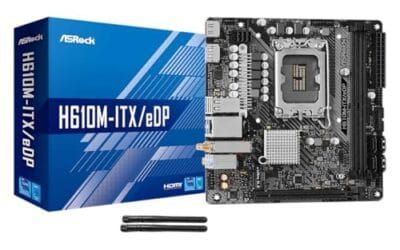
The Gigabyte A520I AC is a budget-tier Mini-ITX motherboard on the AMD AM4 socket, targeting builders who need a compact, self-contained system around a Ryzen 5000 or 3000 series CPU. It is best suited for home theater PCs, small office machines, or entry-level SFF gaming rigs where size and wireless connectivity matter more than overclocking.
The standout feature is Q-Flash Plus, which allows BIOS updates from a FAT32 USB drive with no CPU or RAM installed. For buyers picking up a Ryzen 5000 CPU with an older BIOS on the shelf, this is a genuine convenience that removes the need to borrow a compatible CPU. The 55A DrMOS 6-phase VRM is adequate for Ryzen 5 5600 and Ryzen 7 5700X at stock, though sustained all-core loads on higher-TDP chips may see thermal limits without active airflow over the heatsink.
The A520 chipset is the real constraint here. There is no CPU overclocking, no PCIe 4.0 support, and the single M.2 slot runs at PCIe 3.0 x4, capping sequential reads around 3,500 MB/s. With only two DIMM slots and no XMP/EXPO tuning above JEDEC defaults on this chipset, RAM flexibility is limited. Case builders should also confirm GPU length clearance in their chosen Mini-ITX enclosure before purchasing.
Buy this if you are building a compact Ryzen 5000 system where integrated WiFi and Q-Flash convenience matter and overclocking is not on the table. Skip this if you plan to run a Ryzen 9 series chip, use a Gen4 NVMe drive at full speed, or need any meaningful CPU tuning headroom.
CPU and Socket: AM4 socket supports 3rd Gen Ryzen (Zen 2) natively and 5th Gen Ryzen 5000 (Zen 3) after a Q-Flash Plus BIOS update. A520 chipset does not support CPU overclocking or manual frequency tuning, so PBO and Curve Optimizer are off the table entirely.
RAM and Memory: Two DIMM slots support dual-channel DDR4 configurations. A520 chipset limits practical RAM tuning, so target DDR4-3200 CL16 kits for the best 1:1 FCLK ratio without pushing outside chipset support. Maximum capacity is not specified in source data; typical AM4 Mini-ITX boards support 64GB across two slots.
Storage and Expansion: One M.2 slot running PCIe 3.0 x4 delivers up to approximately 3,500 MB/s sequential read, sufficient for mid-range NVMe SSDs but incompatible with PCIe 4.0 drives at full rated speed. A single PCIe 3.0 x16 slot handles the discrete GPU, leaving no room for add-in cards in a Mini-ITX build.
Display and Wireless: Rear I/O includes one DisplayPort and two HDMI outputs for APU-based builds, supporting up to three simultaneous displays. Intel dual-band AC WiFi covers 2.4 GHz and 5 GHz bands with Bluetooth included. ALC887 audio codec is functional for basic use but below the ALC1220 found on mid-range and higher boards.

Pros
- Limited owner feedback at time of writing, treat performance claims cautiously
- AM5 platform on Mini-ITX with DR5 and WiFi 6E built in
- Q-Flash Plus allows BIOS flashing without CPU or RAM installed
Cons
- A620 chipset caps overclocking headroom and limits high-TDP Ryzen 7000 support
- Single M.2 slot restricts NVMe expansion in SFF builds needing multiple drives
- PCIe 4.0 only, no Gen5 GPU or SD lanes for future upgrade paths
The GIGABYTE A620I AX is a budget AM5 Mini-ITX motherboard built around AMD's entry-level A620 chipset, with two DR5 DIMM slots, a single M.2 slot, PCIe 4.0, WiFi 6E and 2.5GbE. It targets small form factor builders pairing a Ryzen 7000 non-X or 65W part with a compact ITX case.
The defining trait is squeezing a full AM5 feature set onto a 17x17cm board with integrated Realtek WiFi 6E,2.5GbE LAN and USB 3.2 Gen1 Type-C. The 5+2+1 phase digital VRM is sized for mainstream Ryzen chips, and A620 boards in this tier typically cap PT to keep 65W and 105W parts stable rather than chasing 170W flagships.
Trade-offs are typical for the A620 tier. CPU overclocking is disabled by chipset design, PCIe stays on Gen4, and you get one M.2 socket which is tight for dual-NVMe SFF builds. EXPO memory tuning is suported, thoughITX layouts with two SMD DIMMs can be more sensitive to high-frequency kits, so stick to the QVL where possible.
Buy this if you want the cheapest path to a Ryzen 7600 or 8600G Mini-ITX build with WiFi 6E already onboard. Skip this if you plan to run a 7800X3D or 7950X, need dual M.2 slots, or want PCIe Gen5 for a future GPU or SSD upgrade.
Socket and chipset: AM5 (LGA 1718) with AMD A620 chipset, supporting Ryzen 7000 series CPUs. A620 disables CPU overclocking and is best paired with 65W or 105W SKUs like the 7600, 7700or 8600G rather than 170W X-series parts.
Memory: Two SMD DDR5 DIMM slots in dual channel with AMD EXPO and Intel XMP profile support. AM5 boards in this tier typically land in the DDR5-6000 CL30 sweet spot for the 1:1 FCLK ratio, though exact validated speds are not specified in source data.
Storage and expansion: Single M.2 slot for NVMe and one PCIe 4.0 x16 slot with EZ-Latch quick release. No PCIe Gen5 lanes for GPU or SSD, which keps costs down but limits headroom for next-generation drives.
Networking and I/O: Realtek WiFi 6E 802.11ax, Realtek 2.5GbE LAN and USB 3.2 Gen1 Type-C on the rear I/O. Q-Flash Plus enables BIOS updates without a CPU installed, handy when dropping in newer Ryzen chips on older stock.

Pros
- 322 mm GPU clearance in 10.4L volume is competitive for SFF, fitting most triple-fan AIB cards.
- 30 mm stepless central wall adjustment is a genuine build aid, not a token marketing feature.
- PCIe 4.0 riser cable included in-box removes a separate purchase typically costing extra at this tier.
- USB Type-C 20Gbps front port is the correct spec for current-gen peripherals and fast external NVMe drives.
Cons
- 10.4L chassis limits PSU options and CPU cooler height, requiring careful pre-build clearance checks.
- Walnut panel is a cosmetic choice that adds cost without improving airflow or thermal headroom.
The Fractal Design Terra Graphite is a flagship Mini-ITX SFF case sitting at 10.4L internal volume. It targets builders who want a powerful, GPU-capable system in a small footprint without compromising on material quality. The anodized aluminum exterior and solid walnut front panel position this squarely against boutique SFF cases, not budget sheet-metal enclosures.
The standout feature is the stepless slidable central wall, which provides 30 mm of internal adjustment. This lets builders shift the divider to prioritize GPU depth or PSU routing depending on their specific component stack. Paired with 322 mm GPU length clearance, most high-TGP AIB cards fit, though dense triple-fan cards near the length limit will require checking actual depth against the adjusted wall position.
At 10.4L, thermal trade-offs are real. SFF cases in this class typically restrict airflow paths compared to mid-tower builds, so high-TGP GPUs above 250W may see elevated junction temperatures under sustained load. CPU cooler height is also constrained, and the source does not specify a maximum cooler height, so builders should confirm clearance against the slidable wall position before purchasing a tower cooler.
Buy this if you want a visually distinctive, well-engineered Mini-ITX case and are pairing it with a mid-to-high-end GPU within 322 mm. Skip this if your build requires aggressive active cooling for a high-TDP CPU, or if case airflow is a primary concern over aesthetics.
GPU Clearance: The Terra supports GPUs up to 322 mm in length, accommodating most dual-fan and many triple-fan AIB cards. The 30 mm stepless central wall adjustment directly affects usable GPU depth, so builders should confirm final card dimensions against their chosen wall position before committing to a GPU.
PSU and Riser: The included PCIe 4.0 riser cable supports full Gen 4 bandwidth without additional purchase. SFF builds at this volume typically require SFX or SFX-L PSUs rather than ATX form factor; the source does not confirm PSU form factor compatibility explicitly, so verify against Fractal's published specifications before selecting a unit.
Front I/O: Front panel includes one USB Type-C port rated at 20Gbps and one additional USB port. The 20Gbps rating supports fast external NVMe enclosures at near-native drive speeds, making it a practical port for content creators using portable storage alongside their main build.
Panel Access: Side panels lift open and the top slides with an integrated tab. Both side and top panels include a lock mechanism for transportation, reducing risk of panel separation when moving the completed build. CPU cooler height clearance is not specified in the source data and should be confirmed via Fractal's official spec sheet.
Foundation (case, PSU, storage)
The case is the single biggest decision in this build, and it’s the one you can’t fix later without starting over. Measure twice. Pull up the manufacturer’s compatibility chart and compare your GPU’s length and your AIO’s thickness against the listed clearance.
Two cases anchor most 2026 SFF builds. The Fractal Design Terra is a 10L showpiece with a real walnut front panel; it’s stunning on a desk but unforgiving on GPU choice. The Cooler Master NR200P V3 is the workhorse, 22L with explicit 280mm AIO support and room for triple-slot cards. Pick Terra if aesthetics drive you and you’ll accept a 2.5-slot GPU ceiling. Pick NR200P V3 if you want thermal headroom and the ability to upgrade without re-buying the chassis.
PSU’s non-negotiable: SFX or SFX-L, 750W Gold rating minimum. Corsair’s SF750 and the Cooler Master V750 SFX are both proven choices. A standard ATX PSU won’t physically fit in most SFF cases, and even when it does, the cable routing turns into a wrestling match.
Storage’s the easy part. Two M.2 NVMe slots on the motherboard, no 2.5″ bays in most cases. Grab a 2TB primary and a 4TB secondary if you’ve got the budget, and you’re done.
Cooling and airflow
For a 9700X or 9800X3D in the NR200P V3, a 280mm AIO is the right answer. The Arctic Liquid Freezer III 280 and the NZXT Kraken 280 both clear the case without modification, and they’ll keep the CPU below 75C under sustained load. A 240mm works if you’re sticking with the 9700X exclusively, but you’re leaving headroom on the table.
For the Fractal Terra and similar 10L cases, AIO isn’t an option. You’re going low-profile air: Noctua NH-L9a-AM5 or the Thermalright AXP90-X53. Both handle a 65-105W chip with a curve that doesn’t sound like a leafblower. Pair with a 65W-tuned CPU configuration in BIOS if temps creep up.
Fan count drops to two or three in SFF, sometimes one. That’s not a problem; it’s a constraint that forces good decisions. Positive pressure’s critical because dust filters are scarce on small cases. Set the intakes to push slightly more air than the exhausts vent, and you’ll cut dust buildup by half over a year.
Noctua chromax fans get a lot of credit, and it’s earned. They move air at low RPM and they don’t tick at idle.
Optional add-ons
A PCIe riser cable opens up vertical GPU mounting in cases that support it. The Terra ships with one because the layout demands it; the NR200P V3 includes one in the box for sandwich-style assembly. If you’re buying aftermarket, stick with PCIe 4.0-rated cables. The cheaper 3.0 versions will throttle a 5070, and you won’t notice until you check benchmarks.
Custom sleeved cables matter more in SFF than they do anywhere else. Length’s the issue: stock PSU cables are sized for ATX towers, and the excess has to go somewhere in a 10L case. Cablemod’s SFF kits ship in the right lengths, and the airflow improvement from cleaner routing is real.
If RGB’s your thing, hunt for SFF-specific strips that sit a few millimeters thick. Standard LED strips foul GPU shrouds and AIO pump heads.
Total cost breakdown
Expect to spend between $1,500 and $1,800 on a complete SFF build at this tier, which runs about $150-200 over an equivalent ATX configuration. The premium pays for SFX power supplies, low-profile coolers, and cases that are engineered rather than stamped.
| Component | Pick | Price |
| Motherboard | GIGABYTE A620I AX (AM5) | $130 |
| Case | Cooler Master NR200P V3 | $161 |
| CPU | Ryzen 7 9700X | $330 |
| GPU | RTX 5070 (2.5-slot) | $550 |
| RAM | 32GB DDR5-6000 CL30 | $110 |
| PSU | Corsair SF750 | $170 |
| Storage | 2TB NVMe Gen4 | $130 |
| Cooling | 280mm AIO | $120 |
| Total | ~$1,700 |
Upgrade path over 3 years
SFF upgrade paths are tighter than ATX, and there’s no point pretending otherwise. The good news: AM5’s confirmed through at least 2027, so a CPU swap to a Zen 6 chip is a 20-minute job with no other changes. Don’t expect to drop in a future X3D variant blindly, though; check the TDP and the cooler’s rated capacity first.
GPU swaps are where things get interesting. Every new generation, you’ll re-measure slot clearance and length against your case spec. The 5070 fits today; whether a 6070 or 7070 fits depends on whether NVIDIA keeps cards within 2.5 slots. AMD’s been more consistent on that front, which is worth weighing if you’re planning a multi-gen runway.
The PSU rarely needs replacement. An SFX 750W Gold unit will outlast two or three GPUs. Cases are forever in SFF; you’ll keep the chassis and replace everything inside it twice before you swap the shell.