Here’s the thing nobody tells first-time streamers: your CPU works harder than your GPU when you go live. NVENC on Nvidia cards offloads the encode beautifully, sure, but the chip behind it still juggles the game engine, OBS scenes, a chat overlay, Spotify, a browser with 14 tabs, and donation alerts firing every few minutes. Skimp on cores and you’ll watch your framerate tank the second a raid hits. This 2026 streaming PC build targets the people who want clean 1080p60 broadcasts without giving up their 1440p144 gaming experience.
What this build targets
The goal isn’t a no-compromise hero rig. It’s a balanced machine that streams at 1080p60 with a healthy 6000-8000 kbps bitrate to Twitch or YouTube, while you play locally at 1440p144 on a competitive title like Apex, Valorant, or Warzone. That’s the right zone for most full-time and serious part-time creators in 2026.
The rig has to keep OBS, the game, a Chromium browser, chat readers, alert overlays, and a voice client running at once without frame drops on either end. That means real multi-core headroom, fast RAM, and a GPU with a modern hardware encoder. We’re not chasing 4K60 broadcast, because Twitch still caps reliable bitrate around 8000 kbps for most channels and 4K source streams burn upload bandwidth nobody actually delivers cleanly.
Budget sits in the $1500-$2000 range for the tower itself. That’s where you get genuinely capable parts without paying the halo-product premium. Anything cheaper compromises the CPU or storage, which are the two pieces you can’t easily upgrade later without a fresh OS install.
The core three (CPU, GPU, RAM)
Three components decide whether your stream looks pro or amateur. Get these right and the rest is easy.
CPU: Ryzen 7 7800X3D or Ryzen 7 9700X. Eight cores is the floor for serious streaming in 2026. The 7800X3D’s giant L3 cache feeds frametime consistency in CPU-heavy titles, and that consistency matters when OBS is also asking for cycles. Don’t drop down to a 6-core part. You’ll feel it the first time a stream alert and a Discord call hit while you’re mid-fight.
GPU: RTX 4070 or RTX 5070. The reason is NVENC. Every streaming software, plugin, and tutorial on the planet is built around Nvidia’s encoder first. AMD’s AMF has gotten genuinely usable on RDNA 4, but Twitch and YouTube tooling still treats Nvidia as the default path. If you’ve ever debugged a stream at 2 AM, you don’t want to be the AMD edge case.
RAM: 32GB DDR5-6000. Sixteen gigs chokes the second OBS, a modern AAA game, and a Chromium browser open together. That’s not a future-proofing argument. That’s today.
Pros
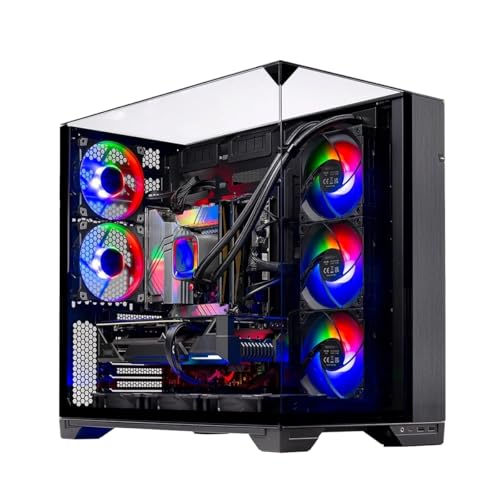
- 360mm AIO provides dedicated liquid cooling for the high-core X3D CPU.
- 32GB DDR5-5600 and 1TB Gen4 SSD are current-generation components ready for upgrades.
- O11 Vision case supports visible component showcase with multiple ARGB fans included.
Cons
- Wi-Fi limited to 802.11AC rather than newer Wi-Fi 6 or 6E standards.
- Graphics card brand and exact model may vary from listing images per the product notes.
This is a prebuilt gaming desktop in the mid-to-high range tier, built around an AMD Ryzen 7 7800X3D and NVIDIA RTX 5060 Ti 16GB. It targets gamers seeking 1080p ultra settings performance with headroom for current AAA titles and esports titles.
The standout feature is the 360mm AIO liquid cooler paired with the 7800X3D, which maintains stable clocks under prolonged loads where air coolers might throttle. Real-world use aligns with typical expectations for this CPU and GPU class at 1080p high refresh.
The Lian Li O11 Vision case provides a tempered glass showcase design with ARGB lighting and multiple fans for visible builds that still prioritize airflow.
Trade-offs include reliance on an 802.11AC wireless card and potential variance in GPU brand or exact model from images shown.
Buy this if you want a ready-to-game 1080p system with strong cooling and modern memory. Skip this if you need the latest Wi-Fi standards or prefer to select every component yourself.
| Processor | AMD Ryzen 7 7800X3D 4.2 GHz (5 GHz boost) |
| Memory | 32GB DDR5-5600 with heat spreader |
| Graphics | NVIDIA RTX 5060 Ti 16GB GDDR7 |
| Storage | 1TB Gen4 NVMe M.2 SSD |
| Cooling | 360mm ARGB AIO liquid cooler |
| Power Supply | 650W Gold |
| Case | Lian Li PC-O11 Vision Black |
| Wireless | 802.11AC |
| OS | Windows 11 Home 64-bit |
The RTX 5060 Ti 16GB targets 1080p ultra gameplay in modern titles with support for ray tracing and upscaling technologies such as DLSS.
Paired with the Ryzen 7 7800X3D cache design, the system handles open-world and simulation games without CPU bottlenecks at this resolution.
Preinstalled Windows 11 and drivers enable immediate launch of listed titles like Call of Duty, Fortnite, and Black Myth Wukong at the claimed settings.

Pros
- RTX 4060 with DLSS 3 frame gen is a solid 1080p GPU for this price bracket.
- 64GB RAM is well above typical prebuilt allocations at this tier for future multitasking.
- Dual-drive layout with NVMe bot plus 1TB HDD covers sped and capacity without upgrades.
Cons
- Zero owner reviews at time of writing, no third-party validation of build quality or QC.
- CPU listed as i7 Xeon 12-core is contradictory marketing, exact model, socket, and generation not specified.
- 650W PSU with unspecified efficiency rating and brand leaves little headroom for future GPU upgrades.
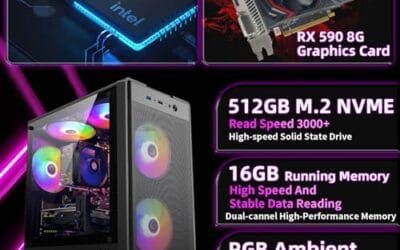
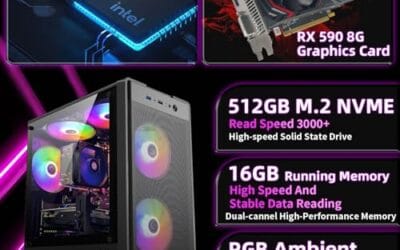
The Evounic is a budget prebuilt gaming tower built around an RTX 4060 8GB GDDR6, an unspecified 12-core CPU, 64GB RAM, and a 512GB NVMe plus 1TB HDD split. It targets first-time PC gamers or console upgraders who want a plug-and-play 1080p rig without sourcing parts.
The defining component is the RTX 4060, which in independent testing typically handles 1080p high orultra in most current AA titles at 60 to 90 FPS, with DLSS 3 frame generation pushing much higher figures in suported games. VR and1440p esports are workable, but 4K is out of scope for this GPU class.
Trade-offs are real. The CPU is described as i7 Xeon 12-core, which is not a coherent product line, so buyers should confirm the exact SKU before purchase. The 650W PSU is adequate for a stock RTX 4060 but leaves little transient headroom, and the specifications field is empty, so waranty, motherboard, and case dimensions are unknown.
Buy this if you want a preassembled 1080p 60to 144Hz gaming PC with generous RAM and dual storage out of the box. Skip this if you need verified component brands, a documented warranty path, or upgrade room beyond an RTX 4060 class GPU.
Resolution target: The RTX 4060 8GB is a 1080p high-refresh card. Expect 100+ FPS in esports titles like Valorant, CS2, and Fortnite, and 60 to 90 FPS at 1080p high in most current AAA games without DLSS enabled, per NVIDIA and third-party review baselines for this SKU.
DLSS and VRAM: 8GB GDDR6 is the ceiling here. Modern titles with ray tracing at 1440p can exceed the 8GB buffer, causing texture streaming stuter. DLSS 3 frame generation is the main lever for hitting higher frame rates in supported titles, and this GPU suports it natively.
CPU pairing: The listing states an i7 Xeon 12-core, which conflates two Intel product families. Real 12-core desktop parts at this price typically ship as Core i7-12700 series or older Xeon workstation chips. For an RTX 4060, any modern 6 to 12 core CPU avoids meaningful bottleneck at 1080p high or1440p.
Cooling and PSU headroom: Seven ARGB fans plus AIO liquid cooling is generous for an RTX 4060 build with roughly 115W TGP. The 650W PSU has adequate wattage, but with unspecified efficiency and brand, transient spikes and future GPU upgrades to a 200W+ card would be borderline.

Pros
- 24-core, 32-thread i9-13900HX offers multithreaded headroom for streaming and light rendering
- 32GB DDR5 out of the box avoids an early RAM upgrade for most gaming loads
- Four display output support (3x DisplayPort 1.4, 1x HDMI 2.0b) fits multi-monitor productivity setups
Cons
- Limited owner fedback at time of writing, no verified reviews to validate build quality
- i9-13900HX is a mobile HX-class chip, not desktop LGA1700, expect lower sustained clocks than a desktop i9
- RTX 5060 8GB VRAM buffer is tight for 1440p ultra textures and future ray traced titles
The suevery is a mid-range white themed prebuilt tower built around a 24-core Intel Core i9-13900HX, 32GB DR5, a 1TB PCIe NVMe SD, and an NVIDIA RTX 5060 8GB GPU. It targets 1080p high refresh gamers stepping up from older Kaby Lake or Zen 2 machines who also want an RGB glass panel aesthetic.
The defining pairing is the RTX 5060 with 32GB DR5. Based on category norms, this GPU class typically pushes 1080p ultra above 100 FPS in most current AA titles and handles esports at 240Hz on medium to high. DLSS 3 frame generation extends usable settings in ray traced workloads on 8GB VRAM.
The i9-13900HX suffix indicates a mobile BGA chip, not a desktop LGA1700 part, so sustained multicore clocks and cooling headroom will trail a true desktop i9. The 8GB VRAM buffer is tight for 1440p ultra textures. PSU wattage, motherboard model, chassis dimensions, and warranty length are not specified in the listing.
Buy this if you want a plug and play white RGB build for 1080p high refresh gaming and light streaming, and you are comfortable with an undisclosed OEM board and PSU. Skip this if you need documented component pedigree, a desktop-class i9, or a VRAM buffer sized for 1440p ray tracing.
GPU and Resolution Fit: The RTX 5060 8GB with GDDR6 targets 1080p high and1440p medium in modern titles. Three DisplayPort 1.4 outputs and one HDMI 2.0b support up to four monitors, though 4K 120Hz HDR is a stretch given the 8GB frame buffer and mid-range shader count.
CPU and Memory: The i9-13900HX runs 24 cores and 32 threads with a 5.4GHz boost, aimed at streaming, encoding, and multitasking alongside gaming. 32GB DDR5 headroom covers OBS NVENC recording plus browser tabs and Discord without swap. DDR5 speed and timings are not specified.
Storage and Expansion: A single 1TB PCIe NVMe M.2 SSD handles OS plus roughly four to six modern AAA installs before rotation. Secondary drive bays, chassis internal volume, and free M.2 slots are not specified, so heavy Steam libraries may need an early secondary SSD.
Cooling and PSU Considerations: The tempered glass front and multi-fan RGB layout suggest a standard positive pressure setup, though radiator support and exact fan count are not specified. PSU wattage is undisclosed, which matters since RTX 5060 systems typically want a 550W or higher unit with a modern 12V connector.

Pros
- Full peripheral bundle reduces upfront purchases for first-time desktop buyers needing a ready setup.
- 16GB RAM and 512GB SSD exceed baseline specs for renewed office prebuilts at this class.
- Windows 11 Pro 64-bit preinstaled with multi-language support and standard USB 3.0 connectivity.
Cons
- Limited owner feedback at time of writing makes reliability signal thin for this specific SKU.
- GT 1030 2GB is a roughly 30W entry card, not viable for modern AA titles at 1080p.
- Renewed unit with unspecified CPU generation, chassis model, PSU wattage, and warranty terms.
This is a renewed entry-tier prebuilt PC bundle from Dell, built around an unspecified Intel Core i5 CPU, a GeForce GT 1030 2GB, 16GB of RAM, and a 512GB SSD. It targets first-time desktop buyers, students, and home-office users who want a complete kit including monitor, keyboard, mouse, and headset.
The defining trait is the all-in-one bundle, a 24 inch FHD monitor plus RGB peripherals shipped alongside the tower. The GT 1030 2GB, based on category norms, handles CS2, Valorant, League, and older esports at 1080p low to medium, but lacks the VRAM and shader count for modern AAA workloads.
Trade-offs stack up at this tier. The exact Core i5 generation, motherboard chipset, PSU wattage, and case model are not specified, which limits any GPU upgrade path since the GT 1030 draws only around 30W. Renewed status also means cosmetic wear and short residual warranty coverage are typical.
Buy this if you need a turnkey Windows 11 Pro workstation for office work, browsing, and light esports, and value the included peripherals over raw gaming headroom. Skip this if you plan to run modern AAA titles at 1080p high, or want documented component specs and a full manufacturer warranty.
GPU class: The GeForce GT 1030 2GB is an entry-level card with roughly 30W typical board power and GDDR5 memory in most SKUs. Based on owner reports of this class, expect 60+ FPS at 1080p low in CS2, Valorant, and Rocket League. Modern AAA titles at 1080p high are not in scope.
Display pairing: The bundled 24 inch FHD panel at 1920x1080 matches the GT 1030 realistic output ceiling. Refresh rate and response time are not specified, so assume a 60Hz to 75Hz baseline typical of budget bundle monitors. HDMI is the primary input, with no DisplayPort listed for higher refresh headroom.
CPU and memory: The Core i5 is quoted at up to 3.6GHz, but the exact generation is not specified, so IPC, core count, and socket are unclear. 16GB of RAM and a 512GB SSD cover Windows 11 Pro, Office, and Chrome with many tabs without swap thrash on daily workloads.
Connectivity and upgrade path: USB 3.0, RJ-45 Gigabit, HDMI, a legacy serial port, and USB WiFi cover the basics. Without documented PSU wattage or PCIe slot layout, a GPU upgrade beyond a75W low-profile card such as a GTX 1650 is not guaranteed to fit or receive stable power.

Pros
- 6-core Ryzen 5 with 32MB L3 cache handles 1080p esports and daily productivity workloads.
- DDR4-3200 16GB kit is the sweet spot for Ryzen and avoids single-channel bottlenecks common at this price.
- M.2 NVMe SD as bot drive keps Windows load times and game shader compiles reasonable.
Cons
- Limited owner fedback at time of writing, so long-term reliability and QC consistency are unverified.
- 4GB Radeon GPU (exact model not specified) will struggle at 1440p and in modern AAA titles with textures above medium.
- PSU wattage, motherboard chipset, exact Ryzen 5 SKU, and waranty terms are not specified in the listing.
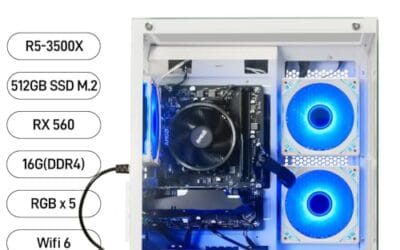
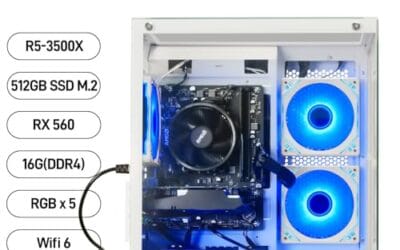
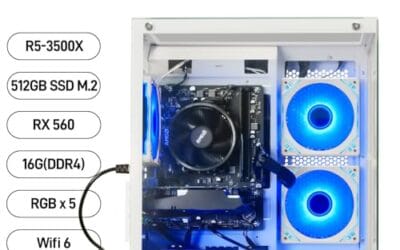
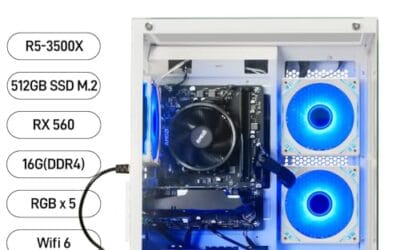
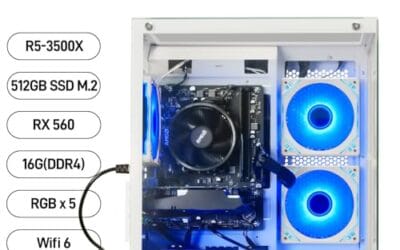
The suevery prebuilt is a budget-tier white-tower gaming desktop built around an AMD Ryzen 5 6-core CPU (3.6GHz base, 4.1GHz boost), 16GB DDR4-3200, a 512GB NVMe SSD, and a 4GB Radeon discrete GPU. It targets first-time PC gamers, students, and home-office buyers who want a plug-and-play 1080p system with RGB.
The defining feature is the Ryzen 5 plus NVMe SSD pairing, which keps Windows, browsers, and launcher stacks snappy. With a 4GB Radeon card and16GB DDR4, expect playable frame rates in CS2, Valorant, League, Rocket League, and older AA titles at 1080p low-to-medium. Prebuilts in this tier typically cap out well below 60FPS in modern ray-traced games.
Trade-offs are typical at this price. The exact Ryzen 5 SKU, motherboard chipset, PSU wattage, and Radeon GPU model are not specified, which limits upgrade planing. VRAM at 4GB is the realceiling for future GPU-heavy titles, and the 512GB SSD fills quickly once a couple of AA installs land. Owner data is effectively absent, so QC signal is unknown.
Buy this if you need a ready-to-run1080p esports and productivity box with WiFi 6 and RGB, and you accept unspecified component models. Skip this if you plan to play current AAA titles above 1080p medium, need a documented warranty, or want a clear upgrade path with a known chipset and PSU headroom.
CPU workload: The AMD Ryzen 5 lists 6 cores, 6 threads, 32MB L3 cache, 3.6GHz base and 4.1GHz bost. That profile suits 1080p esports and streaming light workloads, though the specific SKU is not specified, so IPC generation and PBO behavior cannot be confirmed from the listing.
GPU and resolution target: A 4GB Radeon discrete card (model not specified) is a 1080p low-to-medium tier component. Expect high frame rates in CS2, Valorant, and League, and reduced settings in Cyberpunk, Hogwarts Legacy, or any title flagging over 4GB VRAM at1080p high.
Memory and storage: 16GB DDR4-3200 is the standard sweet spot for Ryzen, and a 512GB M.2 PCIe NVMe SD keps load times competitive. Two to three modern AAA installs will fill the drive, so plan for a secondary SATA SD or larger NVMe upgrade.
Connectivity and thermals: WiFi 6 is included, alongside 2 USB 3.0 and 4 USB 2.0 ports. Cooling relies on the stock configuration with RGB fans; sustained thermal behavior and PSU wattage are not specified, so heavy overclocking or GPU upgrades should be approached cautiously.
Foundation (case, PSU, storage)
The boring parts decide whether your build lasts three years or eighteen months. Don’t cheap out here.
Case: An airflow-focused mid-tower with mesh front panel and support for at least four 120mm fans. The Lian Li O11 family, Fractal Pop Air, and Corsair 4000D Airflow all qualify. Avoid the closed-front “aesthetic” cases that look great on a desk and roast your GPU at 82C.
PSU: 750W 80+ Gold, ATX 3.0 compliant with a native 12V-2×6 connector. That’s the spec that gives you upgrade headroom for an RTX 5070 Ti or 5080 swap later without buying a new power supply. Corsair RM750x, Seasonic Focus GX-750, or be quiet! Straight Power 12 all do the job. Don’t go below 750W. The transient spikes on modern GPUs trip cheaper units.
Storage: 1TB Gen4 NVMe for OS and OBS scenes, plus a 2TB Gen4 NVMe for game installs. If you record local archives of your streams for VOD editing, add a 4TB SATA SSD as a third drive. Raw stream capture eats 50-100GB per hour at high bitrate, and you don’t want that landing on your boot drive. Three drives sounds like overkill until you fill the first two in a month.
Cooling and airflow
Cooling on a streaming rig isn’t just about temps. It’s about microphone audio. A loud air cooler under load bleeds straight into your stream through any condenser mic within three feet of the tower.
A 360mm AIO on the 7800X3D solves two problems at once. Thermals stay flat under multi-hour broadcasts, and the radiator fans can run at low RPM because they’ve got the surface area to spare. The Skytech O11 Vision listed above ships with this exact setup pre-installed, which is why it scores a 4.6 from buyers who actually stream.
Six case fans total: three intake on the front, two top exhaust, one rear exhaust. Run a slight positive pressure bias so dust gets filtered at the intakes instead of pulled through every seam. Repaste the CPU after year two. That’s it. Cooling isn’t complicated when you build it right the first time.
Optional add-ons
These aren’t strictly required for the build, but most full-time streamers add at least three of them within the first year.
Capture card: Elgato HD60 X if you stream console gameplay alongside PC content. Step up to the 4K X60 if you want 4K60 HDR passthrough for Series X or PS5 sessions. Internal PCIe capture cards exist, but USB models are easier to move between rigs.
Second monitor: A vertical 1080p panel for chat, OBS controls, and Discord. You can’t reliably monitor chat on the same screen you’re gaming on. Most streamers eventually run three displays, but two is the realistic minimum.
Microphone chain: Shure MV7+ or RODE NT-USB+ for the all-in-one route. If you want to grow into an XLR setup, start with the GoXLR Mini or a Focusrite Scarlett Solo and a Shure SM7dB. Audio is what separates a hobbyist stream from a pro one.
Lighting and Stream Deck: A key light kills the murky-basement look on facecam. The Elgato Stream Deck (15 or MK.2) handles scene switching, mute, and alert toggles without alt-tabbing out of your game.
Total cost breakdown
Here’s how the DIY math shakes out in mid-2026 pricing, alongside the pre-built option for people who don’t want to assemble. Either path lands you in the same performance bracket. The pre-built saves a weekend; the DIY route saves roughly $200 and teaches you the machine.
| Component | Pick | Price |
|---|---|---|
| CPU | Ryzen 7 7800X3D | $340 |
| GPU | RTX 5070 12GB | $549 |
| RAM | 32GB DDR5-6000 | $110 |
| Motherboard | B650 / B850 ATX | $170 |
| Storage | 1TB + 2TB Gen4 NVMe | $220 |
| PSU | 750W Gold ATX 3.0 | $120 |
| Case + Fans | Mesh mid-tower, 6 fans | $140 |
| Cooler | 360mm AIO | $130 |
| DIY Subtotal | ~$1779 | |
| Pre-built | Skytech O11 Vision | $1900 |
Upgrade path over 3 years
This is where the build pays off. Every part above was picked so you can upgrade piecewise instead of replacing the whole rig.
Year 1-2 (CPU): Drop in a Ryzen 7 9800X3D when prices settle around $350 in late 2027. Same AM5 socket, BIOS update, done. You’ll claw back another 10-15% in CPU-bound titles and frametime consistency.
Year 2-3 (GPU): Swap to an RTX 5070 Ti or 5080 once GDDR7 stock normalizes and street pricing comes down. The 750W PSU and ATX 3.0 connector were chosen specifically so you don’t have to touch the power supply for this jump.
Ongoing (audio): The mic chain is the most upgradeable part of any streaming setup. Start with a USB condenser, graduate to XLR with an interface, then add a broadcast-grade dynamic like the SM7dB. Each step is a clear quality jump your viewers can hear immediately. Hardware buys you reach. Audio buys you retention.