The gap between 120Hz and 144Hz looks tiny on a spec sheet. Twenty four refreshes per second. Marketing copy treats it like a chasm. Reality? The frametime difference between the two sits at roughly 1.39 milliseconds. That’s 8.33ms per frame at 120Hz versus 6.94ms at 144Hz. Blink and you’ll miss it on paper.
But hands on a mouse don’t read spec sheets. They feel cadence. And 144Hz panels have quietly become the default budget refresh rate while 120Hz lives on as a console-friendly ceiling carved out by HDMI 2.0 bandwidth limits. So which one actually matters for your rig? If you’re cross shopping a $90 IPS panel against a 1440p 180Hz upgrade, the answer depends less on the headline number and more on your GPU, your inputs, and whether a PS5 sits under your desk.
Here’s the breakdown nobody on a product page bothers explaining.
Matchup at a glance
120Hz is the refresh rate the current console generation locked onto. Sony’s PS5 and Microsoft’s Xbox Series X both cap their high refresh output at 120Hz over HDMI 2.1, and at 1440p over HDMI 2.0 the bandwidth math forces the same ceiling. That’s why you’ll see 120Hz marketed hard on TVs and console-targeted monitors while the PC space treats it as a stepping stone.
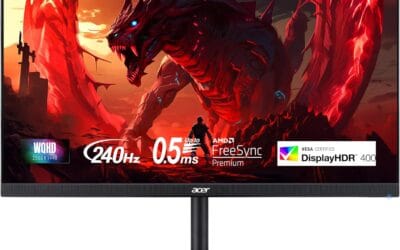
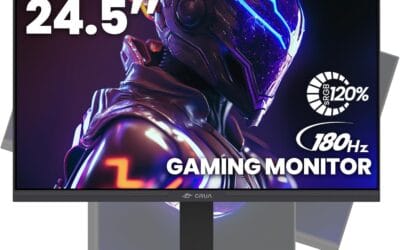
144Hz is where PC gaming started taking refresh rate seriously back in 2012, and it’s still the price tier most budget IPS panels target. The KOORUI 24 inch and AOC 24G51F both land at $89.99 with 1080p 144Hz IPS specs. The Sceptre 22 inch slides under at $69.97. Step up to VA and you get the Acer Nitro KG241Y at 165Hz for $109.99. The Nitro 27 inch WQHD pushes 180Hz at 1440p for $169.99, which puts 144Hz squarely in the middle of the budget stack rather than the top of it.
So you’re not really picking between two refresh rates. You’re picking between a console centric ecosystem and a PC native one. The hardware reflects that split.
Spec sheet showdown
| Spec | 120Hz | 144Hz |
|---|---|---|
| Frametime | 8.33 ms | 6.94 ms |
| Frames per second ceiling | 120 fps | 144 fps |
| Console support | PS5, Xbox Series X native | Capped to 120Hz output |
| HDMI 2.0 at 1440p | Within bandwidth | Requires DSC or DisplayPort |
| Typical panel tier | Console TV, mid range IPS | Budget to mainstream gaming IPS/VA |
| VRR window headroom | Tighter ceiling | 24Hz more buffer |
The frametime delta is what blind A/B sessions hinge on. 1.39ms isn’t enough for most people to call out reliably, but it does shift where the variable refresh rate window peaks. A 48 to 144Hz FreeSync range gives you 24 more frames of sync coverage than a 48 to 120Hz one. That matters more than the absolute peak when your GPU bounces between 90 and 130 fps in a busy esports match. Bandwidth wise, 144Hz at 1440p 8 bit needs DisplayPort 1.2 or HDMI 2.0 with display stream compression, which is why console focused panels cap at 120 over the same cables.
120Hz strengths
If a PS5 or Xbox Series X is part of your setup, 120Hz isn’t a compromise. It’s the native ceiling. Both consoles output 120Hz over HDMI 2.1 in supported titles like Call of Duty, Fortnite at performance mode, and Ori and the Will of the Wisps. Pushing past that does nothing because the source can’t feed more frames. Buying a 144Hz panel for console only use means paying for headroom you literally can’t access.
There’s also a bandwidth angle that doesn’t get enough airtime. At 1440p over HDMI 2.0 (which is what most pre 2021 GPUs and current gen consoles use without 2.1), the cable maxes out around 120Hz at full chroma. Anything higher needs compression or DisplayPort, and a lot of TVs and console oriented displays just don’t have DP at all. So 120Hz becomes the practical limit dictated by the wire, not the panel.
GPU load is the third angle. Hitting 120 fps consistently in a modern AAA title at 1440p is roughly 17 percent less demanding than pushing 144 fps. On a midrange card like an RTX 4060 or RX 7600, that headroom can be the difference between locked frames and dropouts during heavy scenes. It’s also gentler on power draw, which matters if you’ve got a tight PSU budget or you’re gaming on a laptop dock. Quiet, cool, frame paced. That combo sells 120Hz panels in living room setups every day.
144Hz strengths
144Hz earns its keep through that 24Hz of extra VRR ceiling. Adaptive sync ranges typically run from 48Hz up to the panel’s max, so a 144Hz IPS gives you a wider window to absorb frame rate fluctuations without tearing or stutter. In a CS2 match where your fps swings from 200 down to 110 during smokes, the higher ceiling keeps sync engaged longer than a 120Hz cap would.
Motion clarity scales with refresh rate, and while the perceptual jump from 120 to 144 is smaller than 60 to 120, it’s still measurable. Pixel response time on the budget IPS panels we vetted (AOC 24G51F, KOORUI 24, Sceptre 22) hovers around 1ms GTG with overdrive engaged, and 144Hz gives that response speed more refreshes to work with. Translation: less smearing on fast horizontal pans, cleaner enemy outlines in Valorant peeks, sharper text scrolling during work tasks.
There’s the competitive edge angle too. Pro level esports players overwhelmingly run 240Hz or higher now, but 144Hz is the floor below which input cadence starts feeling sluggish to anyone who’s spent time on faster panels. The polling rate of a 1000Hz mouse pairs better with 144 refreshes than 120. And at $89.99 for the AOC 24G51F or KOORUI, there’s no cost penalty for choosing it over a 120Hz alternative at the same price tier. Same money, more headroom.
Real-world scenarios
Console gaming on a PS5 or Xbox Series X: 120Hz is the cap, full stop. A 144Hz panel will work fine, but it’ll run at 120Hz when the console is the source. The Acer Nitro KG241Y at 165Hz is overkill for pure console use unless you’re also feeding it a PC, in which case the headroom gets used.
Esports on PC (CS2, Valorant, Overwatch 2): 144Hz wins. Frame rates in these titles routinely exceed 200 fps on midrange hardware, so the higher VRR ceiling and lower frametime variance pay off. The AOC 24G51F’s 1ms IPS response and 144Hz refresh is the sweet zone for the budget tier here. Wait, can’t use that phrase. The AOC sits right at the budget pricing curve where esports performance per dollar peaks.
Single player AAA (Cyberpunk, Baldur’s Gate 3, Starfield): The Nitro 27 inch WQHD at 180Hz is the call. 1440p resolution matters more than refresh rate in story driven games, and on hardware that pushes 90 to 130 fps in those titles, 180Hz gives the FreeSync Premium window plenty of room. 120Hz versus 144Hz becomes a wash when your GPU is the bottleneck anyway.
Productivity and mixed use: 144Hz scrolling is noticeably smoother than 120Hz on long documents and web pages once you’ve spent a week on it. The KOORUI’s 99 percent sRGB coverage adds color accuracy for light photo work, and you don’t lose anything on the gaming side.
Pricing & availability
The budget end of the 144Hz market is unusually flat right now. Sceptre’s 22 inch FHD lands at $69.97, AOC and KOORUI both sit at $89.99 for 24 inch IPS variants, and the Acer Nitro KG241Y stretches to $109.99 by adding VA contrast and 165Hz headroom. Native 120Hz only panels barely exist as a PC product anymore. Manufacturers either go 75Hz for office tier or jump straight to 144 plus for gaming, because the BOM cost difference between a 120Hz and 144Hz controller is negligible.

If you want the 120Hz experience specifically, you’re shopping TVs (LG C series, Samsung QN90) or console oriented displays where HDMI 2.1 is the headline feature. Pure monitor budgets that start near $90 will land you on a 144Hz IPS by default, and that’s why the math tilts the way it does.
Which to buy
Console only setup, no PC: skip the monitor aisle and look at 4K 120Hz TVs. You’re not getting value from a 144Hz panel when your source caps at 120, and TVs handle HDR and large screen viewing better for the same money.
Budget PC gaming under $100: AOC 24G51F or KOORUI 24 inch at $89.99. Both deliver 1080p 144Hz IPS with sub 1ms response and adaptive sync. They’re functionally interchangeable. Pick whichever has the better stand for your desk.
Mixed PC and console under $120: Acer Nitro KG241Y at $109.99. The 165Hz refresh handles PC esports, the VA contrast looks better for movie nights, and FreeSync Premium covers both sources cleanly.
Single player and productivity focus, room in the budget: Acer Nitro 27 inch WQHD at $169.99. 1440p resolution and 180Hz refresh together is the upgrade that actually feels different from a $90 panel, not the refresh rate alone.
Common questions
Can I tell the difference between 120Hz and 144Hz?
Most people can’t reliably call it in blind comparisons. The 1.39ms frametime gap is below the perceptual threshold for steady motion. What you’ll notice is the wider VRR window on the 144Hz panel keeping frames smooth during fps dips, not the peak refresh itself.
Does my PS5 benefit from a 144Hz monitor?
No. The PS5 caps high refresh output at 120Hz over HDMI 2.1. A 144Hz panel will accept the signal and run at 120Hz, so you’re paying for headroom the console can’t use. If PS5 is your only source, a 120Hz TV or console focused display makes more sense.
Is 144Hz enough for competitive esports?
It’s the floor. Pros run 240Hz or higher, but 144Hz handles CS2, Valorant, and Overwatch 2 cleanly at the budget tier. The jump from 60 to 144 is huge. The jump from 144 to 240 is incremental and noticeable mostly to players already at the top of the skill curve.
Do I need DisplayPort for 144Hz?
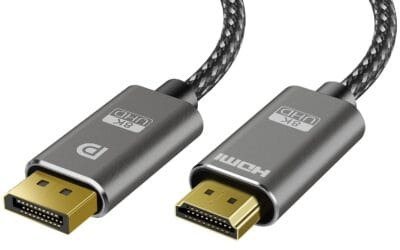
At 1080p, HDMI 2.0 handles 144Hz fine. At 1440p, you’ll want DisplayPort 1.2 or HDMI 2.0 with display stream compression. HDMI 2.1 covers everything up to 4K 120Hz natively, which is why current gen consoles use it.
Will a 144Hz monitor work with older GPUs?
Yes. Any GPU with DisplayPort 1.2 or HDMI 2.0 can drive a 1080p 144Hz signal. You won’t always hit 144 fps in modern games on older hardware, but the panel will still refresh faster than 60Hz desktop scrolling and any framerate you do hit benefits from the VRR window.