

The Antec Flux Pro is the best full tower case for most builders who need room for a long graphics card and a large cooler. It comes with six fans, fits E-ATX boards up to 285 mm wide, and supports a 420 mm radiator at the front or top. At $150 when we checked, it costs about $29 more than our budget pick.
A bigger case earns its space when you can point to the parts that need it. An optical drive and a stack of hard drives call for a different layout from a glass-fronted build with radiators on three sides. We picked five full towers for those different jobs, from a $121 case with three external drive bays to a $519 super tower for elaborate liquid cooling.


Full Tower Cases Compared
| Pick | Case | Defining spec | Best for | Key trade-off |
|---|---|---|---|---|
| Best overall | Antec Flux Pro | Six PWM fans included | Large gaming PCs with a 420 mm AIO | A 420 mm front or top radiator limits the other mount to 360 mm |
| Best budget | Phanteks Enthoo Pro | Three external 5.25-inch bays | Optical drives and reused hardware | 347 mm GPU clearance with the hard drive cages in |
| Best showcase | Lian Li O11D EVO XL | 420 mm radiator mounts at the top, side, and bottom | Glass-fronted custom loops | 304 mm wide, with an E-ATX limit under 280 mm |
| Best for storage | Fractal Design Meshify 2 XL | Six HDD/SSD trays included | Workstations with many internal drives | Maximum drive count requires extra mounts |
| Best super tower | Corsair 9000D RGB Airflow | Multiple 480 mm radiator mounts | Large custom loops with several radiators | 37 kg empty, with fans sold separately |
Best Overall — Antec Flux Pro
Buy the Flux Pro if you want to build a large gaming PC and use the included fans. Antec puts three 140 mm PWM fans behind the front mesh, one 140 mm fan at the rear, and two reverse-blade 120 mm fans on the power supply shroud. That gives you front intake, airflow beneath the graphics card, and a rear exhaust position covered on day one. Antec also includes a fan hub, so you can connect the stock fans without rounding up six motherboard fan headers.
The headline limits are 455 mm for the graphics card and 190 mm for a tower air cooler. If you’re planning a 420 mm AIO, I’d start by checking the top mount so the supplied front fans can stay in place. Compare the radiator and fan stack against the motherboard heatsinks and CPU power plugs. If you’re using both front and top radiators, Antec limits the front to 360 mm with a 420 mm radiator up top, or the top to 360 mm with a 420 mm radiator up front.
The case is 530 mm deep and 545 mm tall, so check the space below your desk as carefully as the space inside the chassis. The optional rotated power supply mount can simplify cable access, but Antec limits that orientation to a 180 mm unit. Check clearances for the standard mount if you have a longer PSU. If you’re building around an optical drive or need a board wider than 285 mm, go straight to the Phanteks or Fractal sections.
Best Budget — Phanteks Enthoo Pro
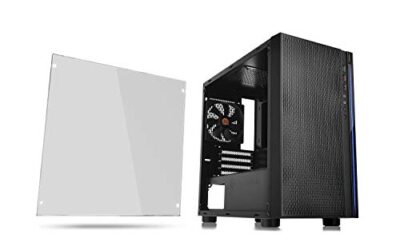
The black, closed-panel Enthoo Pro is the least expensive pick here. Its three external 5.25-inch bays are the reason to buy it. If you’ve got a Blu-ray drive, a card reader in a bay adapter, or another front-access accessory you still use, those bays give it a permanent place. You can also move over several hard drives. The two internal cages hold up to six 3.5-inch drives between them.
The GPU fit changes with those cages. Phanteks specifies 347 mm with the cages in place and 472 mm without them. Measure the card you own or plan to order before deciding which drive positions to keep. Say you’re reusing four 3.5-inch disks and upgrading to a graphics card longer than 347 mm. That build needs both drive cages, so choose a shorter card or look for a case with a separate drive area.
The Phanteks manual lists a 200 mm front fan on the closed-panel model and support for a top radiator up to 420 mm. This is the older, windowless listing, so verify its front ports on the exact model before paying if front USB-C matters. At the prices we found, the Flux Pro is a small step up for a new build that can skip the external bays. For a PC that still needs them, the Enthoo Pro is the budget pick I’d keep on the list.
Best Showcase — Lian Li O11D EVO XL
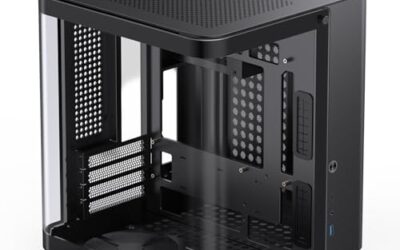
The O11D EVO XL is the pick when you want to see the build through the front and side glass. Its dual-chamber layout gives the power supply and much of the wiring a space behind the motherboard. The front pillar is removable, and the case can be reversed if you want the glass facing you from the other side of the desk. Plan the orientation before cutting tubing or routing cables.
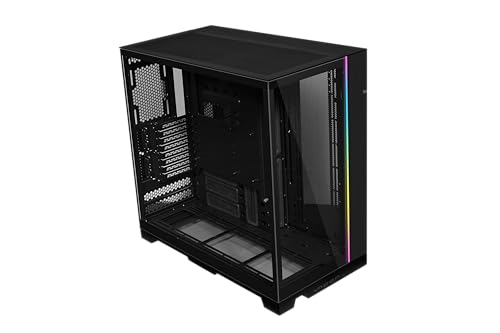
Lian Li lists mounts for 420 mm radiators at the top, side, and bottom. The motherboard tray moves between three heights, which helps you divide the space when fittings and fan stacks compete for it. The bare GPU length allowance is 460 mm and the tower cooler limit is 167 mm. A 280 mm-wide board is already at the threshold, so use Lian Li’s published requirement of under 280 mm for E-ATX.
At 304 mm wide, the case takes up a fair amount of a desktop. You’ll also need room beside the vented panel if you use the side bracket for intake. Measure to the nearest wall, and include the cost of the fans, brackets, and any GPU riser you plan to install when you compare it with the Flux Pro. The layout makes the most sense when you value the view through the glass or have a specific reason to use the side and floor mounts.
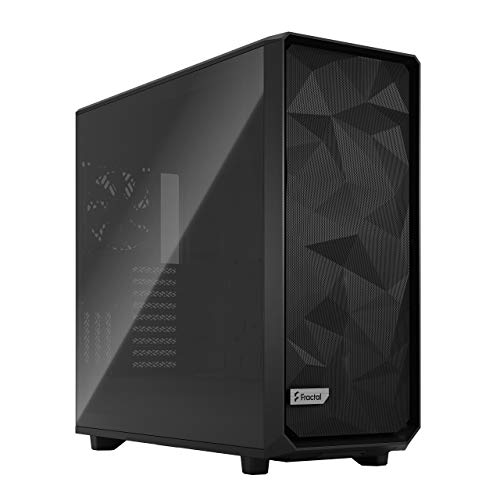
Best for Storage — Fractal Design Meshify 2 XL
The Meshify 2 XL fits a workstation that keeps several hard drives inside the same case as the GPU. Fractal supplies six HDD/SSD trays, two SSD brackets, and two multibrackets. The Storage Layout has room for up to 18 hard drives and five SSDs with optional hardware. Start with the number of trays supplied in the box, then work out the additional mounts, SATA ports, and power leads your drive count needs.
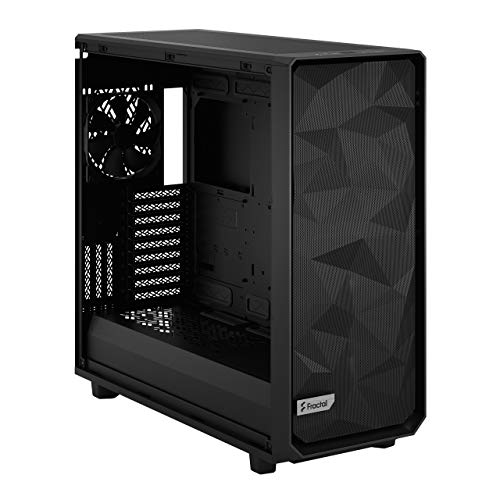
Fractal also supports E-ATX, EE-ATX, SSI-CEB, and SSI-EEB boards and supplies three 140 mm fans. At 600 mm deep, it’s worth measuring how far the rear cables extend and how much room the hinged mesh door needs to open. Leave a clear route to the front filter if the case will sit under a workbench. You’ll want to be able to reach it without moving a workstation full of drives.
Think about the two possible layouts before using the GPU figure from a spec table. Fractal’s product sheet allows a 524 mm GPU in Open Layout with the front fan installed. The Storage Layout brings trays into the front of the main compartment and has a published GPU clearance of 359 mm. A four-drive build may let you position the trays around other components. If you’re buying for a denser drive array, sketch where the trays and SATA connectors will go before choosing the GPU.
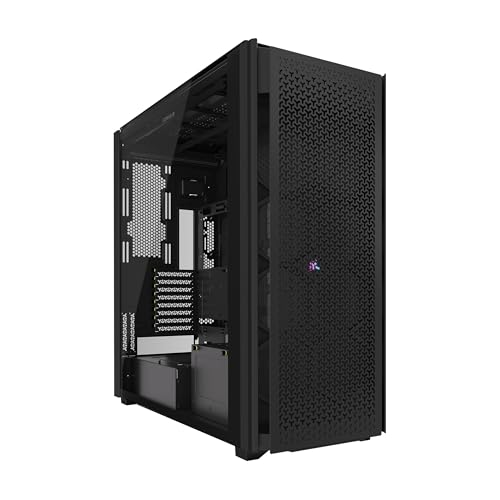
Best Super Tower — Corsair 9000D RGB Airflow
Room for multiple 480 mm radiators. That’s the reason to put the 9000D on your list. Corsair lists 480 mm support at the front and roof, with additional radiator mounts at the side and rear. The sliding InfiniRail mounts let you adjust fan positions. Corsair lists up to 360 mm at the side and up to 240 mm at the rear, giving you more options when planning separate cooling loops.
The case measures 698 by 307 by 698 mm and weighs 37 kg before you install anything. Check your desk or stand’s load rating and plan how you’ll move the assembled system before filling a loop. At $519 when we checked, it also needs a separate budget for fans. Corsair includes an iCUE LINK System Hub, and you’ll need to choose the fans separately.
For a large loop, draw the front and roof assemblies together, including end tanks, fittings, cables, and the depth of the fans. The mounting diagrams are more useful here than a total fan count. Leave enough room to remove a drain fitting or fan tray after the other hardware goes in. If your build has one GPU and one AIO, the Flux Pro is much easier to place and comes with fans you can use immediately.
How We Evaluated
We compared manufacturer specifications for motherboard sizes, radiator positions, drive mounts, exterior dimensions, and included fans. We gave each pick a specific build to serve and weighed what you’d have to buy separately to finish it. We checked new U.S. Amazon offers on November 25, 2026. Prices and availability can change. The recommendations reflect documented fit and features. Airflow descriptions refer to the panel and fan layout.
How to Choose a Full Tower Case
Which part needs the extra space?
Start with the longest component or the widest board. Motherboard widths first. E-ATX labels cover boards of different widths, so compare your exact board with the case manufacturer’s limit. Then check whether the board covers cable openings or puts edge-facing SATA ports behind a bracket. If you’re using SSI-EEB, make sure the manual shows the required standoff pattern as well as enough room for the board’s edge.
Can the GPU and cooling hardware share the space?
Read the radiator’s actual length, width, and thickness from its drawing. The nominal 420 mm refers to the fan layout, and the tanks and fittings add length. Check the roof against tall memory and motherboard heatsinks. At the front, account for radiator and fan depth where they overlap the graphics card. Leave room beyond the card’s side edge for the power connector and follow the card and cable makers’ routing instructions.
What’s included in the price?
Add any fans, risers, trays, or pump brackets you need. A case with several fans already installed can cost less to finish than an enclosure with a lower sticker price. When you’re planning to reuse existing parts, count the connections too. Several drives may need more SATA power connectors than your current PSU cable layout can reach, even if the PSU has plenty of capacity.
Where will it sit once it’s built?
Measure the available width, height, and depth. Include the clearance for an open side panel, rear plugs, and room to remove the top filter. A case on the floor should have a firm surface under its feet so a thick rug can’t obstruct the intakes. If your build involves one SSD, an ATX board, and a conventional cooler, compare dimensions with our mid tower airflow picks before committing to a larger footprint.
Full Tower Case FAQ
Do full towers cool better than mid towers?
Cooling depends on the vent layout, fans, and installed components. A full tower can give you more places to mount a radiator or feed air to a large GPU. A mid tower with a clear intake path may already give your hardware the room it needs. Our mid tower vs. full tower comparison covers the size and layout differences.
Will my standard ATX motherboard fit?
Yes, all five picks support standard ATX boards. Use the standoff positions shown for ATX in the case manual, and check where the top CPU power cable needs to pass. A roomy roof can make the cable easier to plug in before you install the radiator.
Can I start with air cooling and add a loop later?
Yes. Check the air cooler height now, then look at the mount positions you’d use later. The radiator, fans, reservoir, and drain need room at the same time. Leave the mounting hardware in the box and save the chassis diagram, especially if you plan to change the drive or GPU layout when you add the loop.
Bottom Line
Choose the Antec Flux Pro for a large gaming build with a long GPU, a 420 mm cooler, and enough included fans to get started. Buy the Phanteks Enthoo Pro if you still use a front-access drive, or the Meshify 2 XL if internal disk capacity is the priority. The O11D EVO XL makes sense if you want to see the build from two sides, while the 9000D has room for a much larger loop if you’ve measured out the space for it.
































Write Your Review
No reviews yet. Be the first to share your experience!