

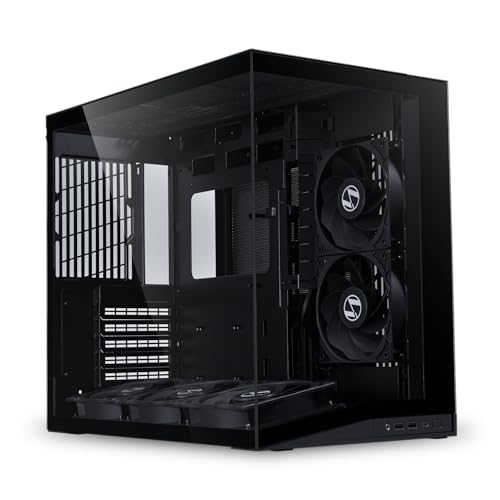
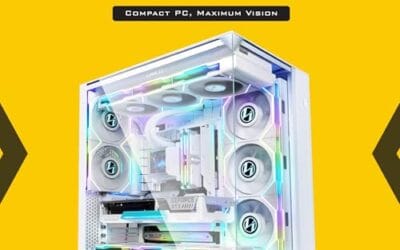
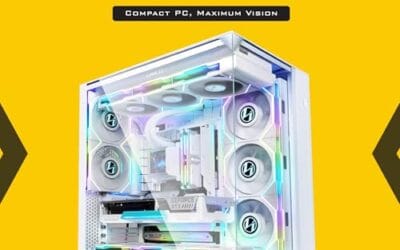
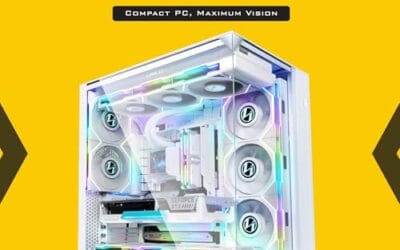
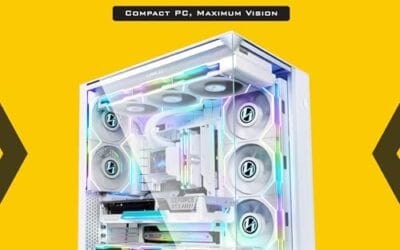
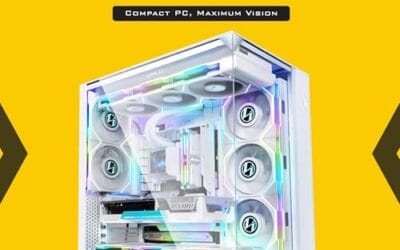
The Lian Li O11D Mini V2 Flow is our first pick if you want a cube-style PC case that can carry over a standard ATX motherboard and power supply. It puts the power supply behind the motherboard and comes with five fans, so you can build around the case’s glass front without shopping for a full set of fans. Measure the desk first. The case is 273.3 mm wide before you leave room for its side vents.
The compact picks make different bargains. The Jonsbo C6 keeps Micro-ATX on the table for a shallow desk, while the SilverStone Sugo SG13 fits where height matters most. The curved-glass Jonsbo TK-1 and the six-drive Fractal Design Node 304 round out the list. Choose by the part you need to fit, whether that’s a long graphics card, a low shelf or a stack of hard drives.


Cube computer cases at a glance
| Pick | Case | Dimensions | Motherboards | Key fit constraint |
|---|---|---|---|---|
| Best overall | Lian Li O11D Mini V2 Flow | 273.3 × 423.6 × 391.95 mm | ATX, Micro-ATX, Mini-ITX | Check the board’s GPU slot position |
| Budget Micro-ATX | Jonsbo C6 | 202 × 266 × 295.2 mm | Micro-ATX, Mini-ITX | 75 mm maximum air cooler height |
| Compact glass showcase | Jonsbo TK-1 | 299 × 310 × 345 mm | Micro-ATX, Mini-ITX | 280 mm maximum GPU length |
| Smallest pick | SilverStone Sugo SG13B-C | 222 × 285 × 181 mm | Mini-ITX, Mini-DTX | 61 mm maximum air cooler height |
| Best for hard drives | Fractal Design Node 304 | 250 × 374 × 210 mm | Mini-ITX, Mini-DTX | Long cards take space from drive mounts |
1. Lian Li O11D Mini V2 Flow: Best overall
The Flow version is the one to buy if you’re starting with a bare case and want glass on the front and side. It ships with three 120 mm reverse-blade PWM fans at the bottom and two at the side, giving you intake locations that don’t depend on an open front panel. The standard O11D Mini V2 is a separate, fanless listing. The Flow name matters if the price difference between the two is smaller than the cost of your planned fans.
Lian Li lists room for a graphics card up to 400 mm long, an air cooler up to 160 mm tall and an ATX PSU under 200 mm. The top accepts up to a 360 mm radiator, and there’s a 240 mm side position. A 280 mm top radiator requires a Micro-ATX or Mini-ITX board mounted one slot lower. Pull up the compatibility diagram before ordering a radiator and motherboard together. A long graphics card fitting lengthwise tells you little about the room left for its power plug or fans.
The more easily missed detail is the five-slot rear layout. Lian Li says some ATX boards with their primary PCIe slot directly under the CPU require the included vertical mount and a separately purchased 200 mm riser. If you’re reusing a board, compare its slot position with the case diagram before moving your parts. It’s the broadest fit here if you have an ATX build to carry over, provided the slot and cable clearances work. Lian Li’s configuration guide.
2. Jonsbo C6: Best budget Micro-ATX cube
The C6 is the pick for a shallow desk and an existing Micro-ATX board. It’s only 266 mm deep and 202 mm wide, with mesh around the chassis. Jonsbo lists ATX power supplies up to 185 mm and a 75 mm CPU cooler limit. That last number governs the build. If you’re moving a system out of a larger tower, check the height of your cooler before assuming it can come along.
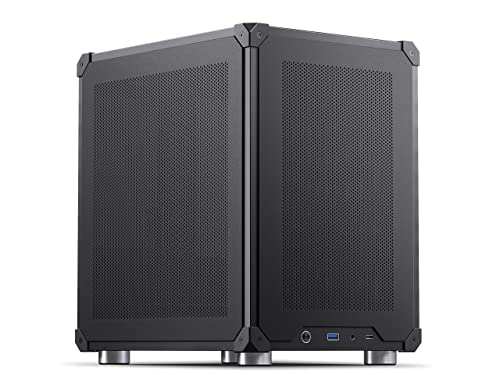
Short cards only. Jonsbo lists a graphics-card clearance range of 200 to 255 mm, so treat 255 mm as the upper bound and check the actual configuration. There are top and bottom positions for a 120 or 140 mm fan. The front position is shared by a 120 mm fan and a hard drive, so decide which job you want it to do before ordering either part. An M.2 drive on the motherboard is one way to keep that front position available if your board supports it.
The price makes sense if your parts already meet those limits. If you’d have to replace a tower cooler from your current build, compare the total cost against a roomier case. The C6 is at its best with a short graphics card or integrated graphics and a cooler chosen specifically for the available space. Jonsbo’s C6 specifications.
3. Jonsbo TK-1: Best compact glass showcase
The black TK-1 has the most nearly equal width, depth and height of the five picks. Its glass curves around the front and side, so the view still works when you set it at an angle. It’s 299 mm wide and only 310 mm deep. That shape makes it an option for a desk with enough space beside the monitor but limited depth between the wall and the front edge.
The TK-1 takes Micro-ATX or Mini-ITX boards and supports a 165 mm air cooler. There are two optional 120 mm fan positions on top and two on the bottom. A 240 mm radiator can go at the top. With a glass wraparound panel, plan for air to enter from the bottom and leave through the top, and give the feet a hard surface to sit on.
GPU length is the price of that short body. Jonsbo lists a 280 mm limit, so measure the specific card you plan to use even if other cards with the same GPU chip fit. Check the space under the graphics card if you intend to use both bottom fan mounts. For a display build with a short GPU, the glass and shallow depth are the reasons to buy it. If the build needs a longer card and you’ve got the extra desk depth, choose the Lian Li. Jonsbo’s black TK-1 specifications.
4. SilverStone Sugo SG13B-C: Best for a low shelf
Only 181 mm tall. The Sugo SG13B-C is the smallest case here by exterior volume, at 11.5 liters, and the shortest by a clear margin. The black B-C version pairs a mesh front with a front USB-C port. At 285 mm deep, it suits a shelf that has space behind the unit for cables and room around the vents. It takes Mini-ITX or Mini-DTX, so you’ll need a different board if you’re moving from Micro-ATX.
The trade is vertical clearance. SilverStone specifies a maximum air cooler height of 61 mm and a maximum ATX PSU length of 150 mm, with 140 mm recommended to leave room for plugs. The two expansion slots and the manufacturer’s 129 mm card-width restriction are just as important as the 270 mm maximum card length. A card described as compact can still exceed one of those other limits.
There’s a single front fan position. If you’re planning a front 140 mm radiator, SilverStone’s fit notes call for removing the upper drive cage and checking the resulting reduction in GPU room. That’s a good reason to pick the cooler, card and drive layout together. If you’re starting from scratch, our Mini-ITX parts guide explains the component choices that go into a small build. SilverStone’s SG13 specification sheet.
5. Fractal Design Node 304: Best for hard drives
Pick the Node 304 if the build starts with a set of SATA drives. Fractal gives this short Mini-ITX or Mini-DTX case six combined 3.5-inch or 2.5-inch mounting positions. It’s 210 mm tall and 250 mm wide. Two 92 mm fans in front and one 140 mm fan at the rear come with the case, according to Fractal’s own specifications.
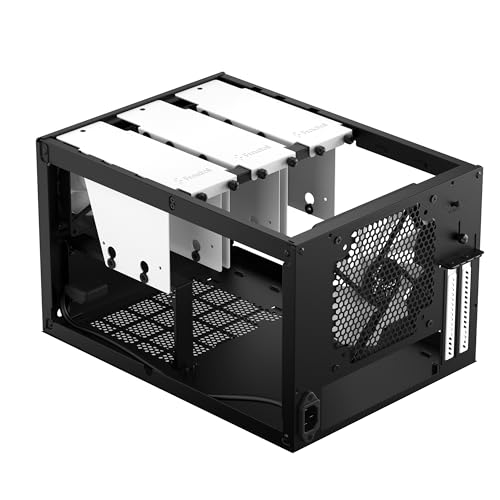
The 310 mm maximum graphics card length is conditional because getting that full clearance means leaving the adjacent drive bracket out. There are two expansion slots, and Fractal lists a 45 mm maximum card thickness. If you need every drive position, consider integrated graphics on a compatible CPU and board, or verify that a short card leaves the drive positions accessible. Also count your motherboard’s SATA ports and the PSU’s SATA power plugs before you plan around the full drive capacity.
If all your storage is on the motherboard, there isn’t much reason to buy this case specifically for its drive hardware. The SG13 is shorter and shallower, and the C6 lets you keep a Micro-ATX board when the rest of its parts fit. The Node 304 earns its desk space when you’ll use the drive mounts. Fractal’s Node 304 specifications and installation manual.
How we evaluated these cases
We started with squat cases across three motherboard sizes and compared their official dimensions, board layouts, fan and radiator positions, and room for a graphics card and CPU cooler. The shortlist favors cases that solve different fit problems. The smaller the enclosure, the more weight we gave to specific exceptions, such as a drive bracket that has to come out or a radiator that takes space from the graphics card.
We checked new US retail offers on November 25, 2026. Our picks are based on the documented layouts, included hardware and the builds each case can accommodate. Temperature and noise will depend on the parts, fan settings and placement of the finished PC.
How to choose a cube PC case
Which parts are you keeping?
Write down the motherboard model, the PSU’s depth, the GPU’s dimensions and the CPU cooler’s height. Start with the most expensive part you’d have to replace. If that’s a full-size board, check where the first graphics slot lines up with the case. If you’re buying a smaller board anyway, our ATX versus Micro-ATX guide covers what you gain and give up by changing formats.
Does the cooling layout work in the space you have?
Measure where the PC will sit as well as the case itself. A side intake needs space next to it. A bottom intake needs space underneath, and a top exhaust needs room above. In a shelf recess, leave room behind the case for the display and power cables to turn without strain. If your desk forces you to block a major intake, consider one of the mesh-front cases in our airflow guide with a vent facing into the room.
Can you still reach the ports and filters?
Think about the way you’ll use the case after the build is finished. A front USB-C port is only useful if the motherboard has a matching internal header or you’ve planned an adapter. If a filter pulls out from the rear, make sure you can reach it without disconnecting the PC. For a case going next to a monitor, check that its glass panel has room to come off. That’s easy to overlook when you’re comparing closed-case dimensions.
Will the advertised limits work together?
Overlay the case and component diagrams. A front radiator shares depth with a graphics card, and its fans add thickness. Top radiators can crowd memory or the heatsink at the upper edge of the board. Check how much the GPU’s power connector projects toward the side panel and follow its cable clearance guidance. If two parts each come right up to a stated maximum, find a configuration drawing that shows they can coexist.
Frequently asked questions
What makes a case cube-style?
It’s a shorthand for a squat, boxy enclosure. Some designs use extra width for a separate power supply chamber. Others mount the motherboard horizontally to reduce height. Cases sold under this description have different sizes and internal layouts, so use the actual measurements when planning your build.
Which cube case takes a full-size ATX motherboard?
Of these five, choose the O11D Mini V2 Flow for full-size ATX. The C6 and TK-1 stop at Micro-ATX, while the Sugo and the Node 304 use Mini-ITX or Mini-DTX. An enclosure’s outer size can be misleading because its power-supply and drive layout uses some of that volume.
Do cube cases need special power supplies?
All five have a documented ATX PSU option, with different length limits. Read the limits for the exact model, then allow room for its connectors and cables. That’s particularly important in the SG13, where SilverStone recommends a shorter supply than the maximum it’ll accept.
Bottom line
Start with the Lian Li O11D Mini V2 Flow if you’re building with ATX and its expansion-slot layout fits your motherboard. Buy the C6 for a low-cost Micro-ATX build with a short card and a low-profile cooler. The TK-1 is the display pick, the SG13B-C is the shelf pick, and the Node 304 is the storage pick. Let the hardest part to fit break the tie. A few minutes with the part dimensions can save a return and a second teardown.

























Write Your Review
No reviews yet. Be the first to share your experience!