

A 65 percent keyboard usually keeps about 66 to 68 keys, while a 75 percent board often lands near 80 to 84 keys by adding the function row and a tighter navigation cluster. That small-looking gap changes daily use more than the numbers suggest. If you’re choosing between compact desk space and fewer key combos, the right answer depends on how often you reach for F-keys, arrows, Page Up, Delete, and screenshot shortcuts. We’ve researched both layouts against budget mechanical options, full-size references, and the existing compact picks in our best 65 percent keyboard guide and 65 percent gaming keyboard picks.
Matchup at a glance
A 65 percent board is the cleaner desk layout. It drops the function row, number pad, and most navigation keys, but keeps dedicated arrows. That’s why gamers and small-desk users like it: your mouse hand gets more room, your shoulders don’t have to flare as wide, and the keyboard still isn’t as restrictive as a 60 percent board. Tiny footprint. Big adjustment.
A 75 percent board is the safer daily-driver layout. It keeps the function row, arrows, and several navigation keys in a compressed block, so it feels closer to a laptop or tenkeyless board. You’ll give up some mouse space compared with 65 percent, but you won’t need as many layers for volume, F5 refresh, Alt+F4, BIOS shortcuts, or productivity apps. For office work, coding, and mixed gaming, that’s often the easier compromise.
Spec sheet showdown
| Spec | 65 percent layout | 75 percent layout | Cherry KC 200 MX reference | Newmen GM325Pro reference |
|---|---|---|---|---|
| Typical key count | About 66 to 68 keys | About 80 to 84 keys | Full office layout with MX2A Silent Red switches | 104-key full-size layout |
| Best desk fit | Compact desks, low-sensitivity mouse setups | Shared gaming and work desks | Traditional office setups | Budget full-size gaming desks |
| Dedicated F-row | No, usually on a layer | Yes | Yes | Yes |
| Navigation keys | Arrows plus a few side keys | Arrows plus tighter nav cluster | Full navigation area | Full navigation area |
| Reference price and rating | Often higher for enthusiast wireless builds | Often close to compact 65 percent pricing | $56.31, 4.0 rating | $20.89, 4.8 rating |
65 percent keyboard strengths
The biggest 65 percent advantage is space efficiency without the harsh learning curve of 60 percent. You still get dedicated arrows, which matter for spreadsheets, chat editing, code navigation, and launcher menus. Compared with a full-size board like the 104-key Newmen GM325Pro, a 65 percent layout can free several inches of horizontal room. That lets a low-DPI mouse sweep without bumping the keyboard, and it can make a small 36-inch desk feel less cramped.
It’s also a cleaner layout for people who don’t use the function row every hour. If your main loop is WASD gaming, Discord, browser tabs, and light typing, the missing keys become layer shortcuts rather than missing hardware. You’ll still want to check the software carefully, because remapping matters more on compact boards. A 65 percent board works best when you can put Delete, Print Screen, media keys, and lighting controls where your fingers expect them.
75 percent keyboard strengths
The 75 percent layout wins on familiarity. You keep the F-row for F1 through F12 commands, game bindings, BIOS access, browser refresh, and app shortcuts. You also get more dedicated navigation than 65 percent without stretching all the way to tenkeyless width. If you’ve been using a laptop keyboard, 75 percent usually feels natural within a day. Not glamorous. Just efficient.
That matters for work. Programmers who use function-key debug commands, office users who hit Home and End constantly, and creators who need timeline shortcuts often lose time on a smaller layer-heavy board. A 75 percent keyboard doesn’t replace a number pad, but it removes most of the layout friction that makes 65 percent feel like a hobbyist choice. If you’re looking at compact boards for typing, our 65 percent typing guide is worth comparing against a 75 percent option before you buy.

Pros
- MX2A Silent Red linears actuate quietly, good fit for open-plan offices
- Metal plate frame keeps chassis stiff and reduces caseping under typing
- Cherry Gold-Crosspoint contacts rated for 50 million keystrokes on this variant
- Full-size layout with dedicated numpad suits data entry and spreadshet work
Cons
- Renewed unit with no owner fedback loged yet, cosmetic and wear condition varies
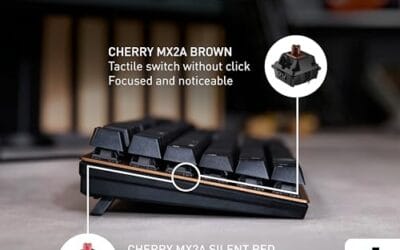
- Silent Red linears lack tactile bump, typists who prefer fedback should pick Brown
- Source data omits connectivity, cable type, polling rate, and dimensions
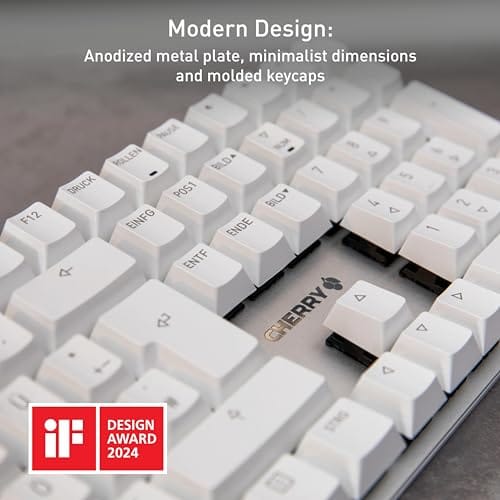
The Cherry KC 200 MX is a full-size office-focused mechanical keyboard sold here as a Renewed unit in Bronze with MX2A Silent Red linear switches. It targets office typists, developers, and finance or admin users who want Cherry switch fel and a metal plate frame without the RGB and gamer styling of enthusiast boards.
The defining feature is the MX2A Silent Red switch, Cherry's updated linear with dampened stems aimed at reducing bottom-out and return noise. Cherry rates this variant for 50 million keystrokes. Based on the linear profile, expect smooth actuation with no tactile bump, which suits fast touch typists and users on frequent video calls.
Trade-offs are typical at this tier and Renewed status. Silent Red linears are polarizing, users coming from Browns or Blues will miss the tactile feedback, and the source does not specify polling rate, connection type, cable, keycap material, or dimensions. As a Renewed listing, cosmetic condition and remaining switch life depend on the refurbisher rather than a factory-fresh baseline.
Buy this if you want a quiet full-size Cherry mechanical for office or shared-space use and value the metal plate build over RGB features. Skip this if you prefer tactile or clicky switches, need confirmed wireless or USB-C connectivity, or want a waranty profile equivalent to new stock.
Switches: Cherry MX2A Silent Red, linear with integrated dampeners, made in Germany with Gold-Crosspoint contacts. Rated for 50 million keystrokes on this variant, versus 100 million on MX2A Brown. Linear travel with no tactile bump favors light, fast keypresses over deliberate typing fedback.
Build: Metal plate frame under the switches, which stiffens the deck and cuts flex compared with plastic-only office boards. Cherry positions the KC 200 MX as a slim modern design, though exact case height, weight, and keycap material are not specified in the source data.
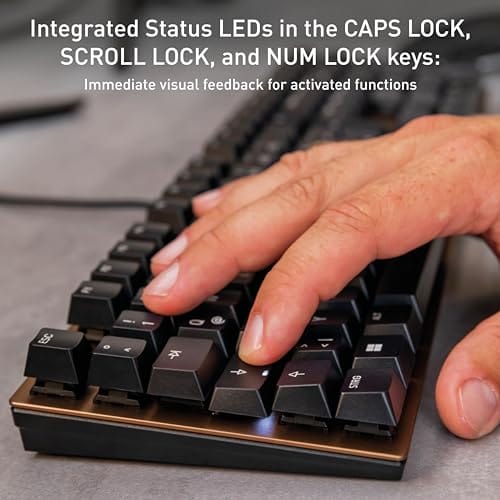
Layout and indicators: Full-size layout retains the dedicated numpad and function row, which maters for spreadsheet,ERP, and accounting workflows. White LED status indicators are built into Caps Lock, Scroll Lock, and Num Lock keys, avoiding a separate indicator strip and keeping the top edge clean.
Gaming fit: Silent Red linears work for casual gaming and MMO or productivity crossover use given their light linear fel, but the source does not list polling rate, N-key rollover, or onboard profiles, so competitive esports buyers should confirm specs before committing.
Real-world scenarios
Competitive gaming with low mouse sensitivity
Pick 65 percent if your mouse pad is large and your keyboard keeps getting clipped during flicks. The shorter width matters more than the missing F-row in shooters, and you’ll still have arrows for menus. You’ll need a custom layer for screenshot, recording, and media controls, but that’s a small trade if mouse space is the problem.
Programming, shortcuts, and terminal work
A 75 percent board is usually better for coding. Function keys, Delete, Home, End, Page Up, and Page Down see regular use in IDEs and terminals, even if you don’t notice them until they’re gone. A 65 percent layout can work, especially with strong remapping, but it asks you to memorize more key chords. If you pair a compact board with Vim-style controls or a programmable editor, 65 percent gets easier. If you switch between shared office PCs, laptops, and your home desktop, 75 percent keeps muscle memory cleaner.
Small office desk with lots of typing
Both layouts can work, but 75 percent is the safer first compact keyboard. You still save space compared with a 104-key board, yet you don’t lose the keys that office apps assume you have. If wrist angle matters, also compare split and tented boards separately, because layout percentage alone does not solve forearm angle or shoulder tension.
Budget mechanical keyboard shopping
Budget buyers shouldn’t assume smaller means cheaper. The Newmen GM325Pro is a 104-key mechanical board at $20.89 with hot-swap support, a metal panel, ABS black keycaps, rainbow LED backlighting, and linear red switches. Compact wireless 65 percent and 75 percent boards can cost more because the case, battery, switches, stabilizers, and software carry the price.
Pricing and availability
The provided full-size references show why layout alone doesn’t set price. The Cherry KC 200 MX costs $56.31, carries a 4.0 rating, and uses Cherry’s newer MX2A Silent Red switches in a modern metal-plate office design. The Newmen GM325Pro costs $20.89, carries a 4.8 rating, and lists 104 keys, hot-swap sockets, a metal panel, rainbow LED lighting, and wired Windows PC support. Those are not 65 percent or 75 percent boards, but they’re useful price anchors.
For actual compact boards, 65 percent models often range from cheap wired builds to premium aluminum wireless kits. 75 percent models cover the same spread, but sales can be better because the layout has become popular with office users and gamers. Don’t buy by percentage first. Decide which keys you need daily, then compare switch type, stabilizer quality, software, wireless mode, and warranty.
Which to buy
Buy a 65 percent keyboard if mouse room is the main reason you’re changing layouts and you’re comfortable using layers. It’s the better pick for compact desks, FPS setups, travel bags, and people who rarely touch F1 through F12. You’ll get a cleaner look and more room for your mouse, but you’ll need to spend a little time remapping secondary functions.
Buy a 75 percent keyboard if you want a compact board that still behaves like a normal keyboard. It’s the better all-around choice for work, school, mixed gaming, programming, and anyone who doesn’t want to relearn basic shortcuts. If you’re undecided, choose 75 percent first. You’ll lose less functionality, and you’ll still reclaim plenty of desk space versus full size. It’s the lower-risk move for a shared PC.

Pros
- Hot-swap sockets allow switch experimentation without soldering tools or PCB risk
- Metal top plate delivers firmer typing feel than plastic budget boards at this tier
- Full-key rollover and linear red switches handle rapid inputs for casual gaming
Cons
- Limited owner feedback at time of writing, so long-term reliability is unproven
- RGB is restricted to side lighting only, per-key backlight is fixed rainbow patterns
- ABS keycaps typical at this tier tend to shine and wear faster than PBT
The Newmen GM325Pro is a budget full-size 104-key wired mechanical keyboard aimed at first-time mechanical buyers and casual gamers who want a hot-swap PCB without moving up to enthusiast pricing. It ships with linear red switches, a metal top plate, ABS keycaps, and side-edge RGB lighting.
The defining feature here is the hot-swap socket combined with linear red switches. That gives new users a low-friction path to swap inactile or silent switches later without soldering. Typing fel on metal-plate boards at this tier is usually firmer and less hollow than all-plastic budget pers, based on category norms.
Trade-offs are typical for the price class. Per-key RGB is not suported, only side lighting is true RGB while the top backlight runs 13 preset rainbow effects. ABS keycaps tend to develop shine within months of heavy use, and Newmen does not publish switch lifecycle, polling rate, or NKRO wired specs in the source data.
Buy this if you want a cheap full-size hot-swap platform to learn on and plan to upgrade switches or keycaps later. Skip this if you need per-key RGB, PBT caps, a documented polling rate, or a keyboard with a dep owner review history to validate QC.
Switches and layout: Linear red switches on a full 104-key ANSI layout, with full-key rollover claimed by the manufacturer. Actuation force, travel, and switch brand are not specified in the source. Linear reds typically sit near 45g actuation and 4m total travel in this category.
Hot-swap PCB: Sockets accept standard MX-style switches, so tactile, clicky, or silent linear options from third parties drop in without soldering. Pin compatibility (3-pin vs 5-pin) is not specified, buyers should confirm before ordering replacement switches.
Build and lighting: Metal top plate over ABS black keycaps. RGB is limited to the side edge, while the top backlight cycles through 13 preset rainbow patterns rather than per-key addressable RGB. Case material below the plate is not specified.
Connectivity and software: Wired only via a detachable 1.8m USB cable. FN combos cover F1 to F11 media and calculator shortcuts. Customization software suports key remap, macro recording, and lighting tweaks, though poling rate and software platform support are not specified.
One practical desk note: if you rely on dedicated navigation keys every hour, 75 percent feels less cramped. If mouse space matters more than layout memory, 65 percent buys the cleaner sweep.
Common questions
Is 65 percent too small for everyday typing?
No, not if you mostly type text, browse, and play games. The letters, numbers, modifiers, and arrows are still there. The adjustment is mostly about function keys and navigation shortcuts. If you use those keys many times per hour, 75 percent will feel easier.
Is 75 percent good for gaming?
Yes, 75 percent is good for gaming, especially if you also use the same PC for work. It gives you more mouse room than full size while keeping F-keys for game commands, overlays, and macros. Very low-sensitivity shooter players may still prefer 65 percent.
Do 65 percent keyboards have arrow keys?
Most 65 percent keyboards have dedicated arrow keys. That’s the main reason many buyers choose 65 percent over 60 percent. You should still check the exact layout because some boards move Delete, Page Up, or Page Down into unusual positions.
Why are compact keyboards sometimes expensive?
Compact keyboards can cost more because many use enthusiast parts, wireless boards, hot-swap sockets, heavier cases, better stabilizers, and custom software. Smaller doesn’t automatically mean cheaper. A full-size budget model can undercut a premium 65 percent board by a wide margin.
Which layout is better for programming?
For most programmers, 75 percent is the safer pick. Dedicated function and navigation keys reduce shortcut friction in IDEs, terminals, and browser tools. A 65 percent board can still work well if you like layers and customize your layout carefully.
That small difference is why neither layout is automatically better. Pick around habits first, then size.






























Write Your Review
No reviews yet. Be the first to share your experience!