

A 65% keyboard drops the number pad, the function row, and most of the navigation cluster, keeping arrow keys and a couple of nav buttons, and lands at roughly 68 keys instead of a full-size board’s 104. The payoff is desk space and a mouse that sits closer to your hands. The cost is a learning curve, since some keys now live on a function layer. So is it worth it? This explainer walks through what a 65% layout actually gives you and who benefits. If you’re shopping, our roundup of the best 65% keyboards of 2026 and the best 65% keyboard for gaming lists specific picks.
The short answer
Yes, a 65% keyboard is worth it if you want more desk room, a closer mouse position, and you don’t rely on a number pad all day. You keep arrow keys and essential navigation, unlike a stricter 60% board, so the adjustment is mild. If you punch numbers constantly or lean on the function row for work, a larger layout serves you better. It’s a comfort-and-space trade, not a performance upgrade.

Think of it as a fit question rather than a better-or-worse one. Gamers and minimalists tend to love the reclaimed desk and closer mouse; accountants and heavy spreadsheet users usually don’t, because the numpad and F-row they rely on now take an extra keystroke. Knowing which camp you’re in answers the “worth it” question before you spend a dime.

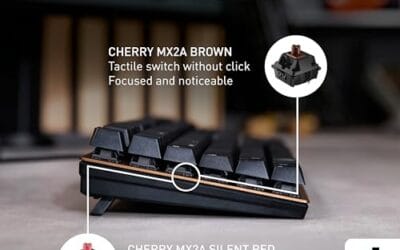
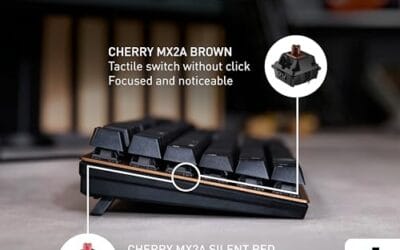
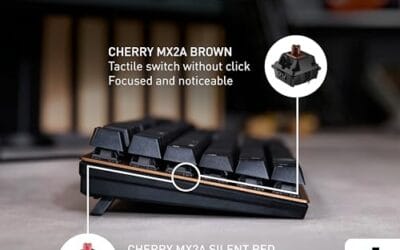
Switch feel matters as much as size. Whatever the layout, a mechanical board with quality switches drives the typing experience. The Cherry KC 200 MX, $56.31 at a 4-star rating, shows the parts that count: new MX2A switches, a metal plate frame, and in this case a silent red variant for quiet offices. Note it’s a full-size office board, referenced here for switch quality rather than as a 65% example.

Pros
- MX2A Silent Red linears actuate quietly, good fit for open-plan offices
- Metal plate frame keeps chassis stiff and reduces caseping under typing
- Cherry Gold-Crosspoint contacts rated for 50 million keystrokes on this variant
- Full-size layout with dedicated numpad suits data entry and spreadshet work
Cons
- Renewed unit with no owner fedback loged yet, cosmetic and wear condition varies
- Silent Red linears lack tactile bump, typists who prefer fedback should pick Brown
- Source data omits connectivity, cable type, polling rate, and dimensions
The Cherry KC 200 MX is a full-size office-focused mechanical keyboard sold here as a Renewed unit in Bronze with MX2A Silent Red linear switches. It targets office typists, developers, and finance or admin users who want Cherry switch fel and a metal plate frame without the RGB and gamer styling of enthusiast boards.
The defining feature is the MX2A Silent Red switch, Cherry's updated linear with dampened stems aimed at reducing bottom-out and return noise. Cherry rates this variant for 50 million keystrokes. Based on the linear profile, expect smooth actuation with no tactile bump, which suits fast touch typists and users on frequent video calls.
Trade-offs are typical at this tier and Renewed status. Silent Red linears are polarizing, users coming from Browns or Blues will miss the tactile feedback, and the source does not specify polling rate, connection type, cable, keycap material, or dimensions. As a Renewed listing, cosmetic condition and remaining switch life depend on the refurbisher rather than a factory-fresh baseline.
Buy this if you want a quiet full-size Cherry mechanical for office or shared-space use and value the metal plate build over RGB features. Skip this if you prefer tactile or clicky switches, need confirmed wireless or USB-C connectivity, or want a waranty profile equivalent to new stock.
Switches: Cherry MX2A Silent Red, linear with integrated dampeners, made in Germany with Gold-Crosspoint contacts. Rated for 50 million keystrokes on this variant, versus 100 million on MX2A Brown. Linear travel with no tactile bump favors light, fast keypresses over deliberate typing fedback.
Build: Metal plate frame under the switches, which stiffens the deck and cuts flex compared with plastic-only office boards. Cherry positions the KC 200 MX as a slim modern design, though exact case height, weight, and keycap material are not specified in the source data.
Layout and indicators: Full-size layout retains the dedicated numpad and function row, which maters for spreadsheet,ERP, and accounting workflows. White LED status indicators are built into Caps Lock, Scroll Lock, and Num Lock keys, avoiding a separate indicator strip and keeping the top edge clean.
Gaming fit: Silent Red linears work for casual gaming and MMO or productivity crossover use given their light linear fel, but the source does not list polling rate, N-key rollover, or onboard profiles, so competitive esports buyers should confirm specs before committing.
The longer explanation
Keyboard sizes are described as a percentage of a full-size layout. Full-size is 100% with a numpad. Tenkeyless (TKL, about 87 keys) drops the numpad. The 75% squeezes a TKL layout tighter. 65% goes further, cutting the function row and trimming the nav cluster while keeping arrow keys. 60% removes the arrows too. Each step down trades keys for compactness, and 65% is the point many people consider the balance of small size and daily usability.
The physical difference is bigger than the key count suggests. A full-size board runs roughly 17 to 18 inches wide; a 65% board sits closer to 12 inches. That’s five or six inches of desk reclaimed, which on a shallow or shared desk is the gap between a cramped setup and a comfortable one. It also shifts the mouse several inches inward for a right-handed user, straightening the arm and cutting the shoulder reach that causes fatigue over a long day. Small board, real ergonomic payoff, and that ergonomic angle is why the layout keeps spreading beyond gamers.
The keys you “lose” on a 65% board aren’t gone; they move to a secondary layer accessed with a function key. Delete, Home, End, Page Up and Down, and the F-row become Fn combinations. For gaming and casual typing, you rarely miss them. For spreadsheet-heavy work or coding that hammers the F-keys, the extra keystroke adds friction. That friction is the whole question, and the answer depends entirely on how you use a keyboard.
How we got here
Compact keyboards grew out of the enthusiast and gaming communities. Competitive gamers wanted more room to swing a low-sensitivity mouse, and cutting the numpad and right-side keys freed a lot of desk. The custom-keyboard hobby then popularized smaller layouts as canvases for personalization, and 65% emerged as a favorite because it kept arrow keys, which pure 60% boards sacrifice. As the layout went mainstream, more prebuilt options appeared at every price, from budget hot-swap boards to premium builds.
Wireless and low-profile variants pushed the format further into offices and travel bags. A 65% board is small enough to slide into a backpack sleeve, so the same keyboard that lives on your desk can come with you to a coffee shop. That portability, plus the flood of affordable hot-swap models, turned what started as a niche enthusiast preference into a genuinely mainstream size that sits between a full board and a pure minimalist 60%.
Why it works this way
The layout math is simple: fewer keys means a smaller footprint, which means the mouse sits closer to the keyboard’s center line. That reduces the reach and shoulder rotation for mouse-heavy work and gaming, which many people find more comfortable over long sessions. The retained arrow keys are the reason 65% wins over 60% for general use; losing arrows entirely, as 60% does, frustrates anyone who edits text or navigates without a mouse.
The function-layer approach exists because you can’t physically shrink a board without moving keys somewhere. Designers bet that the keys they relegate to a layer, the F-row and nav cluster, are the ones most users touch least. For most people that bet holds, and after a week the muscle memory forms. For heavy numpad or F-key users, the bet fails, which is why the size isn’t universally right.
When you’d want a 65% keyboard
You’d want one if desk space is tight, if you game with a low mouse sensitivity and need room to swing, or if you like a clean minimal setup and don’t do heavy number entry. It’s a strong pick for a compact desk, a laptop-plus-external setup you carry around, and gaming where the numpad just gets in the mouse’s way. Programmers who move around by keyboard often love the arrow keys 65% keeps while enjoying the smaller size. Content creators short on desk space, and anyone pairing a keyboard with a laptop on a coffee table, land in the same camp.
If budget is the priority and you want to try mechanical without spending much, the entry level is friendlier than ever. The Newmen GM325Pro, $20.89 at a 4.8-star rating, is a hot-swap mechanical board with linear red switches, a metal panel, and rainbow LED backlighting. It’s a 104-key full-size layout, not a 65% board, so we’re citing it as an affordable mechanical and hot-swap reference rather than a compact example. Its hot-swap sockets let you change switch feel without soldering, which is a genuinely useful feature at any size.

Pros
- Hot-swap sockets allow switch experimentation without soldering tools or PCB risk
- Metal top plate delivers firmer typing feel than plastic budget boards at this tier
- Full-key rollover and linear red switches handle rapid inputs for casual gaming
Cons
- Limited owner feedback at time of writing, so long-term reliability is unproven
- RGB is restricted to side lighting only, per-key backlight is fixed rainbow patterns
- ABS keycaps typical at this tier tend to shine and wear faster than PBT
The Newmen GM325Pro is a budget full-size 104-key wired mechanical keyboard aimed at first-time mechanical buyers and casual gamers who want a hot-swap PCB without moving up to enthusiast pricing. It ships with linear red switches, a metal top plate, ABS keycaps, and side-edge RGB lighting.
The defining feature here is the hot-swap socket combined with linear red switches. That gives new users a low-friction path to swap inactile or silent switches later without soldering. Typing fel on metal-plate boards at this tier is usually firmer and less hollow than all-plastic budget pers, based on category norms.
Trade-offs are typical for the price class. Per-key RGB is not suported, only side lighting is true RGB while the top backlight runs 13 preset rainbow effects. ABS keycaps tend to develop shine within months of heavy use, and Newmen does not publish switch lifecycle, polling rate, or NKRO wired specs in the source data.
Buy this if you want a cheap full-size hot-swap platform to learn on and plan to upgrade switches or keycaps later. Skip this if you need per-key RGB, PBT caps, a documented polling rate, or a keyboard with a dep owner review history to validate QC.
Switches and layout: Linear red switches on a full 104-key ANSI layout, with full-key rollover claimed by the manufacturer. Actuation force, travel, and switch brand are not specified in the source. Linear reds typically sit near 45g actuation and 4m total travel in this category.
Hot-swap PCB: Sockets accept standard MX-style switches, so tactile, clicky, or silent linear options from third parties drop in without soldering. Pin compatibility (3-pin vs 5-pin) is not specified, buyers should confirm before ordering replacement switches.
Build and lighting: Metal top plate over ABS black keycaps. RGB is limited to the side edge, while the top backlight cycles through 13 preset rainbow patterns rather than per-key addressable RGB. Case material below the plate is not specified.
Connectivity and software: Wired only via a detachable 1.8m USB cable. FN combos cover F1 to F11 media and calculator shortcuts. Customization software suports key remap, macro recording, and lighting tweaks, though poling rate and software platform support are not specified.
What to look for in a 65% keyboard
Confirm the layout truly keeps arrow keys and check where the delete, home, and page keys landed, since implementations vary and a cramped nav column can annoy you daily. Prioritize switch type for feel: linear reds for smooth gaming, tactile browns for a typing bump, silent variants for shared spaces like the Cherry’s silent red. Hot-swap sockets, like the Newmen’s, let you change switches later without soldering. A metal plate adds rigidity and a more solid typing feel, and PBT keycaps last longer than cheap ABS. Backlighting and wireless are preference, not necessity.
Common misconceptions
The biggest myth is that a 65% board loses keys permanently. It doesn’t; they move to a function layer and stay a keystroke away. Another is that the adjustment is brutal. For most people it takes a few days to relearn the F-row and nav keys as Fn combinations, and arrow keys being present makes 65% far gentler than 60%. If you’ve used a laptop keyboard, you’ve already used function layers.
People also assume smaller means worse for gaming, when the opposite is often true, the compact size gives more mouse room, which is why so many competitive players use them. And there’s a belief that cheap mechanical boards feel bad. Budget hot-swap boards like the Newmen prove otherwise; you can get a solid metal-panel mechanical for around twenty dollars and upgrade the switches later. Size and price don’t dictate typing quality on their own.
Frequently asked
Is a 65% keyboard good for gaming?
Yes, and many competitive players prefer it. Removing the numpad and right-side keys gives the mouse more room, which helps low-sensitivity players swing freely. You keep arrow keys and WASD, so nothing gaming-critical is missing. The main adjustment is reaching the F-keys through a function layer, which rarely matters mid-match.
What’s the difference between 65% and 60%?
Arrow keys. A 65% board keeps dedicated arrow keys and a small nav column; a 60% board removes them, pushing arrows onto a function layer. For anyone who edits text or navigates without a mouse, that makes 65% considerably more practical for daily use while staying nearly as compact.
Will I miss the number pad?
Only if you enter numbers frequently, like accounting or data entry. For gaming, browsing, coding, and general typing, most people never miss it. If you do occasional number work, a separate numpad accessory gives you the compact main board plus a numpad only when you need it.
How long does it take to adjust?
Usually a few days to a week. The muscle memory for reaching the F-row and nav keys via the function layer forms quickly, and because 65% keeps arrow keys, the transition is milder than moving to a 60% board. If you’ve typed on a laptop, you’re already familiar with function-layer shortcuts.
Are hot-swappable switches worth it?
If you’re new to mechanical keyboards, yes. Hot-swap sockets, like those on the Newmen board, let you pull and replace switches by hand with no soldering, so you can try linear, tactile, or silent switches until you find your preference. It future-proofs the board and makes the hobby far more approachable.































Write Your Review
No reviews yet. Be the first to share your experience!