

TBW is one of those SSD specs that looks scary until you translate it into normal PC use. You’ll see a drive rated for 600 TBW or 1,200 TBW and wonder if it means the SSD has a countdown clock. It sort of does, but not in the dramatic way people imagine. TBW tells you how much data the manufacturer expects the drive to write over its warranted life, and for most gaming PCs, it’s a comfort number more than a daily worry.
It’s still worth understanding because storage shopping has gotten messy. A fast boot drive, a bulk game library drive, and a portable scratch drive all age differently. That’s why our guides to the best 2TB NVMe SSDs for 2026, best 2TB NVMe SSDs for gaming, and best external SSDs all weigh endurance alongside speed and price. Tiny detail. Big buying clue.
The short answer
TBW stands for terabytes written. It is the total amount of data an SSD is rated to write before the manufacturer considers its endurance warranty satisfied. If a drive has a 600 TBW rating, that means 600 terabytes of writes. Installing a 100GB game writes about 0.1TB. Downloading, deleting, and reinstalling that same game ten times would still be about 1TB, which puts the scale in perspective.
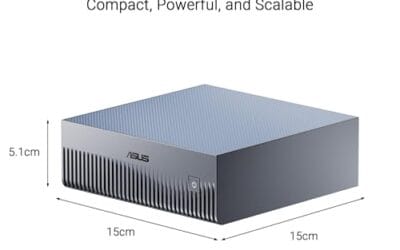
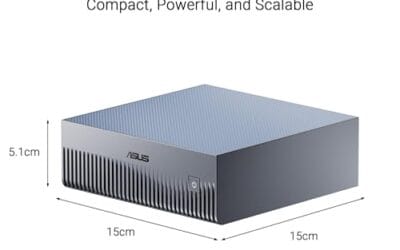
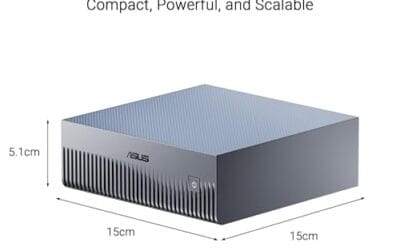
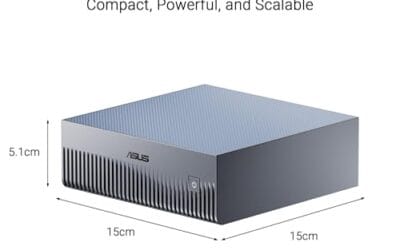
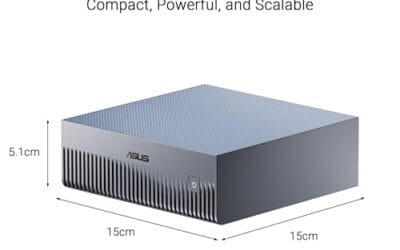
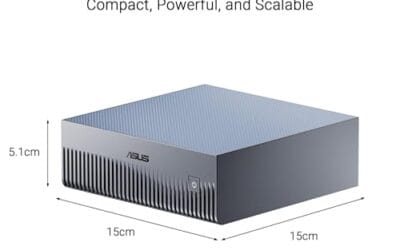
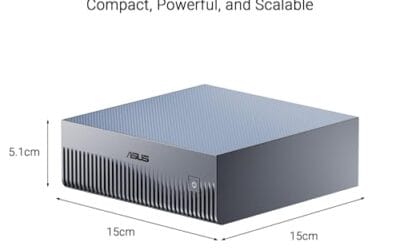
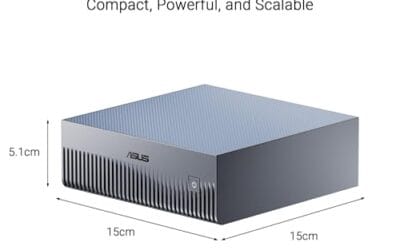
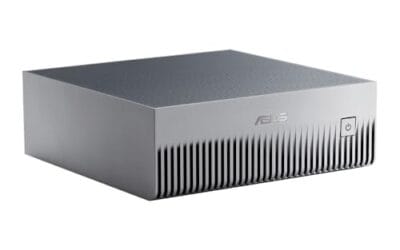
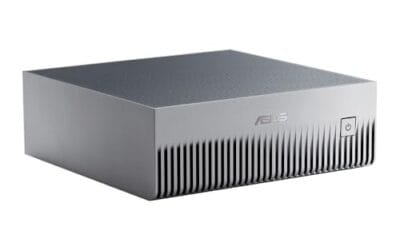
You won’t always see TBW printed on systems that merely include an SSD, but the included storage still follows the same endurance idea. The ASUS Ascent GX10, for example, lists a 1TB PCIe Gen4 NVMe SSD inside a compact AI-focused system with an NVIDIA GB10 Superchip, 128GB LPDDR5x, Wi-Fi 7, and Bluetooth 5.4. At about $3,970.99 with a 4.2-star rating, it’s a full machine rather than a loose SSD, so you’d check the exact installed drive or vendor documents if write endurance is critical.

Pros
- GB10 Superchip targets 1 petaFLOP AI throughput suitable for on-device LM prototyping
- 128GB unified memory pool avoids CPU-GPU copy overhead common on discrete GPU rigs
- NVLink-C2C fabric gives higher effective bandwidth than PCIe Gen5 x16 for AI workloads
- ConnectX-7 enables two-node stacking, scaling to roughly 400B parameter model fine-tuning
Cons
- Limited independent owner fedback and third-party benchmarks available at time of writing
- 1TB NVMe fills quickly with modern checkpoints, external NVMe or NAS staging likely need
- Closed NVIDIA ARM-based stack, not a general-purpose x86 workstation for gaming or standard DC aps
The ASUS Ascent GX10 is a flagship developer-class AI appliance built on the NVIDIA DGX Spark reference design, pairing the GB10 Grace Blackwell Superchip with128GB LPDDR5x and a 1TB PCIe Gen4 NVMe SSD. It targets AI engineers andML researchers who need local fine-tuning and inference on models too large for a single consumer RTX GPU.
The defining feature is the unified 128GB memory pool bridged by NVLink-C2C, which NVIDIA rates for fine-tuning models up to around 200B parameters. Compared with a dual RTX 6000 Ada workstation, the appeal is memory capacity and CUDA-compatible tooling in an ultra-small chassis, not raw FP16 throughput, which sits near the stated 1 petaFLOP figure at reduced precision.
Trade-offs are typical of this tier and platform. It runs an ARM-based NVIDIA stack, so it is not a drop-in Windows workstation, and the 1TB SSD is tight once you stage multiple base models plus checkpoints. Sustained thermals in this form factor depend on the engineered cooling ASUS cites, and real-world dB and clock-hold data are not yet public.
Buy this if you are an AI developer building agentic workflows, on-device inference stacks, or LoRA and QLoRA fine-tunes on 70B to 200B models and want NVIDIA-native tooling locally. Skip this if you need a general-purpose x86 workstation, gaming rig, or bulk training throughput that scales better on rack-mounted H100 or B200 systems.
Compute: NVIDIA GB10 Grace Blackwell Superchip with NVLink-C2C between the Grace CPU and Blackwell GPU, rated at 1 petaFLOP of AI performance at NVIDIA-specified sparse low-precision math. Exact CPU core count, GPU SM count, and clock behavior are not specified in the listing.
Memory and storage: 128GB LPDDR5x unified memory shared between CPU and GPU, sized for fine-tuning models up to 200B parameters per NVIDIA. Storage is a single 1TB PCIe Gen4 NVMe SSD. Additional M.2 slots, DRAM channel count, and TBW endurance are not specified.
Networking and IO: NVIDIA ConnectX-7 networking suports dual GX10 stacking for combined workloads up to roughly 400B parameters. Wireless is WiFi 7 and Bluetooth 5.4. Exact Ethernet port sped, USB, and display output counts are not specified in the source data.
Chassis and software: Stackable ultra-small form factor with engineered cooling for sustained AI loads. Ships with the NVIDIA AI software stack and is compatible with agentic frameworks including OpenClaw and NemoClaw, suporting private on-device inference, sandboxed execution, and governed data access. PSU wattage, dimensions, and weight are not specified.
The longer explanation
NAND flash, the memory inside an SSD, wears as it is written and erased. Reading a file barely affects endurance. Writing a file does, because the drive has to program tiny cells with electrical charge. Erasing and rewriting those cells again and again slowly reduces how reliably they hold data. TBW is a simplified number that rolls all of that wear into one consumer-friendly spec.
A modern SSD doesn’t hammer the same cells repeatedly. It spreads writes across the whole drive using wear leveling, keeps spare blocks in reserve, and tracks health data internally. That’s why a half-empty 2TB drive often has an easier life than a nearly full 500GB drive doing the same workload. More NAND gives the controller more room to rotate writes and avoid abusing one small section. Simple, but important.
History / how we got here
Early consumer SSDs made buyers nervous because flash endurance was new, expensive, and poorly understood. Hard drives had familiar failure modes: motors, bearings, platters, and clicks. SSDs had invisible wear, firmware, and unfamiliar health percentages. Vendors needed a way to explain lifespan without forcing every shopper to learn program/erase cycles, spare area, write amplification, and cell types.
TBW became the approachable spec. Enterprise drives also use drive writes per day, or DWPD, because servers write data constantly and are sized around sustained workloads. Consumer drives use TBW because it’s easier to compare in a store listing. A gamer can see two 2TB drives, compare performance and endurance, and decide which one makes more sense as a boot drive or mass storage drive.
Why it works this way
The reason SSD makers use a total-written number is that flash wear depends mostly on write volume, not calendar age. Leave an SSD powered in a desktop and read from it daily, and wear barely moves. Use the same drive for constant video capture, virtual machines, game recording, downloads, and file swaps, and the write counter climbs much faster. Same drive. Very different life.
There are layers under that simple number. TLC NAND usually offers a strong balance of price, capacity, and endurance, while QLC NAND packs more bits per cell and often has lower endurance at the same capacity. Controllers also compress, cache, relocate, and clean data in the background, so host writes from Windows are not always identical to physical writes inside the flash. That’s called write amplification. You don’t need to obsess over it, but it explains why TBW is an estimate tied to warranty terms, not a magic failure point.
When you’d want this
You want to care about TBW when the drive will see heavy writes. A gaming-only library drive usually writes big chunks during installs and updates, then mostly reads game files. That’s light duty. A boot drive sees browser caches, Windows updates, page files, capture clips, productivity apps, and save data every day. A workstation scratch drive for 4K editing, AI datasets, or virtual machines sees much more churn. That’s where endurance starts to matter.
Prebuilt desktops make this slightly harder because the listing may say “2TB m.2 NVMe SSD” without naming the drive model. The MSI Codex Z2 Gaming Desktop is a good example of that broader category: it lists an AMD R7-8700F, GeForce RTX 5070, 32GB DDR5, a 2TB M.2 NVMe SSD, USB Type-C, VR-ready support, and Windows 11 Home at roughly $2,067.34 with a 4.1-star rating. For a buyer focused on TBW, the next step isn’t guessing. It’s checking the exact SSD model once the system spec sheet or installed hardware is available.

Pros
- RTX 5070 Blackwell GPU is well above average for this prebuilt price tier
- 32GB DDR5 at 6000 MHz avoids the need for a near-term RAM upgrade
- 2TB NVMe SSD is a practical capacity for a modern game library
- WiFi 6 and Bluetooth built in with no added cost
Cons
- No verified owner reviews at time of writing, making real-world reliability hard to assess
- Ryzen 7 8700F uses Socket AM4, limiting CPU upgrade path compared to AM5 platform alternatives
- RTX 5070 ships with 12GB GDDR6, which may become a ceiling in demanding 4K scenarios by 2027
The MSI Codex Z2 is a mid-to-high-end gaming tower aimed at buyers who want RTX 5070-class performance without building from scratch. Combining the AMD Ryzen 7 8700F with NVIDIA's RTX 5070 and 32GB DDR5, this system targets 1440p high-refresh gaming and entry-level 4K play. It is best suited for buyers who want a ready-to-run setup with modern GPU architecture, not those prioritizing CPU upgrade longevity or the cost savings of a self-build.
The RTX 5070 is the headline component here. Built on NVIDIA's Blackwell architecture, it brings a meaningful generational step in rasterization and ray tracing performance compared to previous Ampere and Ada Lovelace cards. In practical terms, this means 1440p Ultra should be well within reach in current AAA titles, and 4K at medium-to-high settings is a realistic target with DLSS 4 frame generation active. Paired with the 8-core Ryzen 7 8700F boosting to 5.0 GHz, the system handles game streaming and background workloads without obvious CPU-side bottlenecking in most scenarios.
MSI has put some effort into the thermal design. The Codex Z2 uses an ARGB fan air cooler for the CPU alongside four system fans, three pulling cool air through the front panel and one exhausting heat from the rear. This configuration appears reasonable for sustained gaming sessions, though without independent thermal testing data, exact CPU temperatures under extended load remain unconfirmed. The compact tower footprint at 16 x 8.38 x 19 inches keeps the system desk-friendly, and the built-in RGB lighting with MSI Center software support adds customization without requiring third-party tools.
There are several considerations worth taking seriously before purchasing. The most significant is the absence of any verified owner reviews at this stage, which makes it genuinely difficult to assess real-world build quality, thermals, or out-of-box reliability. Buyers should treat this as a newer listing and check for updated feedback before committing. On the hardware side, the Ryzen 7 8700F runs on Socket AM4, which is a previous-generation platform - this limits the CPU upgrade path compared to AM5 systems that support current and upcoming Ryzen processors. Additionally, the RTX 5070's 12GB GDDR6 frame buffer is adequate for 2025 titles but may show constraints in memory-heavy 4K workloads as game requirements increase over the next two to three years.
Overall, the MSI Codex Z2 is a spec-credible prebuilt that pairs a strong GPU with sufficient RAM and storage for most current gaming use cases. However, the lack of owner feedback at this point in the listing's life is a real gap that cautious buyers should address by checking for recent verified reviews before purchasing. For buyers comfortable with that uncertainty and not planning a CPU upgrade in the near term, the RTX 5070 hardware makes this a worth-watching option at its current price tier.
What to look for in an SSD endurance spec
Start with capacity and TBW together. A 2TB drive usually has a higher TBW rating than its 1TB version from the same series because it has more NAND to spread writes across. Then check warranty length. A five-year warranty paired with a high TBW rating is stronger than a short warranty with a flashy speed number. Read and write speeds matter, but endurance keeps the drive trustworthy after years of Windows updates and game patches.
Also look at what you’ll use the drive for. For a boot drive, endurance and sustained write behavior matter as much as peak benchmark speed. For a game library, random read performance and capacity may matter more. For bulk storage, price per gigabyte and warranty can outweigh record-setting speed. If you’re buying around current deals, our best SSD deals page is useful because discounts often make a higher-endurance model only a few dollars more than a bare-bones one.
Common misconceptions
The first misconception is that an SSD dies the instant it reaches its TBW rating. That’s not how it works. TBW is usually a warranty threshold, not a cliff. Many drives keep working beyond the rated writes, while some devices can still fail early for controller, firmware, power, or manufacturing reasons. Endurance is one risk factor, not the whole story.
The second myth is that bigger speed numbers mean better endurance. PCIe Gen5 speed and TBW are separate specs. A slower SSD can have strong endurance, and a very fast model can have average endurance. People also mix up TBW with remaining free space. Keeping some free space helps wear leveling and performance, but it doesn’t reset your written data counter. Once written, it counts.
Frequently asked
How much TBW do I need for gaming?
Most gamers don’t need to chase extreme TBW numbers. A mainstream 1TB or 2TB NVMe SSD with a normal multi-year warranty is usually plenty for installs, patches, saves, and Windows updates. If you record gameplay constantly or move huge mod folders every week, step up to a higher-endurance model. For a plain game library, capacity and price often matter more.
Is TBW the same as drive health?
No. TBW is the rated amount of data the drive is expected to write under warranty. Drive health is reported by the SSD’s firmware through SMART data and reflects wear, spare blocks, errors, and other internal signals. A drive can have plenty of TBW left and still show a warning if another issue appears. Backups still matter.
Can I check how much TBW I’ve used?
Usually yes. SSD utility apps from the drive vendor often show total host writes, remaining life, and health status. Third-party SMART readers can show the same data for many NVMe and SATA drives. The wording differs by brand, so look for total writes, data units written, or lifetime writes. That’s the number to compare against the rated TBW.
Does a larger SSD last longer?
Often, yes, when comparing drives from the same family. A 2TB model usually has more NAND cells than a 1TB model, so the controller can spread writes across more flash and earn a higher TBW rating. That doesn’t mean every large drive beats every small drive, because NAND type and controller quality still matter. Compare the exact model specs.
Should I avoid QLC SSDs because of TBW?
Not automatically. QLC drives can be great for cheaper mass storage, game libraries, and read-heavy workloads. They’re less ideal for constant video capture, large scratch files, or workloads that rewrite huge datasets daily. If you need a boot drive for years of heavy PC use, a TLC model with a stronger TBW rating is the safer pick. For storage-only duty, QLC can still make sense.
























Write Your Review
No reviews yet. Be the first to share your experience!