

Pick the Edifier R1280T if all you need is a wired pair for your computer. Move up to the R1280Ts if you want that same analog setup with a dedicated output for a powered subwoofer. The R1280DB is the better fit for a desk or TV setup that also needs optical, coaxial or Bluetooth. The R1280DBs gives you those same inputs plus the subwoofer output.
If you’re specifically deciding between the R1280DB and R1280DBs, the practical upgrade is the subwoofer connection. The DBs also gives you an optional sound-field effect. Both are rated at 42 watts RMS, so the extra money buys features you can use with your existing gear. Start by checking what outputs your computer or TV actually has.
Edifier R1280 speakers at a glance
| Model | Inputs | Subwoofer output | Sound-field extension | Best fit |
|---|---|---|---|---|
| R1280T | Two stereo RCA | No | No | One wired desktop source |
| R1280Ts | Two stereo RCA | Yes | Yes | Wired desk with a bass upgrade planned |
| R1280DB | Two stereo RCA, optical, coaxial, Bluetooth | No | No | TV or desk with several sources |
| R1280DBs | Two stereo RCA, optical, coaxial, Bluetooth | Yes | Yes | Multiple sources and a powered subwoofer |
What you get with all four models
Each model is a two-speaker set with the amplifier and controls in one cabinet. The included speaker cable connects that powered cabinet to its passive partner. You plug the powered cabinet into the wall and connect your source there, so there’s no separate receiver to find room for. Even if you’re playing music over Bluetooth, the DB and DBs still use that cable between the cabinets.
Edifier rates all four at 21 watts RMS per channel and lists a 4-inch mid/bass driver and a roughly half-inch tweeter in each cabinet. The power rating is the same across the lineup, and how you position the speakers will affect the sound you hear. Choose the connections you need before paying for a higher model.
Start with space for one cabinet on each side of the display and aim the tweeters roughly toward ear height. Leave enough space behind the powered cabinet for the plugs and enough slack in the speaker cable to position both speakers freely. If your monitors already fill the desk, compare smaller options in our computer speaker buying guide.
What each R1280 model adds
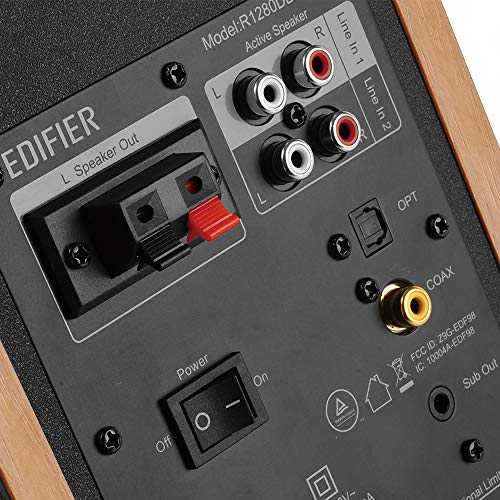
R1280T
The simplest choice for a wired desk. Connect a desktop’s analog audio jack to one RCA pair with a 3.5 mm-to-RCA cable, and use the side dials for volume, bass and treble. The small remote covers volume and mute. An unused RCA pair can take a second line-level source later.
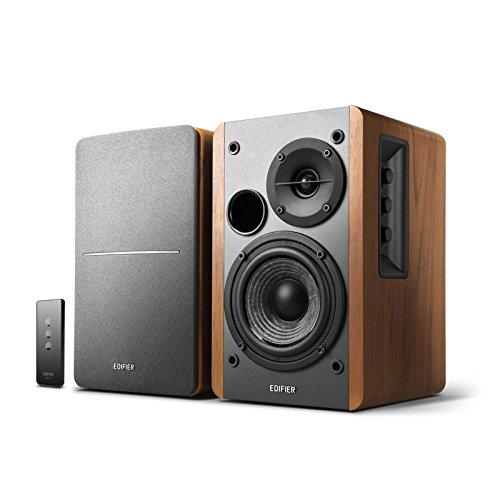
R1280Ts
Choose the Ts if you already own a powered subwoofer or expect to add one. You get the same two analog input pairs and a dedicated Sub Out on the back. The remote also adds standby and sound-field buttons. A desktop with an analog audio jack and a sub under the desk is a good match.
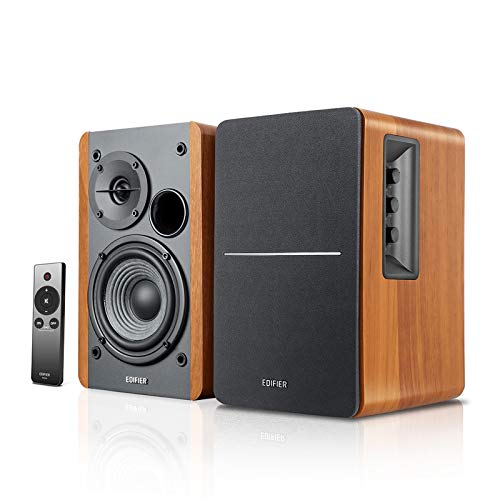
R1280DB
The DB adds optical and coaxial digital audio as well as Bluetooth. That lets you leave a PC on RCA and a TV on optical, then listen to your phone wirelessly when you want music. If you’re happy with a two-speaker setup, it covers those connections at a lower price than the DBs.

R1280DBs
The most flexible of the four. The DBs keeps the DB’s input choices and adds the Ts model’s subwoofer connection and sound-field controls. It fits a setup where you switch between a TV and computer today and want a dedicated bass channel later. The speakers work on their own while you decide on a subwoofer.
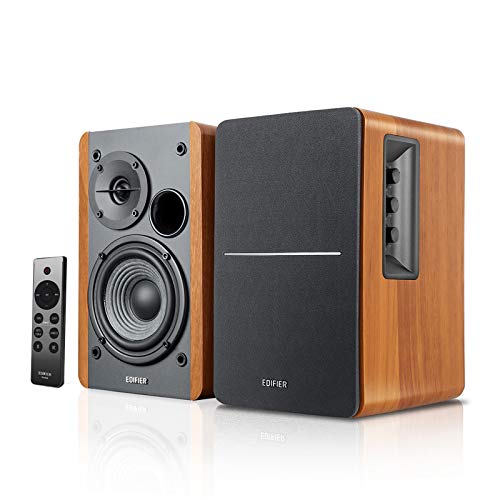
Which connection fits your PC, TV or turntable?
PC or laptop. A headphone or line-out jack can feed any of the four. If your laptop only offers USB-C audio, budget for a compatible audio adapter with an analog output. On the T and Ts, Edifier’s manuals say both connected analog sources can play together. Pause or turn down the source you aren’t using. The DB and DBs let you select the active input.
TV and console. If the TV has an optical output, connect it to a DB or DBs and set the TV’s digital audio output to stereo PCM. Edifier’s manuals specify 44.1 or 48 kHz PCM for optical and coaxial. A console can send audio to the TV over HDMI while the TV sends stereo to the speakers. For a TV or monitor with HDMI ARC or eARC as its only audio output, budget for a compatible adapter or choose speakers with the matching HDMI input. Check how you’ll control volume too, since some TV optical outputs are fixed-level.
Phone or turntable. Pick the DB or DBs if you want your phone to pair directly. For a turntable, check for a line-level output or a built-in preamp with a LINE setting before plugging it into RCA. A turntable with only a phono-level output needs a separate phono preamp. If the input and cable look right but audio is missing, start with our PC speaker troubleshooting guide.
What the subwoofer output and sound-field mode do
On the R1280Ts and R1280DBs, Sub Out sends a signal to a powered subwoofer with a compatible line input. The sub needs its own power. Edifier’s manuals say the speaker pair reduces its own bass when it detects a connected subwoofer, so the operation changes how bass is shared between the cabinets and the sub. Start with the sub’s gain low and adjust it from your listening position.
The Ts and DBs remotes also let you turn sound-field extension on or off. Think of it as an optional way to change the apparent width of the two-speaker image. If you mainly use the speakers for dialogue or sit close at a desk, start with the mode off and try it with familiar audio. For someone choosing between the DB and DBs, a concrete plan to add a sub is a stronger reason to pay more than a setting you may leave off.
Remote controls and finishes
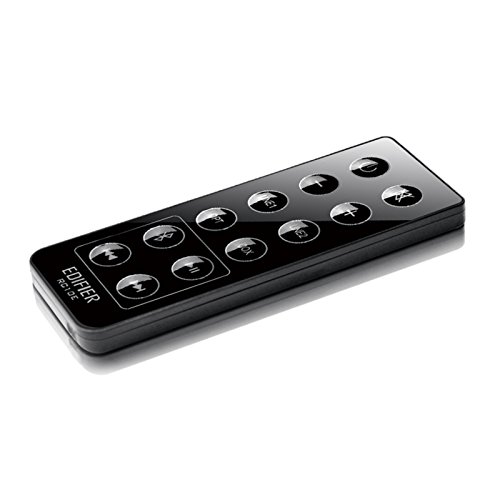
The R1280T remote handles volume and mute. The R1280Ts adds a power or standby button and two buttons for sound-field extension. The R1280DB gives each wired input its own button, with Bluetooth playback controls for changing tracks or pausing music. On the R1280DBs, one button cycles the two line inputs and another cycles optical and coaxial. It also has the sound-field buttons.
Those layouts matter most when the sources are out of reach. If you’re switching daily between a PC on RCA and a TV on optical, either DB model can do that from the couch. The DB’s dedicated input buttons make it easy to go straight to a particular wired source. The side controls on both models can also cycle inputs if the remote goes missing.
The prices below use wood-look finishes for a consistent comparison. Black listings were also available for the R1280DB and R1280DBs when we checked. Read the full model code if you switch colors on a listing, because the suffix determines the ports.
Price and which model to buy
On November 26, 2026, new U.S. Amazon offers were $109.99 for the R1280T, $119.99 for the R1280Ts, $139.99 for the R1280DB and $149.98 for the R1280DBs in the finishes compared. Those prices can change. The roughly $10 step from T to Ts or DB to DBs bought a direct path to a powered subwoofer and the optional sound-field setting. The $20 gap from Ts to DB bought digital inputs and Bluetooth while giving up the direct subwoofer connection.
- Buy the R1280T for a PC with a working analog output and a budget that’s better spent elsewhere than on unused inputs.
- Buy the R1280Ts if your sources are analog and you’ve already picked a powered sub.
- Buy the R1280DB if you need optical or Bluetooth and want to keep the setup to two cabinets.
- Buy the R1280DBs if you need optical or Bluetooth and want the speakers to handle a subwoofer later.
For a single wired computer, I’d buy the R1280T. For a TV and phone setup, I’d pick the R1280DB and spend the extra on the DBs only if I was likely to use the subwoofer output. The specifications and controls in this comparison come from Edifier’s product pages and linked manuals. R1280T, R1280Ts, R1280DB and R1280DBs.
Frequently asked questions
Can I connect headphones to the R1280 speakers?
Use the headphone jack on your computer, monitor or separate audio device. The rear connections on these speakers serve the source, the passive cabinet and, on the Ts and DBs, a subwoofer. On a PC, you may need to select your headset in the audio output menu when you switch from speakers.
Can I use the passive speaker on another amplifier?
These models are sold and documented as matched pairs. If you want to repurpose a passive cabinet, confirm its electrical requirements with Edifier and check the amplifier’s supported load first. For regular use, connect it to the matching powered cabinet with the supplied speaker cable.

































Write Your Review
No reviews yet. Be the first to share your experience!