

On a DDR5-6000 kit, the gap between CL30 and CL36 works out to about 2 nanoseconds of real access delay. That’s it. CL30 lands near 10ns of true latency, CL36 sits closer to 12ns, and yet the price difference between the two bins can run 20 to 40 percent. So the honest question isn’t which number is lower. It’s whether that lower number earns back the premium in the tasks you actually run. We researched how both timings behave across gaming, editing, and everyday loads, and the answer shifts depending on your CPU and budget. If you’re already deep into an AMD build, our DDR5 picks for the Ryzen 9800X3D pair nicely with this breakdown.
Latency numbers get quoted like they’re the whole story. They aren’t. Frequency, capacity, and how your memory controller handles the kit all matter more than a single CAS figure. Here’s the plain version of what CL30 and CL36 really buy you.
Matchup at a glance
CL30 is the tighter timing. It tells the memory to respond in 30 clock cycles after a column address command, which on a 6000 MT/s kit means a shorter wait before data starts flowing. CL36 loosens that to 36 cycles. Both are common DDR5 bins, and both show up on kits from the same brands at the same frequencies, so this really is a latency-versus-cost decision rather than a fast-versus-slow one.

Here’s a useful mental model. Think of CAS latency as how long the barista takes to start your order once they hear it, and frequency as how fast the whole line moves. A quick start on a slow line can still lose to a slower start on a fast one. That’s why a CL36 kit at high frequency often keeps pace with, or beats, a CL30 kit that runs slower. Neither number wins on its own.

The catch is that cycle count alone doesn’t equal time. A cycle at 6000 MT/s is shorter than a cycle at 5200 MT/s, so a higher-frequency CL36 kit can beat a lower-frequency CL30 kit on true latency. That’s why we keep pulling frequency back into the conversation. You can’t rank two kits by CAS number unless they run the same speed.
One more thing worth setting straight up front. CAS latency is only the first number in a timing string like 30-38-38-96. The other three, tRCD, tRP, and tRAS, all affect how quickly the memory finishes a full read cycle. Two kits can share a CL number and still perform differently because those secondary timings diverge. So when someone says CL30, they’re quoting the headline figure, not the complete picture. For most buyers that shorthand is fine, but it’s why bench results between two CL30 kits don’t always line up.
Spec sheet showdown
| Spec | CL30 (DDR5-6000) | CL36 (DDR5-6000) | Real-world gap | What it means |
|---|---|---|---|---|
| CAS latency | 30 cycles | 36 cycles | 6 cycles | Tighter first response |
| True latency | ~10.0 ns | ~12.0 ns | ~2 ns | Fractions of a frame |
| Typical price | Higher bin | Value bin | 20-40% | Premium for the binning |
| Voltage | 1.35-1.4V common | 1.35V common | Minor | Both run cool enough |
| Best fit | X3D and comp gaming | Mixed use, budget | Workload dependent | Match to your CPU |
CL30 strengths
The tighter timing shines where the CPU is starved for memory responsiveness rather than raw bandwidth. Competitive gaming is the clearest example. Titles running at 240 Hz or higher, on a chip with a large cache, can pick up a handful of extra average frames and slightly firmer 1% lows from CL30 over CL36. On AMD’s X3D parts especially, the memory subsystem responds to tighter timings, and owner reports across those builds line up with the theory. If your build is chasing every last frame at 1080p, CL30 is the timing you’d reach for.
It also ages a little better. Memory-bound workloads don’t get easier over time, and a CL30 kit gives you a small buffer that a looser kit can’t reclaim without an upgrade. The tradeoff is real, though. You’re paying for binning, the silicon that validates at 30 cycles costs more to sort, and that cost lands on your receipt. For a look at how these timings sit inside full kits, our 32GB kit roundup for 2026 covers where the premium bins show up.
CL36 strengths
CL36 wins the value argument, and it wins it more often than enthusiasts admit. At the same 6000 MT/s frequency, the 2ns of extra latency vanishes into noise for most of what people do. Web work, office loads, streaming, photo edits, and the large majority of single-player games won’t show a difference you can feel. You pocket the savings and put them toward capacity or a faster CPU, both of which move the needle more than a CAS bin.
There’s a stability angle too. Looser timings give the memory controller more margin, which can mean a smoother first boot and fewer training hiccups on picky motherboards. That margin matters more than people expect on early BIOS revisions, where a tightly binned kit sometimes needs a firmware update before it’ll post at rated speed. A CL36 kit tends to just work. Kits that lean into that value story are easy to find. The Corsair Vengeance DDR5 16GB (2x8GB) kit runs up to 5200MHz at CL40 with both AMD EXPO and Intel XMP 3.0 profiles, sits at $234.99, and carries a 4.4 rating. It’s a plain reminder that a looser CAS number on a sensibly priced kit still gets the job done for everyday rigs.

Pros
- AMD EXPO profile activates 5200MHz CL40-40-40-77 with a single BIOS toggle on Ryzen 7000 boards.
- Low 35mm module height clears virtually any AM5 or LGA1700 tower cooler without physical conflict.
- 1.25V operating voltage sits within DDR5 spec, reducing thermal stress on integrated PMIC under sustained load.
- Aluminum heatspreader aids passive heat dissipation in open-air cases without requiring active cooling.
Cons
- 16GB total capacity is increasingly marginal for content creation workflows and modern open-world titles running texture packs.
- 5200MHz CL40 offers modest latency compared to DDR5-6000 CL30 kits that hit the Ryzen 7000 FCLK 1:1 ratio sweet spot.
The CORSAIR Vengeance DDR5 16GB 2x8GB is a mid-range DDR5 kit targeting AMD Ryzen 7000 series and Intel 12th-generation-or-newer desktop builds. It ships with both AMD EXPO and Intel XMP 3.0 profiles, making it broadly compatible across AM5 and LGA1700 or LGA1851 platforms without manual timing configuration.
The standout feature is dual-profile support at a frequency that loads with a single BIOS toggle. At 5200MHz CL40-40-40-77 and 1.25V, it sits within DDR5 JEDEC specification territory, and onboard voltage regulation on the module itself reduces dependency on motherboard power delivery for the memory rail, which matters on budget AM5 boards with fewer VRM phases dedicated to DRAM.
The honest trade-off at this tier is frequency positioning. Ryzen 7000 performs best at DDR5-6000 with CL30 timings, where FCLK and memory controller run at a clean 1:1 ratio. This kit at 5200MHz places it below that threshold, meaning buyers on AM5 leave some CPU bandwidth on the table. The 16GB total capacity is also worth scrutinizing for any workload beyond gaming or light productivity.
Buy this if you are building a budget-to-mid AM5 or Intel DDR5 system and need reliable plug-and-play EXPO or XMP activation without manual overclocking. Skip this if your platform is AM5 and you plan to run a Ryzen 7000 CPU near its performance ceiling, where DDR5-6000 CL30 kits deliver measurably better throughput and latency at comparable pricing.
Platform Requirements: DDR5 requires AMD 600-series or newer motherboards paired with Ryzen 7000 series or newer CPUs, or Intel 600-series or 700-series boards with 12th-generation Core or newer. DDR5 is not backward compatible with DDR4 slots. Verify your motherboard QVL lists this kit before purchasing.
EXPO and XMP Activation: The rated 5200MHz speed requires enabling AMD EXPO or Intel XMP 3.0 in BIOS. Without activation, the kit defaults to DDR5-4800 JEDEC. On Ryzen 7000, DDR5-6000 is the accepted 1:1 FCLK sweet spot; this kit at 5200MHz runs below that threshold, which carries a small but measurable bandwidth and latency penalty versus a tuned DDR5-6000 kit.
Physical Clearance: Module height is 35mm, which clears nearly all air coolers without conflict. The 1.25V operating voltage and onboard PMIC mean power comes from the module itself rather than solely from the motherboard, reducing stress on budget boards with lighter DRAM power stages.
Capacity and Channel Config: The 2x8GB configuration fills two slots in dual-channel. CORSAIR explicitly advises against mixing kits, so expansion to 32GB requires replacing both modules with a validated 2x16GB kit rather than adding a second 2x8GB pair.
Real-world scenarios
Competitive esports at 1080p
This is CL30’s home turf. Frame pacing on a high-refresh panel benefits from the tighter response, and paired with a cache-heavy CPU you’ll see the widest margin here. Even so, it’s single-digit percentages. Nice to have, not build-defining.
1440p and 4K gaming
Push the resolution up and the GPU becomes the bottleneck. Memory latency barely registers once the graphics card is doing the heavy lifting. At 4K, CL30 and CL36 trade blows inside the margin of error, so the cheaper kit is the smarter buy.
Content creation and editing
Video timelines and large project files lean on bandwidth and capacity far more than on CAS latency. Here, 32GB or 64GB of CL36 beats 16GB of CL30 every time. If you split time between rendering and gaming, our gaming and video editing memory guide breaks down where to spend.
Everyday desktop and productivity
Boot, browse, spreadsheets, a dozen tabs. None of it cares about 2ns. CL36 is invisible in daily use, and you’d never guess which kit was installed.
Simulation and CPU-bound titles
Strategy games, factory builders, and heavy simulations lean on the CPU and its memory access more than most genres. This is the one non-esports case where CL30 can show a measurable, if small, benefit on late-game saves with thousands of active objects. Even here, capacity comes first. A sim that spills past your RAM will stutter regardless of timing.
Pricing and availability
Both timings are widely stocked, so availability rarely forces your hand. The pricing is where it gets interesting. Premium CL30 DDR5 kits command a binning tax that swings roughly 20 to 40 percent over an equivalent CL36 kit at the same frequency. That delta is the whole decision. If the tighter kit costs a few dollars more, grab it. If it costs meaningfully more, ask what else those dollars could buy.
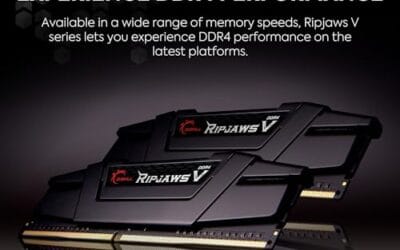
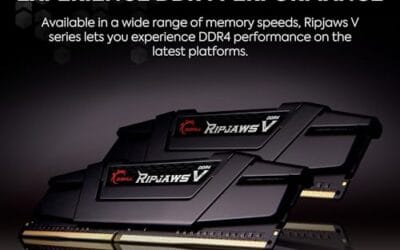
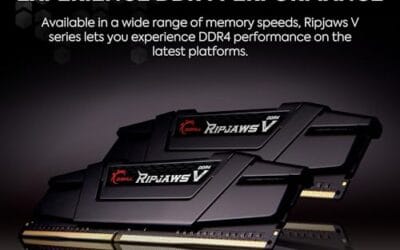
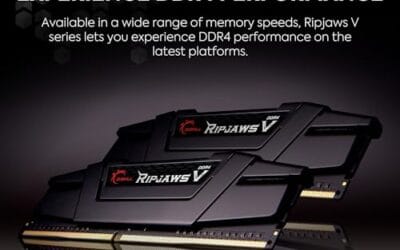
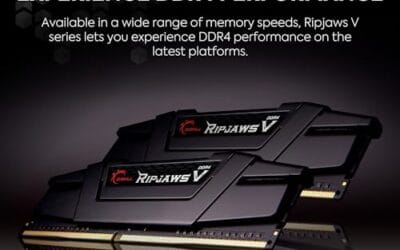
DDR4 hasn’t disappeared either, and it changes the math for older platforms. The G.SKILL RipjawsV DDR4 32GB (2x16GB) kit runs 3600MT/s at CL18, uses a 1.35V XMP profile, and works on both Intel and AMD boards. At $229.99 with a 4.6 rating, it’s a reminder that on a DDR4 system the CL30-versus-CL36 debate doesn’t apply at all. You’re choosing timings inside a different standard entirely.
Which to buy
Here’s the short recommendation. If you run an AMD X3D chip and play competitive titles at high refresh, and the price gap is modest, CL30 is worth it. You’ll get a small, repeatable edge that suits that exact use case. For everyone else, and that’s most people, CL36 at a good frequency is the value play. Spend the savings on capacity or a better CPU and you’ll feel it more than you’d ever feel 2ns.
Don’t let a single number drive the whole purchase. Frequency, capacity, and platform matter more than the CAS bin in isolation. If you’re building on a tighter budget, the G.SKILL RipjawsV DDR4 32GB kit at $229.99 and 4.6 stars shows how much usable memory you can land without chasing the sharpest timing on the shelf. For more picks in that lane, our budget RAM guide for 2026 lays out the strong values.

Pros
- DDR4-3600 XMP at 1.35V is the Ryzen AM4 sweet spot, aligning FCLK 1:1 at 1800MHz for best latency.
- Matched 2x16GB kit is factory-tested as a pair, reducing dual-channel instability compared to mixing sticks.
- Compatible with both Intel XMP and AMD DOCP/A-XMP BIOS profiles without manual sub-timing adjustments.
- Ships with JEDEC SPD fallback so the system always boots safe at default clocks before XMP is enabled.
Cons
- CL18 primary latency is mid-range; DDR4-3600 CL16 kits exist for buyers prioritizing tighter timings.
- No ECC support, so workstation or Threadripper ECC builds need a different kit entirely.
The G.SKILL RipjawsV F4-3600C18D-32GVK is a mid-range DDR4 desktop kit targeting Intel and AMD mainstream platform builders who want 32GB capacity at DDR4-3600 without overpaying for CL14 or CL16 enthusiast kits. It ships as a matched 2x16GB dual-channel pair in the standard 288-pin U-DIMM form factor.
The defining spec here is the XMP profile: DDR4-3600 at CL18-22-22-42, 1.35V. On AMD AM4 Ryzen systems, 3600MHz is the well-documented sweet spot for achieving a 1:1 FCLK ratio at 1800MHz, which keeps infinity fabric latency in check and translates to measurable gains in lightly-threaded workloads and gaming frame times compared to DDR4-3200 or lower.
CL18 is a genuine trade-off at this speed. Competing DDR4-3600 kits with CL16 or CL14 exist and offer lower absolute latency, though they typically carry a price premium. Owners report stable XMP operation across a wide range of B450, X570, and Z490/Z590 boards, but reaching rated speed on some budget AM4 boards may require manual sub-timing adjustments or AGESA microcode updates.
Buy this if you are building or upgrading an AM4 Ryzen or Intel LGA1700 desktop and want reliable 32GB DDR4-3600 dual-channel performance without tuning. Skip this if you need CL16 or tighter for competitive latency, or if your board has a limited QVL and you have not verified compatibility via G.SKILL's configurator tool first.
Platform Support: This kit uses 288-pin DDR4 U-DIMM and is compatible with Intel LGA1700 (Z690/Z790) and AMD AM4 (B450/X470/B550/X570) platforms. AM5 uses DDR5 exclusively, so this kit is not compatible with Ryzen 7000/9000 series builds on AM5 boards.
XMP and DOCP Activation: Rated speed of DDR4-3600 CL18-22-22-42 at 1.35V requires enabling XMP (Intel) or DOCP/A-XMP (AMD) in BIOS. Default JEDEC SPD boots at DDR4-2133 or DDR4-2400. On AM4, DDR4-3600 aligns FCLK at 1800MHz for a 1:1 ratio, which is the recommended operating point for Ryzen 3000 and 5000 series CPUs.
Slot Population and Mixing: Install both sticks in the recommended dual-channel slots per your motherboard manual, typically A2 and B2 in a 4-slot board. G.SKILL explicitly warns against mixing this kit with other modules; doing so voids the matched-pair guarantee and risks instability at XMP speeds.
Cooler Clearance: Exact heatspreader height is not specified in the source data, but RipjawsV modules are noted for a lower profile than Trident Z or RGB variants, reducing conflicts with wide tower coolers. Verify clearance if using a low-clearance cooler on a tight ITX board.
Common questions
Is CL30 always faster than CL36?
Only at the same frequency. A CL36 kit running a higher MT/s can post lower true latency than a CL30 kit running slower, because each cycle is shorter. Compare kits at matching speeds before you rank them, or the CAS number will mislead you.
Will I notice the difference in games?
At 1080p on a high-refresh setup with a cache-heavy CPU, maybe a few percent. At 1440p and 4K, no. The GPU becomes the limiter and the memory timing fades into the background.
Does CL30 need more voltage?
Sometimes a touch more, often 1.4V versus 1.35V on comparable kits, though plenty of CL30 kits run at standard voltage. Both timings stay well within safe thermal limits for daily use, so heat isn’t a reason to avoid either.
Should I pick capacity or a tighter timing?
Capacity, almost always. Running out of memory hurts far more than 2ns of extra latency ever will. Get 32GB of CL36 before you get 16GB of CL30 for the same money.
Does this apply to DDR4?
No. DDR4 uses different CAS numbers entirely, like the CL18 on many 3600MT/s kits. The CL30-versus-CL36 conversation is a DDR5 thing, so match the debate to your platform.




























Write Your Review
No reviews yet. Be the first to share your experience!