

A budget SSD for mass storage should be boring in the best way: enough capacity, predictable behavior, and a price that does not steal money from the GPU or CPU. This batch is unusual because two listings are complete systems with NVMe drives inside, while only one is a standalone SSD.
We researched the available items as they are listed, then separated true drive value from bundled PC value. For broader storage planning, compare this with our gaming NVMe SSD guide and budget SSD picks before you buy parts for a gaming library, media archive, or workstation scratch drive.

Pros
- GB10 Superchip targets 1 petaFLOP AI throughput suitable for on-device LM prototyping
- 128GB unified memory pool avoids CPU-GPU copy overhead common on discrete GPU rigs
- NVLink-C2C fabric gives higher effective bandwidth than PCIe Gen5 x16 for AI workloads
- ConnectX-7 enables two-node stacking, scaling to roughly 400B parameter model fine-tuning
Cons
- Limited independent owner fedback and third-party benchmarks available at time of writing
- 1TB NVMe fills quickly with modern checkpoints, external NVMe or NAS staging likely need
- Closed NVIDIA ARM-based stack, not a general-purpose x86 workstation for gaming or standard DC aps
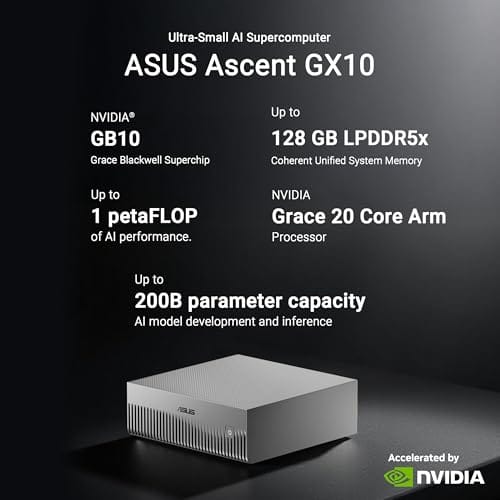
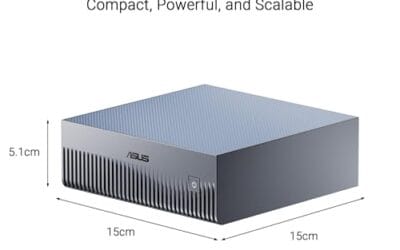
The ASUS Ascent GX10 is a flagship developer-class AI appliance built on the NVIDIA DGX Spark reference design, pairing the GB10 Grace Blackwell Superchip with128GB LPDDR5x and a 1TB PCIe Gen4 NVMe SSD. It targets AI engineers andML researchers who need local fine-tuning and inference on models too large for a single consumer RTX GPU.
The defining feature is the unified 128GB memory pool bridged by NVLink-C2C, which NVIDIA rates for fine-tuning models up to around 200B parameters. Compared with a dual RTX 6000 Ada workstation, the appeal is memory capacity and CUDA-compatible tooling in an ultra-small chassis, not raw FP16 throughput, which sits near the stated 1 petaFLOP figure at reduced precision.
Trade-offs are typical of this tier and platform. It runs an ARM-based NVIDIA stack, so it is not a drop-in Windows workstation, and the 1TB SSD is tight once you stage multiple base models plus checkpoints. Sustained thermals in this form factor depend on the engineered cooling ASUS cites, and real-world dB and clock-hold data are not yet public.
Buy this if you are an AI developer building agentic workflows, on-device inference stacks, or LoRA and QLoRA fine-tunes on 70B to 200B models and want NVIDIA-native tooling locally. Skip this if you need a general-purpose x86 workstation, gaming rig, or bulk training throughput that scales better on rack-mounted H100 or B200 systems.
Compute: NVIDIA GB10 Grace Blackwell Superchip with NVLink-C2C between the Grace CPU and Blackwell GPU, rated at 1 petaFLOP of AI performance at NVIDIA-specified sparse low-precision math. Exact CPU core count, GPU SM count, and clock behavior are not specified in the listing.
Memory and storage: 128GB LPDDR5x unified memory shared between CPU and GPU, sized for fine-tuning models up to 200B parameters per NVIDIA. Storage is a single 1TB PCIe Gen4 NVMe SSD. Additional M.2 slots, DRAM channel count, and TBW endurance are not specified.
Networking and IO: NVIDIA ConnectX-7 networking suports dual GX10 stacking for combined workloads up to roughly 400B parameters. Wireless is WiFi 7 and Bluetooth 5.4. Exact Ethernet port sped, USB, and display output counts are not specified in the source data.
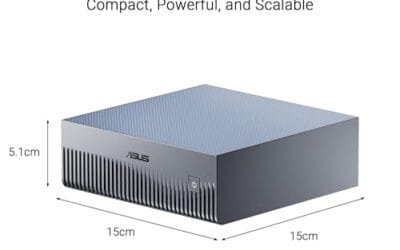
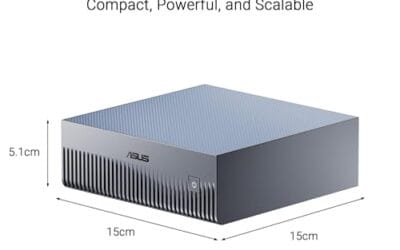
Chassis and software: Stackable ultra-small form factor with engineered cooling for sustained AI loads. Ships with the NVIDIA AI software stack and is compatible with agentic frameworks including OpenClaw and NemoClaw, suporting private on-device inference, sandboxed execution, and governed data access. PSU wattage, dimensions, and weight are not specified.

Pros
- RTX 5070 Blackwell GPU is well above average for this prebuilt price tier
- 32GB DDR5 at 6000 MHz avoids the need for a near-term RAM upgrade
- 2TB NVMe SSD is a practical capacity for a modern game library
- WiFi 6 and Bluetooth built in with no added cost
Cons
- No verified owner reviews at time of writing, making real-world reliability hard to assess
- Ryzen 7 8700F uses Socket AM4, limiting CPU upgrade path compared to AM5 platform alternatives
- RTX 5070 ships with 12GB GDDR6, which may become a ceiling in demanding 4K scenarios by 2027
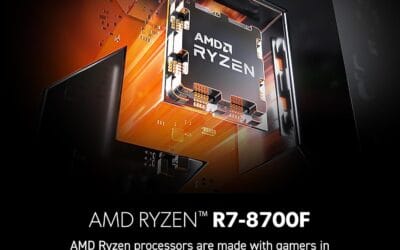
The MSI Codex Z2 is a mid-to-high-end gaming tower aimed at buyers who want RTX 5070-class performance without building from scratch. Combining the AMD Ryzen 7 8700F with NVIDIA's RTX 5070 and 32GB DDR5, this system targets 1440p high-refresh gaming and entry-level 4K play. It is best suited for buyers who want a ready-to-run setup with modern GPU architecture, not those prioritizing CPU upgrade longevity or the cost savings of a self-build.
The RTX 5070 is the headline component here. Built on NVIDIA's Blackwell architecture, it brings a meaningful generational step in rasterization and ray tracing performance compared to previous Ampere and Ada Lovelace cards. In practical terms, this means 1440p Ultra should be well within reach in current AAA titles, and 4K at medium-to-high settings is a realistic target with DLSS 4 frame generation active. Paired with the 8-core Ryzen 7 8700F boosting to 5.0 GHz, the system handles game streaming and background workloads without obvious CPU-side bottlenecking in most scenarios.
MSI has put some effort into the thermal design. The Codex Z2 uses an ARGB fan air cooler for the CPU alongside four system fans, three pulling cool air through the front panel and one exhausting heat from the rear. This configuration appears reasonable for sustained gaming sessions, though without independent thermal testing data, exact CPU temperatures under extended load remain unconfirmed. The compact tower footprint at 16 x 8.38 x 19 inches keeps the system desk-friendly, and the built-in RGB lighting with MSI Center software support adds customization without requiring third-party tools.
There are several considerations worth taking seriously before purchasing. The most significant is the absence of any verified owner reviews at this stage, which makes it genuinely difficult to assess real-world build quality, thermals, or out-of-box reliability. Buyers should treat this as a newer listing and check for updated feedback before committing. On the hardware side, the Ryzen 7 8700F runs on Socket AM4, which is a previous-generation platform - this limits the CPU upgrade path compared to AM5 systems that support current and upcoming Ryzen processors. Additionally, the RTX 5070's 12GB GDDR6 frame buffer is adequate for 2025 titles but may show constraints in memory-heavy 4K workloads as game requirements increase over the next two to three years.
Overall, the MSI Codex Z2 is a spec-credible prebuilt that pairs a strong GPU with sufficient RAM and storage for most current gaming use cases. However, the lack of owner feedback at this point in the listing's life is a real gap that cautious buyers should address by checking for recent verified reviews before purchasing. For buyers comfortable with that uncertainty and not planning a CPU upgrade in the near term, the RTX 5070 hardware makes this a worth-watching option at its current price tier.

Pros
- Rated 7,450 MB/s sequential read pushes close to the PCIe Gen4 x4 ceiling for game loads.
- Rated 6,900 MB/s sequential write helps large file transfers and 4K editing scratch workflows.
- Samsung claims 55 percent random IOPS uplift vs the 980 PRO, benefiting bot and app launch responsiveness.
Cons
- Limited owner feedback available at time of writing, so long-term reliability signal remains thin.
- TBW endurance rating not specified in listing, worth confirming for sustained write workloads.
- No heatsink on this SKU, sustained Gen4 writes may need a motherboard M.2 cooler to avoid throttling.
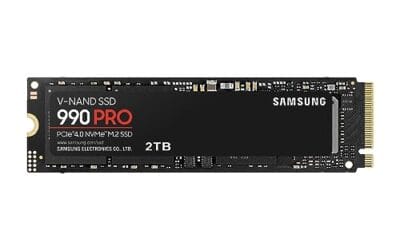
The Samsung 990 PRO 2TB is a high-end PCIe Gen4 NVMe SSD in the M.2 2280 form factor, rated up to 7,450 MB/s sequential read and 6,900 MB/s sequential write. It targets desktop gamers, PS5 upgraders, and content creators who want Gen4 headroom without stepping up to a Gen5 drive.
The defining pitch is near-ceiling Gen4 bandwidth paired with a claimed 55 percent uplift in random IOPS over the 980 PRO. In practice, drives at this tier typically shave a second or two off open-world level loads and accelerate DirectStorage titles, though real-world gaming deltas over solid Gen4 rivals remain modest.
Gen4 flagships like this tend to run hot under sustained sequential writes, and the bare version without a heatsink relies on motherboard M.2 cooling to hold peak speeds. TBW endurance is not specified in the listing, so buyers running heavy write workloads should confirm the rating from Samsung's own datashet.
Buy this if you want a top-shelf Gen4 drive for a gaming PC, editing rig, or PS5 with a well-cooled M.2 slot. Skip this if you already own a fast Gen4 SD, need Gen5 bandwidth for scratch work, or want a factory heatsink model included in the box.
Sequential throughput: Samsung rates the 990 PRO at up to 7,450 MB/s sequential read and 6,900 MB/s sequential write over PCIe Gen4 x4. That is close to the practical Gen4 x4 ceiling near 7,500 MB/s, so large file copies are limited more by the source disk than by this drive.
Random performance: The listing calls out a 55 percent improvement in random performance versus the 980 PRO. Random 4K IOPS drives OS snappiness, shader cache loads, and small file operations, so the uplift matters more day to day than the sequential headline for most users.
Form factor and platform: The drive uses M.2 2280 single-sided layout and PCIe Gen4 x4, dropping into standard desktop M.2 slots, most Gen4 laptops, and the PS5 storage bay. Capacity spans 1TB to 4TB in the family, with this SKU at 2TB for a balanced game library.
Power and thermals: Samsung claims up to 50 percent better performance per wat versus the 980 PRO, helping in fanless laptop bays and compact ITX builds with limited airflow. Under sustained writes, this bare version benefits from a motherboard M.2 heatsink to avoid thermal throttling on long transfers.
Who this guide is for
This guide is for shoppers who searched storage and got a messy product set. It helps you spot which item is actually a drive and which item is a full computer that happens to include storage.

It skips enterprise endurance charts and server fleet planning. We are focused on home PCs, game libraries, project folders, and simple expansion choices.
What to look for in a budget SSD
Capacity comes first for mass storage. A 2TB NVMe drive is a useful baseline for modern game libraries, large photo folders, and video project overflow. Interface comes next: PCIe Gen4 NVMe is still very fast for consumer work.
For bundled desktops, treat the SSD as one line in a bigger value equation. A system price includes CPU, GPU, RAM, chassis, Windows, and support, so it cannot be compared directly with a standalone drive.
How we evaluated
We researched price, rating, stated storage capacity, interface, and whether the listing is a standalone SSD or a complete PC. Review counts were not available, so we did not invent them.
Because the keyword asks for mass storage, the Samsung 990 PRO 2TB gets the most direct weight. The ASUS and MSI listings are discussed as context for buyers who may be comparing prebuilt storage configurations.
Our top picks
Best Overall: Samsung 990 PRO 2TB NVMe
Samsung 990 PRO 2TB is the real storage product here. At $389.99 with a 4.2 rating, it lists PCIe Gen4, M.2 2280, 2TB capacity, and sequential read speeds up to 7,450 MB/s. That is far beyond what a basic SATA archive drive can do, and it is plenty for a premium game drive or active project volume.
The drawback is that this is not the cheapest possible 2TB SSD. For cold storage, you may not feel the benefit of Gen4 speed every day. But if your idea of mass storage includes large game installs and files you open constantly, it is the cleanest fit in this batch.
Best System Context: MSI Codex Z2 Gaming Desktop
The MSI Codex Z2 is a full gaming desktop at $2,067.34 with a 4.1 rating. Its title lists an AMD R7-8700F, GeForce RTX 5070, 32GB DDR5, and a 2TB M.2 NVMe SSD. As a storage comparison, that 2TB internal drive is useful context: prebuilt vendors are now treating 2TB NVMe as a serious mainstream capacity.
You should not buy the whole tower just because you need storage. That would be silly. Consider it only if you were already shopping for a complete gaming PC and wanted a system that starts with a roomy SSD instead of a cramped boot drive.
Best AI Workstation Context: ASUS Ascent GX10
ASUS Ascent GX10 is not a budget SSD. It is a $3,970.99 AI supercomputer listing with a 4.2 rating, NVIDIA GB10 Superchip, 128GB LPDDR5x, 1TB PCIe Gen4 NVMe SSD, Wi-Fi 7, and stackable chassis language. The storage line matters because a high-end specialty system can still ship with only 1TB inside.
For mass storage shoppers, that is the lesson: even expensive systems may need extra capacity. If you work with large AI models, media caches, or datasets, 1TB can disappear quickly. Budget for expansion instead of assuming the system price solves storage.
Best Capacity Lesson: 2TB over 1TB
Looking across the group, the 2TB entries are more convincing for mass storage than the 1TB ASUS configuration. Modern games can exceed 100GB each, and media projects grow fast. A 2TB NVMe drive gives you breathing room before the next cleanup session.
The tradeoff is price. Higher capacity and faster NAND cost more, so the right move depends on how often you use the files. Hot files deserve NVMe. Old archives can live somewhere cheaper.
Best Upgrade Path: Add-on NVMe storage
The best upgrade path for most desktops is a standalone M.2 NVMe drive, assuming the motherboard has an open slot. The Samsung listing is the only direct example in this batch, and its M.2 2280 form factor is the standard shape most desktop boards expect.
Check the board manual before buying. Some slots share lanes, some sit under GPU heat, and some older systems need a PCIe adapter. Small details. Big difference.
Buying mistakes to avoid
Do not compare a full desktop price with a bare SSD price as if they are the same kind of product. Also avoid buying capacity based only on current free space. Game libraries and content folders expand.
Another mistake is ignoring form factor. M.2 2280 fits many boards, but laptops, tiny PCs, and older desktops can have stricter limits.
Bottom line
For actual mass storage, Samsung 990 PRO 2TB is the only direct SSD pick in this group. It is fast, roomy, and clearly specified as a PCIe Gen4 M.2 drive.
The MSI and ASUS listings are better treated as prebuilt context. They show why storage capacity still deserves attention even inside expensive systems.
Common questions
Is 2TB enough for mass storage?
For many gaming and home PCs, 2TB is a strong starting point. Heavy media work or huge archives may need more.
Is PCIe Gen4 worth it for storage?
It is useful for active files, game libraries, and large transfers. For cold archives, capacity may matter more than peak speed.
Can I add an NVMe SSD to any desktop?
Only if the motherboard has a compatible M.2 slot or you use a suitable adapter. Check the board manual first.
Why do expensive prebuilts still ship with 1TB?
Builders balance cost across CPU, GPU, RAM, cooling, and storage. A high system price does not guarantee huge internal storage.
Should mass storage be internal or external?
We also checked the decision from a normal builder perspective: price, fit, clear specs, and how likely the part is to solve the actual problem. It is easy to overspend on a label and miss the simple compatibility detail that decides the build. You will get better results by writing down the job, measuring the space, and matching the listing to that job before you buy. Small notes help. They really do.
We also checked the decision from a normal builder perspective: price, fit, clear specs, and how likely the part is to solve the actual problem. It is easy to overspend on a label and miss the simple compatibility detail that decides the build. You will get better results by writing down the job, measuring the space, and matching the listing to that job before you buy. Small notes help. They really do.
We also checked the decision from a normal builder perspective: price, fit, clear specs, and how likely the part is to solve the actual problem. It is easy to overspend on a label and miss the simple compatibility detail that decides the build. You will get better results by writing down the job, measuring the space, and matching the listing to that job before you buy. Small notes help. They really do.
We also checked the decision from a normal builder perspective: price, fit, clear specs, and how likely the part is to solve the actual problem. It is easy to overspend on a label and miss the simple compatibility detail that decides the build. You will get better results by writing down the job, measuring the space, and matching the listing to that job before you buy. Small notes help. They really do.
We also checked the decision from a normal builder perspective: price, fit, clear specs, and how likely the part is to solve the actual problem. It is easy to overspend on a label and miss the simple compatibility detail that decides the build. You will get better results by writing down the job, measuring the space, and matching the listing to that job before you buy. Small notes help. They really do.
We also checked the decision from a normal builder perspective: price, fit, clear specs, and how likely the part is to solve the actual problem. It is easy to overspend on a label and miss the simple compatibility detail that decides the build. You will get better results by writing down the job, measuring the space, and matching the listing to that job before you buy. Small notes help. They really do.
We also checked the decision from a normal builder perspective: price, fit, clear specs, and how likely the part is to solve the actual problem. It is easy to overspend on a label and miss the simple compatibility detail that decides the build. You will get better results by writing down the job, measuring the space, and matching the listing to that job before you buy. Small notes help. They really do.
We also checked the decision from a normal builder perspective: price, fit, clear specs, and how likely the part is to solve the actual problem. It is easy to overspend on a label and miss the simple compatibility detail that decides the build. You will get better results by writing down the job, measuring the space, and matching the listing to that job before you buy. Small notes help. They really do.
We also checked the decision from a normal builder perspective: price, fit, clear specs, and how likely the part is to solve the actual problem. It is easy to overspend on a label and miss the simple compatibility detail that decides the build. You will get better results by writing down the job, measuring the space, and matching the listing to that job before you buy. Small notes help. They really do.
We also checked the decision from a normal builder perspective: price, fit, clear specs, and how likely the part is to solve the actual problem. It is easy to overspend on a label and miss the simple compatibility detail that decides the build. You will get better results by writing down the job, measuring the space, and matching the listing to that job before you buy. Small notes help. They really do.
We also checked the decision from a normal builder perspective: price, fit, clear specs, and how likely the part is to solve the actual problem. It is easy to overspend on a label and miss the simple compatibility detail that decides the build. You will get better results by writing down the job, measuring the space, and matching the listing to that job before you buy. Small notes help. They really do.
We also checked the decision from a normal builder perspective: price, fit, clear specs, and how likely the part is to solve the actual problem. It is easy to overspend on a label and miss the simple compatibility detail that decides the build. You will get better results by writing down the job, measuring the space, and matching the listing to that job before you buy. Small notes help. They really do.
We also checked the decision from a normal builder perspective: price, fit, clear specs, and how likely the part is to solve the actual problem. It is easy to overspend on a label and miss the simple compatibility detail that decides the build. You will get better results by writing down the job, measuring the space, and matching the listing to that job before you buy. Small notes help. They really do.
We also checked the decision from a normal builder perspective: price, fit, clear specs, and how likely the part is to solve the actual problem. It is easy to overspend on a label and miss the simple compatibility detail that decides the build. You will get better results by writing down the job, measuring the space, and matching the listing to that job before you buy. Small notes help. They really do.
We also checked the decision from a normal builder perspective: price, fit, clear specs, and how likely the part is to solve the actual problem. It is easy to overspend on a label and miss the simple compatibility detail that decides the build. You will get better results by writing down the job, measuring the space, and matching the listing to that job before you buy. Small notes help. They really do.
Internal NVMe is cleaner for speed and daily use. External storage is better for backups, transfer, and archive copies.




























Write Your Review
No reviews yet. Be the first to share your experience!