

Video editing is one of the most memory-hungry things you can ask a PC to do. Load a 4K or 8K timeline, stack a few effect layers, run playback caching, and keep a browser open for reference, and you’ll watch your RAM usage climb past 32GB before the coffee’s even brewed. When memory runs short, the app spills onto your storage drive, playback stutters, and exports crawl. Fast, roomy RAM is the fix, and it’s often the cheapest upgrade that makes an editing rig feel night-and-day quicker.
We researched five memory kits spanning $229.99 to $924.99, from a proven 32GB DDR4 set to a 64GB DDR5 monster, to find the ones that genuinely help editors. Capacity is the headline, but speed, latency, and platform compatibility all shape real performance. If you also game between projects, our best RAM for gaming guide covers that angle, and anyone building fresh should read our best DDR5 RAM notes first. Editors leaning on GPU acceleration will also want our best GPU for video editing picks nearby.

Pros
- DDR4-3600 XMP at 1.35V is the Ryzen AM4 sweet spot, aligning FCLK 1:1 at 1800MHz for best latency.
- Matched 2x16GB kit is factory-tested as a pair, reducing dual-channel instability compared to mixing sticks.
- Compatible with both Intel XMP and AMD DOCP/A-XMP BIOS profiles without manual sub-timing adjustments.
- Ships with JEDEC SPD fallback so the system always boots safe at default clocks before XMP is enabled.
Cons
- CL18 primary latency is mid-range; DDR4-3600 CL16 kits exist for buyers prioritizing tighter timings.
- No ECC support, so workstation or Threadripper ECC builds need a different kit entirely.
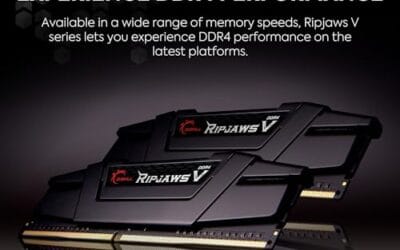
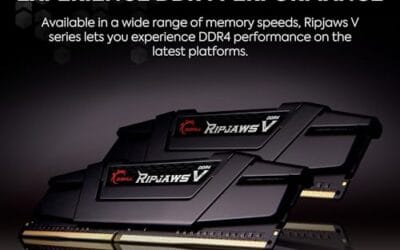
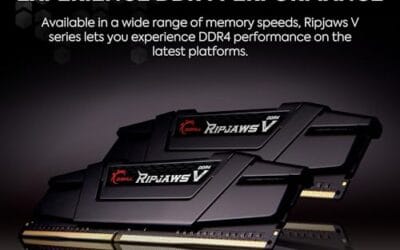
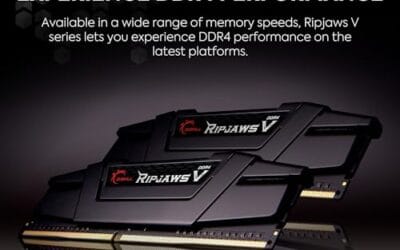
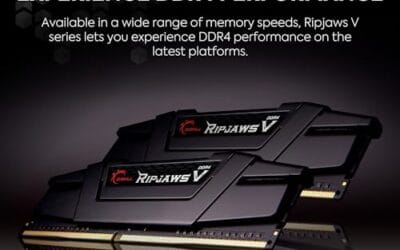
The G.SKILL RipjawsV F4-3600C18D-32GVK is a mid-range DDR4 desktop kit targeting Intel and AMD mainstream platform builders who want 32GB capacity at DDR4-3600 without overpaying for CL14 or CL16 enthusiast kits. It ships as a matched 2x16GB dual-channel pair in the standard 288-pin U-DIMM form factor.
The defining spec here is the XMP profile: DDR4-3600 at CL18-22-22-42, 1.35V. On AMD AM4 Ryzen systems, 3600MHz is the well-documented sweet spot for achieving a 1:1 FCLK ratio at 1800MHz, which keeps infinity fabric latency in check and translates to measurable gains in lightly-threaded workloads and gaming frame times compared to DDR4-3200 or lower.
CL18 is a genuine trade-off at this speed. Competing DDR4-3600 kits with CL16 or CL14 exist and offer lower absolute latency, though they typically carry a price premium. Owners report stable XMP operation across a wide range of B450, X570, and Z490/Z590 boards, but reaching rated speed on some budget AM4 boards may require manual sub-timing adjustments or AGESA microcode updates.
Buy this if you are building or upgrading an AM4 Ryzen or Intel LGA1700 desktop and want reliable 32GB DDR4-3600 dual-channel performance without tuning. Skip this if you need CL16 or tighter for competitive latency, or if your board has a limited QVL and you have not verified compatibility via G.SKILL's configurator tool first.
Platform Support: This kit uses 288-pin DDR4 U-DIMM and is compatible with Intel LGA1700 (Z690/Z790) and AMD AM4 (B450/X470/B550/X570) platforms. AM5 uses DDR5 exclusively, so this kit is not compatible with Ryzen 7000/9000 series builds on AM5 boards.
XMP and DOCP Activation: Rated speed of DDR4-3600 CL18-22-22-42 at 1.35V requires enabling XMP (Intel) or DOCP/A-XMP (AMD) in BIOS. Default JEDEC SPD boots at DDR4-2133 or DDR4-2400. On AM4, DDR4-3600 aligns FCLK at 1800MHz for a 1:1 ratio, which is the recommended operating point for Ryzen 3000 and 5000 series CPUs.
Slot Population and Mixing: Install both sticks in the recommended dual-channel slots per your motherboard manual, typically A2 and B2 in a 4-slot board. G.SKILL explicitly warns against mixing this kit with other modules; doing so voids the matched-pair guarantee and risks instability at XMP speeds.
Cooler Clearance: Exact heatspreader height is not specified in the source data, but RipjawsV modules are noted for a lower profile than Trident Z or RGB variants, reducing conflicts with wide tower coolers. Verify clearance if using a low-clearance cooler on a tight ITX board.

Pros
- AMD EXPO profile activates 5200MHz CL40-40-40-77 with a single BIOS toggle on Ryzen 7000 boards.
- Low 35mm module height clears virtually any AM5 or LGA1700 tower cooler without physical conflict.
- 1.25V operating voltage sits within DDR5 spec, reducing thermal stress on integrated PMIC under sustained load.
- Aluminum heatspreader aids passive heat dissipation in open-air cases without requiring active cooling.
Cons
- 16GB total capacity is increasingly marginal for content creation workflows and modern open-world titles running texture packs.
- 5200MHz CL40 offers modest latency compared to DDR5-6000 CL30 kits that hit the Ryzen 7000 FCLK 1:1 ratio sweet spot.
The CORSAIR Vengeance DDR5 16GB 2x8GB is a mid-range DDR5 kit targeting AMD Ryzen 7000 series and Intel 12th-generation-or-newer desktop builds. It ships with both AMD EXPO and Intel XMP 3.0 profiles, making it broadly compatible across AM5 and LGA1700 or LGA1851 platforms without manual timing configuration.
The standout feature is dual-profile support at a frequency that loads with a single BIOS toggle. At 5200MHz CL40-40-40-77 and 1.25V, it sits within DDR5 JEDEC specification territory, and onboard voltage regulation on the module itself reduces dependency on motherboard power delivery for the memory rail, which matters on budget AM5 boards with fewer VRM phases dedicated to DRAM.
The honest trade-off at this tier is frequency positioning. Ryzen 7000 performs best at DDR5-6000 with CL30 timings, where FCLK and memory controller run at a clean 1:1 ratio. This kit at 5200MHz places it below that threshold, meaning buyers on AM5 leave some CPU bandwidth on the table. The 16GB total capacity is also worth scrutinizing for any workload beyond gaming or light productivity.
Buy this if you are building a budget-to-mid AM5 or Intel DDR5 system and need reliable plug-and-play EXPO or XMP activation without manual overclocking. Skip this if your platform is AM5 and you plan to run a Ryzen 7000 CPU near its performance ceiling, where DDR5-6000 CL30 kits deliver measurably better throughput and latency at comparable pricing.
Platform Requirements: DDR5 requires AMD 600-series or newer motherboards paired with Ryzen 7000 series or newer CPUs, or Intel 600-series or 700-series boards with 12th-generation Core or newer. DDR5 is not backward compatible with DDR4 slots. Verify your motherboard QVL lists this kit before purchasing.
EXPO and XMP Activation: The rated 5200MHz speed requires enabling AMD EXPO or Intel XMP 3.0 in BIOS. Without activation, the kit defaults to DDR5-4800 JEDEC. On Ryzen 7000, DDR5-6000 is the accepted 1:1 FCLK sweet spot; this kit at 5200MHz runs below that threshold, which carries a small but measurable bandwidth and latency penalty versus a tuned DDR5-6000 kit.
Physical Clearance: Module height is 35mm, which clears nearly all air coolers without conflict. The 1.25V operating voltage and onboard PMIC mean power comes from the module itself rather than solely from the motherboard, reducing stress on budget boards with lighter DRAM power stages.
Capacity and Channel Config: The 2x8GB configuration fills two slots in dual-channel. CORSAIR explicitly advises against mixing kits, so expansion to 32GB requires replacing both modules with a validated 2x16GB kit rather than adding a second 2x8GB pair.

Pros
- DDR5-6000 CL36 is the documented Ryzen 7000 FCLK 1:1 sweet spot, maximizing memory controller efficiency.
- Both AMD EXPO and Intel XMP profiles ship on the same module, so one kit covers AM5 and LGA1700/LGA1851 builds.
- Onboard voltage regulation supports finer frequency tuning without depending entirely on motherboard VRM quality.
- iCUE software enables real-time frequency monitoring alongside RGB control from a single interface.
Cons
- Limited owner feedback at time of writing; performance and stability data is thin across diverse board configurations.
- 2x8GB totals 16GB, which is below the 32GB floor increasingly expected for content creation and modern AAA titles.
- DDR5-only platform requirement means no use in existing DDR4 systems; pin layout is physically incompatible.
The CORSAIR Vengeance RGB RS DDR5 is a mid-range dual-channel RAM kit targeting AM5 and Intel 700/800 series desktop builds. Running DDR5-6000 at CL36-44-44-96 and 1.35V, it is positioned for Ryzen 7000 and 9000 series users who want rated speeds without manual tuning.
The defining feature here is dual EXPO and XMP profile support on a single PCB, which removes platform guesswork. On AM5, DDR5-6000 with a 1:1 FCLK ratio is the documented performance sweet spot for Ryzen memory controllers, and CL36 primary latency is competitive at this frequency tier. Onboard voltage regulation provides additional stability at 1.35V for users exploring tighter subtimings.
The 2x8GB configuration is a real constraint. At 16GB total, this kit falls short for workloads like DaVinci Resolve, large game asset streaming, or running a browser alongside a game. RGB via iCUE adds software overhead if you are not already in that ecosystem. Owner feedback volume is currently low, so long-term stability across diverse board and AGESA combinations is not well documented yet.
Buy this if you are building a budget-to-mid AM5 or Intel DDR5 rig and want EXPO/XMP plug-and-play RGB RAM without overprovisioning capacity. Skip this if you need more than 16GB for your workload, or if you plan to populate all four DIMM slots, where multi-kit DDR5 compatibility becomes significantly more complex.
Platform Compatibility: Validated for AMD 600 and 800 series chipsets paired with Ryzen 7000 or newer on AM5, and Intel 700 and 800 series chipsets on LGA1700 and LGA1851. DDR5 is not backward compatible with DDR4 motherboards; the 288-pin DDR5 notch position is physically distinct from DDR4.
Speed and Latency Profile: Rated DDR5-6000 at CL36-44-44-96 requires enabling EXPO on AMD or XMP on Intel in BIOS. Without profile activation, the kit defaults to JEDEC DDR5-4800, which is standard out-of-box behavior for all DDR5 modules. The 1.35V operating voltage is within normal DDR5 overclocked spec and should not stress compliant motherboard PMICs.
Slot Placement and Dual-Channel: For dual-channel operation with this 2x8GB kit, insert modules in the paired A2/B2 slots as indicated in your motherboard manual, not A1/B1. Incorrect slot placement is the most common reason DDR5 kits fail to post at rated speed or fall back to JEDEC.
Capacity Ceiling: At 16GB total across two 8GB modules, upgrading to 32GB later requires replacing this kit entirely. CORSAIR explicitly advises against mixing kits, as validation is performed per-kit only. Plan capacity upfront if 32GB may be needed.

Pros
- AMD EXPO and Intel XMP 3.0 dual-certified
- Patented IR sync eliminates lighting desync between sticks
- Plug-and-play auto-OC via BIOS on compatible boards
Cons
- Review count sits just below 500, limiting long-term reliability data
- Premium pricing versus comparable CL30 DDR5 kits from competing brands
The Kingston FURY Beast RGB DDR5 32GB (2x16GB) kit targets AMD Ryzen builders who want fast RAM without manual tuning. Running at 6000MT/s CL30 with AMD EXPO certification, it hits the widely recommended DDR5 sweet spot for Ryzen 7000 and 9000 series platforms, where memory bandwidth meaningfully affects gaming frame rates. Kingston's patented Infrared Sync Technology keeps both sticks' RGB lighting in phase without physical connectors. Based on owner reports, installation and EXPO activation are straightforward on most X670 and B650 boards. Skip if your budget is tight and RGB aesthetics are not a priority.

Pros
- Hand-screened DDR5 ICs for consistent speed binning
- AMD EXPO profile simplifies overclock setup
- Customizable RGB via G.SKILL or third-party motherboard software
Cons
- AMD-platform only - no Intel XMP optimization
- Premium pricing limits appeal for budget Ryzen builds
The G.SKILL Trident Z5 Neo RGB is a 64GB DDR5 kit targeting AMD Ryzen builders who want high-capacity, overclocked RAM without manual tuning. Running at DDR5-6000 CL30-40-40-96 with AMD EXPO, it achieves rated speeds via a single BIOS toggle on compatible X870, X670, and B650 boards. Owner feedback is highly positive, with reports of stable operation at rated speeds on Ryzen 7000 and 9000 CPUs. The main limitation is platform exclusivity - Intel builders should look elsewhere. Skip if your build uses a budget B650 board that may struggle to validate DDR5-6000 stability.
Who this guide is for
This guide is for people who edit video seriously, whether that’s YouTube creators cutting weekly uploads, freelance editors handling client work, or professionals grading and finishing on tight deadlines. If Premiere Pro, DaVinci Resolve, or Final Cut is open most of your day, and you’ve ever seen a “low memory” warning or watched playback hiccup, you’re exactly who this is written for. The goal is smooth scrubbing, fast caching, and exports that don’t hold your whole afternoon hostage.
It skips server RAM and workstation ECC modules, and it isn’t aimed at pure gamers who only need enough memory for one game at a time. These are mainstream desktop kits that drop into standard consumer motherboards. If you edit 1080p occasionally, you’ll lean toward the smaller kits, and if you push 8K RAW with heavy effects, the 64GB option starts making sense. We flag which workload each kit fits.
What to look for in editing RAM
Capacity comes first for editors. 16GB is the bare floor and will choke on modern 4K work, 32GB is the comfortable standard for most timelines, and 64GB is what you want for 8K, heavy multicam, or motion graphics with many layers cached. The G.SKILL Trident Z5 Neo here delivers 64GB (2x32GB) precisely for that heavy tier, while the 32GB kits cover the mainstream. Buy the capacity your projects demand, because running out is far more painful than a slightly slower clock speed.
After capacity, speed and latency shape responsiveness. DDR5 kits like the Corsair Vengeance RGB RS at 6000MHz with CL36 timings, or the Kingston FURY Beast at 6000MT/s CL30, feed a modern CPU faster than older DDR4. Lower CAS latency, that CL30 versus CL40 figure, means the memory responds quicker. Match the memory type to your board, since DDR4 and DDR5 aren’t interchangeable, and check that your platform supports the speed. XMP and AMD EXPO profiles let you hit rated speeds with one setting in the BIOS.
How we evaluated
We researched these five kits using their exact specifications, listed pricing, and aggregated owner ratings rather than any hands-on lab work. Each kit was judged on what matters for editing: total capacity, memory speed in MHz or MT/s, CAS latency, DDR generation, and the price you pay today. We weighted capacity most heavily since running out of memory is the single biggest source of editing slowdowns, then factored in speed and latency for the responsiveness that makes scrubbing feel instant.
Value shaped the final ordering. A $229.99 kit that covers most 4K work well can be a smarter buy than a $924.99 flagship you only need for 8K. Owner ratings, which range from 4.0 to 4.8 across this group, factored in too, along with platform notes that listings gloss over. Where a manufacturer name appeared as a raw corporate string in the source data, we named the kit by its verified retail brand, G.SKILL, instead of the legal entity label.
Our top picks
Best Overall: Kingston FURY Beast RGB 32GB DDR5
The Kingston FURY Beast RGB 32GB (2x16GB) DDR5 kit hits the exact target most editors need. At $499.99 with a 4.2 rating, it pairs a comfortable 32GB capacity with fast 6000MT/s speed and tight CL30 timings, which is a strong combination for feeding a modern CPU during playback and export. AMD EXPO support means you flip one BIOS setting and hit rated speed. For a mainstream 4K editing rig that wants headroom and responsiveness together, this is the balanced default.
The tradeoff is price against the other 32GB options. You’re paying a premium over the Corsair kits, largely for those low CL30 timings and the Kingston name. If your board doesn’t fully benefit from the tighter latency, some of that value slips. But for editors who want a proven 32GB DDR5 set with fast speed, low latency, and easy EXPO tuning in one box, the FURY Beast is the pick that covers the most bases without pushing into 64GB flagship money.
Best Budget: Corsair Vengeance DDR5 16GB
The Corsair Vengeance DDR5 16GB (2x8GB) kit is the entry point at $234.99 with a 4.4 rating, the highest of the two Corsair options here. It runs up to 5200MHz with CL40 timings and supports both AMD EXPO and Intel XMP 3.0, so it slots into a modern budget or midrange DDR5 build cleanly. For lighter 1080p editing, short-form content, or a creator just getting started, it’s an affordable way onto the current memory platform.
Its limit is right there in the capacity. 16GB fills up quickly on serious 4K timelines with effects and caching, so heavy editors will feel the pinch and should size up. The 5200MHz speed and CL40 latency also trail the faster kits in this roundup. For its price, though, it’s an honest starting point, and its plain gray design keeps things simple. Just know it’s a beginning-of-journey kit, not a finishing station for demanding projects.
Best Value: G.SKILL Ripjaws V 32GB DDR4
The G.SKILL Ripjaws V 32GB (2x16GB) DDR4 kit is the smart-money choice for editors on the older platform. At $229.99, it’s the cheapest kit here, and it carries a solid 4.6 rating, the second-highest in the group. You get a full 32GB, the comfortable editing standard, running at 3600MT/s with CL18-22-22-42 timings, plus XMP support and compatibility with both Intel and AMD DDR4 boards. That’s a lot of capable memory for the money.
The obvious note is that it’s DDR4, not DDR5, so it only fits older-platform builds and won’t drop into a current AM5 or DDR5-only Intel board. For anyone already on a DDR4 system, though, this is the value king. It delivers the 32GB an editor actually needs at a price the DDR5 kits can’t touch. If your motherboard takes DDR4, there’s little reason to spend more just to hit the same capacity.
Best Fast Mid-Tier: Corsair Vengeance RGB RS DDR5 16GB
The Corsair Vengeance RGB RS 16GB (2x8GB) DDR5 kit brings more speed to the midrange at $254.99. It runs up to 6000MHz with CL36-44-44-96 timings at 1.35V, faster than the standard Vengeance kit, and supports both AMD EXPO and Intel XMP. The RGB lighting adds a bit of flash for a windowed build. For an editor who wants quicker memory than the entry Corsair set but isn’t ready to jump to 32GB, it’s a reasonable step up.
The catch mirrors its sibling: it’s still a 16GB kit, and 16GB is tight for demanding 4K editing. The faster 6000MHz speed helps responsiveness, but capacity is the wall you’ll hit first on big timelines. Its 4.0 rating is also the lowest in this group, so temper expectations. For lighter editing where speed matters more than sheer capacity, it fits, but heavy editors should really put that budget toward a 32GB kit instead.
Best Premium: G.SKILL Trident Z5 Neo RGB 64GB DDR5
The G.SKILL Trident Z5 Neo RGB 64GB (2x32GB) DDR5 kit is the powerhouse for heavy editing, and its 4.8 rating is the highest in the entire roundup. At $924.99, it delivers 64GB running at 6000MT/s with excellent CL30-40-40-96 timings at 1.40V, tuned for AMD EXPO. For 8K RAW, complex multicam, heavy motion graphics, or keeping enormous playback caches in memory, this is the kit that stops your app from ever spilling onto disk. It’s built for the toughest timelines.
The reason it’s not for everyone is simple: cost and overkill. At $924.99 it’s roughly four times the price of the value picks, and most 4K editors will never fill 64GB. Buy it only if your projects genuinely demand that much memory, because otherwise you’re paying for capacity that sits idle. For the professionals who do need it, though, the combination of 64GB, 6000MT/s speed, tight CL30 timings, and a top rating makes it the clear premium choice.
Buying mistakes to avoid
The most common mistake is buying the wrong memory type for your board. DDR4 and DDR5 use different physical slots and aren’t interchangeable, so a 64GB DDR5 kit won’t fit an older DDR4 motherboard, and the G.SKILL Ripjaws V DDR4 won’t drop into a current AM5 build. Check your motherboard’s supported memory generation before you buy anything, because a mismatch means a return, not an upgrade. It’s the easiest error to avoid with two minutes of research.
The other big trap is under-buying capacity to chase a headline speed. A blazing 6000MHz 16GB kit still runs out of room on a heavy 4K timeline, and once your editor starts spilling to storage, no amount of speed saves the experience. For most editing, 32GB is the number to hit before worrying about squeezing out faster clocks. Don’t forget to enable XMP or EXPO in the BIOS either, or your fast kit will quietly run at slow default speeds.
Bottom line
For most video editors, the Kingston FURY Beast RGB 32GB DDR5 at $499.99 is where we’d start. It pairs the 32GB capacity mainstream 4K work wants with fast 6000MT/s speed, tight CL30 timings, and easy EXPO tuning, so it removes the memory bottleneck without pushing into flagship pricing. Enable EXPO in the BIOS and it just works.
If your needs point elsewhere, the choices are clear. On a DDR4 board? The $229.99 G.SKILL Ripjaws V 32GB is the value king. Building light and cheap on DDR5? The $234.99 Corsair Vengeance 16GB gets you started. Want a touch more speed at 16GB? The Vengeance RGB RS at $254.99. And if you edit 8K or heavy multicam for a living, the 64GB Trident Z5 Neo and its 4.8 rating is worth every dollar. Buy the capacity your projects actually demand.
Common questions
How much RAM do I need for video editing?
For most editing, 32GB is the target. 16GB works for light 1080p and short-form content but fills up fast on 4K timelines with effects and caching. 64GB is for heavy 8K RAW, complex multicam, and layered motion graphics. Buy the capacity your projects demand, since running out forces your app to spill onto storage, which is where the stuttering and slow exports come from.
Is DDR5 worth it over DDR4 for editing?
If you’re building a new system, yes, since DDR5 offers higher speeds like the 6000MHz kits here that feed a modern CPU faster. But it depends on your motherboard, because the two types aren’t interchangeable. If you already own a solid DDR4 board, a 32GB DDR4 kit like the $229.99 G.SKILL Ripjaws V still handles 4K editing well and saves money. Match the memory to the platform you have or are building.
Does RAM speed matter for video editing?
It helps, but capacity matters more first. Faster memory, like 6000MHz with low CL30 latency, improves responsiveness and can shave time in certain operations. That said, having enough RAM to keep your whole timeline and cache in memory beats a faster kit that runs out of room. Get to 32GB before chasing clock speed. Once capacity is covered, then a faster, lower-latency kit is a nice bonus.
What is XMP or EXPO, and do I need it?
XMP (Intel) and EXPO (AMD) are one-click memory profiles stored on the kit. Without enabling one in your BIOS, your fast RAM runs at a slower default speed, wasting what you paid for. Every DDR5 kit here supports EXPO, XMP, or both, and the DDR4 Ripjaws V supports XMP. Turning it on takes seconds and is the difference between rated speed and a sluggish default. Always enable it after installing.
Should I get one big kit or two smaller ones?
Buy a single matched kit sized for your needs, like the 32GB (2x16GB) or 64GB (2x32GB) sets here. Matched kits are validated together to run at rated speed and timings, while mixing two separate purchases can cause instability or force lower speeds. If you might upgrade later, leave slots free or plan to replace the kit entirely rather than mixing mismatched sticks. One clean matched kit is the reliable path.




























Write Your Review
No reviews yet. Be the first to share your experience!