

Finding the best DDR5 RAM in 2026 sounds simple until you line up capacity, speed, timings, voltage, platform profiles, and price. Memory can be boring when it works and maddening when it doesn’t. A good kit should boot cleanly with the right profile, give your CPU enough bandwidth, and leave enough capacity for gaming, streaming, browser tabs, launchers, and background tools without turning every upgrade into a motherboard compatibility puzzle.
For broader platform planning, pair this with our best motherboard for DDR5 guide and the best CPU for gaming 2026 roundup before locking in a memory kit.
We researched five memory kits across $229.99 to $924.99 using only the provided prices, ratings, and product-title specs. One listed product is DDR4, not DDR5, so we treat it as a compatibility-only pick rather than pretending it belongs in a DDR5 build. No fake review counts. No hidden benchmark claims. Just the numbers we have and the buying choices they support.

Pros
- DDR4-3600 XMP at 1.35V is the Ryzen AM4 sweet spot, aligning FCLK 1:1 at 1800MHz for best latency.
- Matched 2x16GB kit is factory-tested as a pair, reducing dual-channel instability compared to mixing sticks.
- Compatible with both Intel XMP and AMD DOCP/A-XMP BIOS profiles without manual sub-timing adjustments.
- Ships with JEDEC SPD fallback so the system always boots safe at default clocks before XMP is enabled.
Cons
- CL18 primary latency is mid-range; DDR4-3600 CL16 kits exist for buyers prioritizing tighter timings.
- No ECC support, so workstation or Threadripper ECC builds need a different kit entirely.
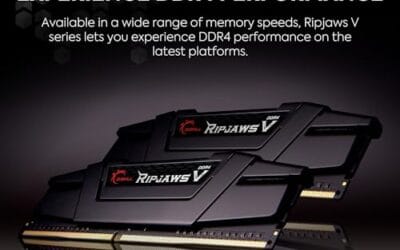
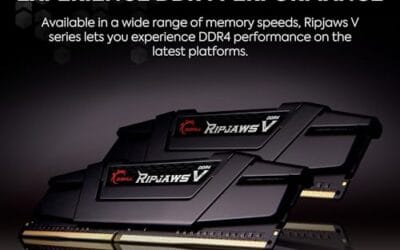
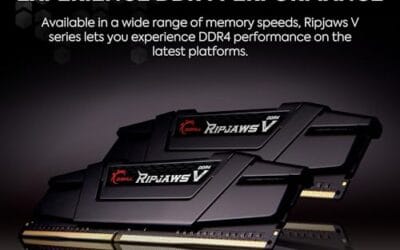
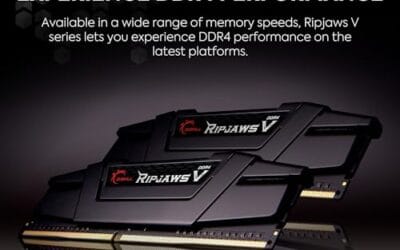
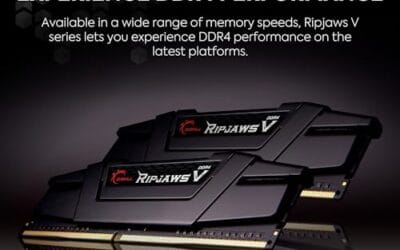
The G.SKILL RipjawsV F4-3600C18D-32GVK is a mid-range DDR4 desktop kit targeting Intel and AMD mainstream platform builders who want 32GB capacity at DDR4-3600 without overpaying for CL14 or CL16 enthusiast kits. It ships as a matched 2x16GB dual-channel pair in the standard 288-pin U-DIMM form factor.
The defining spec here is the XMP profile: DDR4-3600 at CL18-22-22-42, 1.35V. On AMD AM4 Ryzen systems, 3600MHz is the well-documented sweet spot for achieving a 1:1 FCLK ratio at 1800MHz, which keeps infinity fabric latency in check and translates to measurable gains in lightly-threaded workloads and gaming frame times compared to DDR4-3200 or lower.
CL18 is a genuine trade-off at this speed. Competing DDR4-3600 kits with CL16 or CL14 exist and offer lower absolute latency, though they typically carry a price premium. Owners report stable XMP operation across a wide range of B450, X570, and Z490/Z590 boards, but reaching rated speed on some budget AM4 boards may require manual sub-timing adjustments or AGESA microcode updates.
Buy this if you are building or upgrading an AM4 Ryzen or Intel LGA1700 desktop and want reliable 32GB DDR4-3600 dual-channel performance without tuning. Skip this if you need CL16 or tighter for competitive latency, or if your board has a limited QVL and you have not verified compatibility via G.SKILL's configurator tool first.
Platform Support: This kit uses 288-pin DDR4 U-DIMM and is compatible with Intel LGA1700 (Z690/Z790) and AMD AM4 (B450/X470/B550/X570) platforms. AM5 uses DDR5 exclusively, so this kit is not compatible with Ryzen 7000/9000 series builds on AM5 boards.
XMP and DOCP Activation: Rated speed of DDR4-3600 CL18-22-22-42 at 1.35V requires enabling XMP (Intel) or DOCP/A-XMP (AMD) in BIOS. Default JEDEC SPD boots at DDR4-2133 or DDR4-2400. On AM4, DDR4-3600 aligns FCLK at 1800MHz for a 1:1 ratio, which is the recommended operating point for Ryzen 3000 and 5000 series CPUs.
Slot Population and Mixing: Install both sticks in the recommended dual-channel slots per your motherboard manual, typically A2 and B2 in a 4-slot board. G.SKILL explicitly warns against mixing this kit with other modules; doing so voids the matched-pair guarantee and risks instability at XMP speeds.
Cooler Clearance: Exact heatspreader height is not specified in the source data, but RipjawsV modules are noted for a lower profile than Trident Z or RGB variants, reducing conflicts with wide tower coolers. Verify clearance if using a low-clearance cooler on a tight ITX board.

Pros
- AMD EXPO profile activates 5200MHz CL40-40-40-77 with a single BIOS toggle on Ryzen 7000 boards.
- Low 35mm module height clears virtually any AM5 or LGA1700 tower cooler without physical conflict.
- 1.25V operating voltage sits within DDR5 spec, reducing thermal stress on integrated PMIC under sustained load.
- Aluminum heatspreader aids passive heat dissipation in open-air cases without requiring active cooling.
Cons
- 16GB total capacity is increasingly marginal for content creation workflows and modern open-world titles running texture packs.
- 5200MHz CL40 offers modest latency compared to DDR5-6000 CL30 kits that hit the Ryzen 7000 FCLK 1:1 ratio sweet spot.
The CORSAIR Vengeance DDR5 16GB 2x8GB is a mid-range DDR5 kit targeting AMD Ryzen 7000 series and Intel 12th-generation-or-newer desktop builds. It ships with both AMD EXPO and Intel XMP 3.0 profiles, making it broadly compatible across AM5 and LGA1700 or LGA1851 platforms without manual timing configuration.
The standout feature is dual-profile support at a frequency that loads with a single BIOS toggle. At 5200MHz CL40-40-40-77 and 1.25V, it sits within DDR5 JEDEC specification territory, and onboard voltage regulation on the module itself reduces dependency on motherboard power delivery for the memory rail, which matters on budget AM5 boards with fewer VRM phases dedicated to DRAM.
The honest trade-off at this tier is frequency positioning. Ryzen 7000 performs best at DDR5-6000 with CL30 timings, where FCLK and memory controller run at a clean 1:1 ratio. This kit at 5200MHz places it below that threshold, meaning buyers on AM5 leave some CPU bandwidth on the table. The 16GB total capacity is also worth scrutinizing for any workload beyond gaming or light productivity.
Buy this if you are building a budget-to-mid AM5 or Intel DDR5 system and need reliable plug-and-play EXPO or XMP activation without manual overclocking. Skip this if your platform is AM5 and you plan to run a Ryzen 7000 CPU near its performance ceiling, where DDR5-6000 CL30 kits deliver measurably better throughput and latency at comparable pricing.
Platform Requirements: DDR5 requires AMD 600-series or newer motherboards paired with Ryzen 7000 series or newer CPUs, or Intel 600-series or 700-series boards with 12th-generation Core or newer. DDR5 is not backward compatible with DDR4 slots. Verify your motherboard QVL lists this kit before purchasing.
EXPO and XMP Activation: The rated 5200MHz speed requires enabling AMD EXPO or Intel XMP 3.0 in BIOS. Without activation, the kit defaults to DDR5-4800 JEDEC. On Ryzen 7000, DDR5-6000 is the accepted 1:1 FCLK sweet spot; this kit at 5200MHz runs below that threshold, which carries a small but measurable bandwidth and latency penalty versus a tuned DDR5-6000 kit.
Physical Clearance: Module height is 35mm, which clears nearly all air coolers without conflict. The 1.25V operating voltage and onboard PMIC mean power comes from the module itself rather than solely from the motherboard, reducing stress on budget boards with lighter DRAM power stages.
Capacity and Channel Config: The 2x8GB configuration fills two slots in dual-channel. CORSAIR explicitly advises against mixing kits, so expansion to 32GB requires replacing both modules with a validated 2x16GB kit rather than adding a second 2x8GB pair.

Pros
- DDR5-6000 CL36 is the documented Ryzen 7000 FCLK 1:1 sweet spot, maximizing memory controller efficiency.
- Both AMD EXPO and Intel XMP profiles ship on the same module, so one kit covers AM5 and LGA1700/LGA1851 builds.
- Onboard voltage regulation supports finer frequency tuning without depending entirely on motherboard VRM quality.
- iCUE software enables real-time frequency monitoring alongside RGB control from a single interface.
Cons
- Limited owner feedback at time of writing; performance and stability data is thin across diverse board configurations.
- 2x8GB totals 16GB, which is below the 32GB floor increasingly expected for content creation and modern AAA titles.
- DDR5-only platform requirement means no use in existing DDR4 systems; pin layout is physically incompatible.
The CORSAIR Vengeance RGB RS DDR5 is a mid-range dual-channel RAM kit targeting AM5 and Intel 700/800 series desktop builds. Running DDR5-6000 at CL36-44-44-96 and 1.35V, it is positioned for Ryzen 7000 and 9000 series users who want rated speeds without manual tuning.
The defining feature here is dual EXPO and XMP profile support on a single PCB, which removes platform guesswork. On AM5, DDR5-6000 with a 1:1 FCLK ratio is the documented performance sweet spot for Ryzen memory controllers, and CL36 primary latency is competitive at this frequency tier. Onboard voltage regulation provides additional stability at 1.35V for users exploring tighter subtimings.
The 2x8GB configuration is a real constraint. At 16GB total, this kit falls short for workloads like DaVinci Resolve, large game asset streaming, or running a browser alongside a game. RGB via iCUE adds software overhead if you are not already in that ecosystem. Owner feedback volume is currently low, so long-term stability across diverse board and AGESA combinations is not well documented yet.
Buy this if you are building a budget-to-mid AM5 or Intel DDR5 rig and want EXPO/XMP plug-and-play RGB RAM without overprovisioning capacity. Skip this if you need more than 16GB for your workload, or if you plan to populate all four DIMM slots, where multi-kit DDR5 compatibility becomes significantly more complex.
Platform Compatibility: Validated for AMD 600 and 800 series chipsets paired with Ryzen 7000 or newer on AM5, and Intel 700 and 800 series chipsets on LGA1700 and LGA1851. DDR5 is not backward compatible with DDR4 motherboards; the 288-pin DDR5 notch position is physically distinct from DDR4.
Speed and Latency Profile: Rated DDR5-6000 at CL36-44-44-96 requires enabling EXPO on AMD or XMP on Intel in BIOS. Without profile activation, the kit defaults to JEDEC DDR5-4800, which is standard out-of-box behavior for all DDR5 modules. The 1.35V operating voltage is within normal DDR5 overclocked spec and should not stress compliant motherboard PMICs.
Slot Placement and Dual-Channel: For dual-channel operation with this 2x8GB kit, insert modules in the paired A2/B2 slots as indicated in your motherboard manual, not A1/B1. Incorrect slot placement is the most common reason DDR5 kits fail to post at rated speed or fall back to JEDEC.
Capacity Ceiling: At 16GB total across two 8GB modules, upgrading to 32GB later requires replacing this kit entirely. CORSAIR explicitly advises against mixing kits, as validation is performed per-kit only. Plan capacity upfront if 32GB may be needed.

Pros
- AMD EXPO and Intel XMP 3.0 dual-certified
- Patented IR sync eliminates lighting desync between sticks
- Plug-and-play auto-OC via BIOS on compatible boards
Cons
- Review count sits just below 500, limiting long-term reliability data
- Premium pricing versus comparable CL30 DDR5 kits from competing brands
The Kingston FURY Beast RGB DDR5 32GB (2x16GB) kit targets AMD Ryzen builders who want fast RAM without manual tuning. Running at 6000MT/s CL30 with AMD EXPO certification, it hits the widely recommended DDR5 sweet spot for Ryzen 7000 and 9000 series platforms, where memory bandwidth meaningfully affects gaming frame rates. Kingston's patented Infrared Sync Technology keeps both sticks' RGB lighting in phase without physical connectors. Based on owner reports, installation and EXPO activation are straightforward on most X670 and B650 boards. Skip if your budget is tight and RGB aesthetics are not a priority.

Pros
- Hand-screened DDR5 ICs for consistent speed binning
- AMD EXPO profile simplifies overclock setup
- Customizable RGB via G.SKILL or third-party motherboard software
Cons
- AMD-platform only - no Intel XMP optimization
- Premium pricing limits appeal for budget Ryzen builds
The G.SKILL Trident Z5 Neo RGB is a 64GB DDR5 kit targeting AMD Ryzen builders who want high-capacity, overclocked RAM without manual tuning. Running at DDR5-6000 CL30-40-40-96 with AMD EXPO, it achieves rated speeds via a single BIOS toggle on compatible X870, X670, and B650 boards. Owner feedback is highly positive, with reports of stable operation at rated speeds on Ryzen 7000 and 9000 CPUs. The main limitation is platform exclusivity - Intel builders should look elsewhere. Skip if your build uses a budget B650 board that may struggle to validate DDR5-6000 stability.
Who this guide is for
This guide is for desktop PC builders choosing memory for a new DDR5 platform or checking whether an older kit still makes sense. If you’re building around a recent AMD or Intel board, you need to care about more than the DDR5 label. Capacity, frequency, CAS latency, voltage, and EXPO or XMP support all shape how easy the build is to tune. The wrong kit may still work, but it might run slower than expected or need manual settings.
It’s also for upgraders who see a cheap listing and want to know if it fits. The G.SKILL Ripjaws V kit here is DDR4, even though it appears in a DDR5-themed batch, so it doesn’t belong in a DDR5 motherboard. That detail matters more than RGB, brand loyalty, or a big capacity number. If your board needs DDR5, buy DDR5. If your board needs DDR4, don’t force the newer standard.
What to look for in DDR5 RAM
For most current gaming and creator desktops, capacity comes first. A 16GB kit can still run a lean machine, but 32GB is the safer baseline for gaming while streaming, content creation, and heavy browser use. A 64GB kit is useful when you edit large media projects, run virtual machines, keep many apps open, or simply want longer upgrade life. Don’t buy capacity you can’t use, but don’t underspend if your workload already bumps into memory limits.
Next, read the full speed and timing line. The kits here range from DDR5 up to 5200MHz CL40, to DDR5 6000MHz CL36, to DDR5 6000MT/s CL30. Lower CAS latency at the same speed is usually the cleaner spec, and DDR5-6000 CL30 is a common high-value target for many AMD EXPO builds. Voltage matters too: one G.SKILL 64GB kit lists 1.40V, while a Corsair RGB kit lists 1.35V. It’s not just decoration.
How we evaluated
We researched the five kits by checking listed memory type, capacity, configuration, speed, timing string, voltage when supplied, EXPO or XMP profile support, price, and rating. The provided ratings run from 4.0 to 4.8, while prices range from $229.99 to $924.99. Because review counts weren’t available, we didn’t lean on popularity claims or broad owner-volume language.
We also weighted compatibility heavily. A DDR4 kit can be great for the right older board and completely wrong for a DDR5 build. A 16GB DDR5 kit can be fine for a basic gaming PC but cramped for streaming and production work. A 64GB RGB kit can be excellent for heavy multitasking but silly for a budget rig. The best RAM is the kit that matches the board, CPU, workload, and budget without drama.
Our top picks
Best Overall: Kingston FURY Beast RGB 32GB DDR5-6000 CL30
The Kingston FURY Beast RGB 32GB kit is our best overall pick because it hits the strongest mainstream balance in this group. It lists 32GB in a 2x16GB kit, 6000MT/s speed, DDR5, CL30 latency, AMD EXPO support, and a 4.2 rating. At $499.99, it isn’t cheap, but it gives the capacity many current gaming and streaming PCs should start with. The 2-stick layout is also the normal route for keeping memory training simpler than a 4-stick setup.
The tradeoff is price. You’re paying much more than the 16GB Corsair kits, so this isn’t the choice for a bare-budget office or esports build. Still, the spec is clean: DDR5, 6000MT/s, CL30, 32GB, and EXPO in one package. If you’re building a serious AMD gaming PC, a streaming box, or a desktop that needs room for games and background apps, this is the kit we’d put first.
Best Budget DDR5: Corsair Vengeance DDR5 16GB 5200MHz CL40
The Corsair Vengeance DDR5 16GB kit is the budget DDR5 pick because it gives you the right memory standard at the lowest DDR5 price in this set. It lists 16GB in a 2x8GB layout, up to 5200MHz, CL40, AMD EXPO, Intel XMP 3.0, and a 4.4 rating for $234.99. For a basic new desktop, that can be enough to get a DDR5 board running without jumping to a $499.99 or $924.99 kit.
The downside is headroom. 16GB can feel tight once you add a modern game, voice chat, streaming tools, browser tabs, and launchers. The 5200MHz CL40 spec is also less aggressive than the DDR5-6000 kits here. Buy this if the goal is a simple DDR5 entry point and you know you won’t overload the machine. If you’re already spending on a midrange or high-end CPU, you’ll probably want 32GB instead.
Best RGB Value: Corsair Vengeance RGB RS DDR5 16GB 6000MHz CL36
The Corsair Vengeance RGB RS DDR5 kit is the RGB value pick. It lists 16GB in a 2x8GB layout, up to 6000MHz, CL36-44-44-96 timings, 1.35V, AMD EXPO, Intel XMP, and a 4.0 rating at $254.99. Compared with the cheaper Corsair 5200MHz CL40 kit, this one gives you a faster headline speed, tighter listed CAS latency, and lighting for only $20 more based on the provided prices.
The catch is still capacity. A 16GB kit is easier to justify in a budget gaming PC than in a streaming or creator machine. The 4.0 rating is also the lowest rating in this set, so cautious buyers may prefer the non-RGB Corsair kit or move up to 32GB. Still, for someone who wants DDR5-6000, RGB, EXPO and XMP support, and a lower price than the Kingston 32GB kit, this Corsair option has a clear role.
Best High-Capacity Kit: G.SKILL Trident Z5 Neo RGB 64GB DDR5-6000 CL30
The G.SKILL Trident Z5 Neo RGB 64GB kit is the high-capacity pick. It lists 64GB in a 2x32GB layout, DDR5, 6000MT/s, CL30-40-40-96 timings, 1.40V, AMD EXPO, and a 4.8 rating. If you edit video, stream, keep many browser tabs open, run virtual machines, or build a workstation-style gaming PC, 64GB can be genuinely useful. The 2-stick setup is also cleaner than filling four slots.
The obvious issue is the $924.99 price. That’s far above the other kits here, and many gaming PCs won’t need 64GB. You should buy it because your workload needs the capacity, not because the spec line looks impressive. If you do need that memory ceiling, the combination of 64GB, DDR5-6000, CL30, EXPO, and RGB makes it the most complete kit in the group. Expensive, yes. Focused, too.
Best DDR4 Compatibility Pick: G.SKILL Ripjaws V 32GB DDR4-3600 CL18
The G.SKILL Ripjaws V 32GB kit is not a DDR5 pick, and that’s exactly why it gets a separate role. The title lists DDR4 RAM, 32GB in a 2x16GB layout, 3600MT/s, CL18-22-22-42 timings, 1.35V, XMP support, and a 4.6 rating at $229.99. If you have an older DDR4 motherboard, this kind of kit can still make sense for a gaming PC that needs 32GB without a full platform rebuild.
Do not buy it for a DDR5 motherboard. The slot and standard are different, and compatibility isn’t negotiable. Its value depends entirely on the system you already own. For a DDR4 build, 32GB at 3600MT/s is still a useful capacity and speed target. For a new DDR5 build, skip it and choose one of the Corsair, Kingston, or G.SKILL DDR5 kits above. Simple rule. Saves a return.
A final compatibility note: memory QVL lists are useful, but they are not the only way to judge a kit. Board vendors cannot validate every retail pack forever, so you still need to match the standard, capacity, profile type, and speed to the board and CPU generation. If a kit lists AMD EXPO and Intel XMP, that is helpful for mixed shopping, but it does not guarantee every board will apply the rated profile without a BIOS update. We would rather buy a slightly calmer kit that boots cleanly than chase a headline speed that needs hours of manual tuning.
Also think about upgrade path before filling slots. A 2x16GB kit gives you 32GB today and usually leaves two DIMM slots open on a 4-slot board. A 2x32GB kit gives you 64GB without forcing a 4-stick setup. Four DIMMs can work, but DDR5 memory training can become fussier as capacity and speed rise. For most builders, two sticks are the cleaner starting point. Boring advice. Useful advice.
Buying mistakes to avoid
The first mistake is mixing memory standards in your head. DDR4 and DDR5 are not interchangeable, even if both product pages say desktop memory and both use familiar capacity labels. Check the motherboard manual before buying. If the board lists DDR5, the DDR4 Ripjaws V kit won’t fit. If the board lists DDR4, a DDR5 kit won’t help. Memory buying starts with the slot, not the sale price.
The second mistake is chasing speed while ignoring capacity. A 16GB DDR5-6000 kit can look faster on paper than a 32GB kit, but it may feel worse if your actual workload needs more memory. The third mistake is buying a premium 64GB kit for a PC that never uses more than 20GB. Put the money where it changes the machine: capacity first, then speed and timings, then RGB.
Bottom line
The Kingston FURY Beast RGB 32GB DDR5-6000 CL30 kit is the best overall DDR5 RAM pick here because it combines the right mainstream capacity, a strong speed and latency line, EXPO support, and a 2x16GB layout. It’s pricey at $499.99, but it makes the most sense for a serious current gaming or streaming build that shouldn’t feel cramped after a few months.
For cheaper DDR5, choose the Corsair Vengeance 16GB 5200MHz CL40 kit if you need the lowest DDR5 entry point, or the Corsair RGB RS 16GB 6000MHz CL36 kit if lighting and higher speed matter. For heavy workloads, the G.SKILL Trident Z5 Neo RGB 64GB kit is the capacity monster. For DDR4 systems, the Ripjaws V kit is still relevant, but only for DDR4 boards.
Common questions
Is 16GB of DDR5 enough in 2026?
It can be enough for a basic gaming or office PC, especially if you keep background apps under control. For streaming, content creation, and heavier multitasking, 32GB is the safer buy. You’ll feel the difference when games, browsers, chat, and capture apps pile up.
Is DDR5-6000 better than DDR5-5200?
In general, DDR5-6000 gives a stronger speed target than DDR5-5200, but timings and platform stability matter too. The Corsair RGB RS kit lists 6000MHz CL36, while the cheaper Corsair kit lists 5200MHz CL40. Your motherboard and CPU memory controller still decide how easy it is to run the profile.
Should I buy 32GB or 64GB?
Most gaming and streaming builds should start at 32GB. Move to 64GB if you edit large projects, run virtual machines, work with heavy creative apps, or keep a lot open at once. Don’t pay for 64GB just to browse and play one game.
Does AMD EXPO matter?
EXPO matters if you’re building on an AMD platform and want an easier path to rated memory settings. Several kits here list AMD EXPO, including the Corsair DDR5 kits, Kingston FURY Beast, and G.SKILL Trident Z5 Neo. Intel XMP matters in the same way for many Intel boards.
Can I use the G.SKILL Ripjaws V kit in a DDR5 PC?
No. The Ripjaws V listing here is DDR4, so it belongs with compatible DDR4 motherboards only. If your board requires DDR5, choose a DDR5 kit from this list instead.




























Write Your Review
No reviews yet. Be the first to share your experience!