What Is HDMI CEC? How One-Touch Device Control Actually Works
Press play on the Blu-ray remote and the TV wakes up, switches to the right input, and the receiver fires up. No juggling three remotes. That’s HDMI CEC doing its job, and most folks have used it for years without knowing the name.
CEC stands for Consumer Electronics Control. It’s a one-wire control bus tucked inside every HDMI cable since 2002, riding on pin 13. The protocol lets a TV, console, soundbar, streamer, and AV receiver swap commands. Power on. Switch input. Adjust volume. Even pass remote button presses across devices.
Here’s the catch. Almost nobody calls it CEC on the product box. Samsung calls it Anynet+. Sony calls it BRAVIA Sync. LG slaps “Simplink” on the spec sheet. Same protocol, dozens of names. So a feature that should feel seamless ends up confusing, especially when you’re mixing brands.
This guide breaks down what CEC actually does at the wire level, why it exists, why brands renamed it, when you want it on, and what hardware actually supports it properly. Plus the myths worth busting before you go disabling things in your TV menu.
The short answer
HDMI CEC is a low-speed control channel built into the HDMI standard. It runs at roughly 500 bits per second over a single wire (pin 13) and lets connected devices send each other simple commands. Turn on. Standby. Change source. Volume up. Pass through a remote keypress.
It’s why pressing play on your Apple TV remote also turns on your LG OLED. It’s why your PS5 wakes the soundbar. It’s the invisible glue behind “one remote does everything” setups.
The reason it feels flaky isn’t the protocol itself. It’s that every TV brand renamed CEC for marketing purposes, and the implementations don’t always play nice across brands. Same standard, different dialects. You’ll need to enable it in each device’s settings, and sometimes hunt for the right toggle name.
Want it off? You can disable CEC at the source (most TVs and consoles), or use a hardware blocker cable for stubborn cases. More on that below.
The longer explanation
Time to get into the weeds. HDMI cables carry 19 pins. Eighteen of them push video, audio, clock signals, and metadata between source and display. Pin 13 is the odd one out. It’s a low-voltage, half-duplex single-wire bus dedicated entirely to CEC.
The signaling rate is glacial by modern standards. About 500 bps. That’s bits, not kilobits. Plenty fast enough for short command frames (power on, volume up, source select) but useless for anything resembling data transfer. The design choice was deliberate. Slow signaling means cheap implementation, low EMI, and rock-solid reliability over long cable runs.
Each device on the chain gets a logical address. TV gets address 0. Recording device 1 gets address 1. Playback device gets address 4. And so on. Up to 15 devices can sit on the same CEC bus. Commands are short broadcast or directed frames, and any device can initiate.
CEC didn’t appear out of thin air with HDMI either. It inherited the protocol from AV.link, which was the control bus baked into SCART connectors on European AV gear back in the late 1990s. SCART had a “pin 10” reserved for the same kind of one-wire device chatter. When HDMI 1.0 launched in December 2002, the spec folks ported AV.link concepts over to pin 13 and called it CEC.
The protocol has been refined across HDMI versions. CEC 1.3a tightened the command set. HDMI 1.4 added remote feature commands so a single button press could cascade through multiple devices. HDMI 2.0 and 2.1 didn’t change CEC much. The control layer is mature. What’s changed is what brands do with it on top.
One quirk worth knowing. CEC commands are mandatory to support in the HDMI spec only at the cable level (the wire must carry pin 13). Devices aren’t forced to act on every command. So a cheap HDMI switch might pass CEC physically but ignore it functionally. Annoying, but technically compliant.
How we got here
HDMI 1.0 dropped in December 2002, jointly developed by Sony, Toshiba, Hitachi, Philips, Panasonic, Silicon Image, and a few others. The goal was a single cable replacing component video, S/PDIF audio, and various control cables in one shot.
CEC came along for the ride, partly because European partners (Philips, Panasonic’s TV division) wanted to keep AV.link-style device control intact. SCART was on its way out, but the convenience of “one button starts the chain” was too useful to drop.
For the first few years, CEC sat dormant. Devices supported pin 13 physically but few exposed the feature to users. That changed around 2005-2008. As HD content exploded and home theater stacks grew (Blu-ray player, AV receiver, projector, console), users started hitting the three-remote problem hard.
Around 2008, every major TV maker rolled out their own branded CEC implementation. Samsung’s Anynet+ shipped in 2007. Sony’s BRAVIA Sync followed. LG’s Simplink. Panasonic’s VIERA Link. Sharp’s Aquos Link. Toshiba’s Regza Link. Philips’s EasyLink. All the same underlying protocol with slightly different command priorities, marketing names, and menu locations.
Why brands rename it
The renaming was a deliberate marketing play. “HDMI CEC” sounds like an engineering spec. “Anynet+” sounds like a feature you want. Brands wanted users to associate one-remote convenience with their ecosystem, not with the underlying standard.
There’s also a fragmentation angle. Each brand tweaked which CEC commands its TVs would respond to, and how aggressively. Samsung’s Anynet+ leans heavily on power-state cascading. Sony’s BRAVIA Sync prioritizes remote pass-through to compatible playback devices. LG’s Simplink is comparatively conservative. The branding gave each manufacturer cover to ship slightly incompatible behaviors without breaking the HDMI spec.
Here’s the quick decoder. Samsung = Anynet+. Sony = BRAVIA Sync. LG = Simplink. Panasonic = VIERA Link (sometimes HDAVI Control). Sharp = Aquos Link. Toshiba = Regza Link. Philips = EasyLink. Hitachi = HDMI-CEC (one of the few). Vizio = CEC (also unbranded). Roku TV = “1-Touch Play” in some menus.
The downside is real. Plug a Samsung soundbar into an LG TV and you’ll likely need to enable Simplink on the TV and Anynet+ on the soundbar separately. The handshake works, but it’s not as tight as same-brand stacks. Sony to Sony, Samsung to Samsung, those tend to “just work.” Mixed brands take fiddling.
The PS5 calls it “HDMI Device Link” under Settings > System > HDMI. The Xbox Series X labels it “HDMI-CEC” under Settings > General > TV & display options. Apple TV puts it under Settings > Remotes and Devices > “Control TVs and Receivers.” Three different names for asking the same question. Should this device talk CEC?
When you’d want CEC on
The classic scenario. You’ve got a TV, a streaming box (Apple TV, Fire TV, Roku, Chromecast), and a soundbar. Without CEC, you’re hunting three remotes every time you want to watch something. With CEC on, the TV remote handles volume on the soundbar, the streamer remote wakes the TV, and any “play” command spins up the whole chain.
Consoles are another big win. The PS5 with HDMI Device Link enabled will power on a compatible TV when you tap the controller’s PS button. Xbox does the same with HDMI-CEC active. No more “turn on TV, switch to HDMI 2, then power on console.” One button.
Soundbar volume passthrough is huge. With CEC plus ARC or eARC, your TV remote’s volume keys control the soundbar directly. The TV’s internal speakers stay muted, the soundbar handles all audio, and you’ve got one remote in your hand. eARC bumps that to roughly 37 Mbps of audio bandwidth, enough for uncompressed Dolby TrueHD and DTS-HD MA. CEC handles the control side while eARC handles the audio.
Projector setups benefit too. Projector + Apple TV + AV receiver, all on the same CEC chain, means one remote starts everything in sequence. Without CEC, you’re powering on each device manually and praying the input order works.
What to look for in HDMI cables and gear
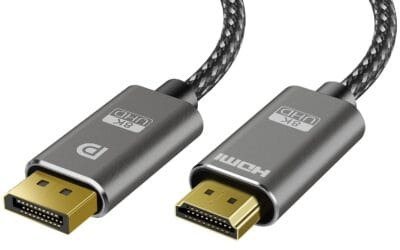
First the easy part. Every HDMI cable that meets the official spec carries pin 13 and supports CEC at the physical layer. There’s no “CEC version” of an HDMI cable that costs extra. If the cable is HDMI-certified, CEC works.
Where it gets tricky is bandwidth. CEC itself doesn’t care, but the rest of the cable does. HDMI 2.0 caps at 18 Gbps, enough for 4K at 60Hz with HDR. HDMI 2.1 jumps to 48 Gbps, which covers 4K at 120Hz, 8K at 60Hz, VRR, ALLM, and the full eARC spec. If you’re running a PS5, Xbox Series X, or any current-gen GPU, you want 2.1.
Certified Ultra High Speed HDMI cables (the official 48 Gbps cert) are the safe pick for HDMI 2.1 setups. They’ve been verified by the HDMI Forum’s compliance program. Cheap unbranded cables claiming “8K 2.1 support” often fall apart at higher bandwidths, causing handshake drops that ironically break CEC alongside the video signal.
Length matters too. Passive copper HDMI 2.1 cables hold up well to about 10 feet at full 48 Gbps. Past that, you’re looking at active optical cables. CEC keeps working at any length the cable is rated for, but signal integrity issues on the high-speed pairs can create weird CEC ghost commands.
For docks and hubs, check the spec carefully. A USB-C hub with HDMI output (like 6-in-1 dock designs) will pass video fine, but CEC support varies. Most basic hubs don’t proxy CEC through. If single-remote control matters, plug the source directly into the TV.
Common misconceptions
Myth one. “Every HDMI cable supports CEC, so I don’t need to worry.” Mostly true at the physical layer. But cheap unbranded cables sometimes fail certification on pin 13 continuity, especially in long runs. Certified cables are the safer call if CEC behavior is flaky.
Myth two. “CEC works flawlessly between all brands.” Nope. The protocol is standard, the implementations aren’t. Same-brand stacks (Sony to Sony, Samsung to Samsung) tend to be reliable. Mixed brands work most of the time but expect occasional weirdness. Apple TV plus Sony TV is generally rock solid. Generic Android box plus Samsung TV, less predictable.
Myth three. “CEC is a security risk.” Overblown. CEC commands are limited to a defined set (power, source switch, volume, basic transport). There’s no data transfer, no shell access, no firmware push. The worst case is a malicious device on your HDMI chain trying to switch inputs annoyingly. Hardly a breach scenario for home setups.
Myth four. “Disabling CEC fixes input switching boot loops.” Sometimes true, often not. Boot loops where the TV and console keep waking each other up usually trace back to one device sending repeated “active source” commands. Turning CEC off on the noisier device (often a streamer with aggressive wake-on-network) fixes it. Turning it off on the TV usually doesn’t. Diagnose before disabling everything.
For users who genuinely want CEC physically blocked (rental setups, hotel installs, troubleshooting persistent boot loops), there are pin-13 blocker adapters that interrupt the CEC line while leaving video and audio untouched. Niche product, real use case.
Frequently asked
Does HDMI CEC work over HDMI splitters and switches?
Sometimes. Cheap passive splitters often break CEC because pin 13 doesn’t route cleanly across multiple downstream devices. Powered switches and matrixes with explicit CEC support handle it properly. Check the product spec sheet for “CEC support” or “CEC passthrough.” If it’s not listed, assume it doesn’t.
Why does my soundbar randomly change volume on its own?
Likely a CEC ghost command from another device. A streamer or console sending stray volume commands when waking up. Try disabling CEC on the suspect device first. If your TV remote works fine and the soundbar misbehaves only when a specific source is active, you’ve found the culprit.
Can I use CEC with an AV receiver in the middle?
Yes, if the receiver supports CEC passthrough. Denon, Marantz, Yamaha, and Onkyo all support it on recent models. Older receivers (pre-2015) sometimes block CEC between source and TV. Check the manual for “HDMI Control” or the brand’s CEC name. If it’s there, turn it on at every device in the chain.
Does CEC drain power when devices are off?
A tiny amount. CEC requires the +5V standby line on pin 18 to stay active so devices can wake each other. Standby draw is usually under 0.5W per device. Not enough to matter for most users. If you’re chasing every watt, disabling CEC across the chain saves a small amount of vampire power.
What if I want CEC totally off, hardware level?
A CEC blocker adapter physically interrupts pin 13 between two HDMI connections. Useful for rental properties, hotels, or persistent boot-loop diagnostics. It leaves video, audio, and HDCP untouched. Just the control bus gets blocked. Cheap insurance if menu-level disabling doesn’t stick.