

A 240W USB-C charger pushes more than double the power of a 100W unit, but the USB-C spec only reaches 240W when the cable itself carries an e-marker rated for 5 amps at 48 volts. Plug the same charger into a standard 100W cable and you’re capped at 100W no matter what the brick claims. That single detail confuses a lot of buyers. So does a 240W charger actually buy you more, or is 100W plenty? We researched where the extra wattage matters and where it’s wasted money. If you’re building out a desk, our guides to the best USB-C hubs of 2026 and the best powered USB hubs for a home office pair well with charger planning.
Matchup at a glance
The 100W tier is the mainstream standard, and for good reason. USB Power Delivery capped at 100W for years, so nearly every laptop, phone, and tablet is built to charge at or below it. A single 100W port fast-charges almost any ultrabook and tops off a phone in a fraction of the time a 5W charger would. For most people, 100W is the practical ceiling of what their devices can even accept.
The 240W tier, enabled by the newer USB PD 3.1 revision, targets the power-hungry edge: large gaming laptops and mobile workstations that draw more than 100W under full load. The catch is that both the charger and the cable must support the higher spec, and the device has to request it. Buy a 240W brick for a laptop that peaks at 90W and the extra capacity just sits idle. Match matters more than the headline number.
Spec sheet showdown
| Spec | 100W USB-C | 240W USB-C | Cable needed | Best for |
|---|---|---|---|---|
| Max power | 100W (20V/5A) | 240W (48V/5A) | 240W needs 48V/5A e-marked cable | Higher-draw laptops on 240W |
| Spec revision | USB PD 3.0 | USB PD 3.1 | EPR-rated cable for 240W | Future-proofing on 240W |
| Typical use | Ultrabooks, phones, tablets | Gaming laptops, workstations | Standard cable fine for 100W | Everyday charging on 100W |
| Cost | Lower | Higher | 240W cables cost more | Value on 100W |
| Portability | Smaller, lighter | Larger, heavier | N/A | Travel on 100W |
The table shows the real dividing line isn’t just the brick. It’s the whole chain: charger, cable, and device all have to agree on the higher wattage. A 100W setup is smaller, cheaper, and covers the vast majority of devices. A 240W setup only pays off when a genuinely power-hungry laptop is on the other end.
100W charger strengths
For most people, 100W is the right answer, and it’s cheaper and more portable to boot. A single 100W port fully drives nearly every thin-and-light laptop, and it charges phones and tablets at their maximum rate too, since those devices draw far less. Because 100W has been the PD standard for years, cable compatibility is a non-issue; a standard 100W-rated USB-C cable works, and you don’t hunt for a special e-marked wire.
The size advantage is real. GaN-based 100W chargers are compact enough to toss in a bag, and many offer multiple ports that split the 100W budget across a laptop, phone, and earbuds at once. The only thing you give up is the ability to run a laptop that genuinely needs more than 100W at full tilt. If you don’t own such a machine, and most people don’t, the 100W tier is the value and travel pick with nothing meaningful lost.
240W charger strengths
The 240W tier exists for hardware that 100W can’t fully feed. A high-end gaming laptop under a heavy load can pull more than 100W, and on a 100W charger it may charge slowly, or only maintain the battery rather than fill it, while gaming. A 240W-capable setup delivers the full draw so the laptop charges at speed even under load, and it future-proofs you for the next wave of USB-C devices that push past the old ceiling.
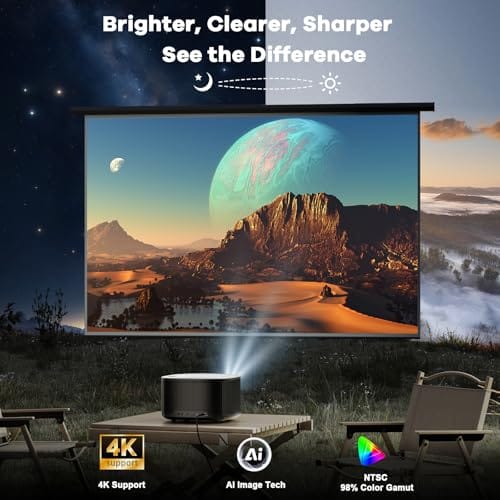
The tradeoff is bulk, cost, and the cable requirement. A 240W brick is larger and heavier, costs more, and demands an EPR-rated 48V/5A cable to hit its full number; pair it with an ordinary cable and it falls back to 100W. It’s worth noting the two products bundled with this article are not chargers at all but outdoor projectors, so treat them as unrelated gear from the product set rather than charging examples. The ONOAYO ONO5Pro 2.0 4K outdoor projector, $493.99 at a 4.2-star rating with 60W Dolby audio and AI auto-focus, is one such adjacent device.

Pros
- Built-in licensed streaming apps and Chromecast cut the need for a separate HDMI streaming device
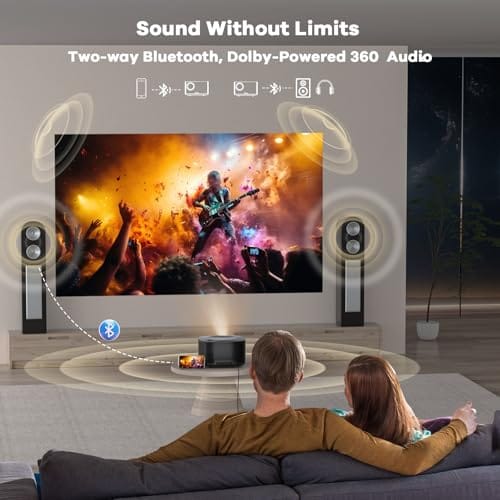
- Dual 60W Dolby-tuned drivers fill small to medium rooms without external speakers or a soundbar
- Auto focus, keystone, and obstacle avoidance simplify quick setup on uneven wals or outdoor surfaces
Cons
- Limited verified owner fedback available at time of writing, so long-term reliability remains unproven
- Vendor-cited 3500 brightness figure lacks an ANSI lumen disclosure, typical of LED projectors at this tier
- Native panel resolution not specified in source, likely a 1080p panel accepting a 4K input signal
The ONOAYO ONO5Pro 2.0 is a smart LED home projector positioned in the budget to lower mid-range 4K-input segment, bundling Smart TV OS 2.0, WiFi 6, HDMI 2.1, and dual 60W speakers. It targets casual buyers who want a plug and play movie and streaming setup for bedrooms, living rooms, or occasional backyard screnings.
The defining pitch is the integrated audio, with dual 60W Dolby-tuned drivers claimed to cover 540 square feet. In practice, LED projectors at this price typically deliver 200 to 400 ANSI lumens regardless of marketing figures like 3500, so plan for a dark room and a screen size around 80 to 100 inches for the sharpest image.
Native resolution is not stated in the source data, which is common for units marketed as 4K support rather than native 4K. Expect a 1080p or lower panel accepting a 4K signal. The 18ms input latency is vendor-claimed and applies only inside game mode, not across general viewing modes or upscaling paths.
Buy this if you want an all in one streaming projector for casual movie nights and light PS5 or Xbox gaming in a controled-light room. Skip it if you need calibrated color, verified ANSI brightness for daylight viewing, or a true native 4K panel for critical film watching.
Image and Resolution: Accepts 4K input with vendor claims of 98% NTSC coverage and 1.07 billion colors via an AI Image Engine. Native panel resolution is not specified, so treat this as a 4K-compatible LED projector rather than a native 4K unit. The 3500 brightness figure is not stated in ANSI lumens.
Audio System: Dual 60W speakers with Dolby Audio tuning cover a manufacturer-cited 540 square feet, adequate for typical bedroom or living-room setups. Driver size and bass extension are not specified, so external subwoofers may still be preferred for action-heavy content. Audio outputports are not listed in source.
Smart Platform and Connectivity: Runs Smart TV OS 2.0 with licensed apps for YouTube, Prime Video, and Disney+, plus WiFi 6, a Bluetooth remote, HDMI 2.1, and built-in Chromecast. CEC support allows single-remote control across connected devices. Exact HDMI and USB port counts and wattage draw are not specified.
Setup and Calibration: VisionIQ handles auto focus, keystone correction, obstacle avoidance, screen fit, and orientation detection, with a claimed 3-second alignment. Dynamic zoom scales the image between 50 and 100 percent without moving the chassis. Throw ratio, native throw distance, and mounting thread specifications are not stated in source.
Real-world scenarios
Charging an ultrabook and a phone
A 100W charger wins here, easily. A thin laptop tops out well under 100W, and a phone draws a fraction of that, so a multi-port 100W GaN brick charges both at full speed with room left over. Buying 240W for this pair is pure overspend. The smaller, cheaper unit does everything and travels better.
Powering a gaming laptop while playing
This is the 240W scenario. A gaming laptop under load can exceed 100W of draw, and on a 100W charger it may drain slowly or only hold steady while plugged in. A 240W-capable charger and EPR cable deliver the full wattage so the battery charges even mid-game. If you own such a machine, the extra capacity earns its keep.
A travel kit for mixed devices
For a bag you carry daily, 100W usually wins on size and weight. Unless your travel laptop specifically needs more than 100W, a compact multi-port 100W charger covers a laptop, phone, and earbuds in one small brick. The 240W unit’s bulk and heavier cable aren’t worth it if nothing you carry can use the extra power.
A desk hub setup
At a fixed desk, size stops mattering, so 240W can make sense if you dock a powerful laptop that draws heavily. A single high-wattage charger feeding a hub keeps the workstation topped up under load. If your desk laptop is a modest ultrabook, though, a 100W supply is still plenty, and a powered USB hub handles the peripherals.
Pricing and availability
Chargers price roughly by wattage and port count. A quality 100W GaN charger is the more affordable and widely stocked option, and multi-port models are common. A 240W charger costs more and, crucially, needs a matching EPR-rated 48V/5A cable that also carries a premium, so budget for the pair rather than the brick alone. Skimp on the cable and you’ve bought 100W performance at a 240W price.
For context on the unrelated products packaged with this piece, the WiMiUS P62 Pro smart outdoor projector lists at $299.99 with a 4.2-star rating, offering 4K support, WiFi, Bluetooth, and Dolby audio with dual speakers. It’s a projector, not a charging accessory, so it’s noted here only for transparency about the product set. If a portable projector is genuinely on your shopping list, it’s a separate purchase decision from choosing a USB-C charger.
Which to buy
Buy 100W unless you own hardware that specifically needs more. For phones, tablets, and the overwhelming majority of laptops, a good multi-port 100W GaN charger delivers full-speed charging, costs less, travels lighter, and skips the special-cable requirement entirely. It’s the correct default for almost everyone, and pairing it with a decent powered hub covers a full desk of peripherals without a second thought.
Step up to 240W only if you have a gaming laptop or mobile workstation that draws past 100W under load, and remember to buy the EPR-rated cable to match, or you’ll never see the full wattage. For the projector products bundled with this article, the WiMiUS P62 Pro at $299.99 is the more affordable of the two, but again, those are unrelated devices, not charging picks. Match the charger tier to your actual device draw and you won’t overspend.

Pros
- Native 1080P with HDR10 and 4K signal aceptance covers Prime Video and YouTube playback
- 600ANSI brightness rating outperforms typical sub-300ANSI outdoor projectors in mixed ambient light
- Dual HDMI with ARC and CEC lets a soundbar and consolexist without swapping cables
Cons
- Limited owner fedback at time of writing makes long-term reliability hard to verify
- 4K content is downscaled to native 1080P, so true 4K sharpness is not delivered
- Dual 10W speakers and Dolby decode are adequate outdoors but weaker than a dedicated soundbar
The WiMiUS P62 Pro is a mid-range smart outdoor projector built around a native 1080P panel with 4K signal acceptance, HDR10, and a claimed 600ANSI brightness. It targets backyard movie viewers and casual living-room users who want built-in Prime Video and YouTube without ading a Fire TV or Chromecast dongle.
The defining feature is the smart OS with an app store plus WiFi 6, AirPlay, and Miracast. For1080P streaming outdoors after dusk, 600ANSI is workable on a 80 to 120 inch scren based on category norms, though slightly lit patios will push it toward the High picture mode. Auto focus and auto keystone handle quick tripod repositioning.
Trade-offs are typical at this tier. 4K labeled content is downscaled to 1080P, so buyers expecting true UHD detail will be disappointed. The dual 10W speakers with Dolby decode are fine for casual viewing but benefit from HDMI ARC to a soundbar or Bluetooth 5.2 headphones. Owner feedback is limited at time of writing, so long-term panel and lamp behavior is unverified.
Buy this if you want a plug-and-play outdor projector with native streaming aps, WiFi 6, and dual HDMI for a console plus soundbar. Skip this if you need genuine 4K resolution, cinema-grade contrast, or a documented track record from established owner reviews.
Panel and Image: Native 1080P resolution with 4K signal support and HDR10 decoding. Rated 600ANSI lumens with High and Standard picture modes. Zoom range is 50 to 100 percent, and auto focus plus auto keystone with obstacle avoidance and screen alignment handle setup on tripod,ceiling, or wall.
Connectivity: Two HDMI inputs, with HDMI 1 suporting CEC and HDMI 2 supporting ARC and CEC, two USB ports, a 3.5mm audio output, and top control buttons. Wireless is WiFi 6 with AirPlay for iOS and Miracast for Android and Windows, plus two-way Bluetooth 5.2 for speakers or headphones.
Audio: Dual 10W Hi-Fi speakers with Dolby audio decode and AI sound balancing. Two-way Bluetooth 5.2 allows the unit to act as a standalone speaker or output to external Bluetooth audio. HDMI ARC provides a clean path to soundbars or AV receivers.
Mounting and Support: Four M5 screw holes on the base plus a center M6 thread for tripods and ceiling mounts. Coverage includes a 2-year money-back guarantee, 3-year repair coverage, and lifetime technical support per the listing. Carrying case is not included.
Common questions
Do I need a special cable for 240W charging?
Yes. A 240W charger only reaches full power with an EPR-rated cable that carries the 48V/5A e-marker. Plug it into a standard 100W cable and it falls back to 100W. So a 240W setup means buying both the charger and the matching cable, not just the brick.
Will a 240W charger damage my phone?
No. USB Power Delivery negotiates the safe wattage between charger and device, so your phone only pulls what it’s rated for, likely well under 30W. A higher-capacity charger simply has headroom it won’t use on a small device. It charges the phone at the phone’s maximum safe rate, not the charger’s maximum.
Is 100W enough for a gaming laptop?
Sometimes, but not always under full load. Many gaming laptops draw more than 100W when the CPU and GPU are both working hard, so a 100W charger may only maintain the battery or charge it slowly while you play. If you game plugged in regularly, a 240W-capable setup keeps it charging at speed.
Can one charger power my whole desk?
A multi-port charger can handle a laptop plus phones and earbuds by splitting its wattage budget. For a full array of peripherals like drives and displays, pair the charger with a powered USB hub. The charger feeds your devices; the hub handles data and accessory power so nothing gets starved.
Are those projectors related to USB-C charging?
No. The WiMiUS P62 Pro and ONOAYO ONO5Pro are outdoor projectors that happened to be bundled with this article’s product set, not charging accessories. We flag them for transparency rather than pretend they’re chargers. If you want a projector, that’s a separate buying decision from picking a 100W or 240W USB-C charger.

































Write Your Review
No reviews yet. Be the first to share your experience!