

Wireless keyboards used to add a few milliseconds of input lag that competitive players could feel. That gap is basically gone. Modern 2.4GHz gaming wireless polls at 1000Hz and matches wired latency closely enough that the debate has shifted from “can it keep up” to “is the convenience worth the price and the battery upkeep.” A budget wired mechanical board runs $20 to $60. A comparable wireless one often doubles that. So which price tier actually buys you more? Let’s break down where your money goes on each side.
One honest note before we start: both products we reference here are wired mechanical boards, so we’re using them to anchor the wired-value side of the argument rather than pretending they’re wireless. For dedicated wireless picks, our roundups of the best wireless gaming keyboards and wireless mechanical boards overall cover that side in depth.
Matchup at a glance
Wired keyboards win on price, reliability, and never needing a charge. Plug in, and you’ve got a consistent 1000Hz connection with zero battery anxiety and no dongle to lose. The budget tier is where wired dominates hardest, since $20 to $60 buys a genuine mechanical board with hot-swap switches and RGB. There’s no radio, no receiver, no firmware pairing to fuss with. For a stationary desktop rig, the cable is a non-issue.

Wireless keyboards win on the desk itself. No cable clutter, freedom to reposition, and the option to switch between a PC and a laptop or console. The tradeoff is cost and maintenance: you pay a premium and you keep an eye on the battery. Latency on good 2.4GHz wireless is close enough to wired that most players won’t notice, but the price gap is real and lands squarely on the wireless side.

Spec sheet showdown
| Spec | Budget Wired (Newmen GM325Pro) | Mid Wired (Cherry KC 200 MX) | Typical Budget Wireless | Typical Premium Wireless |
|---|---|---|---|---|
| Price | $20.89 | $56.31 | $45 to $70 | $120 to $200 |
| Connection | Wired USB | Wired USB | 2.4GHz + wired | 2.4GHz + Bluetooth + wired |
| Switches | Linear Red, hot-swap | MX2A Silent Red | Varies, often not hot-swap | Hot-swap, premium |
| Layout | 104 keys, full size | Full size office | Compact or TKL common | TKL to full size |
| Battery | None needed | None needed | Charge every 1-2 weeks | Weeks per charge |
Wired keyboard strengths
The wired case is strongest at the bottom of the market, and the Newmen GM325Pro at $20.89 with a 4.8 rating shows why. For twenty bucks you get a full 104-key mechanical board with linear Red switches, a hot-swap metal panel, RGB backlighting, and ABS keycaps. That hot-swap plate alone is something budget wireless boards rarely include. A new player can pop in different switches later without soldering. At this price, wireless simply can’t match the feature set.
Reliability is the other pillar. A wired board delivers a rock-steady 1000Hz signal with no interference, no dongle occupying a USB port on a crowded desk, and no battery that degrades over years of use. You never lose a match because the receiver hiccupped or the charge died mid-session. For a desktop that doesn’t move, the cable costs you nothing and saves you the ongoing upkeep. That’s the wired pitch in one line: more keyboard, less money, zero maintenance.
Wireless keyboard strengths
Wireless earns its premium on flexibility and desk aesthetics. Cutting the cable means you can slide the board aside for low-sensitivity mouse sweeps, reposition for a couch session, or share one keyboard across a desktop and a laptop. Premium units add Bluetooth alongside their 2.4GHz dongle, so switching devices is a keystroke away. If your setup changes often or your desk is a clean-cable showcase, that freedom is worth real money to a lot of people.
The mid-tier wired Cherry KC 200 MX at $56.31, rated 4.0, illustrates the crossover point where the wired-versus-wireless choice gets interesting. It’s a renewed board with Cherry’s new MX2A Silent Red switches and a metal plate frame, aimed at quiet, refined typing. At $56, you’re paying for switch quality and build, not a radio. Spend a bit more and you enter budget wireless territory, where the money buys you the cable-free experience instead of nicer switches. That’s the decision in a nutshell.

Pros
- MX2A Silent Red linears actuate quietly, good fit for open-plan offices
- Metal plate frame keeps chassis stiff and reduces caseping under typing
- Cherry Gold-Crosspoint contacts rated for 50 million keystrokes on this variant
- Full-size layout with dedicated numpad suits data entry and spreadshet work
Cons
- Renewed unit with no owner fedback loged yet, cosmetic and wear condition varies
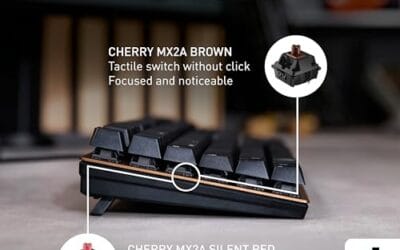
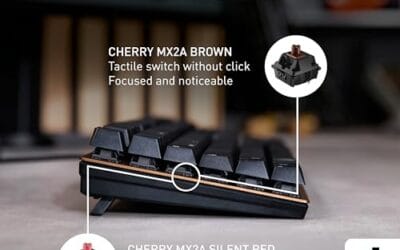
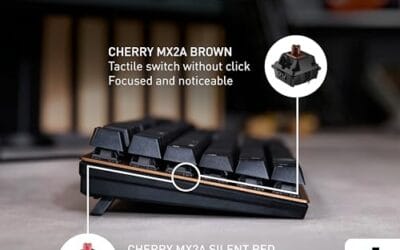
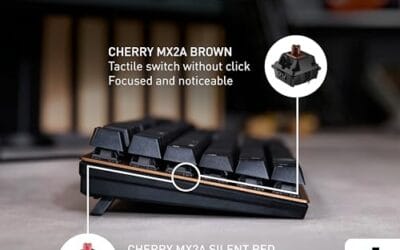
- Silent Red linears lack tactile bump, typists who prefer fedback should pick Brown
- Source data omits connectivity, cable type, polling rate, and dimensions
The Cherry KC 200 MX is a full-size office-focused mechanical keyboard sold here as a Renewed unit in Bronze with MX2A Silent Red linear switches. It targets office typists, developers, and finance or admin users who want Cherry switch fel and a metal plate frame without the RGB and gamer styling of enthusiast boards.
The defining feature is the MX2A Silent Red switch, Cherry's updated linear with dampened stems aimed at reducing bottom-out and return noise. Cherry rates this variant for 50 million keystrokes. Based on the linear profile, expect smooth actuation with no tactile bump, which suits fast touch typists and users on frequent video calls.
Trade-offs are typical at this tier and Renewed status. Silent Red linears are polarizing, users coming from Browns or Blues will miss the tactile feedback, and the source does not specify polling rate, connection type, cable, keycap material, or dimensions. As a Renewed listing, cosmetic condition and remaining switch life depend on the refurbisher rather than a factory-fresh baseline.
Buy this if you want a quiet full-size Cherry mechanical for office or shared-space use and value the metal plate build over RGB features. Skip this if you prefer tactile or clicky switches, need confirmed wireless or USB-C connectivity, or want a waranty profile equivalent to new stock.
Switches: Cherry MX2A Silent Red, linear with integrated dampeners, made in Germany with Gold-Crosspoint contacts. Rated for 50 million keystrokes on this variant, versus 100 million on MX2A Brown. Linear travel with no tactile bump favors light, fast keypresses over deliberate typing fedback.
Build: Metal plate frame under the switches, which stiffens the deck and cuts flex compared with plastic-only office boards. Cherry positions the KC 200 MX as a slim modern design, though exact case height, weight, and keycap material are not specified in the source data.
Layout and indicators: Full-size layout retains the dedicated numpad and function row, which maters for spreadsheet,ERP, and accounting workflows. White LED status indicators are built into Caps Lock, Scroll Lock, and Num Lock keys, avoiding a separate indicator strip and keeping the top edge clean.
Gaming fit: Silent Red linears work for casual gaming and MMO or productivity crossover use given their light linear fel, but the source does not list polling rate, N-key rollover, or onboard profiles, so competitive esports buyers should confirm specs before committing.
Real-world scenarios
The competitive FPS player
For ranked shooters, latency and consistency rule. A wired board like the Newmen GM325Pro gives a guaranteed 1000Hz signal with no chance of wireless interference in a crowded apartment. Good 2.4GHz wireless is close, but wired removes the variable entirely. If every millisecond and every match counts, wired is the safe, cheaper call.
The multi-device desk
If you bounce between a gaming PC, a work laptop, and maybe a console, wireless earns its keep. One premium board with Bluetooth and 2.4GHz lets you switch devices without unplugging anything. Here the wired boards lose, since you’d need to physically move the cable. The convenience premium pays off daily for this user.
The budget first build
Building your first rig on a tight budget? Put the savings into the GPU. A $20.89 Newmen GM325Pro delivers a real hot-swap mechanical board and leaves cash for parts that affect frame rate. Wireless at this price forces compromises on switch quality or features. Wired wins the value fight cleanly at the entry level.
The tidy minimalist setup
If a clean, cable-free desk matters to you as much as performance, wireless is worth the upcharge. No cord snaking to the tower, easy repositioning, and a calmer look overall. A wired board can’t offer that no matter how good its switches are. Aesthetics and flexibility are the wireless tier’s real product.
Pricing and availability
The pricing story is the clearest part of this whole comparison. Budget wired lands around $20 to $60, seen in the $20.89 Newmen GM325Pro and the $56.31 Cherry KC 200 MX. Budget wireless typically starts near $45 and climbs from there, and premium wireless with Bluetooth, hot-swap switches, and long battery life runs $120 to $200. For the same money, wired consistently gives you nicer switches or a full mechanical feature set, while wireless spends that budget on the radio.
Availability favors both sides equally now. Wired mechanical boards are everywhere at every price, and wireless has matured to the point that solid 2.4GHz gaming options exist under $70. Renewed units, like the Cherry KC 200 MX, can shave the price further if you’re comfortable with refurbished stock. Watch for the connection type in the listing, since some boards labeled “gaming” are wired-only despite the marketing.
Which to buy
Buy wired if you’re on a budget, you play a stationary desktop, or you compete and want zero connection variables. The value math is decisive at the low end: a hot-swap mechanical board like the $20.89 Newmen GM325Pro gives you more keyboard per dollar than any budget wireless, and it never needs a charge. For most desktop gamers who don’t move their setup, wired is the smarter spend, and the savings go toward parts that raise frame rates.
Buy wireless if a clean desk, device switching, or repositioning freedom genuinely improves your daily use, and you’re willing to pay the premium for it. Modern 2.4GHz latency won’t hold you back in most games. Just budget $120 or more for a premium unit that does it right, or accept fewer features on a cheaper wireless board. If typing feel is your priority over cables, a mid-tier wired option like the Cherry KC 200 MX at $56.31 delivers refined MX2A switches for less than most wireless boards cost.

Pros
- Hot-swap sockets allow switch experimentation without soldering tools or PCB risk
- Metal top plate delivers firmer typing feel than plastic budget boards at this tier
- Full-key rollover and linear red switches handle rapid inputs for casual gaming
Cons
- Limited owner feedback at time of writing, so long-term reliability is unproven
- RGB is restricted to side lighting only, per-key backlight is fixed rainbow patterns
- ABS keycaps typical at this tier tend to shine and wear faster than PBT
The Newmen GM325Pro is a budget full-size 104-key wired mechanical keyboard aimed at first-time mechanical buyers and casual gamers who want a hot-swap PCB without moving up to enthusiast pricing. It ships with linear red switches, a metal top plate, ABS keycaps, and side-edge RGB lighting.
The defining feature here is the hot-swap socket combined with linear red switches. That gives new users a low-friction path to swap inactile or silent switches later without soldering. Typing fel on metal-plate boards at this tier is usually firmer and less hollow than all-plastic budget pers, based on category norms.
Trade-offs are typical for the price class. Per-key RGB is not suported, only side lighting is true RGB while the top backlight runs 13 preset rainbow effects. ABS keycaps tend to develop shine within months of heavy use, and Newmen does not publish switch lifecycle, polling rate, or NKRO wired specs in the source data.
Buy this if you want a cheap full-size hot-swap platform to learn on and plan to upgrade switches or keycaps later. Skip this if you need per-key RGB, PBT caps, a documented polling rate, or a keyboard with a dep owner review history to validate QC.
Switches and layout: Linear red switches on a full 104-key ANSI layout, with full-key rollover claimed by the manufacturer. Actuation force, travel, and switch brand are not specified in the source. Linear reds typically sit near 45g actuation and 4m total travel in this category.
Hot-swap PCB: Sockets accept standard MX-style switches, so tactile, clicky, or silent linear options from third parties drop in without soldering. Pin compatibility (3-pin vs 5-pin) is not specified, buyers should confirm before ordering replacement switches.
Build and lighting: Metal top plate over ABS black keycaps. RGB is limited to the side edge, while the top backlight cycles through 13 preset rainbow patterns rather than per-key addressable RGB. Case material below the plate is not specified.
Connectivity and software: Wired only via a detachable 1.8m USB cable. FN combos cover F1 to F11 media and calculator shortcuts. Customization software suports key remap, macro recording, and lighting tweaks, though poling rate and software platform support are not specified.
Common questions
Does wireless add noticeable input lag for gaming?
On good 2.4GHz gaming wireless polling at 1000Hz, no, most players won’t feel it. The gap to wired is tiny now. Bluetooth is a different story and adds more latency, so use the dongle for gaming. Wired still removes every variable, which is why competitive players often stick with it.
Is a $20 mechanical keyboard actually any good?
It can be. The Newmen GM325Pro at $20.89 includes hot-swap switches, a metal panel, and RGB, which is a lot for the price. You won’t get premium stabilizers or fancy keycaps, but the core typing and gaming experience is genuinely mechanical. For a first board, it’s hard to beat on value.
What does hot-swap mean and does it matter?
Hot-swap lets you pull and replace switches by hand, no soldering. The Newmen GM325Pro has it. It matters if you might want a different switch feel later or need to fix a failed switch. Many budget wireless boards skip it, so it’s a real edge for the wired budget tier.
Are renewed keyboards like the Cherry KC 200 worth buying?
They can be a good deal if you’re comfortable with refurbished stock. The Cherry KC 200 MX renewed at $56.31 brings MX2A Silent Red switches and a metal frame at a lower price than new. Check the seller’s warranty and return terms. For quiet typing on a budget, it’s a reasonable pick.
Wired or wireless for a small desk?
If clutter bothers you and you reposition often, wireless keeps the desk clean and flexible. If the board stays put, a wired one saves money and you route the single cable once. A compact wired board works fine on a small desk too. It comes down to whether you value the cable-free look enough to pay for it.






























Write Your Review
No reviews yet. Be the first to share your experience!