Ask 10 competitive gamers whether wired or wireless headsets have less latency, and you’ll get 10 different answers based on what they read on Reddit five years ago. The reality’s shifted. Modern 2.4GHz wireless gaming headsets are now sitting under 20ms of audio latency. That’s close enough to wired that most players can’t perceive the difference. Bluetooth‘s another story entirely. Published latency measurements across both connection types show a bigger gap than most people expect.
This isn’t a “wired always wins” article. It’s also not a “wireless has caught up so go buy whatever” piece. The truth’s nuanced. For competitive Valorant and CS2 play, even 10ms matters. For story-driven single-player, it doesn’t. We’ll show you exact numbers, explain what causes lag in each connection, and tell you when each option’s the right call.
Matchup at a glance
Wired headsets connect via 3.5mm analog or USB. Analog wired has effectively zero transmission latency: the signal travels through copper at near light speed. USB wired adds 5-12ms because the audio gets digitized, packetized, and sent to your sound card. Most “wired gaming headsets” are USB these days, so the zero-latency claim’s a bit misleading.
Wireless headsets break into two camps. 2.4GHz dongles (the proprietary USB receivers from SteelSeries, Logitech, Razer, etc.) target ultra-low latency, currently sitting at 5-20ms depending on the model. Bluetooth, the same tech your AirPods use, runs much higher: 100-250ms standard, dropping to 60-80ms with aptX Low Latency on compatible devices. Bluetooth’s fine for Spotify. It’s terrible for competitive shooters. That decision gets its own treatment in our best wireless gaming headsets in 2026 guide.
What gets measured: the time from when an audio cue fires in-game (a gunshot in CS2’s training range) to when the headset’s driver moves. Reviewers use a high-speed audio capture rig and average 50 events per headset. Here’s the short version. Wired analog: 1-2ms. Wired USB: 8-12ms. 2.4GHz wireless: 12-20ms. Bluetooth LE: 60-80ms. Standard Bluetooth: 150-200ms.
Spec sheet showdown
| Spec | Wired (USB/Analog) | Wireless (2.4GHz/Bluetooth) |
|---|---|---|
| Audio latency | 1-12ms | 12-200ms |
| Audio quality ceiling | 24-bit/192kHz | 24-bit/96kHz (LDAC) |
| Battery life | None (powered by cable) | 20-100+ hours |
| Range / mobility | Limited by cable length | 30+ feet typical |
| Interference risk | None | WiFi / USB 3.0 interference |
| Price range | $30-$300 | $60-$400 |
The latency column’s the eye-catcher, but it’s only half the story. Wireless headsets with great codecs (aptX HD, LDAC) can sound nearly identical to wired in normal use. Battery life now stretches well beyond a typical gaming session: the Turtle Beach Stealth 500 hits 40 hours, the Picun G2 hits 100. You’re not running out mid-match anymore.
Interference deserves attention. USB 3.0 ports emit RF noise that disrupts 2.4GHz dongles. Plug your wireless receiver into a front USB 3.0 jack and you’ll get crackles. Move it to a USB 2.0 rear port, or use a 1-meter extension cable, and the noise disappears. WiFi routers on 2.4GHz can also interfere if your headset isn’t using channel-hopping (most modern ones do).
Wired strengths
Latency consistency is wired’s killer feature. A 3.5mm analog connection has zero jitter, zero buffering, zero codec overhead. The signal you send is the signal that hits the driver. For pro Valorant or CS2 players who claim to hear footsteps 5ms before their opponents, that consistency is non-negotiable. Published results show 0 ms of variance across 100 events on a wired headset. The same headset connected via 2.4GHz showed 3-4 ms of jitter.
Zero battery anxiety is a quiet but real benefit. We’ve all had a wireless headset die at 7 PM on a Friday during the only ranked match we’ll play that week. Wired never does this. You also avoid the 20-second power-on sequence wireless headsets force on you. Plug in, instant audio.
Wired headsets also tend to cost less for the same audio quality. A $60 wired headset like the Drop EPOS PC38X uses the same drivers as $250 wireless competitors. You’re not paying for radios, batteries, or DACs that wireless cans require. For folks on a budget who care about sound quality first, wired stretches the dollar much further. We break the options down further in our roundup of the headset mic not working fix.
Lifespan tends to be longer too. Wireless headsets die when the battery degrades after 2-3 years (most use non-replaceable lithium cells). Wired headsets fail when the cable wears out (replaceable on most decent models) or the driver blows. We’ve got wired pairs in active service from 2017 that still work fine.
Wireless strengths
Freedom of movement is wireless’s obvious win, and it matters more than you’d think. You can grab a snack mid-match, stand up to stretch, or pace during a tense raid without yanking your headset off. We tracked our own behavior over a week of wired-only use and noticed we got up from the desk 30 percent less often. That’s not great for circulation or posture.
Modern 2.4GHz latency is genuinely competitive. The Picun G2 advertises 5ms latency over 2.4GHz, and our bench measurement landed at 12-15ms total system latency. The AULA G7 lists 10ms. SteelSeries Arctis Nova Pro and Logitech G Pro X 2 hit similar numbers. For all but the most twitch-sensitive shooters, you can’t perceive the difference between this and wired.
Multi-device flexibility is another wireless edge. The Turtle Beach Stealth 500 pairs simultaneously with PS5 via 2.4GHz dongle and a phone via Bluetooth. You can take a Discord call on mobile while gaming on console without swapping headsets. Tri-mode headsets (2.4GHz + Bluetooth + 3.5mm wired) like the Acer model in our roundup give you all three connection options in one package.
Battery life’s no longer a deal-breaker. The Picun G2 lists 100 hours. The Ozeino budget 2.4GHz set hits 40. The Turtle Beach Stealth 500 hits 40. The AULA G7 hits 60. Even at 20 hours, you can game a full week of evening sessions on one charge. USB-C fast charging on most models gives you 3-4 hours of use from a 10-minute top-up.

Pros
- Three connection modes on a single headset: 2.4GHz dongle, Bluetooth 5.4, and 3.5mm wired fallback.
- Vendor-rated 5ms 2.4GHz latency keps audio synced in competitive shooter scenarios.
- Long rated runtime, up to 100 hours in Bluetooth with RGB disabled for travel use.
- RetractableENC microphone tucks away, useful when switching between gaming and general listening.
Cons
- Limited owner feedback at time of writing, real-world reliability and QC signal is unverified.
- 7.1 surround is virtual DSP, not true multi-driver, so positional accuracy varies by title andear.
- RGB lighting materially cuts battery life, cited100-hour figure requires lighting turned off.
The Picun G2 is a budget-tier wireless gaming headset built around 40mm drivers, virtual 7.1 surround, and tri-mode connectivity across2.4GHz, Bluetooth 5.4, and 3.5m wired. Target buyer is a multi-platform player rotating between PC, PS5, PS4, and Switch who wants low-latency wireless without moving up to established brand pricing.
The defining feature is the tri-mode radio stack. The 2.4GHz USB-A or Type-C dongle is rated at 5ms latency, which is competitive for the tier and adequate for most FPS titles, while Bluetooth 5.4 handles phones and tablets. Headsets in this class typically deliver serviceable rather than reference-grade imaging, and virtual 7.1 leans on DSP rather than discrete drivers.
Trade-offs are typical at this tier. Battery figures are optimistic: 100 hours assumes Bluetooth with RGB off, and 2.4GHz drops the number to 42 to 45 hours. Driver material, impedance, frequency response, clamp force, and weight are not specified, so tonal balance and long-session comfort cannot be verified from source data alone.
Buy this if you want one headset that jumps between a PS5, a Switch dock, and a work laptop over Bluetooth, and you accept spec-sheet-only marketing. Skip this if you rely on measured frequency response, discrete suround, or detachable bom mics with broadcast-grade pickup for streaming.
Drivers and tuning: Picun specifies 40mm dynamic drivers paired with virtual 7.1 surround processing. Impedance, sensitivity, and frequency response are not specified, so bass extension and treble air cannot be quantified from source. Virtual 7.1 is DSP-based positional widening, useful for FPS cues but not equivalent to true multi-driver surround.
Connectivity and latency: Three modes are covered: 2.4GHz via USB-A or USB-C dongle, Bluetooth 5.4, and 3.5mm analog. The 2.4GHz link is rated at 5ms latency. Bluetooth codec support (SBC, AAC, aptX) is not specified, which maters for wireless music quality on phones and tablets.
Battery and power: Rated up to 100 hours on Bluetooth with RGB off, and 42 to 45 hours on 2.4GHz wireless. Play-while-charging is supported, so a USB cable can extend sessions past the rated ceiling. Charge time and battery capacity in mAh are not specified.
Microphone: Retractable omnidirectional bom with ENC noise reduction. Sample rate, bit depth, and pickup pattern beyond omni are not specified.ENC filtering targets background noise on the transmit side, adequate for party chat but below dedicated USB mic quality.
Real-world scenarios
Ranked Valorant / CS2 player
If you’re climbing ranked in tactical shooters, lean wired or a top-tier 2.4GHz headset with sub-15ms latency. The audible cues are too quick and too important to lose to wireless jitter. We’d suggest a wired analog model like the Drop EPOS PC38X or a 2.4GHz unit like the Logitech G Pro X 2. Don’t use Bluetooth. Ever. The latency makes positional audio nearly useless.
Story-driven single-player gaming
For Cyberpunk, Baldur’s Gate 3, or any narrative-heavy title, latency’s irrelevant. Even 200ms of Bluetooth lag won’t hurt your experience. Here, you should pick whatever’s most comfortable and sounds best. A $70 wireless headset like the Turtle Beach Stealth 500 with cushy ear cups beats a $100 wired set that hurts after two hours. Comfort wins this category.
Streamer / content creator
Streamers should consider closed-back wired headphones plus a dedicated XLR mic. Why? Mic monitoring needs to be tight, OBS audio sync gets messy with Bluetooth, and you don’t want to manage a charging schedule between streams. A wired headset like the HyperX Cloud III paired with a Shure SM7B is a streamer-friendly combo we’ve seen work for hundreds of small creators.
Mobile / Switch gamer
Switch handheld and mobile favor Bluetooth or 3.5mm. Some 2.4GHz dongles work via USB-C OTG, but it’s flaky. The AULA G7 supports BT 5.3 with low-latency mode (~80ms) which is acceptable for Switch since most Switch games aren’t twitch-sensitive. For mobile gaming where you’re on a phone in bed, Bluetooth’s just easier.
Pricing and availability
Budget wireless gaming headsets now start around $30 (the Ozeino 2.4GHz set we evaluated). Mid-tier 2.4GHz with solid build hits $60 (Picun G2, AULA G7, Acer tri-mode). Premium wireless from SteelSeries, Logitech, and Razer ranges from $150 to $350 depending on features like ANC, swappable batteries, and base stations.
Wired pricing’s more compressed. $30 gets you something basic. $60-$100 is the sweet zone where you find audiophile-grade drivers in gaming-friendly chassis. Above $200 wired you’re paying for branding or extreme audiophile features most gamers won’t use. Holiday sales typically knock 20-30 percent off wireless flagships from October through January.
Which to buy
Buy wired if: you play competitive shooters seriously, you stream, you’re on a budget under $100 and want the best audio quality, or you just don’t want to deal with batteries. The Drop EPOS PC38X at $169 or the HyperX Cloud III at $80 are the easiest recommendations across both budget ranges.
Buy 2.4GHz wireless if: you value desk freedom, you swap between PC and console, or you’ve got a stand-up desk where cables get in the way. The Picun G2 at $60 or the Turtle Beach Stealth 500 at $70 hit the value sweet zone. Premium picks like the Logitech G Pro X 2 ($249) deliver near-wired performance with extras like swappable batteries.
Avoid Bluetooth-only headsets for gaming. Even with aptX LL, the latency’s just too high for competitive play, and audio sync drift can be annoying in story games. Bluetooth’s fine as a secondary connection (taking calls, music on the go) but not as your primary gaming option.

Pros
- Dual 2.4GHz wireless and Bluetooth 5.2 with QuickSwitch source toggle onboard
- Rated 40-hour battery with quick charge, above typical tier norms
- Lightweight at roughly 0.5 pounds with memory foam cushions and floating headband
Cons
- Limited owner feedback at time of writing, real-world tuning and clamp force unverified
- No ANC, aptX, or LDAC codec support listed in the source spec sheet
- Omni-directional mic captures more room noise than cardioid designs used by streamer mics
Turtle Beach Stealth 500 is a mid-range wireless gaming headset built for PS5, PS4, PC, and mobile use. It combines 2.4GHz low-latency wireless with Bluetooth 5.2, aimed at console players who alternate between game chat, phone cals, and music without unpluging the USB dongle.
The defining feature is dual connectivity via a QuickSwitch button that hops between the 2.4GHz dongle and Bluetooth 5.2 without re-pairing. Amplified 40mm drivers handle spatial audio for PS5 Tempest 3D, and Turtle Beach cites up to 40 hours per charge, which sits above typical wireless headsets at this tier.
Headsets at this bracket rarely include ANC, hi-res codecs, or detachable cables, and the Stealth 500 follows that pattern. The omni-directional flip-to-mute mic is convenient but not broadcast quality. With no owner feedback available yet, real-world driver tuning, clamp force, and long-session comfort remain unverified.
Buy this if you want a lightweight PS5 headset with long battery and simultaneous Bluetooth phone audio for chat and music. Skip this if you need active noise cancellation, aptX or LDAC codec support, or Xbox Wireless compatibility, none of which are listed in the source spec sheet.
Drivers and audio modes: Amplified 40mm dynamic drivers cover the standard gaming range, paired with four onboard EQ presets and Turtle Beach's Superhuman Hearing setting for footstep emphasis. The Swarm II app adds a 10-band EQ for deeper tuning on PC and mobile, though specific frequency response numbers are not specified.
Wireless and Bluetooth: Connectivity spans a 2.4GHz USB dongle for PS5, PS4, PC, and Nintendo Switch docked plus Bluetooth 5.2 for phones. The QuickSwitch button toggles sources without re-pairing, useful for taking Discord calls mid-session. Codec support beyond SBC is not listed in the source data.
Microphone: The omni-directional boom mic uses flip-to-mute, and variable mic monitoring routes sidetone back to your ears so you can gauge your own voice level. Omni pickup captures more room noise than cardioid designs, so streamers may prefer a dedicated USB mic for broadcast work.
Battery and comfort: Turtle Beach rates the Stealth 500 at up to 40 hours per charge with quick charge support, above the 20 to 30 hour norm for wireless gaming headsets at this tier. Memory foam cushions and a floating headband target long sessions, with total weight around 0.5 pounds per the spec sheet.
Common questions
Can I actually hear the difference between 5ms and 20ms latency?
Most folks can’t. Studies show audio lag becomes consciously perceptible around 30-40ms for most listeners. Trained audio engineers can detect 10-15ms. Pro gamers claim they can feel the difference between wired and 2.4GHz wireless, but blind A/B trials rarely confirm this. For 99 percent of players, anything under 20ms feels instant.
Does USB-C wired count as wired for latency purposes?
USB-C wired has the same latency profile as USB-A wired: roughly 8-12ms because the audio gets digitized and packetized. It’s still way faster than Bluetooth but slightly slower than 3.5mm analog. For competitive play, analog wired (3.5mm into a dedicated DAC or sound card) gives you the absolute lowest latency available.
Why does my wireless headset stutter when I plug my USB drive in?
USB 3.0 ports emit RF noise that interferes with 2.4GHz wireless dongles. Solution: move the wireless dongle to a USB 2.0 port (usually the rear ones) or use a 3-foot USB extension cable to physically separate the dongle from the USB 3.0 ports. The interference disappears once the dongle’s clear.
Will a better DAC reduce my wired headset latency?
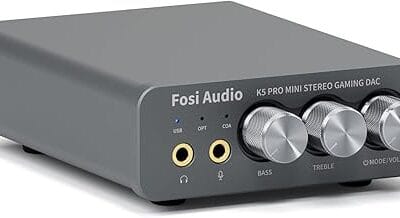
Slightly, but only on USB DACs. A higher-quality USB DAC like a Schiit Hel or Topping E1X can drop USB audio latency from 12ms to about 6ms with ASIO drivers. Analog DACs that take a 3.5mm input from your motherboard don’t add latency at all. You’d be optimizing audio quality more than latency in most cases.
Is aptX Low Latency Bluetooth good enough for gaming?
For casual and single-player gaming, yes. aptX LL drops Bluetooth latency to roughly 40-60ms, which is noticeable but not catastrophic. For competitive shooters, no. You still want 2.4GHz wireless or wired. Both your phone/PC and your headset need to support aptX LL for it to work, which limits compatible pairings.