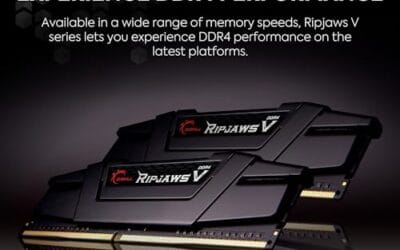
RAM overclocking is one of the few free performance upgrades left in a PC build. You buy a kit advertised as “3200MHz” or “6000MHz,” plug it in, and the motherboard boots it at a fraction of that speed until you flip a single switch in the BIOS. Enabling an XMP or EXPO profile tells the system to run the memory at the speed you actually paid for, and in CPU-bound scenarios that can lift frame rates by 5 to 15 percent.
The terminology trips up a lot of builders. XMP is Intel’s profile standard, EXPO is AMD’s, and both do the same job: hand the motherboard a validated set of speeds, timings, and voltages stored on a chip inside each module. If you’re weighing a DDR4 build against a DDR5 platform, our DDR5 vs DDR4 breakdown covers the generational gap, and our guide on how to overclock RAM safely walks through the actual BIOS steps.
Related buying guides: DDR5 RAM picks, RAM for gaming and editing, 9800X3D RAM guide, CPU cooler picks, and gaming PC build guide.
The short answer
Overclocking RAM means running memory above its conservative JEDEC baseline by enabling a stored profile or tuning timings by hand. Almost every “high speed” kit you see, including a 6000MHz CL36 DDR5 set or a 3200MHz CL16 DDR4 set, ships with that top speed as an overclock, not the default. Until you enable XMP or EXPO, the modules fall back to a safe standard speed like 4800 MT/s on DDR5 or 2133 MT/s on DDR4.
Flip the profile on and the kit runs at its advertised numbers. That’s the whole concept.

Pros
- DR5-6000 CL36 matches the recommended AM5 swet spot for Ryzen X3D chips
- Timings of 36-38-80 are tighter than baseline JEDEC for lower effective latency
- Both XMP 3.0 and EXPO profiles onboard, no manual tuning required for stability
- Low-profile black spreader avoids interference with large dual-tower air coolers
Cons
- Limited owner feedback at time of writing, long-term stability signal is thin
- Officially targets 13th gen Intel or newer and Ryzen 9000, older platforms may need BIOS updates
- No RGB and no dedicated heatspreader model code disclosed for enthusiast bin chasing
The Crucial Pro CP2K16G60C36U5B is a mid-range 32GB DDR5 kit (2x16GB) rated at 6000 MT/s with CL36 primary timings. It targets AM5 and modern LGA1700/LGA1851 builders assembling a mainstream gaming or productivity rig who want validated XMP 3.0 and EXPO profiles rather than a hand-tuned enthusiast kit.
The defining feature is the DR5-6000 CL36 spec, which lines up with the widely recommended 1:1 FCLK ratio on Ryzen 7000 and 9000, including X3D parts. Extended timings of 36-38-38-80 sit tighter than baseline JEDEC, and Micron backing generally translates to predictable stability once the profile is loaded in BIOS.
Trade-offs are typical at this tier. There is no RGB, no exotic bining claim, and Crucial does not publish the specific IC or PMIC used, so headroom for manual subtiming tuning is unknown. Official compatibility is scoped to 13th gen Intel or newer and Ryzen 9000, meaning older AM5 or 12th gen boards will need a current AGESA or BIOS to post cleanly at 6000.
Buy this if you want a clean AM5or newer Intel build with a validated 6000 CL36 profile and low-profile clearance. Skip this if you are chasing 6400+ overclocks, need RGB to match a themed build, or run an older DR5 platform without recent BIOS support.
Platform fit: Crucial lists official support for 13th gen Intel Core or newer and AMD Ryzen 9000 series. In practice, DDR5-6000 CL36 also aligns with Ryzen 7000 boards running current AGESA, since 6000 MT/s is the documented FCLK 1:1 sweet spot for AM5 X3D and non-X3D chips.
Profile enablement: The kit ships with both Intel XMP 3.0 and AMD EXPO profiles at 6000 MT/s, 36-38-38-80. Enabling the vendor profile in BIOS should be sufficient, no manual VD, VDDQ, or SoC voltage tuning required for the rated spec on QVL-listed boards.
Capacity and channel layout: 32GB across 2x16GB modules keps you in dual-channel with two DIMM slots free. That maters on AM5, where populating all four slots typically forces speds down toward 3600 to 4800 MT/s, so 2x16GB preserves the 6000 target.
Clearance: Modules use a low-profile black heatspreader. Exact height is not specified by Crucial, but the low-profile design is intended to clear large dual-tower air coolers such as those with front-mounted fans over the DIMM area.
The longer explanation
Every RAM module carries a small SPD chip that stores its specs. The JEDEC standard, the industry baseline every module must support to guarantee a boot, writes a conservative speed and voltage into that chip. A DDR5 kit like the Crucial Pro 32GB DDR5 6000MHz CL36 ($399.99, 4.8 rating from around 3,600 reviews) carries a JEDEC profile of 4800 MT/s at 1.1V, plus an XMP 3.0 and EXPO profile of 6000 MT/s at 1.35V with CL36 timings. The 6000MHz number on the box is the overclocked profile, not the default.
Same story on DDR4. The CORSAIR Vengeance LPX 32GB DDR4 3200MHz CL16 ($219.99, 4.8 rating) boots at 2133 MT/s at 1.2V until you enable XMP, at which point it runs 3200 MT/s at 1.35V with CL16-20-20-38 timings. The kit lists both Intel XMP and AMD EXPO support, so it works on either platform.
XMP (Extreme Memory Profile) is Intel’s standard, introduced back in 2007 and now on its third revision, XMP 3.0, which added customizable profiles for DDR5. EXPO (Extended Profiles for Overclocking) is AMD’s equivalent, launched in 2022 alongside the AM5 socket and Ryzen 7000. In practice most modern kits carry both, and either profile will usually work on either platform, with the main difference being which timings the manufacturer optimized for each memory controller.
Voltage is the other half of the story. JEDEC DDR4 runs at 1.2V; XMP kits typically run 1.35V. JEDEC DDR5 runs at 1.1V; EXPO and XMP DDR5 kits usually sit at 1.35V, with some aggressive kits pushing 1.4V or more. That extra voltage is what lets the silicon hit the rated speed, and it’s also why overclocked kits ship with metal heatsinks.
History / how we got here
Before 2007, pushing RAM past stock meant manually typing timings into the BIOS and hoping the system would boot afterward. Intel introduced XMP that year as an extension of the JEDEC SPD standard, letting manufacturers write a validated overclock profile straight onto the module. You enabled it with one setting instead of typing a dozen numbers.
For 15 years XMP was the only game in town, and AMD owners just used it too. That changed in 2022 when AMD launched EXPO with the AM5 platform and DDR5. The pitch was that AMD’s memory controller and Infinity Fabric respond to different timing optimizations than Intel’s, so a profile tuned specifically for Ryzen would squeeze out more performance. The real-world gap is usually small, and most kits now ship with both profiles, but the branding stuck.
Manual tuning never went away. Enthusiasts still tighten subtimings by hand to shave latency beyond what a stock XMP or EXPO profile offers, but for the vast majority of builders, flipping a profile switch is the entire process.
Why it works this way
Memory chips are binned. A manufacturer produces a batch of chips, evaluates them at several speeds and voltages, and the ones that pass at 6000MHz CL36 get that profile written in. The JEDEC profile stays conservative so the kit is guaranteed to boot on any board, even a budget one with a weak memory controller. The overclock profile is the headroom the manufacturer validated.
Frequency is only half the equation. Latency, measured in CAS Latency (CL), determines how many clock cycles the memory waits before responding. A 6000MHz CL36 kit has a first-word latency of about 12 nanoseconds. Push that same kit to 6400MHz but loosen the timings to CL40 and the latency barely moves, which is why a well-binned 6000MHz CL30 kit can feel faster than a poorly-binned 6400MHz CL40 one. Raw frequency sells kits. Latency is what you actually feel.
There’s a ceiling. Past a certain point the memory controller on the CPU and the trace topology on the motherboard become the limiting factor, not the RAM itself. That’s why a kit rated for 7200MHz might only stabilize at 6400MHz on a budget board. More voltage buys more headroom, but it also buys more heat, which is why high-end kits ship with beefy heatspreaders and why active cooling matters if you’re pushing hard.
When you’d want this
You’d want overclocked RAM when your system is CPU-bound. That means high-refresh 1080p gaming, simulation titles like Microsoft Flight Simulator, competitive shooters where you’re chasing 240-plus frames, and almost any Ryzen build, because AMD’s Infinity Fabric ties memory speed directly to inter-core communication. On AM4, a 3200MHz CL16 kit like the CORSAIR Vengeance LPX is the classic pairing for a Ryzen 5 5600 or 5800X3D, and it’s a noticeable step up over running the same kit at its 2133MHz JEDEC fallback.
On AM5 and LGA1700, 6000MHz is the common target for DDR5, with CL30 to CL36 being the timing range most builders aim for. The Crucial Pro 6000MHz CL36 kit hits that target with both XMP 3.0 and EXPO support, so it travels well between Intel and AMD boards.
You’d want it less in two cases. At 4K with a high-end GPU, you’re almost always GPU-bound and RAM speed barely moves the needle. And in bandwidth-heavy productivity like rendering or large dataset work, faster RAM helps but rarely as much as a CPU or GPU upgrade would. If you’re starting fresh, our how to upgrade RAM guide covers capacity and speed planning before you buy.

Pros
- Low34mm height clears tall air coolers and small-form-factor cases.
- Tight CL16 primary timings at 3200MHz suit Ryzen 5000 1:1 FCLK tuning.
- Aluminum heatspreader keps modules stable during extended gaming sessions.
- Wide DR4 QVL coverage across Intel and AMD boards eases compatibility checks.
Cons
- Limited owner feedback at time of writing, so long-term failure rate is unclear.
- DDR4-only, incompatible with AM5, LGA1851, and current DR5 platforms.
- No RGB and plain black finish will not match aRGB-themed builds.
The Vengeance LPX CMK32GX4M2E3200C16 is a mid-range 32GB DDR4 kit split across two 16GB sticks, rated at 3200MHz with CL16-20-20-38 primary timings on 1.35V. It targets builders finishing an AM4 Ryzen 5000 rig or a late-generation Intel DR4 board who want dependable XMP without paying for RGB or exotic bining.
The defining trait here is the CL16 latency at 3200MT/s, which lands on the accepted sweet spot for Ryzen 3000 and 5000 running FCLK 1:1. Corsair states theICs are hand-sorted, and owner reports suggest modest headroom to 3466 or 3600 on capable boards, though results depend on CPU memory controller quality.
Trade-offs are typical for the tier. There is no RGB, the heatspreader is basic aluminum rather than a thick machined block, and DR4 itself is a dead-end platform, so this kit will not migrate to a future AM5 or Arow Lake upgrade. Confirm the exact part number against your motherboard QVL, as Vengeance LPX ships in many revisions.
Buy this if you are completing a Ryzen 5000 or 10th/11th/12th-gen Intel DDR4 build and want a proven 3200 CL16 kit with air-cooler clearance. Skip this if your platform is AM5, LGA1851, or you need RGB lighting to match an existing theme.
Platform fit: This kit is DR4 only and works on Intel LGA1151 (8th/9th gen), LGA1200, and LGA1700 DDR4 boards, plus AMD AM4 from Ryzen 2000 through 5000. It will not physically or electrically fit AM5, LGA1851, or any DDR5 chipset.
XMP and EXPO behavior: The rated 3200MHz CL16-20-20-38 profile loads via Intel XMP 2.0, and the listing also cites AMD EXPO support at 1.35V. On Ryzen, expect FCLK 1:1 at 1600MHz for lowest latency; on Intel, the profile enables directly in BIOS without manual timing entry.
Physical clearance: Module height is 34mm, low enough to clear the Noctua NH-D15, Dark Rock Pro 4, and most140mm tower coolers without fan offset. That also keeps the kit viable in ITX cases where taller RGB modules would foul the cooler or side panel.
QVL and revision note: Vengeance LPX has shipped with multiple IC vendors across revisions, so B-die is not guaranteed on current stock. Cross-check the exact SKU CMK32GX4M2E3200C16 against your motherboard vendor's memory QVL before purchase to confirm training stability.
What to look for in a RAM kit
Match the kit to your platform first. DDR4-3200 CL16 is the practical target for AM4 and older Intel LGA1200 builds. DDR5-6000 CL30 to CL36 is the target for AM5 and most LGA1700 DDR5 boards. Buying a 7200MHz kit for a board that tops out at 6400MHz wastes money.
Look at timings, not just frequency. Lower CL means lower latency. A 6000MHz CL30 kit beats a 6400MHz CL40 kit in felt responsiveness even though the second number is higher. For DDR4, CL16 at 3200MHz is the benchmark; CL18 kits are cheaper but looser.
Check voltage. Standard XMP and EXPO kits run at 1.35V for both DDR4 and DDR5. Kits that need 1.4V or more to hit their rated speed are harder on the memory controller and run hotter. If two kits have the same speed and timings, the lower-voltage one is usually better binned.
Prefer two sticks over four for DDR5. A 2x16GB config is dual-rank and easier on the memory controller than 4x8GB, which stresses the IMC and often forces you to drop speed to stay stable. Also check your motherboard’s QVL, the qualified vendor list, to confirm the kit is validated on your exact board.
Finally, make sure the kit carries both XMP and EXPO if you might switch platforms. Most modern kits do, but older DDR4 kits sometimes only list XMP.
Common misconceptions
“Overclocking RAM is like overclocking a CPU.” Not really. With a CPU you’re pushing silicon beyond its rated spec and guessing at voltages. With RAM, you’re enabling a profile the manufacturer already validated and wrote onto the module. It’s closer to flipping a switch than to silicon-pushing.
“Higher frequency is always better.” Latency cancels out poorly-binned high-frequency kits. A 6400MHz CL40 kit can have the same real latency as a 6000MHz CL36 kit, so the extra frequency buys you nothing but a bigger number on the box.
“EXPO only works on AMD.” Most EXPO kits also carry an XMP profile, and most XMP kits run fine on AMD. The two standards are cross-compatible in practice; the difference is which timings got priority during binning.
“You have to manually tune timings.” Only if you’re chasing the last few percent. XMP and EXPO exist so you don’t have to. Enable the profile, save, and you’re done.
“RAM speed doesn’t matter.” True at 4K when you’re GPU-bound. False at 1080p when you’re CPU-bound, and especially false on Ryzen where the Infinity Fabric scales with memory speed.
Frequently asked
Is enabling XMP or EXPO safe?
Yes. These profiles are manufacturer-validated and run within voltage limits the modules are designed for. The main risk is a kit that won’t train at its rated speed on a particular board, which usually just means the system fails to POST and you clear CMOS to reset. It’s a recoverable failure, not a hardware-damaging one.
Will overclocking RAM void my warranty?
Generally no. Enabling XMP or EXPO runs the kit at the speed the manufacturer rated it for, so you’re operating within spec. Manually pushing beyond the rated profile is where warranty gray areas start, but a profile-enabled kit is doing exactly what the box advertised.
What’s the difference between XMP and EXPO?
XMP is Intel’s profile standard from 2007, now on revision 3.0 for DDR5. EXPO is AMD’s equivalent, launched in 2022 with AM5. Both store speed, timings, and voltage on the module’s SPD chip. The practical difference is which timings were tuned for which memory controller, but most modern kits carry both profiles and work on either platform.
Does RAM overclocking help gaming or productivity more?
Gaming, by a clear margin. CPU-bound titles like competitive shooters and simulations gain 5 to 15 percent from faster RAM, and Ryzen builds benefit most because of the Infinity Fabric link. Productivity workloads benefit less unless they’re bandwidth-heavy, and even then a CPU or GPU upgrade usually moves the needle further than faster RAM.
Can I mix DDR4 and DDR5 RAM?
No. DDR4 and DDR5 have different physical notches and run on different platforms. A DDR4 motherboard won’t accept DDR5 sticks and vice versa. You also can’t mix speeds within a kit and expect the overclock to hold, because all modules train at the slowest stick’s profile. If you’re moving from DDR4 to DDR5, you’re replacing the motherboard and CPU along with the RAM.