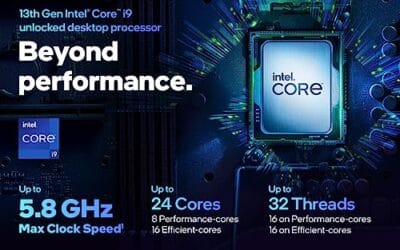
Cpu 100 Percent Usage: Causes and Fixes We Researched
You open Task Manager, glance at the CPU column, and it's pinned at 100 percent while you're doing nothing heavier than browsing a few tabs.

We independently review everything we recommend. When you buy through our links, we may earn a commission. As an Amazon Associate we earn from qualifying purchases. Learn more ›
PC fixes, error solutions, BSODs
You open Task Manager, glance at the CPU column, and it's pinned at 100 percent while you're doing nothing heavier than browsing a few tabs.
You hit the power button and nothing happens. No fans, no RGB, no reassuring hum from the PSU.
Your Wi-Fi drops, the lights blink, and thirty seconds later everything reconnects on its own. Then it happens again an hour later.
When the front panel USB ports stop working, the rest of the PC can feel perfectly normal. Rear motherboard ports still see your keyboard, mouse, headset.

You press a key once and get "hhello" on screen. That's keyboard chatter, also called double typing, and it turns a quick email into a proofreading chore.

Your SSD used to fly, and now saving a large file crawls like it's stuck in mud. Copy a folder of game captures and the transfer rate collapses from four.

Slow WiFi on a PC is annoying because the symptom is vague: web pages drag, downloads start fast then sag, Discord clips, and Windows still claims the signal.

You built the PC, dropped in a shiny 3600 MT/s kit, booted into Windows, and the numbers don't add up. Task Manager says 2133 MHz. CPU-Z says 1800 MHz.

One dead key on a mechanical keyboard is maddening in a way a fully broken board isn't. Everything else works, so you keep reaching for that letter out of.

You plugged in a shiny new drive, booted up, opened File Explorer, and nothing. No new letter, no extra capacity, just the same drives you already had.