

G.SKILL vs Kingston memory is really a platform question before it’s a brand question. The G.SKILL RipjawsV kit here is a 32GB DDR4 set rated at 3600MT/s with CL18 timings and a $219.99 price, while the Kingston FURY Beast RGB kit is a 32GB DDR5 set rated at 6000MT/s with CL30 timings and a much higher $499.99 price. That’s a big gap for the same 2x16GB capacity. If you’re building around current AMD boards, our DDR5 RAM for Ryzen 9800X3D guide will feel familiar; if you’re refreshing an older gaming desktop, our budget RAM picks are closer to the decision point.
Matchup at a glance
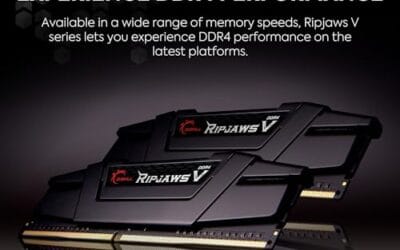
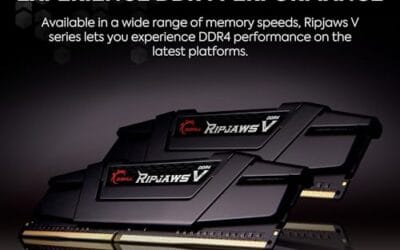
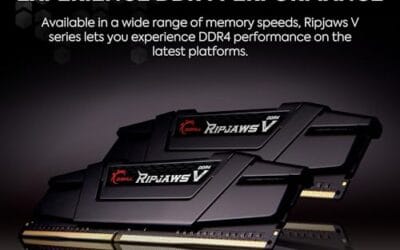
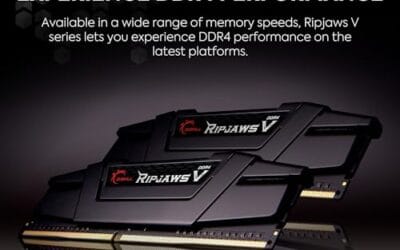
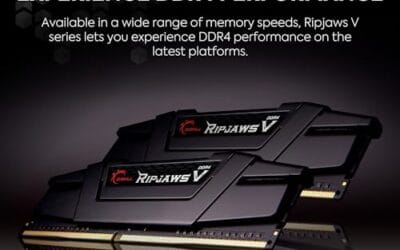
G.SKILL’s RipjawsV 32GB kit represents the mature DDR4 side: 2x16GB, 3600MT/s, CL18-22-22-42, 1.35V, XMP support, and broad Intel/AMD desktop compatibility according to the product title. It’s not trying to be flashy. No RGB, no DDR5 controller requirement, no premium positioning. Just black U-DIMM modules built for systems where DDR4 is still the correct slot type.

Kingston’s FURY Beast RGB 32GB kit sits on the newer DDR5 side: 2x16GB, 6000MT/s, CL30, AMD EXPO support, and RGB lighting. Its 4.7 rating is higher than the G.SKILL kit’s 4.1 rating, but the price is also dramatically higher at $499.99 versus $219.99. So the matchup isn’t about which brand is automatically better. It’s about whether your motherboard, CPU memory controller, workload, and upgrade path can actually use what Kingston is charging for.

Spec sheet showdown
| Spec | G.SKILL RipjawsV DDR4 32GB | Kingston FURY Beast RGB DDR5 32GB | What it means | Edge |
|---|---|---|---|---|
| Memory type | DDR4 U-DIMM | DDR5 desktop memory | You must match the kit to the board. DDR4 and DDR5 slots are not interchangeable. | Depends on platform |
| Capacity | 32GB, 2x16GB | 32GB, 2x16GB | Both land at the same capacity for gaming, multitasking, and heavier browser use. | Tie |
| Rated speed | 3600MT/s | 6000MT/s | Kingston has much higher transfer rate, useful on DDR5-ready systems. | Kingston |
| Timings | CL18-22-22-42 | CL30 | Latency comparisons across DDR generations aren’t one number only, but both are performance-oriented for their class. | Depends on use |
| Profile support | XMP | AMD EXPO | G.SKILL suits many DDR4 Intel/AMD boards. Kingston is tuned around AMD EXPO on DDR5 platforms. | Depends on CPU and board |
| Voltage / extras | 1.35V, black heat spreader | RGB lighting listed | G.SKILL is simpler. Kingston adds lighting and a newer spec tier. | Personal preference |
| Price and rating | $219.99, 4.1 rating | $499.99, 4.7 rating | Kingston costs $280 more in this data, but carries a higher rating. | G.SKILL for price, Kingston for rating |
G.SKILL RipjawsV strengths
The G.SKILL RipjawsV 32GB DDR4 kit makes the most sense when you’re keeping a DDR4 desktop alive or finishing a build around a board that already supports DDR4. Its 3600MT/s rating is still a sensible target for many gaming PCs, and the CL18-22-22-42 timing string gives you a clear idea of where it sits: quicker than generic low-speed DDR4, but not priced like exotic overclocker memory. It also uses a 2x16GB layout, which is exactly what most users want if they don’t want to fill all four DIMM slots.
The value argument is straightforward. At $219.99, the G.SKILL kit is $280 cheaper than the Kingston kit in the supplied data, while keeping the same 32GB capacity. That’s money you could put toward a GPU, larger SSD, quieter cooler, or power supply refresh. Small thing. Big impact. If your games and apps are capacity-limited rather than bandwidth-limited, 32GB of decent DDR4 can feel like the upgrade you actually notice.
Kingston FURY Beast RGB strengths
The Kingston FURY Beast RGB 32GB DDR5 kit is the stronger pick if you’re building on a DDR5 platform and want a faster memory spec from the start. The headline numbers are 6000MT/s and CL30, with AMD EXPO listed in the title. For recent AMD systems, that combination is often the type of spec buyers search for before they check board QVL pages and BIOS notes. It’s also a cleaner aesthetic fit for glass-side-panel builds because RGB is part of the product, not an afterthought.
Kingston also has the stronger rating in this matchup at 4.7 compared with G.SKILL’s 4.1, though review counts aren’t available in the supplied data. The catch is price. At $499.99, this FURY Beast RGB kit costs more than many buyers expect for 32GB of memory, so it needs to be paired with a system where DDR5 speed, EXPO convenience, and appearance are worth paying for. If you’re already planning around newer RAM standards, our DDR5 RAM guide is the natural next read.

Pros
- AMD EXPO and Intel XMP 3.0 dual-certified
- Patented IR sync eliminates lighting desync between sticks
- Plug-and-play auto-OC via BIOS on compatible boards
Cons
- Review count sits just below 500, limiting long-term reliability data
- Premium pricing versus comparable CL30 DDR5 kits from competing brands
The Kingston FURY Beast RGB DDR5 32GB (2x16GB) kit targets AMD Ryzen builders who want fast RAM without manual tuning. Running at 6000MT/s CL30 with AMD EXPO certification, it hits the widely recommended DDR5 sweet spot for Ryzen 7000 and 9000 series platforms, where memory bandwidth meaningfully affects gaming frame rates. Kingston's patented Infrared Sync Technology keeps both sticks' RGB lighting in phase without physical connectors. Based on owner reports, installation and EXPO activation are straightforward on most X670 and B650 boards. Skip if your budget is tight and RGB aesthetics are not a priority.
Real-world scenarios
Upgrading an older DDR4 gaming PC
Pick G.SKILL if the motherboard is DDR4 and the system is otherwise still fast enough. Maybe it’s a Ryzen AM4 machine, maybe it’s an older Intel build, maybe you’re just tired of 16GB choking while Discord, Chrome, and a game are open. You don’t need to rebuild the platform to get a smoother multitasking ceiling.
Building a new AMD DDR5 desktop
Pick Kingston if the system is new enough to require DDR5 and you’re aiming for a clean 2x16GB setup with EXPO. You can’t install DDR4 in a DDR5 board, so the G.SKILL kit is out before price even enters the conversation. Obvious. Still worth saying.
Gaming and video editing on one PC
Both kits land at 32GB, which is the important baseline for mixed gaming, editing, streaming software, and large project files. If your board supports DDR4, G.SKILL offers the cheaper route to that capacity. If you’re assembling a fresh workstation-style gaming PC, Kingston’s DDR5 bandwidth gives the newer platform more room to breathe, especially alongside recent CPUs. Timeline exports, layered project files, and a game running in the background all lean on available memory more than raw frequency, so 32GB is doing the heavy lifting for both kits here. For more mixed-use context, see our RAM for gaming and video editing breakdown.
Showcase builds with a glass side panel
Kingston wins the look here because the FURY Beast kit includes RGB lighting. G.SKILL’s RipjawsV modules are black and understated, which can be perfect for a closed case or stealth build, but they won’t become a visual centerpiece. If you care about lighting sync and the build sits on your desk, that matters.
Pricing and availability
Based on the supplied product data, the G.SKILL RipjawsV DDR4 32GB kit is priced at $219.99 with a 4.1 rating, while the Kingston FURY Beast RGB DDR5 32GB kit is priced at $499.99 with a 4.7 rating. That’s not a subtle difference. Kingston costs about 2.27 times as much in this snapshot, so it has to justify itself through platform fit, faster DDR5 transfer rate, EXPO support, and RGB styling.
Availability should also be filtered through motherboard compatibility. Don’t buy either kit until you’ve checked the board’s memory type, maximum supported speed, and whether the BIOS has mature support for the profile you plan to use. XMP on the G.SKILL kit and EXPO on the Kingston kit are useful, but they aren’t magic buttons. Sometimes you’ll need a BIOS update. Sometimes you’ll settle for a lower stable setting. That’s normal PC building, not a defect by itself.
Which to buy
Buy the G.SKILL RipjawsV DDR4 32GB kit if you’re upgrading a DDR4 desktop and want capacity, sane speed, and lower total cost. It’s the better value pick in this exact head-to-head because it gives you 32GB in a 2x16GB layout for $219.99, uses a familiar XMP profile, and doesn’t ask you to replace your motherboard and CPU just to chase DDR5 numbers.
Buy the Kingston FURY Beast RGB DDR5 32GB kit if you’re already on a DDR5 platform, especially an AMD board where EXPO support is relevant, and you want 6000MT/s CL30 memory with RGB. Don’t buy it just because the brand name is Kingston or because DDR5 sounds newer. Buy it because your platform can use it and the higher $499.99 price doesn’t crowd out a more meaningful upgrade elsewhere.

Pros
- DDR4-3600 XMP at 1.35V is the Ryzen AM4 sweet spot, aligning FCLK 1:1 at 1800MHz for best latency.
- Matched 2x16GB kit is factory-tested as a pair, reducing dual-channel instability compared to mixing sticks.
- Compatible with both Intel XMP and AMD DOCP/A-XMP BIOS profiles without manual sub-timing adjustments.
- Ships with JEDEC SPD fallback so the system always boots safe at default clocks before XMP is enabled.
Cons
- CL18 primary latency is mid-range; DDR4-3600 CL16 kits exist for buyers prioritizing tighter timings.
- No ECC support, so workstation or Threadripper ECC builds need a different kit entirely.
The G.SKILL RipjawsV F4-3600C18D-32GVK is a mid-range DDR4 desktop kit targeting Intel and AMD mainstream platform builders who want 32GB capacity at DDR4-3600 without overpaying for CL14 or CL16 enthusiast kits. It ships as a matched 2x16GB dual-channel pair in the standard 288-pin U-DIMM form factor.
The defining spec here is the XMP profile: DDR4-3600 at CL18-22-22-42, 1.35V. On AMD AM4 Ryzen systems, 3600MHz is the well-documented sweet spot for achieving a 1:1 FCLK ratio at 1800MHz, which keeps infinity fabric latency in check and translates to measurable gains in lightly-threaded workloads and gaming frame times compared to DDR4-3200 or lower.
CL18 is a genuine trade-off at this speed. Competing DDR4-3600 kits with CL16 or CL14 exist and offer lower absolute latency, though they typically carry a price premium. Owners report stable XMP operation across a wide range of B450, X570, and Z490/Z590 boards, but reaching rated speed on some budget AM4 boards may require manual sub-timing adjustments or AGESA microcode updates.
Buy this if you are building or upgrading an AM4 Ryzen or Intel LGA1700 desktop and want reliable 32GB DDR4-3600 dual-channel performance without tuning. Skip this if you need CL16 or tighter for competitive latency, or if your board has a limited QVL and you have not verified compatibility via G.SKILL's configurator tool first.
Platform Support: This kit uses 288-pin DDR4 U-DIMM and is compatible with Intel LGA1700 (Z690/Z790) and AMD AM4 (B450/X470/B550/X570) platforms. AM5 uses DDR5 exclusively, so this kit is not compatible with Ryzen 7000/9000 series builds on AM5 boards.
XMP and DOCP Activation: Rated speed of DDR4-3600 CL18-22-22-42 at 1.35V requires enabling XMP (Intel) or DOCP/A-XMP (AMD) in BIOS. Default JEDEC SPD boots at DDR4-2133 or DDR4-2400. On AM4, DDR4-3600 aligns FCLK at 1800MHz for a 1:1 ratio, which is the recommended operating point for Ryzen 3000 and 5000 series CPUs.
Slot Population and Mixing: Install both sticks in the recommended dual-channel slots per your motherboard manual, typically A2 and B2 in a 4-slot board. G.SKILL explicitly warns against mixing this kit with other modules; doing so voids the matched-pair guarantee and risks instability at XMP speeds.
Cooler Clearance: Exact heatspreader height is not specified in the source data, but RipjawsV modules are noted for a lower profile than Trident Z or RGB variants, reducing conflicts with wide tower coolers. Verify clearance if using a low-clearance cooler on a tight ITX board.
Common questions
Is Kingston always better than G.SKILL for RAM?
No. Kingston and G.SKILL both sell memory across several tiers, so the exact kit matters more than the logo. In this matchup, Kingston has the newer DDR5 spec and higher rating, while G.SKILL has the lower price and better fit for DDR4 systems.
Can I use DDR5 memory in a DDR4 motherboard?
No, you can’t mix DDR4 and DDR5 slots. The notch placement, electrical design, and platform support are different. If your board is DDR4, the G.SKILL RipjawsV kit is the compatible side of this comparison.
Is 32GB enough RAM for gaming in 2026?
For most gaming PCs, yes. 32GB gives you room for modern games, chat apps, launchers, browsers, and light content work without constantly worrying about background memory use. More can help in heavy creation workloads, but 32GB remains a strong baseline.
Does 6000MT/s DDR5 beat 3600MT/s DDR4 in every game?
Not in every case. Game performance depends on the CPU, GPU, resolution, memory controller, timings, and the game engine. DDR5 6000MT/s is the faster spec on paper, but a good DDR4 system can still feel perfectly responsive if the rest of the build is balanced.
Which kit is better for a Ryzen 9800X3D build?
A current Ryzen 9800X3D platform points you toward DDR5, so the Kingston FURY Beast RGB kit is the relevant option here. The G.SKILL RipjawsV DDR4 kit is for older DDR4 boards, not a new DDR5-only build. Match the memory standard first, then worry about speed, lighting, and price.




























Write Your Review
No reviews yet. Be the first to share your experience!