

CPU cache matters for gaming, but not in the simple “more is always faster” way that spec sheets make it sound. Cache is tiny, very fast memory built into the processor, and games benefit when the CPU can keep frequently used data close instead of waiting on system RAM. That’s one reason some gaming CPUs with extra cache perform above their raw clock-speed class. If you’re choosing a chip, compare cache alongside cores, clock behavior, platform cost, and GPU target. Our gaming CPU guide and budget gaming CPU picks are good next stops after this explanation.
The short answer
CPU cache helps games by reducing how often the processor has to fetch data from slower system memory. Modern CPUs have multiple cache levels, usually L1, L2, and L3, with L1 being smallest and fastest and L3 being larger but slower. Games with lots of simulation, draw calls, AI routines, asset streaming, or open-world state can benefit when more useful data fits in cache.
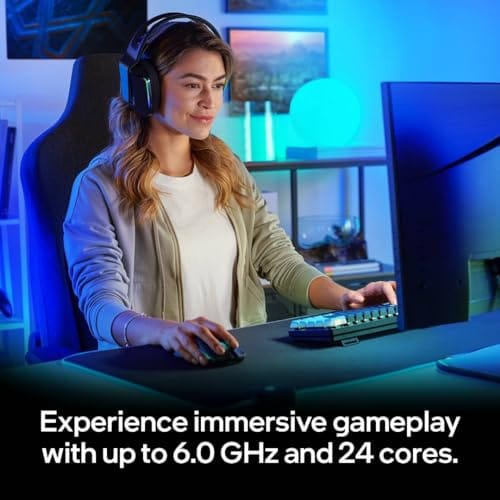
That doesn’t mean cache beats every other spec. The Intel Core i9-14900K in this batch is a $469 desktop processor with a 4.7 rating, while the Intel Core i9-13900K is a $587.77 desktop processor with 24 cores, 36M Cache, and up to 5.8GHz listed in the title. Those are high-end chips, but gaming performance still depends on the GPU, resolution, memory speed, motherboard power behavior, and cooling.
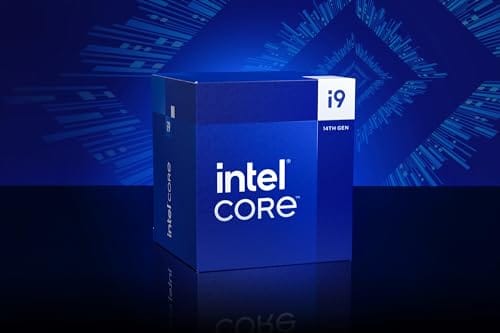
A useful way to think about it: cache improves the CPU’s chances of being ready for the next frame. It doesn’t draw the frame, and it doesn’t replace the GPU, but it can reduce stalls in the work that feeds the GPU. That’s why cache-heavy chips can look especially strong with a top-tier graphics card at lower resolutions, where the CPU has less time to prepare each frame.

Pros
- Industry-leading 6.0GHz out-of-the-box boost clock for single-threaded applications.
- Massive 32-thread capacity excels in multi-threaded workloads like 4K video rendering and 3D modeling.
- Compatible with existing LGA 1700 motherboards via BIOS updates, extending the life of 600-series boards.
- Integrated Intel UHD Graphics 770 provides a fallback for troubleshooting and QuickSync hardware acceleration.
- Highly binned silicon offers significant tuning potential for users with high-end cooling solutions.
Cons
- High 253W maximum turbo power requires premium 360mm or 420mm AIO liquid cooling for sustained loads.
- Aggressive stock voltage curves can lead to thermal throttling on standard air coolers or entry-level AIOs.
- Final generation for the LGA 1700 socket, limiting future CPU upgrade paths without a motherboard change.
- Significant power draw necessitates a high-quality PSU with sufficient 12V EPS overhead.
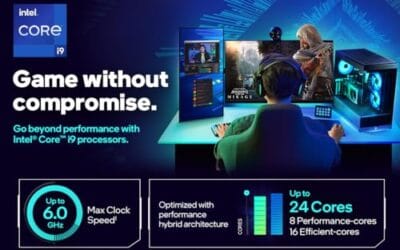
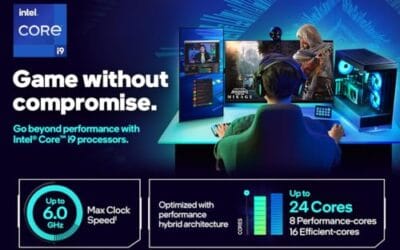
The Intel Core i9-14900K represents the enthusiast-tier peak of the Raptor Lake Refresh lineup, targeting professional creators and gamers who require the highest possible clock speeds. With 24 cores and 32 threads, it is designed to handle simultaneous gaming, streaming, and recording without the performance degradation typically seen on lower-core-count processors.
Technical performance is defined by its 6.0GHz Thermal Velocity Boost, a milestone frequency that pushes the limits of the LGA 1700 platform. In real-world gaming, this translates to high frame ceilings in 1080p and 1440p scenarios, while the 16 Efficient-cores provide the necessary throughput for background tasks and heavy multi-threaded productivity suites like Adobe Premiere Pro and DaVinci Resolve.
Build quality and reliability are consistent with Intel's high-end silicon, though the chip is notoriously demanding regarding thermals. The integrated heat spreader (IHS) must dissipate significant heat during 250W+ bursts, making the choice of thermal interface material and mounting pressure critical for maintaining stability under full load.
The primary trade-off for this level of performance is power consumption and heat. Users should expect the processor to hit its thermal junction maximum (TjMax) quickly during synthetic stress tests if paired with inadequate cooling. It is a processor that requires manual tuning of power limits (PL1 and PL2) to balance efficiency and performance effectively.
Final verdict: Buy this processor if you are an enthusiast with a high-end Z790 motherboard and a 360mm+ liquid cooler who needs the absolute fastest gaming and multitasking performance currently available on the Intel platform. Skip this if you prefer a plug-and-play experience with low power draw or are building in a small form factor case with limited cooling clearance.
| Cores / Threads | 24 (8P + 16E) / 32 |
| Max Turbo Frequency | 6.0 GHz |
| Intel Smart Cache (L3) | 36 MB |
| Total L2 Cache | 32 MB |
| Processor Base Power | 125 W |
| Max Turbo Power | 253 W (Listed as 250W in specs) |
| Socket Support | LGA 1700 |
| Memory Support | DDR5 5600 / DDR4 3200 |
| PCIe Lanes | 20 Total (Up to Gen 5.0) |
| Integrated Graphics | Intel UHD Graphics 770 |
Motherboard and Chipset: The i9-14900K requires an LGA 1700 socket. While it is compatible with older Z600-series motherboards, a BIOS update is mandatory for the system to POST. For optimal power delivery and PCIe 5.0 support, a high-end Z790 motherboard with robust VRMs is strongly recommended to handle the 250W+ power excursions.
Cooling Requirements: Due to the 6.0GHz boost clock and high TDP, air cooling is generally not recommended for this tier unless using a flagship dual-tower cooler with a contact frame. A 360mm or 420mm All-In-One (AIO) liquid cooler is the standard recommendation to prevent thermal throttling during intensive rendering or compilation tasks.
Memory Selection: This CPU supports both DDR4 and DDR5, but the motherboard determines which one you must use. For maximum performance in modern titles and professional apps, pairing this with a DDR5-7200+ kit on a Z790 platform is the ideal configuration, though DDR4 remains a viable cost-saving path for those upgrading from 12th gen.
Power Supply Guidance: Given the potential for 300W+ spikes from the CPU alone, especially when overclocked, a high-quality 850W or 1000W 80 Plus Gold PSU is recommended. Ensure your PSU has at least two 8-pin EPS (CPU) connectors to provide stable voltage to the motherboard's power phases.
Operating System: To properly utilize the Intel Thread Director and the hybrid core architecture, Windows 11 is the recommended operating system. Windows 10 may not efficiently schedule tasks between the P-cores and E-cores, potentially leading to inconsistent performance in multitasking scenarios.
The longer explanation
Think of cache as the CPU’s closest workbench. System RAM is fast compared with storage, but it’s still far away from the execution cores in latency terms. Cache keeps recently used and likely-to-be-used data nearby. If the CPU finds what it needs in cache, the operation continues quickly. If it misses, it waits longer for RAM. Lots of tiny waits can add up in games where frame timing matters.
L3 cache is the one most gamers hear about because it is shared across cores on many desktop CPUs and can be large enough to influence game behavior. Strategy games, MMOs, simulation-heavy titles, and some competitive shooters can respond well to larger cache pools. Other games are limited more by GPU load or engine design. At 4K with a maxed-out graphics card, cache may matter less than it does at 1080p high-refresh settings.
Frame pacing is the part averages hide. A CPU can deliver a decent average FPS while still producing stutters when it misses data, waits on memory, or gets interrupted by background work. Cache can’t solve every stutter, but it can help keep a game’s active data closer during busy scenes. That’s why 1% lows are often a better cache signal than the headline average.
History / how we got here
Early PC gaming performance was often explained through clock speed because single-core frequency carried so much of the experience. Then multi-core CPUs became normal, engines spread work across threads, and memory latency became more visible in certain workloads. Cache grew because processors got faster much more quickly than main memory latency improved. The gap had to be hidden somehow.
The modern cache conversation got louder as CPUs with unusually large last-level cache started posting strong gaming numbers. That shifted buyer attention away from only core counts and boost clocks. Now a gaming CPU discussion might include P-cores and E-cores, 3D-stacked cache, memory controller behavior, and scheduler support. More moving parts. Better questions.
Why it works this way
Games ask the CPU to prepare frames for the GPU, track world state, process input, run physics, manage networking, handle background streaming, and schedule draw calls. Many of those tasks reuse nearby data repeatedly. Cache helps because it reduces trips to RAM for that reused data. It’s not about storing the whole game. It’s about keeping the hot working set close.
When cache is too small for a game’s working set, the CPU may spend more time waiting, which can show up as lower average frame rates or worse 1% lows. The effect isn’t equal across all titles. A clean GPU-limited scene may barely care, while a busy simulation with hundreds of entities can care a lot. That’s why single-number CPU rankings can feel inconsistent across games.
When you’d want this
You care most about CPU cache if you play at 1080p or 1440p with a fast GPU, target high refresh rates, or play games known for heavy simulation. Esports players chasing 240Hz or 360Hz often expose CPU limits because the GPU finishes frames quickly and waits for the processor. Strategy and sandbox players may also notice smoother late-game behavior with stronger CPU and cache performance.
You care less about cache if you play at 4K with heavy graphics settings, cap your frame rate near your monitor’s refresh, or mostly play lighter titles. In those cases the GPU is the limiter, and a mid-tier CPU with less cache may deliver nearly the same experience as a flagship. Buying a top cache chip for a 60Hz 4K setup often spends money where it won’t show up on screen. Match the chip to the resolution.
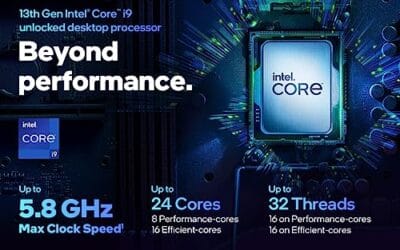
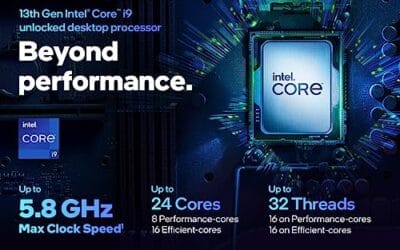
The Intel Core i9-13900K listing provides a useful spec reference because it explicitly lists 24 cores, arranged as 8 P-cores plus 16 E-cores, 36M Cache, and up to 5.8GHz. At $587.77 with a 4.8 rating, it’s positioned as a high-end desktop CPU, though cache is only one part of the value question. You’ll still need a strong cooler and a motherboard that handles the power profile well.

Pros
- Massive multi-threaded performance for 4K video editing, 3D rendering, and complex data science workloads.
- High 5.8 GHz peak frequency provides excellent single-core performance for gaming and CAD applications.
- Integrated UHD Graphics 770 serves as a reliable backup for troubleshooting or non-gaming productivity setups.
- Broad platform compatibility across two motherboard generations and two different memory standards.
Cons
- High 125W base power and significant peak wattage require a high-end 360mm AIO or custom loop cooling.
- Requires a BIOS update on many Intel 600 series motherboards before the system will POST.
- Platform longevity is limited as LGA1700 is an established socket nearing the end of its release cycle.
The Intel Core i9-13900K represents the pinnacle of the 13th Gen Raptor Lake lineup, positioned as a flagship solution for users who refuse to compromise. With a total of 24 cores and 32 threads, it is specifically engineered for enthusiast gamers, streamers, and heavy content creators who frequently run demanding applications like Adobe Premiere Pro, DaVinci Resolve, or Blender.
The standout technical achievement here is the refined hybrid architecture. By pairing 8 high-frequency Performance-cores with 16 Efficiency-cores, the 13900K manages heavy compute loads without sacrificing the responsiveness of background applications. In real-world gaming, this typically translates to higher 1% low frame rates and smoother overall performance, especially when multitasking with OBS or Discord in the background.
Thermal management is a critical consideration for this chip. While the 125W base power seems manageable, the processor is designed to scale its power consumption significantly to maintain the 5.8 GHz boost clock. Users should expect high operating temperatures under sustained all-core loads, necessitating a robust cooling solution and a high-airflow case to prevent thermal throttling.
An honest trade-off for this level of performance is the power draw and the resulting heat output. This is not a 'set and forget' chip for budget cooling or small form factor builds without careful undervolting or power limiting. Additionally, while the support for DDR4 is a welcome cost-saving measure, the highest performance tiers are only unlocked when paired with high-frequency DDR5 memory.
Buy this if you are building a top-tier workstation or gaming rig and already have a 360mm liquid cooler and a high-wattage power supply. Skip this if you are primarily gaming at 4K where the GPU is the bottleneck, or if you prefer a more power-efficient system with lower cooling requirements.
| Feature | Specification |
|---|---|
| Core Count | 24 (8 P-cores + 16 E-cores) |
| Thread Count | 32 |
| Max Turbo Frequency | 5.8 GHz |
| P-core Base Frequency | 3.0 GHz |
| E-core Base Frequency | 2.2 GHz |
| Intel Smart Cache (L3) | 36 MB |
| Total L2 Cache | 32 MB |
| Processor Base Power | 125 W |
| Memory Support | DDR5 5600 / DDR4 3200 |
| PCIe Revision | 5.0 and 4.0 |
| Total CPU PCIe Lanes | 20 |
| Socket Support | LGA1700 |
| Integrated Graphics | Intel UHD Graphics 770 |
Socket and Chipset: This processor uses the LGA1700 socket. It is natively compatible with Intel 700 series motherboards (Z790, H770, B760). While it works with 600 series boards (Z690, H670, B660, H610), a BIOS update is almost certainly required for the system to boot if the board was manufactured before the 13th Gen launch.
Cooling Requirements: Given the 5.8 GHz boost clock and high core count, a premium 360mm or 420mm All-In-One (AIO) liquid cooler is strongly recommended. High-end dual-tower air coolers may suffice for gaming but will likely lead to thermal throttling during intensive multi-threaded rendering or stress testing.
Memory Selection: The i9-13900K supports both DDR4 and DDR5, but this is determined by your motherboard choice. For a flagship build, pairing this CPU with DDR5 5600MT/s or higher is recommended to avoid bandwidth bottlenecks in memory-sensitive applications and modern games.
Power Supply Guidance: Due to the high transient power spikes typical of i9 processors, ensure your PSU has sufficient headroom. For a build featuring this CPU and a high-end GPU like an RTX 4080 or 4090, a minimum of an 850W or 1000W 80 Plus Gold power supply is advised.
Operating System: To properly utilize the Intel Thread Director for efficient task scheduling between P-cores and E-cores, Windows 11 is highly recommended. While Windows 10 is supported, it may not always assign tasks to the optimal core type, potentially impacting performance.
What to look for in a CPU cache spec
Look at total cache, but also understand what kind of cache the spec is counting. L2 and L3 are not interchangeable, and vendors don’t always present cache the same way. For gaming comparisons, independent CPU reviews often reveal more than a raw cache number because they show frame pacing across actual engines. Cache helps only if the game can use it.
Also compare platform cost. A CPU that costs less but needs expensive DDR5, a premium board, and a large cooler may not be cheaper as a build. Conversely, a slightly pricier chip with better gaming efficiency might let you save on cooling and power. If you stream while gaming, our CPU for streaming guide weighs core count and multitasking more heavily.
Memory speed and timings feed the cache story too. Cache reduces trips to RAM, but when the CPU does reach out to memory, faster and well-tuned RAM shortens the wait. That’s why cache and memory tuning often get discussed together. Don’t pair a strong gaming CPU with the slowest supported RAM and expect full performance. The two work as a system, and the weak link sets the pace.
Common misconceptions
The first misconception is that cache replaces RAM. It doesn’t. You still need enough system memory for the game, operating system, browser, Discord, capture software, and background tasks. Cache is tiny compared with RAM; it’s just much closer to the cores.
A related myth is that a huge cache guarantees a smooth experience on any GPU. It doesn’t. If the graphics card is the limiter, extra cache sits mostly idle for gaming, and you’d have been better off spending on the GPU. Cache is a lever that pays off when the CPU is the bottleneck, which is exactly why resolution, refresh rate, and game type change how much it helps.
The second misconception is that the biggest cache number always wins. Architecture, clock speed, memory latency, core layout, game engine behavior, and GPU bottlenecks all affect results. Cache is important, but it’s a multiplier on the right workload, not a universal override button.
Frequently asked
Does more CPU cache increase FPS?
It can, especially in CPU-limited games or high-refresh scenarios. The biggest gains often show up in 1% lows and simulation-heavy titles. In GPU-limited 4K gaming, the difference may be smaller.
Is L3 cache the most important for gaming?
L3 cache is often the headline spec for gaming because it is larger and shared across cores on many CPUs. L1 and L2 still matter, but buyers usually compare L3 because it varies more visibly between models.
Can cache make an older CPU feel new?
No. Cache helps within a CPU design, but it can’t fix old platform limits, weak single-thread performance, or missing instruction and connectivity features. A balanced upgrade still matters.
Should I buy a CPU only for cache?
Don’t buy on cache alone. Consider the games you play, your GPU, target resolution, motherboard, memory, cooler, and upgrade path. Cache is a strong factor, not the whole decision.
Does cache matter for streaming?
It can help the game side, but streaming also cares about cores, encoder choice, and background workload. If you use GPU encoding, cache may matter less than stable game performance and enough CPU headroom for everything else.




























Write Your Review
No reviews yet. Be the first to share your experience!