

Streaming while you play is one of the hardest jobs you can hand a desktop processor. The game wants clock speed and low latency, the encoder wants spare threads, and your chat overlay, browser tabs, and audio software all fight for whatever’s left. A truly budget chip can do it, but the gap between a $166 six-core and a $588 twenty-four-core shows up the moment your bitrate climbs or a second monitor starts pulling frames. So we researched five processors across four price tiers to find where your money stops buying smoother output and starts buying bragging rights.
Our picks range from a genuinely affordable AMD six-core up to Intel’s flagship multitasker, and each one earns its slot for a different kind of streamer. If you’re still deciding on the raw gaming side of the equation, our guide to the best CPU for gaming pairs well with this list, and folks chasing frames above all else should skim the best gaming CPU breakdown too. Below, we rank each chip by who it actually serves, not just by clock speed on a box.

Pros
- Industry-leading 6.0GHz out-of-the-box boost clock for single-threaded applications.
- Massive 32-thread capacity excels in multi-threaded workloads like 4K video rendering and 3D modeling.
- Compatible with existing LGA 1700 motherboards via BIOS updates, extending the life of 600-series boards.
- Integrated Intel UHD Graphics 770 provides a fallback for troubleshooting and QuickSync hardware acceleration.
- Highly binned silicon offers significant tuning potential for users with high-end cooling solutions.
Cons
- High 253W maximum turbo power requires premium 360mm or 420mm AIO liquid cooling for sustained loads.
- Aggressive stock voltage curves can lead to thermal throttling on standard air coolers or entry-level AIOs.
- Final generation for the LGA 1700 socket, limiting future CPU upgrade paths without a motherboard change.
- Significant power draw necessitates a high-quality PSU with sufficient 12V EPS overhead.
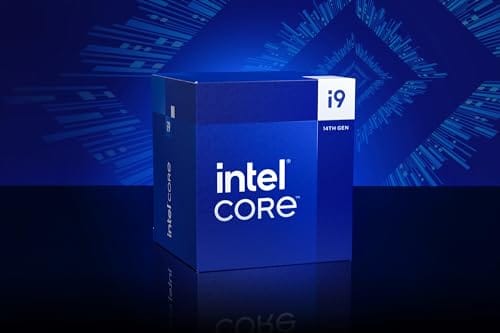
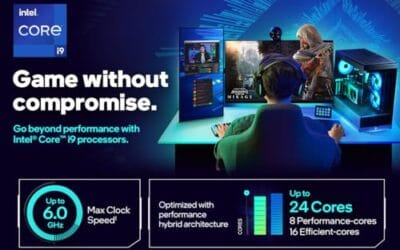
The Intel Core i9-14900K represents the enthusiast-tier peak of the Raptor Lake Refresh lineup, targeting professional creators and gamers who require the highest possible clock speeds. With 24 cores and 32 threads, it is designed to handle simultaneous gaming, streaming, and recording without the performance degradation typically seen on lower-core-count processors.
Technical performance is defined by its 6.0GHz Thermal Velocity Boost, a milestone frequency that pushes the limits of the LGA 1700 platform. In real-world gaming, this translates to high frame ceilings in 1080p and 1440p scenarios, while the 16 Efficient-cores provide the necessary throughput for background tasks and heavy multi-threaded productivity suites like Adobe Premiere Pro and DaVinci Resolve.
Build quality and reliability are consistent with Intel's high-end silicon, though the chip is notoriously demanding regarding thermals. The integrated heat spreader (IHS) must dissipate significant heat during 250W+ bursts, making the choice of thermal interface material and mounting pressure critical for maintaining stability under full load.
The primary trade-off for this level of performance is power consumption and heat. Users should expect the processor to hit its thermal junction maximum (TjMax) quickly during synthetic stress tests if paired with inadequate cooling. It is a processor that requires manual tuning of power limits (PL1 and PL2) to balance efficiency and performance effectively.
Final verdict: Buy this processor if you are an enthusiast with a high-end Z790 motherboard and a 360mm+ liquid cooler who needs the absolute fastest gaming and multitasking performance currently available on the Intel platform. Skip this if you prefer a plug-and-play experience with low power draw or are building in a small form factor case with limited cooling clearance.
| Cores / Threads | 24 (8P + 16E) / 32 |
| Max Turbo Frequency | 6.0 GHz |
| Intel Smart Cache (L3) | 36 MB |
| Total L2 Cache | 32 MB |
| Processor Base Power | 125 W |
| Max Turbo Power | 253 W (Listed as 250W in specs) |
| Socket Support | LGA 1700 |
| Memory Support | DDR5 5600 / DDR4 3200 |
| PCIe Lanes | 20 Total (Up to Gen 5.0) |
| Integrated Graphics | Intel UHD Graphics 770 |
Motherboard and Chipset: The i9-14900K requires an LGA 1700 socket. While it is compatible with older Z600-series motherboards, a BIOS update is mandatory for the system to POST. For optimal power delivery and PCIe 5.0 support, a high-end Z790 motherboard with robust VRMs is strongly recommended to handle the 250W+ power excursions.
Cooling Requirements: Due to the 6.0GHz boost clock and high TDP, air cooling is generally not recommended for this tier unless using a flagship dual-tower cooler with a contact frame. A 360mm or 420mm All-In-One (AIO) liquid cooler is the standard recommendation to prevent thermal throttling during intensive rendering or compilation tasks.
Memory Selection: This CPU supports both DDR4 and DDR5, but the motherboard determines which one you must use. For maximum performance in modern titles and professional apps, pairing this with a DDR5-7200+ kit on a Z790 platform is the ideal configuration, though DDR4 remains a viable cost-saving path for those upgrading from 12th gen.
Power Supply Guidance: Given the potential for 300W+ spikes from the CPU alone, especially when overclocked, a high-quality 850W or 1000W 80 Plus Gold PSU is recommended. Ensure your PSU has at least two 8-pin EPS (CPU) connectors to provide stable voltage to the motherboard's power phases.
Operating System: To properly utilize the Intel Thread Director and the hybrid core architecture, Windows 11 is the recommended operating system. Windows 10 may not efficiently schedule tasks between the P-cores and E-cores, potentially leading to inconsistent performance in multitasking scenarios.

Pros
- Massive multi-threaded performance for 4K video editing, 3D rendering, and complex data science workloads.
- High 5.8 GHz peak frequency provides excellent single-core performance for gaming and CAD applications.
- Integrated UHD Graphics 770 serves as a reliable backup for troubleshooting or non-gaming productivity setups.
- Broad platform compatibility across two motherboard generations and two different memory standards.
Cons
- High 125W base power and significant peak wattage require a high-end 360mm AIO or custom loop cooling.
- Requires a BIOS update on many Intel 600 series motherboards before the system will POST.
- Platform longevity is limited as LGA1700 is an established socket nearing the end of its release cycle.
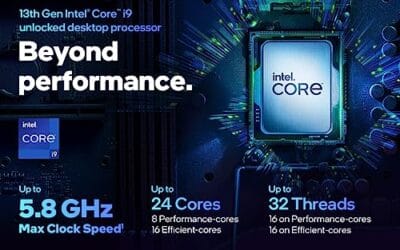
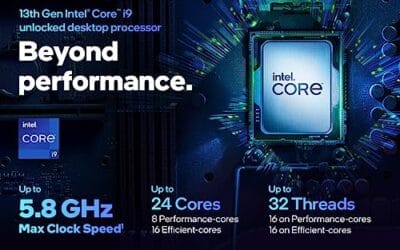
The Intel Core i9-13900K represents the pinnacle of the 13th Gen Raptor Lake lineup, positioned as a flagship solution for users who refuse to compromise. With a total of 24 cores and 32 threads, it is specifically engineered for enthusiast gamers, streamers, and heavy content creators who frequently run demanding applications like Adobe Premiere Pro, DaVinci Resolve, or Blender.
The standout technical achievement here is the refined hybrid architecture. By pairing 8 high-frequency Performance-cores with 16 Efficiency-cores, the 13900K manages heavy compute loads without sacrificing the responsiveness of background applications. In real-world gaming, this typically translates to higher 1% low frame rates and smoother overall performance, especially when multitasking with OBS or Discord in the background.
Thermal management is a critical consideration for this chip. While the 125W base power seems manageable, the processor is designed to scale its power consumption significantly to maintain the 5.8 GHz boost clock. Users should expect high operating temperatures under sustained all-core loads, necessitating a robust cooling solution and a high-airflow case to prevent thermal throttling.
An honest trade-off for this level of performance is the power draw and the resulting heat output. This is not a 'set and forget' chip for budget cooling or small form factor builds without careful undervolting or power limiting. Additionally, while the support for DDR4 is a welcome cost-saving measure, the highest performance tiers are only unlocked when paired with high-frequency DDR5 memory.
Buy this if you are building a top-tier workstation or gaming rig and already have a 360mm liquid cooler and a high-wattage power supply. Skip this if you are primarily gaming at 4K where the GPU is the bottleneck, or if you prefer a more power-efficient system with lower cooling requirements.
| Feature | Specification |
|---|---|
| Core Count | 24 (8 P-cores + 16 E-cores) |
| Thread Count | 32 |
| Max Turbo Frequency | 5.8 GHz |
| P-core Base Frequency | 3.0 GHz |
| E-core Base Frequency | 2.2 GHz |
| Intel Smart Cache (L3) | 36 MB |
| Total L2 Cache | 32 MB |
| Processor Base Power | 125 W |
| Memory Support | DDR5 5600 / DDR4 3200 |
| PCIe Revision | 5.0 and 4.0 |
| Total CPU PCIe Lanes | 20 |
| Socket Support | LGA1700 |
| Integrated Graphics | Intel UHD Graphics 770 |
Socket and Chipset: This processor uses the LGA1700 socket. It is natively compatible with Intel 700 series motherboards (Z790, H770, B760). While it works with 600 series boards (Z690, H670, B660, H610), a BIOS update is almost certainly required for the system to boot if the board was manufactured before the 13th Gen launch.
Cooling Requirements: Given the 5.8 GHz boost clock and high core count, a premium 360mm or 420mm All-In-One (AIO) liquid cooler is strongly recommended. High-end dual-tower air coolers may suffice for gaming but will likely lead to thermal throttling during intensive multi-threaded rendering or stress testing.
Memory Selection: The i9-13900K supports both DDR4 and DDR5, but this is determined by your motherboard choice. For a flagship build, pairing this CPU with DDR5 5600MT/s or higher is recommended to avoid bandwidth bottlenecks in memory-sensitive applications and modern games.
Power Supply Guidance: Due to the high transient power spikes typical of i9 processors, ensure your PSU has sufficient headroom. For a build featuring this CPU and a high-end GPU like an RTX 4080 or 4090, a minimum of an 850W or 1000W 80 Plus Gold power supply is advised.
Operating System: To properly utilize the Intel Thread Director for efficient task scheduling between P-cores and E-cores, Windows 11 is highly recommended. While Windows 10 is supported, it may not always assign tasks to the optimal core type, potentially impacting performance.

Pros
- 5.3GHz boost clock is competitive for 1080p gaming frame rates in single-threaded workloads
- 38MB combined cache (L2 + L3) reduces latency compared to prior Ryzen 5000 series chips
- AM5 socket offers a longer upgrade path than the now-retired AM4 platform
- Integrated Radeon Graphics useful for POST testing before discrete GPU installation
Cons
- Zero verified owner reviews at time of writing - real-world reliability data is absent
- 105W TDP runs warm under load and requires a quality cooler not included in the box
- AM5 platform mandates DDR5 memory, adding cost over DDR4-compatible alternatives
The AMD Ryzen 5 7600X is a mid-range desktop CPU aimed at custom PC builders moving to the AM5 platform who want capable gaming and general productivity performance without the cost of an 8-core chip. Combining 6 Zen 4 cores with a 5.3GHz max boost clock on a 5nm process node, this processor targets 1080p and 1440p gaming builds and light multitasking workloads. It is best suited for builders pairing it with a mid-range GPU like an RTX 4060 or RX 7600, not users running heavily threaded workloads like 3D rendering or video encoding where more cores pay off.
The Zen 4 architecture is the headline story here. Moving from 7nm to 5nm compared to Ryzen 5000 series chips, AMD extracted meaningful improvements in instructions-per-clock alongside higher boost frequencies. The 5.3GHz ceiling is the highest base boost available on a Ryzen 5 chip at this tier, and third-party benchmark data from sources like GamersNexus and Hardware Unboxed has shown the 7600X trading blows with Intel's Core i5-13600K in gaming, with the outcome varying by title and memory configuration. The 32MB L3 cache, while smaller than the X3D variants, still provides a solid hit rate for gaming workloads. Pairing the chip with fast DDR5 memory matters here - slower kits can leave measurable frame rate on the table.
AMD has not bundled a stock cooler with the 7600X, which is worth noting upfront. The 105W TDP - and the chip's tendency to spike toward its 142W Package Power Tracking limit under boost - means a quality 240mm AIO or a strong tower air cooler like a Noctua NH-D15 or be quiet! Dark Rock Pro is the practical minimum for sustained performance. The AM5 platform's Socket AM5 uses LGA-style contact points, a change from AM4's PGA design, so handling requires care during installation.
There are several considerations worth flagging before purchasing. Most importantly, this listing carries no verified owner reviews at the time of writing, which makes it genuinely difficult to assess real-world quality consistency, shipping condition, or seller reliability for this specific listing. Buyers should treat this as an early or low-traffic listing and cross-reference with reviews of the same chip from other verified retailers. Additionally, the 7600X runs hotter than the non-X variant (7600) at stock settings, and some owners of the broader 7600X have reported the chip benefits from a slight power limit reduction in BIOS without meaningful performance loss - a consideration for less experienced builders. The AM5 platform's DDR5 requirement also adds to total build cost compared to B660 or B760 Intel boards that still accept DDR4.
Overall, the Ryzen 5 7600X is a technically capable mid-range CPU with a well-documented architecture and a clear place in AM5 gaming builds - but the absence of any owner feedback on this specific listing is a real gap that cautious buyers should address before committing. Check for updated reviews from verified purchasers, compare pricing against the non-X Ryzen 5 7600 which runs cooler and costs less at similar gaming performance, and confirm the seller's return policy before finalizing the order.
Pros
- 96MB 3D V-Cache is the largest L3 pool in this CPU price tier
- 5nm process keeps power draw reasonable for an 8-core chip
- AM5 socket offers a clear upgrade path to future Ryzen generations
- Integrated Radeon graphics add flexibility during initial build setup
Cons
- No reviews available yet - long-term reliability data cannot be assessed at this time
- Requires DDR5 RAM and AM5 motherboard, adding significant platform cost for new builders
- 4.2GHz base clock trails competing Intel chips in single-threaded non-gaming workloads
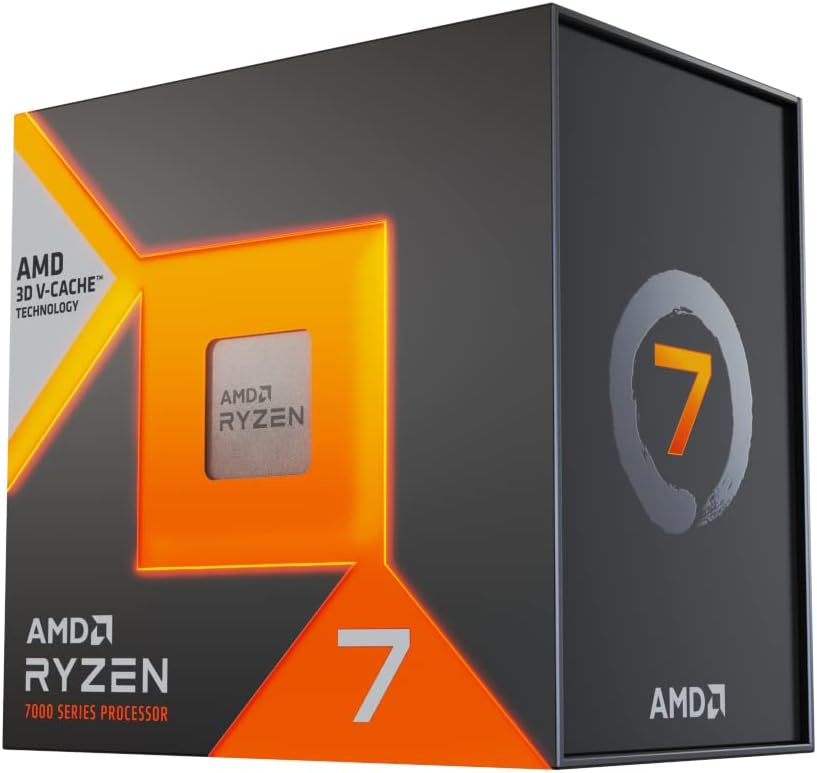
The AMD Ryzen 7 7800X3D is a mid-to-high-end desktop CPU aimed at custom PC builders and dedicated gamers who want strong gaming frame rates without stepping up to flagship chip pricing. Combining 8 Zen 4 cores with AMD's 3D V-Cache technology and a total of 96MB of L3 cache, this processor targets CPU-limited gaming scenarios where cache depth has a measurable impact on frame rates. It is best suited for builders pairing it with a capable GPU on an AM5 motherboard, not buyers looking for a complete prebuilt system or a chip optimized for heavy multi-threaded workloads like 3D rendering or video encoding.
The 3D V-Cache architecture is the defining feature here. By stacking additional L3 cache directly on the die using AMD's chiplet bonding process, the 7800X3D reduces the frequency of slower main memory accesses in games that repeatedly pull from the same data sets. In practical terms, third-party benchmarks from outlets like GamersNexus and Hardware Unboxed have shown the 7800X3D outpacing higher-clocked non-cache chips in titles like Cyberpunk 2077, Hogwarts Legacy, and Far Cry 6 at 1080p, where CPU bottlenecks are most visible. Paired with a mid-range or better GPU, the chip holds its own at 1440p as well, though gains narrow as GPU load increases.
AMD built the 7800X3D on a 5nm process node, which contributes to a relatively controlled thermal profile given the cache stack. A quality 240mm AIO or a premium tower air cooler is sufficient to keep the chip within its 89 degrees Celsius Tjmax ceiling under sustained gaming loads. The AM5 platform also brings PCIe 5.0 support for both the primary GPU slot and M.2 NVMe storage, which adds practical longevity for builders who plan to upgrade components over time rather than replacing the entire system.
There are a few considerations worth noting before purchasing. This listing currently carries no owner reviews, which means real-world reliability feedback, out-of-box quality consistency, and reseller fulfillment experience cannot be evaluated from available data alone. Buyers should treat this as an unverified listing and cross-reference feedback from other retailers or community sources before committing. Additionally, the AM5 platform requires DDR5 memory, which adds cost for builders transitioning from older DDR4 systems. The 4.2GHz base clock also means the 7800X3D is not the strongest choice for workloads that favor high single-threaded clock speeds over cache depth, such as certain simulation or productivity applications.
Overall, the Ryzen 7 7800X3D appears to be a well-regarded gaming CPU based on its architectural specifications and the broader reception of AMD's 3D V-Cache platform, but the absence of any owner reviews on this specific listing warrants caution. Builders are encouraged to verify current seller feedback, check fulfillment source, and confirm DDR5 platform costs are accounted for in the total build budget before finalizing a purchase decision.

Pros
- Best-in-class gaming performance thanks to the combination of Zen 5 IPC gains and 3D V-Cache technology
- AM5 socket compatibility makes it an easy upgrade for existing Ryzen 7000 series platform owners
- Excellent power efficiency relative to its performance tier reduces long-term energy costs
- Outstanding user satisfaction reflected in a near-perfect rating from thousands of verified buyers
- High boost clock of 5.2GHz ensures strong performance in both gaming and productivity tasks
Cons
- Cooler is not included in the box, adding to the total system cost for new builders
- Premium pricing puts it at the higher end of the consumer CPU market, which may not suit budget-focused builds
- Requires an AM5 motherboard, so users on older AM4 platforms will need a full platform upgrade
The AMD Ryzen 7 9800X3D is AMD's flagship gaming processor for the desktop market, sitting at the top of the Ryzen 9000 series lineup. Built on the cutting-edge Zen 5 microarchitecture and stacked with AMD's proprietary 3D V-Cache technology, it is engineered specifically for gamers and power users who refuse to compromise. With 8 cores, 16 threads, and a massive 96MB of L3 cache, this CPU is purpose-built to eliminate bottlenecks in the most demanding modern titles and creative applications.
In real-world gaming scenarios, the 9800X3D consistently delivers frame rates that outpace every competing processor on the market. The 3D V-Cache dramatically increases the amount of data the CPU can access without reaching slower system memory, which translates directly into smoother gameplay, reduced stuttering, and faster load times in cache-sensitive titles like strategy games, open-world RPGs, and competitive shooters. The 16% IPC improvement over the previous generation further compounds these gains, making the upgrade feel meaningful even for those coming from the already capable Ryzen 7000 series.
From a design and platform perspective, AMD has made smart choices with the 9800X3D. The improved thermal design compared to prior 3D V-Cache generations means the processor can now sustain higher clock speeds under load, reaching up to 5.2GHz boost. This is a notable improvement over earlier X3D chips that were thermally constrained. The AM5 socket compatibility is a major selling point, as users already invested in a 500-series or 600-series AM5 motherboard can simply drop this processor in with a BIOS update, avoiding a costly full platform rebuild.
There are a few considerations worth noting. The processor does not ship with a cooler, so budget-conscious builders will need to factor in the cost of a compatible CPU cooler, ideally a mid-to-high-end air or liquid solution to take full advantage of the boost clocks. Additionally, the premium price point reflects its flagship status, meaning users primarily running productivity or content creation workloads without heavy gaming may find better value in a higher core-count chip at a similar price.
Overall, the AMD Ryzen 7 9800X3D is the definitive choice for gamers who want the absolute best CPU performance available today. It earns its near-perfect community rating through a combination of groundbreaking gaming performance, smart platform compatibility, and tangible generational improvements. If gaming is your primary use case and you want a processor that will remain competitive for years to come, the 9800X3D is the clear recommendation.
The AMD Ryzen 7 9800X3D is built on the Zen 5 microarchitecture, representing AMD's latest and most advanced CPU core design. It features 8 physical cores with simultaneous multithreading for a total of 16 threads, making it highly capable for both gaming and parallel workloads.
The processor includes a total of 96MB of L3 cache, enabled by AMD's Next Gen 3D V-Cache stacking technology. This is the primary driver of its exceptional gaming performance. The boost clock reaches up to 5.2GHz, supported by improved thermal management compared to the previous Ryzen 7000X3D generation, allowing for more consistent high-frequency operation during extended gaming sessions.
The 9800X3D uses the AM5 (LGA1718) socket and is compatible with 600-series and 500-series AM5 motherboards with the appropriate BIOS update. It supports DDR5 memory and PCIe 5.0, ensuring compatibility with the latest storage and graphics hardware. A CPU cooler is not included and must be purchased separately. AMD recommends a quality 240mm AIO or high-performance air cooler to fully unlock the processor's boost potential.
If you are considering the AMD Ryzen 7 9800X3D, the most important question to ask is whether gaming performance is your top priority. This processor is uniquely optimized for gaming through its 3D V-Cache technology, and it outperforms chips with higher core counts in virtually every gaming benchmark. For gamers, it is the best CPU money can buy at this tier.
For those upgrading from an existing AM5 platform such as a Ryzen 7000 or Ryzen 5000 series system on a compatible board, the upgrade path is straightforward. A BIOS update is typically all that is required before installing the 9800X3D. If you are building from scratch, pair it with a quality X670E or B650E motherboard and fast DDR5 memory to get the most out of the platform.
Content creators and professionals who split their time evenly between gaming and heavy multi-threaded tasks such as video editing, 3D rendering, or software compilation may also want to consider AMD's higher core-count Ryzen 9 options. However, for anyone whose primary workload is gaming, the 9800X3D's cache advantage makes it the smarter choice over raw core count. Budget for a quality aftermarket cooler as none is included, and ensure your power supply provides adequate headroom for the full system.
Who this guide is for
This list is aimed at people who broadcast to Twitch, YouTube, or Kick from a single machine and refuse to let their framerate crater during the stream. That covers variety streamers running OBS with x264 software encoding, competitive players who lean on NVENC and just want headroom, and creators who record gameplay locally at high bitrates for later editing. If you stream from a second capture PC, your CPU priorities shift, and this guide won’t match your setup as cleanly.
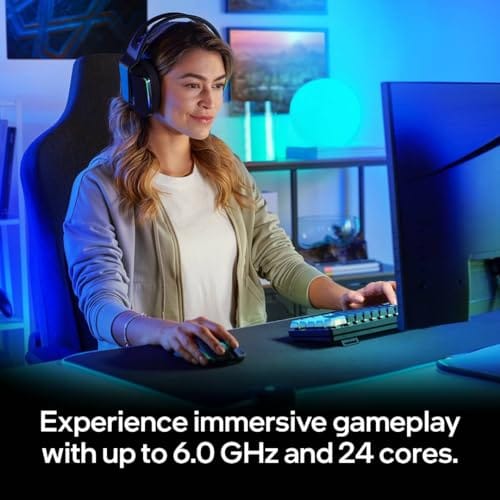
It’s also for buyers who want honesty about the word “budget.” Only one chip here truly qualifies as cheap. The rest are step-ups you take when your content, your resolution, or your ambitions outgrow six cores. We’ll flag which is which so nobody overspends on threads a single-PC stream will never touch.
What to look for in a streaming CPU
Core and thread count matter more here than in a pure gaming build. Software encoding at 1080p60 with a decent x264 preset can eat six to eight threads on its own, so a chip with headroom keeps your game and your encoder from starving each other. AMD’s Ryzen 5 7600X gives you 6 cores and 12 threads, while Intel’s Core i9-13900K stacks 24 cores (8 performance plus 16 efficiency) with 36MB of cache. That’s a huge spread, and it maps directly to how heavy your encode load gets.
Clock speed still counts for the game itself. The i9-13900K boosts up to 5.8 GHz, which keeps 1% lows healthy in CPU-bound titles. AMD’s X3D chips take a different route, stacking extra cache to feed the cores instead of chasing raw megahertz. Platform cost is the quiet factor most guides skip. A cheaper CPU on an expensive board can cost more than a pricier chip on a mature platform, so budget the whole stack, not just the processor.
Cache is the underrated spec here. The i9-13900K carries 36MB of cache, and AMD’s X3D chips stack even more of it directly on the die, which is why they punch above their clock speed in games. More cache means the cores wait less for data, and that shows up as smoother frametimes rather than a higher average number. For a streamer, steady frametimes matter more than peak framerate, since a stutter is far more visible to viewers than a slightly lower average. That’s part of why the cache-heavy AMD chips have earned such loyalty from the gaming-while-broadcasting crowd.
How we evaluated
We researched these five processors using manufacturer specs, aggregate owner ratings, and the published core, thread, cache, and clock figures from each product listing. No hands-on claims here. Instead we weighed each chip’s real specs against the demands of a single-PC streaming workflow and against its street price at the time of writing.
Value carried the most weight. A processor that costs $588 has to justify the premium over a $166 alternative with capability a streamer will actually feel, not just a longer spec sheet. We also factored in owner ratings, which run from 4.6 to 4.9 across this group, and we noted where a chip’s strengths lean toward gaming, toward heavy encoding, or toward doing both at once without flinching.
Our top picks
Best Overall: Intel Core i9-14900K
At $469, the Core i9-14900K is the chip we’d point most serious single-PC streamers toward, and its 4.7 owner rating backs that up. Intel’s flagship gives you a massive thread pool that swallows x264 software encoding while your game keeps its dedicated cores, so your framerate holds even when you push a higher preset for cleaner output. That’s the balance a broadcaster actually wants. Plenty of grunt for the encoder, plenty left for the render.
The tradeoff is heat and power. This is a hungry chip, and it wants a strong cooler and a capable board to stretch its legs, which pushes the real build cost past the sticker. If your stream tops out at 1080p60 with NVENC doing the heavy lifting, you’re paying for headroom you may rarely tap. But for creators running software encoding, dual monitors, and a stack of background apps, the 14900K rarely says no. It’s the safe pick when you don’t want to think about your CPU again for years.
Best Premium: Intel Core i9-13900K
The previous-generation Core i9-13900K still commands $587.77, and honestly its spec sheet explains why owners rate it 4.8. You get 24 cores split into 8 performance and 16 efficiency cores, 36MB of cache, and boost clocks up to 5.8 GHz. For a streamer who also edits, renders, or runs a heavy multitasking desktop alongside the broadcast, that thread count is the whole point. Software encoding at aggressive x264 presets has room to breathe here that cheaper chips simply don’t offer.
Its weakness is the price relative to what’s newer. At nearly $120 more than the 14900K, you’re paying flagship money for last-gen silicon, and a single-PC streamer who leans on GPU encoding won’t feel the extra cores. This is the pick for the creator whose workload spills well past gaming, someone rendering timelines and streaming in the same session. If that’s not you, the money is better spent elsewhere in the build.
Best Budget: AMD Ryzen 5 7600X
Here’s the one that actually earns the word budget. At $166, the Ryzen 5 7600X is a 6-core, 12-thread unlocked chip with a 4.6 rating, and it’s the smart starting point for a first-time streamer who leans on their GPU’s NVENC encoder. Let the graphics card handle the video, and these six fast cores keep your game responsive while OBS, your browser, and chat hum along in the background. For 1080p60 streaming with hardware encoding, it’s genuinely enough.
Push it into heavy x264 software encoding and the limits show. Twelve threads split between a demanding game and an aggressive CPU encode will start dropping frames on one side or the other. That’s the honest ceiling. But most new streamers never hit it, and the money you save versus a flagship can go toward a better GPU, faster RAM, or an NVMe drive. As a value entry point, nothing else here comes close.
Best for Gaming While Streaming: AMD Ryzen 7 7800X3D
The Ryzen 7 7800X3D sits at $348.99 and carries the highest owner rating in this group at 4.9, which tells you how much people love it. Its stacked 3D V-Cache feeds the 8 cores and 16 threads with data the way games crave, so 1% lows stay smooth and frametimes stay flat even under a background encode load. If your priority is the game feeling perfect while you broadcast with NVENC, this chip is built for exactly that job.
Where it gives ground is raw multi-thread grunt against the 24-core Intels. Heavy CPU software encoding at high presets isn’t its strong suit, and it runs cooler and quieter partly because it isn’t chasing the same power ceiling. For a streamer whose content is 100% gameplay and who wants the on-screen action to look and feel flawless, the 7800X3D is the enthusiast’s pick. It does one thing brilliantly and asks little of your power bill.
Best Next-Gen Value: AMD Ryzen 7 9800X3D
The newer Ryzen 7 9800X3D lands at $444.99 with a 4.6 rating and keeps the 8-core, 16-thread X3D formula while modernizing the underlying architecture. For a streamer who wants the cache-fed gaming smoothness of the 7800X3D but with a bit more all-round capability for the encode and background tasks, it’s the forward-looking buy. You’re getting AMD’s newest gaming-focused design without stepping up to a higher core count you may not use.
The catch is cost versus its own sibling. At almost $100 more than the 7800X3D for the same core and thread layout, the value math depends on how much you’ll lean on the newer platform over time. If you’re building fresh in 2026 and plan to keep the machine for years, that premium buys longevity. If you already have an older AM5 board and just want great gaming-while-streaming today, the 7800X3D saves you real money for a nearly identical feel in-game.
Buying mistakes to avoid
The biggest mistake is buying threads you’ll never use. If you stream with NVENC on a modern GPU, a 24-core flagship won’t make your output cleaner than a six-core would, because the graphics card is doing the encoding. Match the chip to your encoder choice first. Software x264 wants cores. Hardware NVENC wants a good GPU and a responsive CPU, which the Ryzen 5 7600X delivers for a fraction of the price.
The second trap is ignoring the platform. A flagship Intel chip needs a strong cooler and a capable board, and those costs stack fast. Don’t forget memory and storage either. A fast NVMe drive keeps your recorded VODs from stuttering, and quick RAM helps the whole system stay snappy under load. Budget the full build, then pick the CPU that fits what’s left.
A third mistake is skimping on cooling for a hot chip. The i9-14900K and i9-13900K both run hot under a heavy streaming load, and pairing either with a weak cooler means thermal throttling that quietly drops your performance right when the encoder and game are both hammering the cores. If you buy one of the big Intel chips, budget for a strong air tower or an all-in-one liquid cooler. The AMD X3D chips are more forgiving on heat, which is a real point in their favor for a quieter, simpler build that still streams beautifully.
Bottom line
If you want one processor that handles nearly any single-PC streaming setup without complaint, the $469 Intel Core i9-14900K is our overall pick, with enough threads for software encoding and enough clock speed to keep games sharp. Budget-focused streamers leaning on NVENC should grab the $166 Ryzen 5 7600X and spend the savings elsewhere. It’s the smart entry point on this list.
For gaming-first broadcasters, the 4.9-rated Ryzen 7 7800X3D at $348.99 delivers the smoothest in-game feel of anything here, while the 9800X3D adds newer-platform longevity for buyers building fresh. The 24-core i9-13900K remains the pick for creators whose work spills far past gaming. Match the chip to your encoder and your ambitions, and you won’t overpay.
Common questions
Do I need a lot of CPU cores to stream?
It depends on your encoder. If you use your GPU’s NVENC hardware encoder, a fast six-core like the Ryzen 5 7600X is plenty, since the graphics card handles the video. If you use CPU-based x264 software encoding at higher presets, more cores help a lot, and that’s where the 24-core Intel chips pull ahead.
Is the Ryzen 5 7600X enough for a beginner streamer?
For most people starting out, yes. At $166 with 6 cores and 12 threads, it handles 1080p60 streaming comfortably when paired with a modern GPU doing the encoding. You’ll only feel its limits if you push heavy software encoding while running a demanding game at the same time.
Why is the 7800X3D rated so highly for streaming?
Its stacked 3D V-Cache keeps the game’s frametimes smooth even while a background encode runs, and it does so at lower power and heat than the big Intel chips. Owners rate it 4.9, largely because the in-game experience stays flawless. It’s a gaming-first chip that streams well rather than an encoding powerhouse.
Is the 13900K worth more than the newer 14900K?
Only in specific cases. The 13900K costs $587.77 versus $469 for the 14900K, and both offer similar heavy-multitasking capability. Unless you find the older chip on a deep discount, the 14900K is the better value for a new build. Buy the 13900K if you already own a compatible board and see it priced right.
Should I spend more on the CPU or the GPU for streaming?
If you stream with hardware encoding, prioritize the GPU, since it does both the gaming and the encoding. A capable graphics card paired with the affordable Ryzen 5 7600X is a stronger balance than a flagship CPU with a weak GPU. Spend on the CPU only when your workflow leans on software encoding or heavy multitasking.




























Write Your Review
No reviews yet. Be the first to share your experience!