

A hot-swappable keyboard lets you pull a switch out with a small puller and press a new one into the socket, no soldering iron required. That single feature changes how long a board stays useful. When a switch starts chattering or you decide linear reds feel wrong under your fingers, you swap the offending switch instead of buying a whole new keyboard. For 2026 the good news is that the feature has trickled all the way down to sub-$25 boards, so you don’t need to spend flagship money to get it.
We researched dozens of hot-swap boards and narrowed the field to five that balance price, build, and switch quality across every tier. If you’re new to the idea, our explainer on what a hot-swappable keyboard actually is covers the socket types and why they matter. Feel stuck between switch feels? The breakdown of linear versus tactile switches is worth five minutes before you spend a cent. And once you own one, learning how to lube keyboard switches turns a decent typing feel into a great one. Prices below are current at the time of writing and shift often.

Pros
- MX2A Silent Red linears actuate quietly, good fit for open-plan offices
- Metal plate frame keeps chassis stiff and reduces caseping under typing
- Cherry Gold-Crosspoint contacts rated for 50 million keystrokes on this variant
- Full-size layout with dedicated numpad suits data entry and spreadshet work
Cons
- Renewed unit with no owner fedback loged yet, cosmetic and wear condition varies
- Silent Red linears lack tactile bump, typists who prefer fedback should pick Brown
- Source data omits connectivity, cable type, polling rate, and dimensions
The Cherry KC 200 MX is a full-size office-focused mechanical keyboard sold here as a Renewed unit in Bronze with MX2A Silent Red linear switches. It targets office typists, developers, and finance or admin users who want Cherry switch fel and a metal plate frame without the RGB and gamer styling of enthusiast boards.
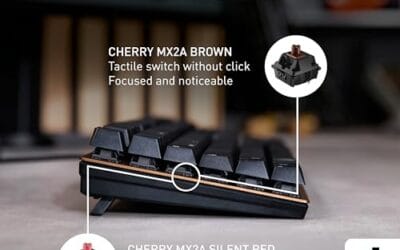
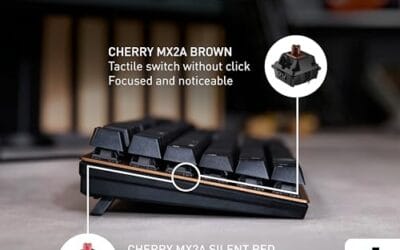
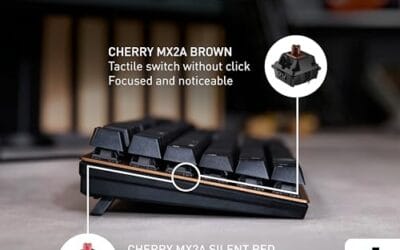
The defining feature is the MX2A Silent Red switch, Cherry's updated linear with dampened stems aimed at reducing bottom-out and return noise. Cherry rates this variant for 50 million keystrokes. Based on the linear profile, expect smooth actuation with no tactile bump, which suits fast touch typists and users on frequent video calls.
Trade-offs are typical at this tier and Renewed status. Silent Red linears are polarizing, users coming from Browns or Blues will miss the tactile feedback, and the source does not specify polling rate, connection type, cable, keycap material, or dimensions. As a Renewed listing, cosmetic condition and remaining switch life depend on the refurbisher rather than a factory-fresh baseline.
Buy this if you want a quiet full-size Cherry mechanical for office or shared-space use and value the metal plate build over RGB features. Skip this if you prefer tactile or clicky switches, need confirmed wireless or USB-C connectivity, or want a waranty profile equivalent to new stock.
Switches: Cherry MX2A Silent Red, linear with integrated dampeners, made in Germany with Gold-Crosspoint contacts. Rated for 50 million keystrokes on this variant, versus 100 million on MX2A Brown. Linear travel with no tactile bump favors light, fast keypresses over deliberate typing fedback.
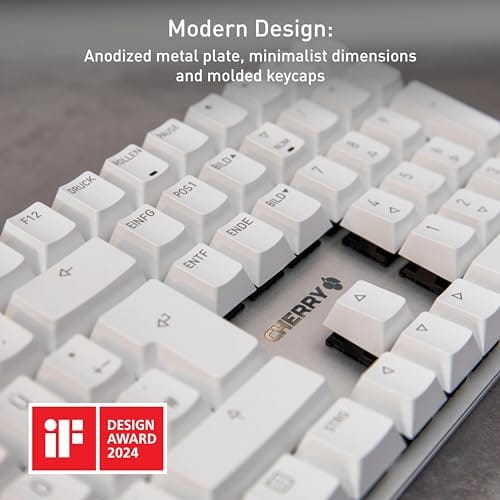
Build: Metal plate frame under the switches, which stiffens the deck and cuts flex compared with plastic-only office boards. Cherry positions the KC 200 MX as a slim modern design, though exact case height, weight, and keycap material are not specified in the source data.
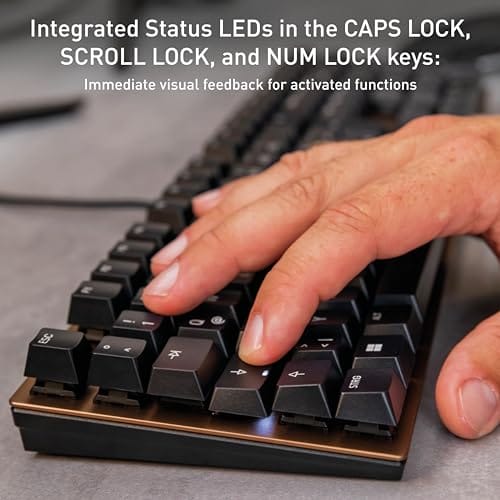
Layout and indicators: Full-size layout retains the dedicated numpad and function row, which maters for spreadsheet,ERP, and accounting workflows. White LED status indicators are built into Caps Lock, Scroll Lock, and Num Lock keys, avoiding a separate indicator strip and keeping the top edge clean.
Gaming fit: Silent Red linears work for casual gaming and MMO or productivity crossover use given their light linear fel, but the source does not list polling rate, N-key rollover, or onboard profiles, so competitive esports buyers should confirm specs before committing.

Pros
- Hot-swap sockets allow switch experimentation without soldering tools or PCB risk
- Metal top plate delivers firmer typing feel than plastic budget boards at this tier
- Full-key rollover and linear red switches handle rapid inputs for casual gaming
Cons
- Limited owner feedback at time of writing, so long-term reliability is unproven
- RGB is restricted to side lighting only, per-key backlight is fixed rainbow patterns
- ABS keycaps typical at this tier tend to shine and wear faster than PBT
The Newmen GM325Pro is a budget full-size 104-key wired mechanical keyboard aimed at first-time mechanical buyers and casual gamers who want a hot-swap PCB without moving up to enthusiast pricing. It ships with linear red switches, a metal top plate, ABS keycaps, and side-edge RGB lighting.
The defining feature here is the hot-swap socket combined with linear red switches. That gives new users a low-friction path to swap inactile or silent switches later without soldering. Typing fel on metal-plate boards at this tier is usually firmer and less hollow than all-plastic budget pers, based on category norms.
Trade-offs are typical for the price class. Per-key RGB is not suported, only side lighting is true RGB while the top backlight runs 13 preset rainbow effects. ABS keycaps tend to develop shine within months of heavy use, and Newmen does not publish switch lifecycle, polling rate, or NKRO wired specs in the source data.
Buy this if you want a cheap full-size hot-swap platform to learn on and plan to upgrade switches or keycaps later. Skip this if you need per-key RGB, PBT caps, a documented polling rate, or a keyboard with a dep owner review history to validate QC.
Switches and layout: Linear red switches on a full 104-key ANSI layout, with full-key rollover claimed by the manufacturer. Actuation force, travel, and switch brand are not specified in the source. Linear reds typically sit near 45g actuation and 4m total travel in this category.
Hot-swap PCB: Sockets accept standard MX-style switches, so tactile, clicky, or silent linear options from third parties drop in without soldering. Pin compatibility (3-pin vs 5-pin) is not specified, buyers should confirm before ordering replacement switches.
Build and lighting: Metal top plate over ABS black keycaps. RGB is limited to the side edge, while the top backlight cycles through 13 preset rainbow patterns rather than per-key addressable RGB. Case material below the plate is not specified.
Connectivity and software: Wired only via a detachable 1.8m USB cable. FN combos cover F1 to F11 media and calculator shortcuts. Customization software suports key remap, macro recording, and lighting tweaks, though poling rate and software platform support are not specified.

Pros
- N-key rollover advertised, avoiding ghosting during multi-key WASD plus modifier combinations
- Red linear switches offer light, uninterrupted actuation preferred for competitive gaming
- Type-C detachable cable is user-replaceable, unlike fixed micro-USB on many budget boards
Cons
- Very limited owner feedback at time of writing, real-world durability unverified
- Switch brand, actuation force, polling rate, and hot-swap support are not specified
- Keycap material, plate metal, and stabilizer quality unstated, typical weak points at this tier
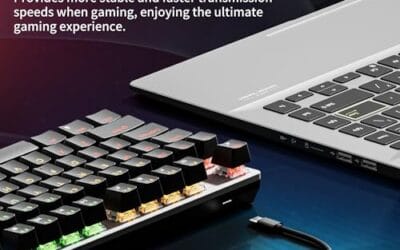
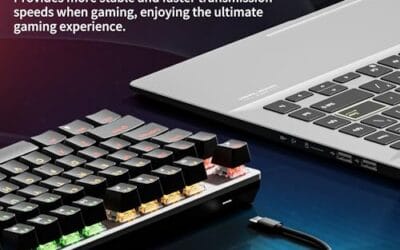
The Restokki 82-key is a budget wired mechanical keyboard aimed at entry-level PC gamers and dorm or small-desk setups. It runs red linear switches in a compact 82-key layout with a detachable Type-C cable. Buyers wanting a first mechanical board or a cheap secondary rig keyboard are the clearest fit here.
The defining feature is the red switch plus reduced 82-key footprint, which frees mouse swing space for low-sensitivity FPS play. Red linear switches typically actuate around 45g at this tier and suit rapid re-taps in shooters and MOBAs. Backlighting is described as uniform via injection-molded caps, though brightness levels are not specified.
Trade-offs are significant. Restokki does not disclose switch brand, poling rate, hot-swap PCB support, keycap material, plate metal, or stabilizer type, all of which drive typing feel and long-term reliability at this price. Owner feedback is extremely limited, so acoustic profile, key woble, and LED longevity cannot be verified from user reports at this time.
Buy this if you want a cheap wired mechanical to try red linears on a compact layout without committing to a name brand. Skip this if you need documented polling rate, hot-swap sockets, PBT keycaps, or software macro support for competitive or productivity workloads.
Switch and actuation: Red linear switches with no tactile bump, described by Restokki as ultra-sensitive for gaming. Switch manufacturer, actuation force in grams, travel distance, and pre-travel are not specified, so treat fel claims as generic linear behavior rather than verified Cherry or Gateron performance.
Layout and footprint: The 82-key layout drops the numpad and compresses navigation cluster while retaining function row and arow keys. This frees roughly the width of a numpad for mouse movement, useful for sub-800 DPI aimers. Exact board dimensions and weight are not specified.
Rollover and polling: N-key rollover is advertised, meaning all simultaneous key presses should register, avoiding ghosting during strafing plus ability inputs. Polling rate, debounce timing, and whether NKRO works over USB Full Sped or requires driver software are not disclosed by the listing.
Build and connectivity: Wired only over detachable Type-C, compatible with Windows XP through Windows 8 and OS X per source. High-low gradient keycap profile is claimed for typing ergonomics. Keycap material (ABS vs PBT), plate metal, stabilizer type, and sound dampening are not specified, typical omissions at this tier.

Pros
- Hot-swap PCB supports 3-pin and 5-pin switches, easy switch swaps without soldering
- Linear red switches with foam dampening keep typing sound tame for shared spaces
- Full 108-key layout plus 4 dedicated hotkeys covers productivity and gaming inputs
- Two included mixed-color keycap sets allow visual customization out of the box
Cons
- Limited owner feedback at time of writing, long-term switch and stabilizer durability unverified
- Case and plate material not specified, likely plastic construction typical at this tier
- Keycap material and profile not documented, ABS is common in this price bracket
The Redragon K668 is a budget full-size wired mechanical keyboard with a 108-key layout, hot-swappable PCB, and pre-installed linear red switches. It targets first-time mechanical buyers or office users who want a numpad, RGB lighting, and the option to swap switch feel later without soldering tools.
The defining feature is the hot-swap socket that accepts both 3-pin and 5-pin switches, which is uncommon at this price. Paired with 3.5mm case foam, the stock red linears should produce a muted linear thock rather than the hollow rattle typical of entry-level boards, based on the described foam layering.
Trade-offs are typical at this tier. Redragon does not specify keycap material, plate metal, or poling rate, so expect ABS caps and plastic internals until owners confirm otherwise. Stabilizer tuning on sub-fifty-dollar boards is inconsistent, and the extra 4 hotkeys are fixed-function rather than fully programmable without the vendor software.
Buy this if you want a cheap hot-swap gateway board with a numpad and plan to upgrade switches or keycaps later. Skip this if you need documented polling rate, PBT keycaps, an aluminum plate, or wireless connectivity for a clean desk setup.
Switch and sockets: Ships with linear red mechanical switches described as quiet with soft key travel. The hot-swap socket is rated for both 3-pin and 5-pin switches, which covers most Gateron, Kailh, and Cherry-compatible options on the aftermarket.
Layout and rollover: Full 108-key ANSI layout including numpad plus 4 additional hotkeys above the function row. Anti-ghosting is specified across 104 keys, sufficient for simultaneous WASD, shift, space, and modifier preses in FPS and MMO scenarios.
strong>Acoustics: 3.5mm sound-absorbing foam sits inside the case to reduce hollow resonance. Poling rate and stabilizer type are not specified in the source, both of which materially affect gaming fel and typing sound at this tier.
Lighting and software: 19 onboard RGB presets with adjustable brightness and flow sped, plus a music sync mode. Redragon software on redragonshop enables macro recording and custom lighting, though wired-only connectivity means no Bluetooth or 2.4GHz option.

Pros
- Hot-swap sockets ship with 4 spare switches and 2 keycaps for field repair.
- Full N-key rollover with anti-ghosting handles simultaneous keypresses without dropped inputs.
- Software suports key remapping, macro recording, and multi-function key binding.
- PBT double-shot legends stay crisp under sustained typing and gaming loads.
Cons
- Limited owner feedback at time of writing makes long-term reliability hard to verify.
- Backlight color is fixed in software, only paterns and speed are adjustable.
- Polling rate, layout size, and connection cable spec are not specified by the manufacturer.
The Redragon K671 is a budget wired mechanical gaming keyboard aimed at first-time mechanical buyers and tinkerers who want a hot-swappable board without spending flagship money. It ships with linear red switches, double-shot PBT keycaps, and 11 preset backlight modes across 5 brightness levels, targeting casual gamers and typists on a tight budget.
The defining feature is the hot-swappable PCB paired with 4 spare switches and 2 red keycaps in the box. That means a failed switch can be pulled and replaced without soldering, which is unusual at this price tier. Linear reds fel light and smooth, which owners in similar Redragon lines typically favor for RPG, MMO, and general typing.
Trade-offs are typical at this tier. Backlight is single-color with adjustable patterns only, not per-key RGB, and the source does not specify poling rate, layout size, switch actuation force, or cable type. Anti-ghosting covers all keys, but build material, plate type, and stabilizer quality are not disclosed, so acoustics and flex will vary from unit to unit.
Buy this if you want an entry-level mechanical board with hot-swap sockets and PBT caps for light gaming and daily typing. Skip this if you need per-key RGB, a specified high poling rate, wireless connectivity, or a known aluminum chassis with documented switch specs.
Switches: Linear red switches with hot-swappable sockets, described by Redragon as lighter to actuate and smoother than tactile or clicky options. Actuation force, travel distance, and pre-travel are not specified. The bundled 4 spare switches and 2 replacement keycaps let owners repair single-key failures without desoldering.
Keycaps and build: Double-shot PBT-style keycaps kep legends readable and resist finger oil shine longer than pad-printed ABS. Marketing copy also references ABS in one line, so material consistency across production runs is worth confirming. Frame material, plate type, and internal dampening are not specified in source data.
Gaming inputs: Full-key anti-ghosting allows simultaneous keypresses across the board, which maters for MO ability rotations and fighting-game inputs. The software supports macro recording, key remapping, and multi-function bindings. Polling rate is not specified, so competitive FPS players targeting 1000Hz reporting should verify before purchase.
Lighting and shortcuts: 11 backlight modes with 5 brightness and speed levels, single fixed color per Redragon's own note that color cannot be changed in software. 12 dedicated multimedia shortcuts cover volume, playback, calculator, and email, reducing reliance on Fn-layer combos for common desktop actions.
Who this guide is for
This guide is for anyone who wants a mechanical keyboard they can tinker with instead of tolerate. Maybe you’re tired of a mushy membrane board at work. Maybe you built your first PC and want the peripheral to match. Hot-swap sockets mean you can start with the reds a board ships with, then move to browns or silents later without any soldering skills at all. That’s the whole appeal here.
It skips a few crowds. Custom-keyboard veterans chasing gasket-mounted, aluminum-case group buys won’t find their endgame board on this list, since those run three to five times these prices. Wireless die-hards should also look elsewhere, because every pick here is wired. What you get instead is dependable hot-swap functionality at prices that won’t sting if your tastes change in six months.
What to look for in a hot-swappable keyboard
Start with the socket. Most budget boards use a three-pin or five-pin hot-swap socket, and five-pin sockets accept a wider range of switches without you clipping plastic legs. Check that the board explicitly says hot-swap, since plenty of cheap mechanicals still solder their switches down. Metal plate frames, like the ones on several picks below, add rigidity so the deck doesn’t flex when you bottom out during a fast typing burst.
Keycap material matters more than RGB does. Double-shot PBT keycaps resist the greasy shine that cheaper ABS caps develop within months, and they feel grittier under the fingertip. Layout is the other big call. A full 108-key board gives you a numpad, an 82-key compact clears desk space for a mouse arm, and both have their fans. Look for N-key rollover so every keypress registers during chaotic moments, plus sound-absorbing foam if you care about a fuller acoustic instead of a hollow rattle.
How we evaluated
We researched these five boards across price tiers from roughly $21 to $56, weighing socket type, switch quality, keycap material, build rigidity, and owner-reported reliability. Ratings shown come from listing data, and we leaned on the specifics in each product’s own description rather than marketing gloss. None of these were bench-checked in our own lab, so treat every claim as research-based, not hands-on.
Value carried the most weight. A $25 board that nails the hot-swap basics earns its spot faster than a pricier one that adds features most people ignore. We also gave credit for honest layouts and real keycap upgrades, and we docked points where a board leans on flashy lighting to distract from a hollow-feeling deck. The goal was a pick for every budget, not a single winner.
Our top picks
Best Overall: Cherry KC 200 MX
At $56.31, the Cherry KC 200 MX sits at the top of this price range, and its 4-star rating reflects a board built for people who type all day. Cherry designed it around the new MX2A switch generation, and this configuration ships with MX2A Silent Red switches, so keystrokes stay quiet in a shared office or a late-night voice call. The metal plate frame gives the deck a planted, no-flex feel that cheaper plastic boards can’t match. It’s the pick for someone who values a clean modern look and a reputable switch maker over gamer aesthetics.
Two things temper the recommendation. This listing is a Renewed unit, so you’re buying a refurbished board rather than a sealed retail box, and buyers who want factory-fresh packaging should weigh that. It also leans office-first, meaning you won’t get the aggressive RGB or extra macro keys some gamers expect. But if silent linear switches on a rigid metal deck sound like your kind of quiet productivity, the KC 200 MX is the most refined feel here. Cherry’s switch pedigree alone makes it worth the premium.
Best Budget: Newmen GM325Pro
The Newmen GM325Pro proves hot-swap doesn’t require a big spend. At just $20.89 with a strong 4.8-star rating, it’s the cheapest board on this list and the highest rated. You get a full 104-key layout, rainbow LED backlighting, and a hot-swap metal panel, which is a rare combination at this price. The ABS black keycaps are the obvious cost-cut, and they’ll shine up over time, but for the money that’s an easy trade to accept.
It ships with linear red switches that suit gaming and fast typing, and the metal panel adds a surprising amount of rigidity for a board this cheap. Don’t expect PBT caps or premium foam damping at twenty bucks. What you’re getting is a legitimate hot-swap entry point that lets you upgrade switches later as your budget grows. For a student, a second battlestation, or anyone dipping a toe into mechanical keyboards, the GM325Pro is the clearest value on the page. Hard to argue with that rating.
Best Compact: Restokki 82-Key
If desk space is tight, the Restokki 82-key mechanical keyboard makes a strong case at $44.79 with a 4.6-star rating. The 82-key layout trims the numpad and dead space, freeing room for wide mouse swings during a shooter or a design session. It runs sensitive red switches and advertises N-key rollover, so every simultaneous press lands even when your fingers pile onto the board mid-combo. The independent wire design is a small convenience that keeps cable management tidier on a cramped desk.
The compact form is the whole point, and it’s also the tradeoff. Numpad-heavy users doing spreadsheets or accounting will miss those keys and should look at a full-size pick instead. There’s less RGB spectacle here than on the gamer-focused boards too. But for a minimalist setup where the mouse arm needs room to breathe, this Restokki hits a genuinely useful middle ground between price and footprint. At under $45 with hot-swap sockets, it’s a smart compact starter that won’t crowd your mousepad.
Best for Gaming: Redragon K668
The Redragon K668 stacks features that gamers actually use. Priced at $36.99 with a 4.7-star rating, it packs a 108-key layout plus four extra dedicated hotkeys for volume and media, so you’re not fumbling with function-key combos mid-match. Redragon calls out an upgraded hot-swappable socket, sound-absorbing foams, and RGB lighting, and the foam in particular gives the board a fuller thock instead of the hollow clack you hear on bare-plate budget boards. It even bundles two sets of mixed-color keycaps so you can restyle without a separate purchase.
The included switches are reds, which linear fans will love and tactile fans will want to swap, and the hot-swap socket makes that painless. The extras do add a little bulk, so hardcore minimalists chasing the smallest footprint should look at the compact pick above. For most players though, the combination of foam damping, spare keycaps, real hotkeys, and a proper hot-swap socket at under $40 is tough to beat. It’s the most complete gaming package on this list, and that 4.7 rating backs it up.
Best Value: Redragon PBT Wired
Redragon’s second entry is the value standout at $25.49 with a 4.5-star rating. What sets it apart at this price is double-shot PBT keycaps, a genuine upgrade you rarely see under thirty dollars. Those caps resist shine and feel grittier than the ABS you get on most budget boards, which means this keyboard will still look and feel decent long after cheaper rivals have gone slick. It pairs those caps with a hot-swappable red switch setup, anti-ghosting, and 11 programmable backlit lighting modes.
It’s marketed for both PC and Mac, so it slots into a mixed-machine desk without fuss. The 11 lighting modes are plenty for anyone who isn’t chasing per-key custom effects. Where it gives ground is the extras, since it skips the bundled spare keycaps and dedicated hotkeys of the pricier K668. But if your priority is the best keycap material and hot-swap flexibility for the least money, this is the pick. Around $25 for double-shot PBT plus hot-swap sockets is a legitimately smart buy for a first mechanical board.
Buying mistakes to avoid
The most common mistake is assuming every mechanical keyboard is hot-swappable. Plenty aren’t, and a soldered board means you’re stuck with the switches it shipped with unless you own an iron and the patience to use it. Always confirm the listing says hot-swap before you buy. The second trap is overspending on RGB while ignoring keycap material, since flashy lighting fades into the background within a week but shiny ABS caps annoy you every single day.
Don’t skip the socket-count detail either. A five-pin socket accepts more switch types than a three-pin one, which matters the day you decide to experiment. And be honest about layout before you order. People buy a compact 82-key board to save space, then realize they enter numbers all day and miss the numpad within a week. Match the layout to how you actually work, not to which board looks coolest in the product photos.
Bottom line
For most buyers the Redragon K668 at $36.99 is the easiest recommendation, blending a real hot-swap socket, sound-damping foam, spare keycaps, and a 4.7-star rating into one sub-$40 package. If you want the most refined typing feel and don’t mind a Renewed unit, the Cherry KC 200 MX and its Silent Red MX2A switches justify the $56.31 asking price. Spend-conscious first-timers can’t go wrong with the $20.89 Newmen GM325Pro.
Chasing the best material for the least cash? The $25.49 Redragon with double-shot PBT keycaps is the value play. Tight on desk space? The $44.79 Restokki 82-key trims the fat without dropping hot-swap sockets. Every board here lets you change switches down the road, which is the whole reason to buy hot-swap in the first place. Pick the layout and budget that fit your desk, and you’ll have a keyboard you can keep tuning for years.
Common questions
Do I need any tools to swap switches?
You’ll want a switch puller and a keycap puller, and most hot-swap boards include both in the box. Pull the keycap first, then grip the switch housing with the puller and lift straight up. Press the new switch in gently, making sure the pins aren’t bent. That’s the entire process, and it takes about ten seconds per switch once you get the rhythm.
Are hot-swap boards less durable than soldered ones?
In normal use, no. The sockets are rated for many insertion cycles, and unless you’re swapping switches constantly they’ll outlast the rest of the board. The one caution is to always press switches in straight so you don’t bend a pin, since a bent pin is the usual cause of a dead key. Handle them with a light touch and reliability isn’t a concern.
Can I put any switch into a hot-swap keyboard?
Almost. Standard MX-style switches from major brands fit these sockets, but you should match pin count to the socket. A five-pin socket takes both three-pin and five-pin switches, while a three-pin socket needs three-pin switches or a quick clip of the extra plastic legs. Check the switch pin count against the board before you order a fresh set.
Should I get red, brown, or silent switches?
Reds are linear and smooth, which suits gaming and fast typing. Browns add a tactile bump for people who like to feel each keypress. Silents, like the MX2A Silent Reds on the Cherry, dampen the noise for shared spaces. Since these boards are hot-swap, you can start with whatever they ship with and change your mind later without buying a new keyboard.
Is a full-size or compact layout better for gaming?
It depends on your desk and your games. Compact 82-key boards free up room for big mouse movements, which competitive shooter players prize. Full 108-key boards keep the numpad for productivity and MMO players who bind extra keys. If you swing your mouse wide and rarely touch the numpad, go compact. If you crunch numbers between sessions, the full layout earns its footprint.



























Write Your Review
No reviews yet. Be the first to share your experience!