

A PC that will not turn on can feel dead in a dozen different ways: no fans, one click, a brief flash, or a system that starts only after you reseat the power cable. Start simple. If the power supply is the suspect, compare the symptoms before shopping for a replacement, and keep related PSU guides like modular PSU buying advice and high-end GPU power guidance nearby for wattage context.
First check the obvious
Flip the rear PSU switch to the I position, reseat the wall cable, and try a known-good outlet. Do not use a loose power strip as your only reference. If the motherboard has standby LEDs, check whether they light when the system is plugged in.

Next, check the front-panel power switch lead on the motherboard. It is tiny, easy to bump, and it can make a healthy build act dead. You can also reseat the 24-pin motherboard cable and the CPU EPS cable. Firm clicks matter.

Cause #1: the PSU is not delivering stable standby power
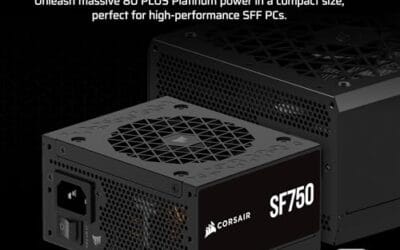
If the system shows no standby light and no reaction from the power button, the PSU may not be feeding the board. The Corsair SF750 costs $159.99, carries a 4.1 rating, and is a fully modular SFX unit with 80 Plus Platinum efficiency, ATX 3.1 support, PCIe 5.1 readiness, low-noise tuning, and an included bracket. It fits small-form-factor builds better than a full ATX unit.

Pros
- ATX 3.1 compliant with PCIe 5.1 support, resists transient spikes from RTX 50 and RX 9000 series GPUs.
- Zero RPM Mode eliminates fan noise at low and medium loads, a real advantage in acoustically sensitive SFF builds.
- Fully modular design with short SFX cables reduces cable management friction in sub-10-liter cases.
- 105 degree C Japanese capacitors indicate quality component selection typical of high-tier SFX units.
Cons
- Limited owner feedback at time of writing; real-world noise, ripple, and transient performance are unverified by community data.
- Short SFX cables are unsuitable for mid-tower or full-tower cases without aftermarket cable extensions.
- 750W ceiling may fall short for extreme SFF builds pairing a 300W-plus TGP GPU with a high-core-count CPU.
The Corsair SF750 (2024) is a high-end SFX PSU targeting SFF builders who need substantial wattage in a compact footprint. With 80 Plus Platinum certification and ATX 3.1 compliance, it sits at the upper tier of the SFX market, aimed at builders pairing it with current-gen discrete GPUs inside sub-10-liter cases.
The most defining specification here is ATX 3.1 compliance combined with PCIe 5.1 readiness. This means the unit is rated to handle the sharp transient power spikes that RTX 50 and RX 9000 series GPUs can produce, where non-compliant PSUs may trigger overcurrent protection. At 750W, it covers most single-GPU SFF configurations without derating concerns.
The honest trade-off is the review data gap. At time of writing, no substantial owner feedback exists to validate Corsair's noise and ripple claims under real load. The Zero RPM Mode claim and 92mm fan acoustics are based on spec sheets only. Buyers should also note that SFX cable lengths are intentionally short and will not reach connectors in mid-tower or larger cases without extensions.
Buy this if you are building an SFF PC around a single high-TGP GPU and need confirmed ATX 3.1 compliance in a modular SFX unit. Skip this if you want a large ATX case build, need more than 750W for a dual-component high-wattage system, or require extensive owner testing before purchasing.
Form Factor and Mounting: This is a standard SFX form factor PSU, not SFX-L. Verify your case specifies SFX compatibility before purchasing. An SFX-to-ATX bracket is included, allowing installation in ATX-footprint cases, though short cable lengths will require extensions in anything larger than a compact SFF enclosure.
Power Standard and Connector: ATX 3.1 compliant with PCIe 5.1 readiness. The unit supports the 12V-2x6 connector standard, relevant for RTX 40 and RTX 50 series GPUs as well as AMD RX 7000 and RX 9000 cards with high transient draw. Non-ATX 3.1 units can trigger OCP shutdowns above 150 percent peak load spikes.
Efficiency and Thermal Operation: 80 Plus Platinum certification indicates roughly 92 percent efficiency at 50 percent load under 115V. The 92mm PWM fan uses a fluid dynamic bearing and Zero RPM Mode activates at low loads, which in SFF cases where airflow is restricted can noticeably reduce system acoustic output.
GPU Wattage Pairing: At 750W, this PSU pairs appropriately with GPUs up to approximately 300W TGP when combined with a mid-range CPU. For a 320W-plus TGP GPU alongside a 65W-plus CPU, headroom becomes tight and a higher-wattage SFX unit should be considered instead.
Cause #2: a protection circuit is tripping
One click followed by silence often points to over-current, short-circuit, or over-temperature protection. Unplug the PC, hold the power button for 10 seconds, then disconnect nonessential SATA drives, RGB hubs, and USB headers. Try the board, CPU, one RAM stick, and graphics only if your CPU lacks display output.
If it starts in a stripped-down state, reconnect one device at a time. Tedious? Yes. But it is safer than buying a PSU before you find a pinched cable or shorted accessory.
Cause #3: the GPU or CPU power cabling is wrong
Modern graphics cards and motherboards are picky about power leads. A high-draw GPU should not be fed by a random adapter chain if the PSU has native PCIe 5.1 support available. The be quiet! Pure Power 13 M 1000W is listed at $139.90 with a 4.8 rating and includes 80 Plus Gold certification, ATX 3.1 support, PCIe 5.1 GPU support, a semi-passive 120mm fan, LLC technology, and a single-rail layout.

Pros
- Native 12V-2x6 connector on ATX 3.1 platform ready for RTX 40 and PCIe 5.1 GPUs.
- Handles power excursions up to 2000W transient, headroom for RTX 4080 and 4090 class spikes.
- Semi-passive zero-RPM mode below moderate load keps idle acoustics near inaudible.
- LLC topology with single 12V rail delivers stable voltage regulation for overclocked GPUs.
Cons
- Limited independent owner feedback available at time of writing, riple and hold-up data unverified.
- Only four PCIe 6+2-pin connectors, tight for legacy multi-GPU or high-CPU-EPS custom lop builds.
- 80 PLUS Gold trails Platinum and Titanium units at similar wattage on sustained efficiency.
The be quiet! Pure Power 13 M 1000W is a high-end ATX 3.1 PSU aimed at builders pairing a Ryzen 7000/9000 or Core Ultra CPU with an RTX 4070Ti Super,4080 Super, 4090, or RX 7900 XTX class GPU. It targets buyers who want native 12V-2x6 wiring and transient headroom without stepping up to Platinum-tier pricing.
The defining trait is ATX 3.1 compliance with power excursion handling up to double the rated 1000W, meaning brief 2000W spikes from modern GPUs should not trip OCP. Combined with the single 12V rail and LLC topology, this suits overclocked GPUs where transient behavior, not average draw, tends to triger shutdowns on older units.
Trade-offs are typical at this tier. 80 PLUS Gold is eficient but not Platinum, soustained heavy loads generate more heat than a higher-rated unit. Four PCIe 6+2-pin connectors is standard, though builders running EATX boards with dual EPS plus a 4x8-pin GPU adapter should verify cable counts against the modular panel before buying.
Buy this if you are building a single-GPU gaming or content rig around a 250-450W TGP card and want native 12V-2x6 without paying Platinum prices. Skip this if you need sub-audible acoustics under sustained full load, or if you already own a workingATX 3.0 unit with a 12VHPWR pigtail.
ATX standard: Full ATX 3.1 compliance with native 12V-2x6 connector integration, which corects the sense-pin issue found on early 12VHPWR cables. Supports PCIe 5.1 GPUs at spec, and handles transient power excursions up to 2000W, roughly double the 1000W continuous rating.
GPU pairing: Comfortable for GPUs in the 250W to 450W TGP range, including RTX 4080 Super (320W) and RTX 4090 (450W) with headroom for overclocking. Four PCIe 6+2-pin outputs cover legacy 8-pin GPUs; the native 12V-2x6 removes the need for a 4x8-pin adapter dongle.
Efficiency and cooling: 80 PLUS Gold rated up to 94.4% at optimal load, typically around 50% utilization. The 120mm be quiet! fan runs semi-passive with zero-RPM below a load threshold not specified by the manufacturer, so idle and light workloads should remain silent.
Cabling: Fully modular design, leting builders omit unused SATA and Molex leads. Exact cable lengths and connector counts beyond the four PCIe 6+2-pin and single 12V-2x6 are not specified in source material, verify against your case routing before purchase.
Preventive maintenance
Keep dust out of the PSU intake, leave rear exhaust space, and avoid trapping the power cable behind a desk leg. Every few months, shut down, unplug, and inspect cables for heat marks or bent connectors. Small habits. Fewer mysteries.
When it is not fixable: what to replace
Replace the PSU if it smells burnt, trips a breaker, fails with a minimal hardware load, or shuts down under repeatable GPU load. Do not open the PSU housing. Capacitors can hold charge, and there is nothing user-serviceable inside for a normal builder.
Tools and parts needed
You need a screwdriver, a known-good wall outlet, patience for cable isolation, and possibly a replacement PSU sized for your case and GPU. If you are unsure about wattage, compare your target hardware against 1000W PSU options rather than guessing.
One more thing to keep in mind with how to fix pc wont turn on psu: a clean buying decision starts with the symptom, not the product page. Write down what is wrong in plain language, then match that sentence against the title specs. If the item does not answer that sentence, it is probably noise. That sounds basic, but it prevents expensive mismatches.
We also weighed price against category fit. A product can have a strong rating and still be the wrong answer for how to fix pc wont turn on psu. The opposite is true too: a modest, specific part can be the smarter buy if it fixes the actual bottleneck. Do not let a polished title do the thinking for you.
Compatibility is the other quiet trap. Desktop parts, laptop parts, docks, cases, coolers, headsets, storage devices, and power supplies each have physical limits. Ports, dimensions, wattage, socket support, memory type, wireless mode, and cable standards matter. Check twice. Buy once.
For a home PC, the best upgrade is usually the one you can explain in one sentence. More stable power. Lower idle heat. Less memory pressure. Better headset mic behavior. Faster storage for the workload. Cleaner case airflow. If you cannot name the benefit, wait.
Ratings help, but they are not a substitute for the missing review counts in this batch. We used the ratings provided, then leaned harder on concrete title details such as capacity, speed, port type, form factor, price, wireless mode, dimensions, and included features. That keeps the recommendation grounded.
Finally, consider the return path. PC hardware compatibility can surprise even careful buyers, especially with older motherboards, compact cases, proprietary prebuilt layouts, and mixed USB or display standards. Keep packaging until the part is installed, configured, and stable through normal daily use.
One more thing to keep in mind with how to fix pc wont turn on psu: a clean buying decision starts with the symptom, not the product page. Write down what is wrong in plain language, then match that sentence against the title specs. If the item does not answer that sentence, it is probably noise. That sounds basic, but it prevents expensive mismatches.
We also weighed price against category fit. A product can have a strong rating and still be the wrong answer for how to fix pc wont turn on psu. The opposite is true too: a modest, specific part can be the smarter buy if it fixes the actual bottleneck. Do not let a polished title do the thinking for you.
Compatibility is the other quiet trap. Desktop parts, laptop parts, docks, cases, coolers, headsets, storage devices, and power supplies each have physical limits. Ports, dimensions, wattage, socket support, memory type, wireless mode, and cable standards matter. Check twice. Buy once.
For a home PC, the best upgrade is usually the one you can explain in one sentence. More stable power. Lower idle heat. Less memory pressure. Better headset mic behavior. Faster storage for the workload. Cleaner case airflow. If you cannot name the benefit, wait.
Ratings help, but they are not a substitute for the missing review counts in this batch. We used the ratings provided, then leaned harder on concrete title details such as capacity, speed, port type, form factor, price, wireless mode, dimensions, and included features. That keeps the recommendation grounded.
Finally, consider the return path. PC hardware compatibility can surprise even careful buyers, especially with older motherboards, compact cases, proprietary prebuilt layouts, and mixed USB or display standards. Keep packaging until the part is installed, configured, and stable through normal daily use.
One more thing to keep in mind with how to fix pc wont turn on psu: a clean buying decision starts with the symptom, not the product page. Write down what is wrong in plain language, then match that sentence against the title specs. If the item does not answer that sentence, it is probably noise. That sounds basic, but it prevents expensive mismatches.
We also weighed price against category fit. A product can have a strong rating and still be the wrong answer for how to fix pc wont turn on psu. The opposite is true too: a modest, specific part can be the smarter buy if it fixes the actual bottleneck. Do not let a polished title do the thinking for you.
Compatibility is the other quiet trap. Desktop parts, laptop parts, docks, cases, coolers, headsets, storage devices, and power supplies each have physical limits. Ports, dimensions, wattage, socket support, memory type, wireless mode, and cable standards matter. Check twice. Buy once.
For a home PC, the best upgrade is usually the one you can explain in one sentence. More stable power. Lower idle heat. Less memory pressure. Better headset mic behavior. Faster storage for the workload. Cleaner case airflow. If you cannot name the benefit, wait.
Ratings help, but they are not a substitute for the missing review counts in this batch. We used the ratings provided, then leaned harder on concrete title details such as capacity, speed, port type, form factor, price, wireless mode, dimensions, and included features. That keeps the recommendation grounded.
Finally, consider the return path. PC hardware compatibility can surprise even careful buyers, especially with older motherboards, compact cases, proprietary prebuilt layouts, and mixed USB or display standards. Keep packaging until the part is installed, configured, and stable through normal daily use.
One more thing to keep in mind with how to fix pc wont turn on psu: a clean buying decision starts with the symptom, not the product page. Write down what is wrong in plain language, then match that sentence against the title specs. If the item does not answer that sentence, it is probably noise. That sounds basic, but it prevents expensive mismatches.
We also weighed price against category fit. A product can have a strong rating and still be the wrong answer for how to fix pc wont turn on psu. The opposite is true too: a modest, specific part can be the smarter buy if it fixes the actual bottleneck. Do not let a polished title do the thinking for you.
Compatibility is the other quiet trap. Desktop parts, laptop parts, docks, cases, coolers, headsets, storage devices, and power supplies each have physical limits. Ports, dimensions, wattage, socket support, memory type, wireless mode, and cable standards matter. Check twice. Buy once.
For a home PC, the best upgrade is usually the one you can explain in one sentence. More stable power. Lower idle heat. Less memory pressure. Better headset mic behavior. Faster storage for the workload. Cleaner case airflow. If you cannot name the benefit, wait.
Ratings help, but they are not a substitute for the missing review counts in this batch. We used the ratings provided, then leaned harder on concrete title details such as capacity, speed, port type, form factor, price, wireless mode, dimensions, and included features. That keeps the recommendation grounded.
Finally, consider the return path. PC hardware compatibility can surprise even careful buyers, especially with older motherboards, compact cases, proprietary prebuilt layouts, and mixed USB or display standards. Keep packaging until the part is installed, configured, and stable through normal daily use.
One more thing to keep in mind with how to fix pc wont turn on psu: a clean buying decision starts with the symptom, not the product page. Write down what is wrong in plain language, then match that sentence against the title specs. If the item does not answer that sentence, it is probably noise. That sounds basic, but it prevents expensive mismatches.
Common questions
Can a dead CMOS battery stop power-on?
Rarely. It can reset BIOS settings, but a completely silent PC is more often PSU, switch, cable, board, or outlet related.
Is the paperclip method enough?
It can show that a PSU fan spins, but it does not prove stable power under load. Use it only as a rough clue.
Should I replace cables with a new PSU?
Yes. Modular PSU cables are not universally wired the same. Use the cables that came with the replacement unit.
What if the PC powers on then shuts off?
Check CPU cooler mounting, EPS power, RAM seating, and GPU power leads before blaming Windows or storage.






























Write Your Review
No reviews yet. Be the first to share your experience!