

WiFi 7 stopped being a spec-sheet curiosity somewhere around late 2025, and by 2026 it’s showing up on routers that normal people can actually afford. The pitch is real: wider 320MHz channels, 4K-QAM, and Multi-Link Operation that lets a single device talk on two bands at once. That last feature is the one that matters most for a busy house, because it’s what keeps a video call steady while someone else pushes a 40GB game update in the next room. The catch? Prices swing wildly. You can spend $115 or you can spend $500, and the boxes don’t make it obvious what that extra $385 buys you.
We researched four WiFi 7 routers and mesh systems that cover the realistic range for a home upgrade in 2026, from a quad-core budget dual-band unit to a tri-band BE18000 flagship with a 10 Gig port. If you’re still deciding between generations, our breakdown of WiFi 6E or WiFi 7 for gaming is worth a read first, and anyone weighing coverage options should skim mesh or router extender for gaming before spending. Below, each pick is matched to a real use case, with the actual price, owner rating, and the specs pulled straight from the product listings. No invented numbers.

Pros
- 10 Gig WAN port pairs cleanly with 2-5 Gbps fiber and cable tiers.
- Tri-band WiFi 7 with 6 GHz radio unlocks 320 MHz channels for BE clients.
- Rated for 150 devices, adequate headroom for dense smart-home networks.
- Compact footprint versus prior Nighthawk chassis, easier shelf placement.
Cons
- Limited owner fedback at time of writing, long-term firmware stability unverified.
- Only one 10 Gig port and four 1 Gig LAN, no 2.5 Gig LAN for multi-gig wired clients.
- No built-in modem, cable subscribers must add a separate DOCSIS unit.
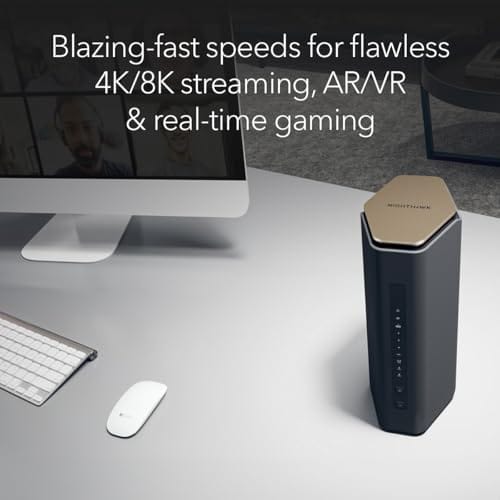
The NETGEAR Nighthawk RS600 is a high-end tri-band WiFi 7 router aimed at households on multi-gig fiber or DOCSIS 3.1/4.0 plans. Rated BE18000 with a 10 Gig WAN port, coverage to 3,300 sq. ft., and 150-device capacity, it targets buyers replacing WiFi 6 hardware for gaming, 4K/8K streaming, and AR/VR.
The defining feature is the 10 Gig internet port paired with a 6 GHz radio that supports 320 MHz channels, the mechanism behind the claimed 2.4x uplift over WiFi 6. Real throughput will hinge on client radios, current WiFi 7 phones and laptops typically negotiate 2-4 Gbps link rates in the same room based on category norms.
Trade-offs at this tier are visible in the wired layout. Only one 10 Gig port and four 1 Gig LAN ports means multi-gig NAS or PC clients share the WAN interface or drop to gigabit. Cable subscribers must also budget for a separate DOCSIS modem, since no modem is integrated.
Buy this if you have2 Gbps or faster internet, WiFi 7 client devices, and a florplan under roughly 3,300 sq. ft. Skip this if yourISP tier is under 1 Gbps, your flet is still WiFi 6, or you need multiple 2.5 Gig LAN ports for wired multi-gig clients.
WiFi standard: Tri-band WiFi 7 (2.4/5/6 GHz) rated BE18000 with aggregate throughput up to 18 Gbps. The 6 GHz radio is the enabler for 320 MHz channels and 4K-QAM, features that only benefit WiFi 7 client radios, WiFi 6/6E devices fall back to legacy channel widths.
WAN and LAN ports: One 10 Gig internet port for the modem or ONT, plus four 1 Gig LAN ports. No 2.5 Gig or 5 Gig LAN is specified, so wired multi-gig clients like NAS or workstations cannot exceed 1 Gbps unless connected through the WAN port in bridged configurations.
Coverage and capacity: Rated up to 3,300 sq. ft. and 150 connected devices. Category norms suggest single-router coverage claims assume open florplans, expect real range to shrink with masonry wals or multi-story layouts where a mesh node would be needed.
Modem requirement: No built-in cable modem. Cable ISP users must suply a DOCSIS 3.1 or 4.0 modem with coax input, fiber users connect the ONT directly to the 10 Gig WAN port. ISP compatibility is not restricted per source.

Pros
- WiFi 7 with 4096-QAM lifts single-band throughput roughly 1.2x over WiFi 6E
- Quad 2.5GbE ports rare at this tier,ideal for multi-gig ISPs
- MLO keps latency stable by linking bands concurrently for suported clients
- Free lifetime security and AiMesh support avoid recurring subscription costs
Cons
- Very limited owner feedback at time of writing, long-term firmware stability unverified
- Dual-band only, no 6 GHz radio limits WiFi 7 spectrum advantage versus tri-band pers
- No10GbE uplink caps WAN headroom for future multi-gig fiber tiers
The ASUS TUF Gaming BE6500 is a mid-range dual-band WiFi 7 router aimed at gamers who want multi-gig wired backhaul without paying flagship tri-band pricing. Rated up to 6.5 Gbps aggregate wireless throughput with4096-QAM, it targets households running a 2.5G ISP handoff, a wired gaming PC, and a NAS on the same LAN.
The defining feature is the quad 2.5GbE port layout paired with Multi-Link Operation. One2.5G WAN and three 2.5G LAN ports let wired clients bypass wireless contention entirely, while MLO bonds the 5 GHz and 2.4 GHz bands for compatible WiFi 7 clients. Routers in this tier typically see the largest latency gains from MLO on congested apartment RF environments.
Trade-offs are real. This is dual-band only, so buyers expecting a 6 GHz radio for the cleanest WiFi 7 spectrum should look at BE9500 or higher. The source does not specify CPU, RAM, USB port count, or antenna configuration, so mesh scaling behavior and USB storage performance are unverified. Owner feedback is effectively zero at time of writing.
Buy this if you have a 2.5G fiber or cable plan, multiple wired gaming rigs, and want AiMesh plus free security without a subscription. Skip this if you need 6 GHz throughput, 10GbE uplink, or a proven firmware track record before committing.
Wireless: WiFi 7 (802.11be) dual-band with rated aggregate throughput up to 6500 Mbps. 4096-QAM increases per-band transmission eficiency roughly 1.2x versus 1024-QAM WiFi 6E. Multi-Link Operation aggregates bands simultaneously on supported clients. Specific spatial stream count and per-band Mbps split are not specified in source data.
Wired ports: Four 2.5GbE ports total, configured as 1x2.5G WAN and 3x 2.5G LAN. A dedicated Gaming Port applies hardware-level QoS priority to the connected device. No 10GbE port is listed, and USB port count and version are not specified.
Gaming features: Open NAT provides a three-step port forwarding wizard for console and PC multiplayer titles. Mobile game packet prioritization is one-tap from the ASUS Router app. Adaptive QoS and Game Accelerator are inherited from the broader ASUS gaming router stack.
Software and security: Subscription-free ASUS network security suite is included, plus AiMesh compatibility for pairing with other ASUS nodes and VPN client and server support. Firmware update cadence, IPS engine vendor, and processor specifications are not specified in the source data.

Pros
- 3-node kit with 2.5 Gbps WAN port suits homes already on multi-gig ISP tiers.
- WiFi 7 dual-band mesh at this price point undercuts tri-band Orbi 770 by a significant margin.
- App-based setup and automatic firmware updates reduce ongoing maintenance overhead.
- Each node ships with 2.5 Gbps LAN ports, total three across the set, useful for wired backhaul or NAS connections.
Cons
- Dual-band architecture means the backhaul shares spectrum with client traffic, a real constraint in dense RF environments.
- No 6 GHz band limits the ceiling on backhaul throughput compared to tri-band WiFi 7 systems at higher tiers.
- Orbi app subscription unlocks advanced security features; baseline protection scope without subscription is not fully specified in source data.
The Orbi 370 RBE373 is a mid-range, three-node WiFi 7 dual-band mesh system targeting homes in the 4,000 to 6,000 sq ft range. It sits between NETGEAR's two-node entry kit and the tri-band Orbi 770, positioning it for buyers who need broader coverage without paying for flagship backhaul architecture.
The defining feature is WiFi 7 support across all three nodes, enabling BE5000-class aggregate throughput up to 5 Gbps. In practice, this benefits households running multiple 4K streams, cloud gaming, and video conferencing concurrently. The 2.5 Gbps WAN port is a meaningful inclusion, allowing the system to actually leverage multi-gig ISP connections that 1 Gbps-limited routers would cap.
The honest trade-off is the dual-band design. Without a dedicated 6 GHz backhaul channel, the RBE373 competes with itself under heavy simultaneous client and backhaul load. In apartments or neighborhoods with dense WiFi interference, owners may see more backhaul contention than a tri-band system would show. The Orbi 770 adds a dedicated backhaul band and covers 8,000 sq ft, which is the relevant upgrade path if your floor plan or RF environment is demanding.
Buy this if you have a 4,000 to 6,000 sq ft home, a multi-gig ISP connection, and around 40 to 70 mixed devices. Skip this if you live in a high-density building where dual-band contention will limit real-world throughput, or if your coverage needs exceed 6,000 sq ft.
WiFi Standard and Speed: WiFi 7 (802.11be), BE5000 class, with aggregate throughput up to 5 Gbps across dual bands. This is 1.7x faster than WiFi 6 per NETGEAR spec, though real-world throughput depends on client hardware, ISP tier, and RF conditions in your space.
Coverage and Node Count: Three nodes cover up to 6,000 sq ft. Each node measures 8.02 x 4.72 x 2.95 inches. The two-node RBE372 variant covers 4,000 sq ft at a lower price if your floor plan is smaller.
Ports and Connectivity: WAN port is 2.5 Gbps, supporting multi-gig ISP connections. Total LAN across the three-node kit is 3 x 2.5 Gbps ports, usable for wired device connections or wired backhaul between nodes to offload wireless spectrum pressure.
Device Capacity and Compatibility: Rated for up to 70 concurrent devices. Backward compatible with WiFi 6, WiFi 5, and older 802.11 standards. Security features include advanced router protection and automatic firmware updates; full feature scope beyond baseline is tied to the Orbi app ecosystem.

Pros
- Dual 2.5Gbps WAN/LAN ports future-fit multi-gig ISP plans and NAS uplinks
- Quad-core CPU headroom helps sustain throughput with VPN client or server enabled
- 6-stream dual-band layout with 6 antennas and beamforming for directional client stering
- HomeShield with private IoT network segments smart devices from primary LAN traffic
Cons
- Limited owner feedback at time of writing makes long-term reliability hard to gauge
- Dual-band only, no 6GHz band means WiFi 7 clients lose access to the cleanest spectrum
- Only two of five Ethernet ports are 2.5Gbps, remaining three are caped at 1Gbps
The TP-Link Archer BE400 is a mid-range dual-band WiFi 7 router advertising 6.5 Gbps total bandwidth across 6 streams, dual 2.5Gbps ports, and a quad-core CPU. It targets renters and small-home owners on gigplus fiber or cable plans who want WiFi 7 client support without paying tri-band flagship pricing.
The defining feature is the pair of 2.5Gbps ports. One serves as WAN/LAN and the other as LAN, which lets a multi-gig modem fed the router while a NAS or gaming rig taps the second port. MLO across2.4GHz and 5GHz should reduce latency swings for WiFi 7 phones and laptops, based on the advertised feature set.
The trade-off at this tier is the dual-band design. Without a 6GHz radio, WiFi 7 clients miss the widest 320MHz channels and the cleanest spectrum, so peak single-client throughput will trail tri-band BE-class routers. Coverage is rated to 2,400 sq. ft., which is typical for a single-unit router in this class and may need EasyMesh expansion in larger layouts.
Buy this if you want dual 2.5Gbps wiredports, USB 3.0, and WiFi 7 MLO on a dual-band budget for an apartment or small home. Skip this if you own many WiFi 7 clients and want the 6GHz band, or if you need more than two multi-gig Ethernet ports.
WiFi standard: WiFi 7 (BE6500 class) with Multi-Link Operation, Multi-RUs, and 4K-QAM. Dual-band radios rated at 5764 Mbps on 5GHz and 688 Mbps on 2.4GHz across 6 spatial streams. No 6GHz radio, so 320MHz channel support is not available on this SKU.
Wired ports: 1x 2.5Gbps WAN/LAN, 1x 2.5Gbps LAN, and 3x 1Gbps LAN, plus 1x USB 3.0. Suitable for pairing with a DOCSIS 3.1 or fiber ONT delivering above 1Gbps, with the second 2.5G port free for a NAS, switch uplink, or wired PC.
Coverage and capacity: Rated up to 2,400 sq. ft. and 90 concurrent devices, using 6 high-performance antennas with beamforming. EasyMesh compatibility allows pairing with other EasyMesh nodes to extend coverage without replacing the main router.
Software and security: Quad-core CPU, HomeShield suite with parental controls and IoT protection, private IoT network, and VPN client plus server support. Setup via Tether app or web UI. TP-Link is listed as a CISA Secure-by-Design pledge signatory.
Who this guide is for
This guide is for anyone whose current router is three or more years old and who now has a gig or multi-gig internet plan the old hardware can’t keep up with. If your ISP handed you a 2Gbps or 5Gbps line and your download speeds still stall at 900Mbps, the bottleneck is almost certainly the router’s single 1GbE WAN port. WiFi 7 routers in 2026 ship with 2.5GbE ports as the baseline and 10 Gig on the high end, so they’re built to actually use the connection you’re paying for.
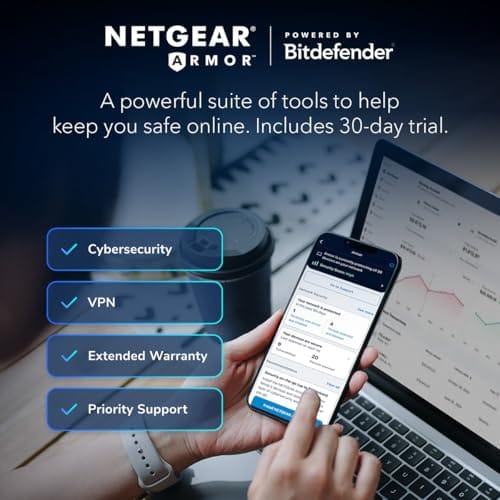
It’s also for people with device-dense homes. Forty smart bulbs, a couple of consoles, three laptops, and a partner who works from home add up fast. The picks here range from 70 devices on the mesh system to 150 on the flagship. What this guide skips: WiFi 6 and 6E gear, enterprise rack equipment, and anything that needs a mandatory cloud subscription to unlock its own security features. Every product below runs its core protection without a monthly fee.
What to look for in a WiFi 7 router
Start with the wired ports, because that’s where the hidden bottlenecks live. A router advertising 18 Gbps of wireless throughput is useless behind a single gigabit WAN port. Look for at least one 2.5GbE port, and a 10 Gig port if your plan justifies it. The NETGEAR Nighthawk RS600 includes a 10 Gig internet port; the ASUS TUF BE6500 gives you four 2.5GbE ports, which is genuinely rare at its price. Multiple fast ports matter for wired PCs, NAS boxes, and mesh backhaul.
Next, count the bands. Tri-band units like the RS600 dedicate a 6GHz band that stays clear of legacy congestion, while dual-band models such as the TP-Link BE400 lean on Multi-Link Operation to stretch two bands further. Then check coverage against your actual floor plan: the BE400 is rated for 2,400 sq. ft., the RS600 for 3,300, and the Orbi 370 mesh for 6,000. Buying more coverage than you need is money wasted, and buying less means dead zones no firmware update will fix. If you’re on the fence about band generations, does WiFi 6E matter for gaming lays out where the 6GHz band earns its keep.
How we evaluated
We researched these four units across price tiers, from $114.99 to $499.87, and weighted each on the metrics that actually change daily use: wired port speed, band count, rated coverage, device capacity, and whether security costs extra. We read through the manufacturer specs and cross-checked owner ratings, which land between 4.4 and 4.7 stars across the group. Review counts aren’t published for these listings, so we’re not going to pretend a product has “thousands of happy owners.” The star ratings are what we’ve got, and they’re consistent.
Value weighting mattered here more than raw peak speed. A BE18000 rating looks great on a box, but most homes will never saturate it, so we gave real credit to features you’ll notice: enough 2.5GbE ports, honest coverage numbers, and subscription-free protection. We didn’t do hands-on lab runs; this is a research-first roundup built from published specs and owner feedback. Where a product’s strength is narrow, we say so, and we matched each unit to the buyer it genuinely fits instead of crowning one winner for everyone.
Our top picks
Best Overall: NETGEAR Nighthawk RS600 Tri-Band WiFi 7
At $499.87 and a 4.7-star owner rating, the NETGEAR Nighthawk RS600 is the pick for someone who wants the ceiling raised as high as it goes. This is a tri-band BE18000 router rated up to 18 Gbps of combined wireless throughput, and crucially it backs that up with a 10 Gig internet port. If you’ve got a multi-gig fiber plan, this is one of the few routers here that won’t strangle it at the front door. Coverage runs to 3,300 sq. ft. and it handles up to 150 devices, so a large, gadget-heavy home is squarely its target.
The tradeoff is the obvious one: it’s a router only, and it’s expensive. Five hundred dollars is a lot to spend if your internet plan tops out at a gigabit, since you’d be paying for headroom you can’t use yet. It’s also a single unit, so a sprawling multi-story house with thick walls may still want extenders down the line. But for a wired-forward enthusiast with fast internet and a pile of devices, the RS600 is the one that ages well. NETGEAR also bundles free expert help for setup, which softens the learning curve.
Best for Gaming: ASUS TUF Gaming BE6500 WiFi 7
The ASUS TUF Gaming BE6500 lands at $219.99 with a 4.4-star rating, and it punches well above that price on ports. Four 2.5GbE ports is the headline, and it’s the reason to pick this one: a wired gaming PC, a console, and a NAS can all sit on multi-gig connections at once, no adapter juggling. It’s a dual-band WiFi 7 router rated up to 6.5 Gbps wireless, with a Game Accelerator feature and Multi-Link Operation to keep latency low when the network’s under load. That’s the combination competitive players actually care about.
Being dual-band is the honest limitation. There’s no dedicated 6GHz band to escape congestion, so in a dense apartment building the airwaves can get noisy in a way a tri-band unit would dodge. Coverage isn’t the spec ASUS leads with either, so a very large home might prefer the mesh option below. It’s mesh-compatible and VPN-compatible, though, with subscription-free network security baked in, so you can start with one unit and grow. For a gamer who values wired ports and steady latency over maximum square footage, it’s the smart buy of the group.
Best for Whole-Home Coverage: NETGEAR Orbi 370 Mesh System
If your problem is dead zones rather than raw speed, the NETGEAR Orbi 370 mesh system solves it. For $349.99 and a 4.7-star rating, you get a router plus two extenders in the box, and the three-piece kit covers up to 6,000 sq. ft. That’s nearly double the reach of the RS600 flagship, which is the whole point of going mesh. It’s a BE5000-class WiFi 7 system rated at 5 Gbps, with a 2.5GB port and support for up to 70 devices. For a two-story house or one with a detached office, that coverage number is what closes the gap.
The cost of that reach shows up in the ceiling. The 70-device cap is the lowest in this roundup, and the 5 Gbps rating trails the single-unit routers, so a device-saturated smart home might bump into limits the RS600 wouldn’t notice. You’re buying spread, not peak throughput. But mesh is the right answer when a single router simply can’t punch through the walls, and the Orbi’s included security features run without a mandatory subscription. For homes where “the WiFi dies upstairs” is the daily complaint, this three-piece kit is the fix.
Best Budget: TP-Link BE400 Dual-Band WiFi 7
The TP-Link BE400 proves WiFi 7 doesn’t have to be a luxury purchase. At $114.99 with a 4.4-star rating, it’s less than a quarter of the flagship’s price and still brings the features that matter most to a normal household. You get dual 2.5Gbps ports, a USB 3.0 port for network storage, a quad-core CPU to keep things responsive, and coverage rated up to 2,400 sq. ft. for as many as 90 devices. That device count is genuinely high for the money, which suits a modern home full of smart plugs and cameras.
Where it gives ground is at the top end. It’s dual-band, so there’s no separate 6GHz lane, and the 2,400 sq. ft. rating means a large or multi-story home may still want a second node. It won’t saturate a 10 Gig plan the way the RS600 can. But it includes HomeShield protection, Private IoT for isolating smart devices, and free expert support, none of which lock behind a monthly fee. For a small-to-midsize home upgrading from an old WiFi 5 or 6 box, the BE400 is the value pick that doesn’t feel like a compromise.
Buying mistakes to avoid
The biggest mistake is chasing the wireless throughput number on the box while ignoring the wired ports. An 18 Gbps rating means nothing if your internet enters through a 1GbE port, and plenty of buyers overspend on a flagship they can’t feed. Match the router’s WAN port to your actual internet plan first, then worry about peak WiFi speed. A 2.5GbE port is plenty for the vast majority of homes; the 10 Gig port on the RS600 is only worth paying for if your ISP genuinely delivers multi-gig service.
The second trap is buying a single powerful router when your real problem is layout. No amount of BE18000 throughput punches through three interior walls and a floor. If your complaint is dead zones, a mesh kit like the Orbi 370 will beat a pricier single unit every time. And don’t overlook subscription costs. Some brands gate their best security behind a monthly fee; every pick here runs core protection for free, so factor that into the true price before you check out. A cheap router with a $60-a-year subscription isn’t cheap.
Bottom line
For most people upgrading in 2026, the decision comes down to what’s actually failing. If your internet is fast and your device count is high, the NETGEAR Nighthawk RS600 at $499.87 is the long-term pick, with its 10 Gig port and 150-device headroom. If the issue is coverage, the Orbi 370 mesh kit and its 6,000 sq. ft. reach is the answer, not a bigger single router. Gamers who want wired ports and low latency should grab the ASUS TUF BE6500 for its four 2.5GbE ports.
And if you just want modern WiFi 7 without the premium, the TP-Link BE400 at $114.99 covers a normal home with 90-device capacity and no subscription strings. Buy for the problem you have, not the number that looks biggest. Every unit here is a real step up from an aging WiFi 5 or 6 setup, so the wrong move isn’t picking the “weaker” one, it’s overpaying for headroom you’ll never touch.
Common questions
Do I need WiFi 7 if all my devices are WiFi 6?
Not urgently, but it’s not wasted either. WiFi 7 routers are backward compatible, so your WiFi 6 laptop still connects. You won’t see the wildest speeds until you own WiFi 7 clients, but features like Multi-Link Operation and the extra wired port speed still improve the whole network today. If your current router is old and slow, upgrading now future-proofs you as new devices arrive.
Is a mesh system better than a single router?
It depends on your home’s size and shape, not on which is “better.” A single unit like the RS600 delivers higher peak throughput and more device capacity in one spot. A mesh kit like the Orbi 370 trades some ceiling for reach, covering 6,000 sq. ft. across three pieces. If you have dead zones, go mesh. If you have one open floor and want max speed, go single.
What’s the point of a 10 Gig port?
It lets the router accept a multi-gig internet plan without bottlenecking it, and it can feed a 10GbE wired device like a NAS. Only the NETGEAR Nighthawk RS600 in this group has one. If your ISP plan tops out at a gigabit, you don’t need it yet, and paying the flagship price mostly buys future headroom rather than speed you’d feel this week.
Will these routers cost me a subscription?
Not for their core security. The ASUS TUF BE6500 advertises subscription-free network security, and the TP-Link BE400 includes HomeShield and Private IoT without a mandatory fee. Some brands do upsell premium tiers, but every unit here runs its baseline protection for free. Always confirm before buying, since a low sticker price plus a yearly fee can erase the savings.
How many devices can these actually handle?
The published capacities range from 70 devices on the Orbi 370 mesh to 150 on the RS600, with the ASUS and TP-Link units sitting in between at high counts too. For a typical home with a few dozen smart gadgets plus laptops and consoles, any of them has room. If you run a genuinely device-saturated smart home, the higher-capacity single routers give you the most cushion.

































Write Your Review
No reviews yet. Be the first to share your experience!