

QMK gets name-dropped constantly in mechanical keyboard circles, usually right before someone shows off a key that does three different things depending on how long you hold it. If you’ve wondered what the fuss is, here’s the plain version. QMK is open-source firmware, the software that runs on the tiny chip inside a keyboard, and it lets you rewrite what every single key does.
That’s a bigger deal than it sounds. Most keyboards ship with a fixed layout baked in at the factory. QMK hands that control to you instead. If you’re browsing our picks for the best mechanical gaming keyboard or the best mechanical keyboard for programmers, spotting which boards run QMK tells you how far you can bend them to your habits.
The short answer
QMK, short for Quantum Mechanical Keyboard, is firmware that lives on your keyboard’s controller and decides what happens when you press a key. Because it’s programmable, you can remap keys, build multiple layers, and assign complex behaviors without touching any software on your PC. The keyboard itself remembers the changes, so your custom setup follows the board to any computer you plug it into.
The catch is that not every keyboard supports it. QMK runs on boards built around compatible controllers, mostly enthusiast and custom keyboards rather than mainstream office gear. A plug-and-play office board like the Cherry KC 200 MX, with its MX2A switches and metal plate frame at around $56.31, works great out of the box but won’t run QMK. That’s the line you’re checking for.

Pros
- Hot-swap sockets allow switch experimentation without soldering tools or PCB risk
- Metal top plate delivers firmer typing feel than plastic budget boards at this tier
- Full-key rollover and linear red switches handle rapid inputs for casual gaming
Cons
- Limited owner feedback at time of writing, so long-term reliability is unproven
- RGB is restricted to side lighting only, per-key backlight is fixed rainbow patterns
- ABS keycaps typical at this tier tend to shine and wear faster than PBT
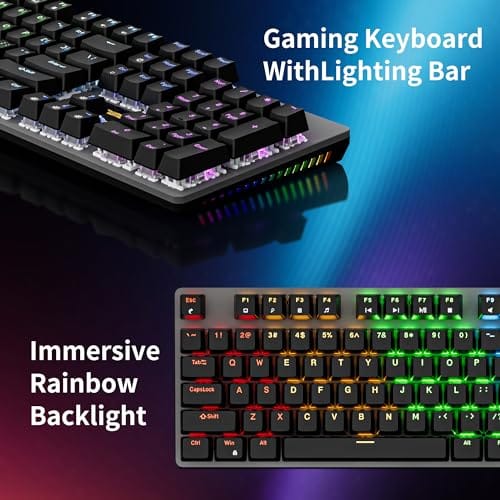
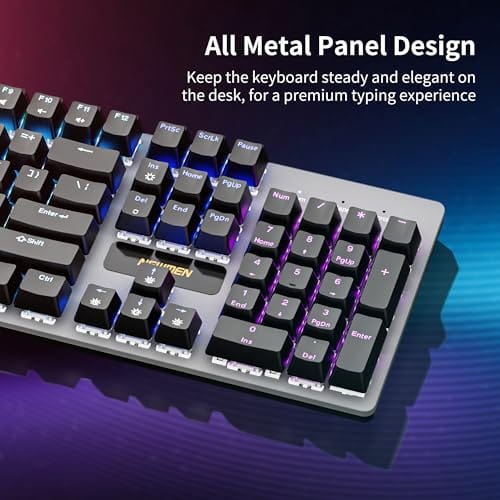
The Newmen GM325Pro is a budget full-size 104-key wired mechanical keyboard aimed at first-time mechanical buyers and casual gamers who want a hot-swap PCB without moving up to enthusiast pricing. It ships with linear red switches, a metal top plate, ABS keycaps, and side-edge RGB lighting.
The defining feature here is the hot-swap socket combined with linear red switches. That gives new users a low-friction path to swap inactile or silent switches later without soldering. Typing fel on metal-plate boards at this tier is usually firmer and less hollow than all-plastic budget pers, based on category norms.
Trade-offs are typical for the price class. Per-key RGB is not suported, only side lighting is true RGB while the top backlight runs 13 preset rainbow effects. ABS keycaps tend to develop shine within months of heavy use, and Newmen does not publish switch lifecycle, polling rate, or NKRO wired specs in the source data.
Buy this if you want a cheap full-size hot-swap platform to learn on and plan to upgrade switches or keycaps later. Skip this if you need per-key RGB, PBT caps, a documented polling rate, or a keyboard with a dep owner review history to validate QC.
Switches and layout: Linear red switches on a full 104-key ANSI layout, with full-key rollover claimed by the manufacturer. Actuation force, travel, and switch brand are not specified in the source. Linear reds typically sit near 45g actuation and 4m total travel in this category.
Hot-swap PCB: Sockets accept standard MX-style switches, so tactile, clicky, or silent linear options from third parties drop in without soldering. Pin compatibility (3-pin vs 5-pin) is not specified, buyers should confirm before ordering replacement switches.
Build and lighting: Metal top plate over ABS black keycaps. RGB is limited to the side edge, while the top backlight cycles through 13 preset rainbow patterns rather than per-key addressable RGB. Case material below the plate is not specified.
Connectivity and software: Wired only via a detachable 1.8m USB cable. FN combos cover F1 to F11 media and calculator shortcuts. Customization software suports key remap, macro recording, and lighting tweaks, though poling rate and software platform support are not specified.
The longer explanation
Every keyboard has a small microcontroller inside that scans the switches and reports keypresses to your computer. On a normal board, that logic is locked. QMK replaces it with firmware you can edit and reflash, which turns the controller into something closer to a tiny programmable computer dedicated to your keys.
The headline feature is layers. Think of them like the Shift or Fn key, except you define them yourself and you can stack several. Hold one key and your number row becomes function keys. Hold another and the right side of the board becomes arrow keys and media controls. QMK also supports tap-hold behavior, where a single key sends one character when tapped and acts as a modifier when held. Macros, too. One press can fire an entire string of keystrokes. It’s a lot of power packed into hardware you already touch all day.
Under the hood, your configuration compiles down to a small firmware file that gets written to the controller’s memory. Once it’s there, the board runs entirely on its own. There’s no driver churning away on your PC, no background service watching your keystrokes, and nothing to reinstall after a fresh operating system. That self-contained design is also why QMK boards tend to feel instant. The key-mapping logic runs on the controller a millimeter under your fingers, not somewhere in the software stack of your computer.
History: how we got here
QMK grew out of the custom keyboard community in the mid-2010s. It started as a fork of an earlier project called TMK, cleaned up and expanded so ordinary hobbyists could configure boards without deep coding chops. The community did the rest. People contributed support for hundreds of keyboards, and the project snowballed.
The big accessibility jump came with graphical configurators. Early on you had to edit code and compile firmware yourself, which scared off plenty of people. Tools like VIA and the QMK Configurator changed that by letting you remap keys in a browser or app, in real time, no compiling required. That’s when QMK stopped being a niche-within-a-niche and became something a curious buyer could actually use. It didn’t get easy by luck. Volunteers built those tools on purpose.
Why it works this way
Storing your layout on the keyboard, not on the PC, is the design choice that makes QMK special. Software remappers exist, but they only work on the machine where they’re installed and running. QMK bakes your changes into the board itself. Sit down at any computer, a locked-down work laptop included, and your layers and macros just work. No install, no admin rights, no cloud account.
That independence is why enthusiasts value it and why it stays open source. Because the code is public, a keyboard doesn’t get abandoned when a company loses interest. The community keeps it alive, adds features, and fixes bugs long after the original release. You’re not renting your layout from a vendor. You own it. That’s a real difference from proprietary software that can vanish with a bad update, and it’s part of why our best mechanical keyboard deals roundup flags QMK support as a genuine value add.
When you’d want this
You want QMK if you spend all day on a keyboard and keep wishing it did things differently. Programmers who want symbols under their home row without stretching. Writers who live in shortcuts. Anyone on a compact 60% or 65% board who needs arrow keys and function keys to live on a hold-layer because there’s no room for them physically. This is where the firmware earns its reputation.
You probably don’t need it if a standard layout already suits you and you value grab-and-go simplicity. A well-built conventional board, like the Cherry KC 200 MX at roughly $56.31 with its silent red MX2A switches, delivers a clean typing feel with zero configuration. It won’t reprogram itself, but plenty of people never want it to. There’s no shame in a keyboard that just types. Match the tool to how you actually work.
It helps to be honest about the learning curve, too. Building a truly custom layout takes a weekend of tinkering before the muscle memory clicks, and for the first few days you’ll fumble keys that used to be automatic. People who love QMK tend to enjoy that fiddling. If reconfiguring your tools sounds like a chore rather than a hobby, a fixed layout will make you happier. The firmware rewards curiosity, and it quietly frustrates anyone who just wants to sit down and type without a setup phase.

Pros
- MX2A Silent Red linears actuate quietly, good fit for open-plan offices
- Metal plate frame keeps chassis stiff and reduces caseping under typing
- Cherry Gold-Crosspoint contacts rated for 50 million keystrokes on this variant
- Full-size layout with dedicated numpad suits data entry and spreadshet work
Cons
- Renewed unit with no owner fedback loged yet, cosmetic and wear condition varies
- Silent Red linears lack tactile bump, typists who prefer fedback should pick Brown
- Source data omits connectivity, cable type, polling rate, and dimensions
The Cherry KC 200 MX is a full-size office-focused mechanical keyboard sold here as a Renewed unit in Bronze with MX2A Silent Red linear switches. It targets office typists, developers, and finance or admin users who want Cherry switch fel and a metal plate frame without the RGB and gamer styling of enthusiast boards.
The defining feature is the MX2A Silent Red switch, Cherry's updated linear with dampened stems aimed at reducing bottom-out and return noise. Cherry rates this variant for 50 million keystrokes. Based on the linear profile, expect smooth actuation with no tactile bump, which suits fast touch typists and users on frequent video calls.
Trade-offs are typical at this tier and Renewed status. Silent Red linears are polarizing, users coming from Browns or Blues will miss the tactile feedback, and the source does not specify polling rate, connection type, cable, keycap material, or dimensions. As a Renewed listing, cosmetic condition and remaining switch life depend on the refurbisher rather than a factory-fresh baseline.
Buy this if you want a quiet full-size Cherry mechanical for office or shared-space use and value the metal plate build over RGB features. Skip this if you prefer tactile or clicky switches, need confirmed wireless or USB-C connectivity, or want a waranty profile equivalent to new stock.
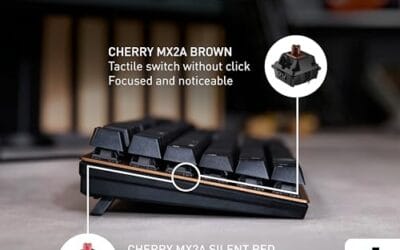
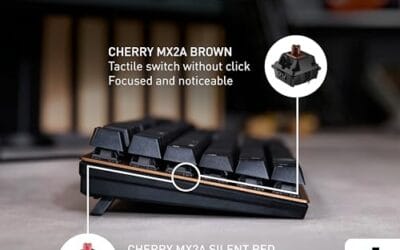
Switches: Cherry MX2A Silent Red, linear with integrated dampeners, made in Germany with Gold-Crosspoint contacts. Rated for 50 million keystrokes on this variant, versus 100 million on MX2A Brown. Linear travel with no tactile bump favors light, fast keypresses over deliberate typing fedback.
Build: Metal plate frame under the switches, which stiffens the deck and cuts flex compared with plastic-only office boards. Cherry positions the KC 200 MX as a slim modern design, though exact case height, weight, and keycap material are not specified in the source data.
Layout and indicators: Full-size layout retains the dedicated numpad and function row, which maters for spreadsheet,ERP, and accounting workflows. White LED status indicators are built into Caps Lock, Scroll Lock, and Num Lock keys, avoiding a separate indicator strip and keeping the top edge clean.
Gaming fit: Silent Red linears work for casual gaming and MMO or productivity crossover use given their light linear fel, but the source does not list polling rate, N-key rollover, or onboard profiles, so competitive esports buyers should confirm specs before committing.
What to look for in a QMK keyboard
First, confirm the board actually supports QMK, and ideally VIA too. Marketing loves the word “programmable,” but a lot of boards use closed vendor software that only loosely resembles what QMK offers. VIA support is the green flag, because it means real-time remapping without compiling anything.
After that, weigh the hardware around the firmware. Hot-swap sockets let you change switches without soldering, which pairs nicely with a board you’re already planning to customize. Build quality, layout size, and switch feel still matter as much as they do on any keyboard. If you’re cross-shopping ergonomic options, our best ergonomic keyboard guide notes which split boards run QMK, since those benefit the most from custom layers.
Common misconceptions
The first myth is that QMK requires programming skills. It used to lean that way. Today, VIA and the online configurator let you drag keys around visually, and most people never open a line of code. If you can use a settings menu, you can remap a QMK board.
The second myth is that any keyboard marketed as programmable runs QMK. Not true. Many mainstream gaming boards use proprietary firmware with their own apps, and those layouts live on your PC through background software, not on the board. QMK is a specific open-source project with a specific hardware requirement. Check the spec sheet, don’t trust the buzzword.
Frequently asked
Is QMK free?
Yes. QMK is open-source and costs nothing to use. You only pay for a keyboard that supports it. The firmware, the configurator, and the community documentation are all free, which is a big part of why the project spread so widely.
What’s the difference between QMK and VIA?
QMK is the underlying firmware. VIA is a friendly app that sits on top of it and lets you remap keys in real time without compiling anything. A board needs QMK firmware with VIA enabled for the app to work. Think of QMK as the engine and VIA as the dashboard.
Can I add QMK to any keyboard?
No. The keyboard’s controller has to be compatible, and support has to exist in the QMK codebase. Most mainstream office and budget boards, including plug-and-play models, can’t run it. Enthusiast and custom keyboards are where you’ll find support.
Does QMK work on Windows, Mac, and Linux?
It works with all of them, because the layout lives on the keyboard, not the operating system. Plug the board into any machine and your custom layers travel with it. That cross-platform independence is one of QMK’s strongest selling points.
Will remapping keys wear out my keyboard?
Not at all. Remapping only changes software behavior, so the switches themselves see no extra strain. You can reflash your layout as many times as you like. The physical hardware doesn’t care how the keys are programmed.
Is QMK hard to learn for a beginner?
The basics are approachable thanks to VIA, where you drag keys onto a picture of your board and changes apply instantly. The advanced features, like tap-hold timing and nested layers, take some experimentation to get comfortable with. Give yourself a weekend to settle into a custom layout. Most people who stick with it say the payoff in daily comfort is well worth that early fumbling.






























Write Your Review
No reviews yet. Be the first to share your experience!