

Scroll through any keyboard enthusiast forum and you’ll hit the phrase “gasket mount” within about thirty seconds. It gets thrown around like everyone already knows what it means, usually next to words like “thocky” and “bouncy.” If you’ve wondered what the fuss is about, and whether it changes anything you’d actually feel while typing, this is the breakdown.
A gasket mount is a way of holding the keyboard’s internal plate in place using soft strips of material instead of hard screws. That single design choice affects how the board sounds, how it feels under your fingers, and how much it costs. It’s become one of the headline features on premium mechanical boards, so it’s worth knowing what you’re paying for. For a wider look at picks, our guides to the best mechanical gaming keyboard and the best mechanical keyboard for programmers cover boards across several mounting styles.
The short answer
A gasket mount keyboard sandwiches the switch plate between two soft gaskets, typically made of silicone, poron foam, or rubber, rather than bolting the plate directly to the case. The gaskets cushion the whole assembly. When you press a key, the plate flexes ever so slightly and absorbs impact, which gives that cushioned typing feel and a softer, deeper sound signature people chase.

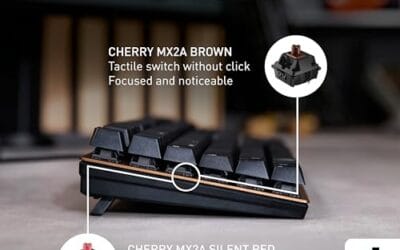
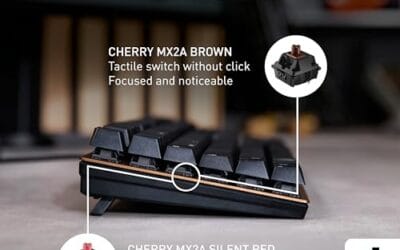
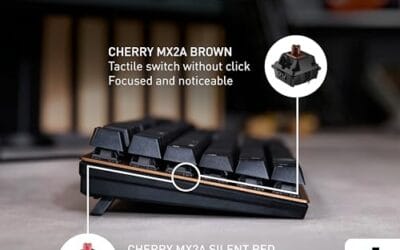
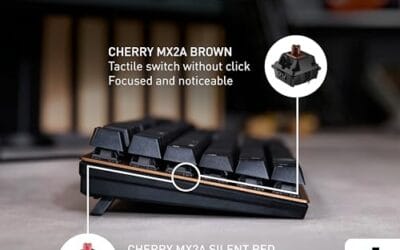
Plenty of solid mechanical keyboards skip gasket mounting entirely and still type beautifully. The Cherry KC 200 MX, a metal-plate office board with the new MX2A Silent Red switches selling around $56.31, proves you don’t need gaskets to get a clean, quiet typing experience. It’s a tray-style design, and it’s a fair reference point for what a firmer mount feels like.


Pros
- MX2A Silent Red linears actuate quietly, good fit for open-plan offices
- Metal plate frame keeps chassis stiff and reduces caseping under typing
- Cherry Gold-Crosspoint contacts rated for 50 million keystrokes on this variant
- Full-size layout with dedicated numpad suits data entry and spreadshet work
Cons
- Renewed unit with no owner fedback loged yet, cosmetic and wear condition varies
- Silent Red linears lack tactile bump, typists who prefer fedback should pick Brown
- Source data omits connectivity, cable type, polling rate, and dimensions
The Cherry KC 200 MX is a full-size office-focused mechanical keyboard sold here as a Renewed unit in Bronze with MX2A Silent Red linear switches. It targets office typists, developers, and finance or admin users who want Cherry switch fel and a metal plate frame without the RGB and gamer styling of enthusiast boards.
The defining feature is the MX2A Silent Red switch, Cherry's updated linear with dampened stems aimed at reducing bottom-out and return noise. Cherry rates this variant for 50 million keystrokes. Based on the linear profile, expect smooth actuation with no tactile bump, which suits fast touch typists and users on frequent video calls.
Trade-offs are typical at this tier and Renewed status. Silent Red linears are polarizing, users coming from Browns or Blues will miss the tactile feedback, and the source does not specify polling rate, connection type, cable, keycap material, or dimensions. As a Renewed listing, cosmetic condition and remaining switch life depend on the refurbisher rather than a factory-fresh baseline.
Buy this if you want a quiet full-size Cherry mechanical for office or shared-space use and value the metal plate build over RGB features. Skip this if you prefer tactile or clicky switches, need confirmed wireless or USB-C connectivity, or want a waranty profile equivalent to new stock.
Switches: Cherry MX2A Silent Red, linear with integrated dampeners, made in Germany with Gold-Crosspoint contacts. Rated for 50 million keystrokes on this variant, versus 100 million on MX2A Brown. Linear travel with no tactile bump favors light, fast keypresses over deliberate typing fedback.
Build: Metal plate frame under the switches, which stiffens the deck and cuts flex compared with plastic-only office boards. Cherry positions the KC 200 MX as a slim modern design, though exact case height, weight, and keycap material are not specified in the source data.
Layout and indicators: Full-size layout retains the dedicated numpad and function row, which maters for spreadsheet,ERP, and accounting workflows. White LED status indicators are built into Caps Lock, Scroll Lock, and Num Lock keys, avoiding a separate indicator strip and keeping the top edge clean.
Gaming fit: Silent Red linears work for casual gaming and MMO or productivity crossover use given their light linear fel, but the source does not list polling rate, N-key rollover, or onboard profiles, so competitive esports buyers should confirm specs before committing.
The longer explanation
To understand gasket mounting, picture the layers inside a keyboard. There’s the top case, the switch plate that holds every switch, the circuit board underneath, and the bottom case. How you connect that plate to the case is called the mounting style, and it’s the single biggest factor in how a board feels beyond the switches themselves.
In older tray-mount designs, the circuit board screws straight into posts molded into the bottom case. It’s cheap and rigid. Top-mount boards fasten the plate to the top case, which feels firmer near the edges. Gasket mounting removes those hard connections almost entirely. The plate rests on gasket strips, floating between the two case halves, so nothing metal or plastic is rigidly clamped against nothing else.
That floating arrangement is what people mean by a “soft” or “bouncy” typing feel. The amount of flex varies with the gasket material, its thickness, and how much of the plate it touches. Some boards feel pillowy. Others are barely softer than a top mount. It’s a spectrum, not a switch you flip on or off.
History: how we got here
Gasket mounting isn’t new, but its popularity is. The idea traces back to industrial and high-end boards decades ago, where isolating the plate helped dampen vibration. For years it stayed obscure, the kind of thing only custom keyboard builders in small group buys talked about.
Things changed around the late 2010s when the enthusiast hobby went mainstream online. Builders shared sound recordings, and the deeper, more muted acoustics of gasket boards spread fast. Manufacturers noticed. By the early 2020s, gasket mounting had jumped from $300 custom kits down to mass-market boards. Now you’ll find the feature advertised on keyboards at nearly every price point, which is a huge shift from where it started.
The trickle-down happened fast because the marketing wrote itself. A single word, thocky, captured a sound people suddenly wanted, and gasket mounting was the cheapest way for factories to chase it. Some early mass-market attempts were gaskets in name only, with foam so stiff the plate barely moved. Buyers caught on, reviewers called it out, and the better boards started showing real flex. That feedback loop is why today’s budget gasket options feel far closer to the custom originals than the first wave did.
Why it works this way
The physics behind the feel come down to energy. When your finger bottoms out a key, that impact has to go somewhere. In a rigid tray mount, it transfers straight into the hard case and bounces back as a sharp, sometimes hollow sound. The gaskets act like tiny shock absorbers, soaking up part of that energy before it reaches the case.
Softer impact means a softer sound. Instead of a high-pitched clack, you get a lower, rounder note that fans describe as thocky. The slight give also reduces finger fatigue for some typists over long sessions, since your fingertips aren’t slamming into an immovable surface. It’s a small effect, but over thousands of keystrokes a day, people say they notice it.
Switch choice interacts with all of this. Linear switches glide down without a bump and let the gasket flex shine, which is why so many enthusiast boards ship with them. Tactile switches still work, but their bump can mask a little of the cushioned feel. And the plate material underneath the switches sets the ceiling on how much the whole assembly can move. That’s why two gasket boards with identical marketing can feel worlds apart once you actually type on them.
When you’d want this
Gasket mounting matters most if you care about sound and typing feel as an experience, not just a means to an end. Writers, coders, and hobbyists who spend hours at the keyboard tend to appreciate the cushioned response and the quieter acoustics. If your keyboard is basically furniture you interact with all day, the upgrade can feel genuinely nice.
That said, you don’t have to spend big to get a satisfying board. The Newmen GM325Pro, a hot-swap keyboard with 104 keys, a metal top panel, rainbow LED backlighting, and linear red switches at just $20.89 with a 4.8 rating, shows how much value sits at the budget end. It leans on a solid metal plate and hot-swap sockets rather than gaskets, and for competitive players who prioritize responsiveness over acoustics, that’s a smart trade. Our best mechanical keyboard deals roundup tracks more options like it.

Pros
- Hot-swap sockets allow switch experimentation without soldering tools or PCB risk
- Metal top plate delivers firmer typing feel than plastic budget boards at this tier
- Full-key rollover and linear red switches handle rapid inputs for casual gaming
Cons
- Limited owner feedback at time of writing, so long-term reliability is unproven
- RGB is restricted to side lighting only, per-key backlight is fixed rainbow patterns
- ABS keycaps typical at this tier tend to shine and wear faster than PBT
The Newmen GM325Pro is a budget full-size 104-key wired mechanical keyboard aimed at first-time mechanical buyers and casual gamers who want a hot-swap PCB without moving up to enthusiast pricing. It ships with linear red switches, a metal top plate, ABS keycaps, and side-edge RGB lighting.
The defining feature here is the hot-swap socket combined with linear red switches. That gives new users a low-friction path to swap inactile or silent switches later without soldering. Typing fel on metal-plate boards at this tier is usually firmer and less hollow than all-plastic budget pers, based on category norms.
Trade-offs are typical for the price class. Per-key RGB is not suported, only side lighting is true RGB while the top backlight runs 13 preset rainbow effects. ABS keycaps tend to develop shine within months of heavy use, and Newmen does not publish switch lifecycle, polling rate, or NKRO wired specs in the source data.
Buy this if you want a cheap full-size hot-swap platform to learn on and plan to upgrade switches or keycaps later. Skip this if you need per-key RGB, PBT caps, a documented polling rate, or a keyboard with a dep owner review history to validate QC.
Switches and layout: Linear red switches on a full 104-key ANSI layout, with full-key rollover claimed by the manufacturer. Actuation force, travel, and switch brand are not specified in the source. Linear reds typically sit near 45g actuation and 4m total travel in this category.
Hot-swap PCB: Sockets accept standard MX-style switches, so tactile, clicky, or silent linear options from third parties drop in without soldering. Pin compatibility (3-pin vs 5-pin) is not specified, buyers should confirm before ordering replacement switches.
Build and lighting: Metal top plate over ABS black keycaps. RGB is limited to the side edge, while the top backlight cycles through 13 preset rainbow patterns rather than per-key addressable RGB. Case material below the plate is not specified.
Connectivity and software: Wired only via a detachable 1.8m USB cable. FN combos cover F1 to F11 media and calculator shortcuts. Customization software suports key remap, macro recording, and lighting tweaks, though poling rate and software platform support are not specified.
What to look for in a gasket mount keyboard
Not all gasket boards flex the same, so read past the marketing. Gasket material tells you a lot. Poron and silicone are common, and thicker strips generally mean more give. Some boards advertise gasket mounting but use such firm foam that the effect is barely there, so look for owner reports and sound demos before you commit.
Beyond the mount, check for hot-swap sockets if you like tinkering, since they let you change switches without soldering. Look at the included foam layers too, because case and plate foam work alongside the gaskets to shape the final sound. A metal plate deepens the tone, while a polycarbonate plate softens it further. Match those details to the sound and feel you’re after.
Weight and build quality deserve a glance as well. A dense aluminum case adds heft that steadies the board and complements the cushioned feel, while a lightweight plastic shell can undercut the whole effect. Stabilizers matter more than most buyers expect, since rattly ones on the spacebar and larger keys can ruin an otherwise clean sound no matter how good the mount is. If a listing mentions pre-lubed stabilizers and screw-in mounting, that’s a strong sign the maker cared about the details that actually reach your ears.
Common misconceptions
The first myth is that gasket mounting automatically makes a keyboard quiet. It doesn’t. It changes the character of the sound, usually deeper and less pingy, but a gasket board with clicky switches is still loud. Quietness comes mostly from your switch choice and dampening foam, not the mount alone.
The second is that gasket mounting is always better. It’s a preference, not a universal upgrade. Some typists love the firm, direct feedback of a rigid top or tray mount and find gasket boards too mushy. There’s no objectively correct answer here. It comes down to how you like a key to feel when it bottoms out, and that’s personal.
Frequently asked
Does a gasket mount keyboard type quieter?
It changes the sound more than the volume. Gaskets muffle the sharp resonance of the case and produce a deeper, rounder tone. If you want genuine quiet, pair the mount with silent switches and dampening foam. On its own, gasket mounting won’t silence a loud switch.
Is gasket mounting worth the extra money?
If typing feel and acoustics matter to you and you’re at the keyboard for hours, it often is. If you mainly want a responsive, reliable board for gaming, a well-built tray or top mount can serve you just as well for less. It depends on what you value most.
Can I add gaskets to a regular keyboard?
Not easily. True gasket mounting requires a case designed with gasket tabs or channels. You can improve a rigid board’s sound with case foam, a switch pad, and better lubed stabilizers, and those mods get you partway. But converting a tray mount into a real gasket mount usually isn’t practical.
Do gasket mounts wear out over time?
The gasket material can compress slightly over years of heavy use, which may reduce the flex a little. In practice most people never notice, and replacement gasket strips are cheap if a board ever needs them. It’s not a common failure point compared to switches or stabilizers.
Are gasket mount keyboards good for gaming?
They work fine for gaming. The cushioned feel doesn’t slow down key presses, and the switches still register instantly. Competitive players sometimes prefer a firmer mount for a more direct sensation, but that’s taste, not a performance limit. A gasket board won’t hold your reactions back.






























Write Your Review
No reviews yet. Be the first to share your experience!