

Pop a keycap off any gaming keyboard and you’ll find a small plastic tower sitting under it. That tower is the mechanical switch, and it’s the single part that decides how your keyboard feels, sounds, and holds up over years of daily pounding. Membrane keyboards hide a rubber dome and a printed circuit sheet under every key. Mechanical boards give each key its own dedicated spring-loaded mechanism instead. That one design choice is why enthusiasts get so opinionated about them.
If you’ve been reading up on the best mechanical gaming keyboard picks or comparing a keyboard for programmers against a plain office board, the switch is the thing that actually separates them. It’s not marketing fluff. The switch type changes your typing speed, your finger fatigue, and how much your desk mates hate you at 2 a.m. This guide breaks down what a mechanical switch really does, why it works the way it does, and how to pick one that fits your hands. We also researched a couple of real boards, including budget options, so you can see how the theory maps to actual products.
The short answer
A mechanical switch is a self-contained key mechanism with a moving stem, a metal spring, and a pair of electrical contacts inside a plastic housing. Press the key and the stem travels down, the spring resists, and at a set depth the contacts close and register the keystroke. Let go and the spring shoves everything back up. Each key gets its own switch, so every press is consistent, crisp, and rated to survive tens of millions of actuations. That’s the whole idea in one paragraph.
If you want a clean example of the type, the Cherry KC 200 MX is an office board built around Cherry’s newer MX2A Silent Red switches with a metal plate frame, and it runs about $56.31 with a 4-star rating. Cherry basically invented the modern mechanical switch, so a board wearing its name is a reasonable reference point for what a factory-standard linear switch feels like.

Pros
- MX2A Silent Red linears actuate quietly, good fit for open-plan offices
- Metal plate frame keeps chassis stiff and reduces caseping under typing
- Cherry Gold-Crosspoint contacts rated for 50 million keystrokes on this variant
- Full-size layout with dedicated numpad suits data entry and spreadshet work
Cons
- Renewed unit with no owner fedback loged yet, cosmetic and wear condition varies
- Silent Red linears lack tactile bump, typists who prefer fedback should pick Brown
- Source data omits connectivity, cable type, polling rate, and dimensions
The Cherry KC 200 MX is a full-size office-focused mechanical keyboard sold here as a Renewed unit in Bronze with MX2A Silent Red linear switches. It targets office typists, developers, and finance or admin users who want Cherry switch fel and a metal plate frame without the RGB and gamer styling of enthusiast boards.
The defining feature is the MX2A Silent Red switch, Cherry's updated linear with dampened stems aimed at reducing bottom-out and return noise. Cherry rates this variant for 50 million keystrokes. Based on the linear profile, expect smooth actuation with no tactile bump, which suits fast touch typists and users on frequent video calls.
Trade-offs are typical at this tier and Renewed status. Silent Red linears are polarizing, users coming from Browns or Blues will miss the tactile feedback, and the source does not specify polling rate, connection type, cable, keycap material, or dimensions. As a Renewed listing, cosmetic condition and remaining switch life depend on the refurbisher rather than a factory-fresh baseline.
Buy this if you want a quiet full-size Cherry mechanical for office or shared-space use and value the metal plate build over RGB features. Skip this if you prefer tactile or clicky switches, need confirmed wireless or USB-C connectivity, or want a waranty profile equivalent to new stock.
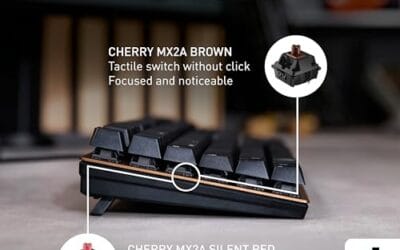
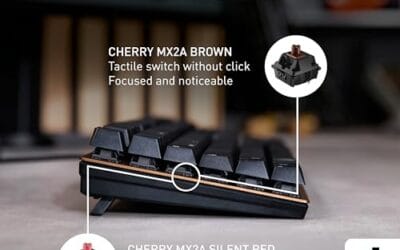
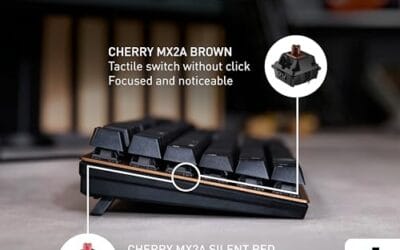
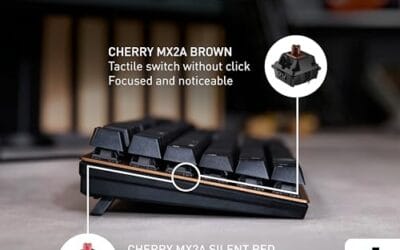
Switches: Cherry MX2A Silent Red, linear with integrated dampeners, made in Germany with Gold-Crosspoint contacts. Rated for 50 million keystrokes on this variant, versus 100 million on MX2A Brown. Linear travel with no tactile bump favors light, fast keypresses over deliberate typing fedback.
Build: Metal plate frame under the switches, which stiffens the deck and cuts flex compared with plastic-only office boards. Cherry positions the KC 200 MX as a slim modern design, though exact case height, weight, and keycap material are not specified in the source data.
Layout and indicators: Full-size layout retains the dedicated numpad and function row, which maters for spreadsheet,ERP, and accounting workflows. White LED status indicators are built into Caps Lock, Scroll Lock, and Num Lock keys, avoiding a separate indicator strip and keeping the top edge clean.
Gaming fit: Silent Red linears work for casual gaming and MMO or productivity crossover use given their light linear fel, but the source does not list polling rate, N-key rollover, or onboard profiles, so competitive esports buyers should confirm specs before committing.
The longer explanation
Crack a single switch open and you’re looking at four core parts. There’s the stem, the colored plastic piece that the keycap clips onto and that slides up and down. There’s the coil spring underneath it that provides resistance and return force. There are two metal contact leaves that touch to complete the circuit. And there’s the housing, the little box that keeps all of it aligned. When you push the stem past its actuation point, usually around 2mm of travel, the leaves make contact and your PC reads the key.
Because that mechanism lives under every single key, a mechanical board can register presses independently and reliably. There’s no shared rubber sheet flexing and fatiguing. That’s also why these switches come in families. Linear switches slide straight down with no bump. Tactile switches add a small bump you can feel at the actuation point. Clicky switches add that bump plus an audible snap. The Cherry board mentioned above uses a silent linear red, which is about as smooth and quiet as a mechanical key gets.
History: how we got here
Mechanical keyboards aren’t new. They’re a comeback story. Back in the 1980s, IBM’s Model M used a buckling-spring mechanism that typists still hunt down today. Cherry launched its MX line of switches in 1983, and those color-coded stems, Red, Brown, Blue, Black, became the shared language the whole hobby still speaks. For a stretch in the 2000s, cheap rubber-dome boards nearly wiped mechanicals out of the mainstream.
Then gaming happened. Players wanted keys that registered fast and felt the same on the thousandth press as the first. Cherry’s patents expired, competitors like Gateron and Kailh flooded in, and prices dropped hard. The last few years brought hot-swap sockets, which let you pull a switch out and press a new one in with no soldering iron. That single feature turned switches into something you collect and swap like tires, and it’s a big reason the hobby exploded.
Why it works this way
The dedicated-switch design solves problems a rubber dome can’t. Consistency is the first one. A quality mechanical switch is rated for 50 to 100 million presses, so key number ten million feels like key number one. Rubber domes get mushy as the rubber ages. The second win is feedback. Because the actuation point sits partway down the travel, you don’t need to bottom out the key to register it, which lets fast typists fly and reduces finger strain.
There’s a mechanical reason for the sound too. The stem rubbing the housing, the spring pinging, the keycap slapping the plate, all of it feeds into the acoustic signature people obsess over. Metal plates like the one on the Cherry KC 200 make a board feel more rigid and change that sound profile. Foam and gaskets soften it. None of this is magic. It’s just physics you can feel through your fingertips.
When you’d want this
You want mechanical switches if you type a lot, game seriously, or just care how your desk feels. Programmers and writers who spend eight hours a day at the keys notice the reduced fatigue quickly. Gamers care about the fast, repeatable actuation and the durability, since competitive play hammers a handful of keys thousands of times a session. Even casual users who’ve only known laptop keys tend to be surprised the first time they feel a proper switch bottom out.
Budget is no longer a barrier, either. The Newmen GM325Pro is a full 104-key board with hot-swap sockets, a metal top panel, RGB backlighting, ABS keycaps, and linear red switches, and it sits around $20.89 with a strong 4.8 rating. For roughly twenty bucks you get the same core mechanical experience plus the ability to swap switches later. That’s a genuinely easy entry point, and the hot-swap feature means the board grows with you as your preferences change.

Pros
- Hot-swap sockets allow switch experimentation without soldering tools or PCB risk
- Metal top plate delivers firmer typing feel than plastic budget boards at this tier
- Full-key rollover and linear red switches handle rapid inputs for casual gaming
Cons
- Limited owner feedback at time of writing, so long-term reliability is unproven
- RGB is restricted to side lighting only, per-key backlight is fixed rainbow patterns
- ABS keycaps typical at this tier tend to shine and wear faster than PBT
The Newmen GM325Pro is a budget full-size 104-key wired mechanical keyboard aimed at first-time mechanical buyers and casual gamers who want a hot-swap PCB without moving up to enthusiast pricing. It ships with linear red switches, a metal top plate, ABS keycaps, and side-edge RGB lighting.
The defining feature here is the hot-swap socket combined with linear red switches. That gives new users a low-friction path to swap inactile or silent switches later without soldering. Typing fel on metal-plate boards at this tier is usually firmer and less hollow than all-plastic budget pers, based on category norms.
Trade-offs are typical for the price class. Per-key RGB is not suported, only side lighting is true RGB while the top backlight runs 13 preset rainbow effects. ABS keycaps tend to develop shine within months of heavy use, and Newmen does not publish switch lifecycle, polling rate, or NKRO wired specs in the source data.
Buy this if you want a cheap full-size hot-swap platform to learn on and plan to upgrade switches or keycaps later. Skip this if you need per-key RGB, PBT caps, a documented polling rate, or a keyboard with a dep owner review history to validate QC.
Switches and layout: Linear red switches on a full 104-key ANSI layout, with full-key rollover claimed by the manufacturer. Actuation force, travel, and switch brand are not specified in the source. Linear reds typically sit near 45g actuation and 4m total travel in this category.
Hot-swap PCB: Sockets accept standard MX-style switches, so tactile, clicky, or silent linear options from third parties drop in without soldering. Pin compatibility (3-pin vs 5-pin) is not specified, buyers should confirm before ordering replacement switches.
Build and lighting: Metal top plate over ABS black keycaps. RGB is limited to the side edge, while the top backlight cycles through 13 preset rainbow patterns rather than per-key addressable RGB. Case material below the plate is not specified.
Connectivity and software: Wired only via a detachable 1.8m USB cable. FN combos cover F1 to F11 media and calculator shortcuts. Customization software suports key remap, macro recording, and lighting tweaks, though poling rate and software platform support are not specified.
What to look for in a mechanical switch
Start with the switch family. Linear reds, like the ones in both boards here, are smooth top to bottom and popular with gamers. Tactile browns give you a bump for typing feedback without much noise. Clicky blues are loud and satisfying and terrible for a shared office. Next, check the actuation force, usually 45 to 60 grams, since lighter switches tire your fingers less while heavier ones resist accidental presses. Silent variants, like the Cherry’s Silent Red, add dampening to cut the clack.
After feel, look at hot-swap support. A hot-swap board lets you change switches without soldering, which is the single best feature for anyone unsure what they’ll like. Then weigh the build. A metal plate frame stiffens the board and shifts the sound deeper. Keycap material matters too, with ABS being lighter and PBT being tougher against shine. None of these need to be perfect on your first board. Pick a reputable switch type, buy hot-swap if you can, and adjust from there.
Common misconceptions
The biggest myth is that mechanical means loud. It doesn’t. Silent linear switches exist, and a well-built board on a foam-lined case can be quieter than a rattly membrane. Another myth: that you need to spend hundreds. You don’t. A twenty-dollar hot-swap board covers the fundamentals just fine. People also assume all reds, browns, and blues feel identical across brands. They don’t, since Gateron, Kailh, and Cherry all tune their springs and housings differently even under the same color name.
One more. Plenty of shoppers think a higher price guarantees a better switch. Not really. Price often reflects the case, the plate, and the software more than the switch itself. A $200 board and a $25 board can share the exact same switch model. Judge the switch on its own terms, then judge the board on everything wrapped around it.
Frequently asked
Are mechanical switches worth it over a regular keyboard?
For anyone who types or games for hours, yes. You get consistent feel, longer lifespan, and less finger fatigue than a rubber-dome board. At entry prices near $20, the upgrade is easy to justify, and it’s one most people don’t want to walk back once they’ve felt it.
What’s the difference between linear, tactile, and clicky switches?
Linear switches move straight down with no bump and no click, which many gamers prefer. Tactile switches add a small bump at the actuation point so you feel the key register. Clicky switches add that bump plus a loud audible snap. It’s a personal preference, so a hot-swap board lets you try all three.
What does hot-swap actually mean?
Hot-swap means the switches sit in sockets instead of being soldered to the board. You can pull one out with a puller tool and press a new one in by hand, no heat or wiring required. The Newmen GM325Pro is a good example of a budget board that includes this.
How long do mechanical switches last?
Most quality switches are rated between 50 and 100 million presses per key. In real terms that’s many years of heavy daily use before you’d notice any change. It’s a big reason people happily pay a bit more up front for a mechanical board.
Do I need silent switches?
Only if noise is a concern. Silent linear switches, like the Cherry KC 200’s MX2A Silent Red, use dampening to soften both the downstroke and the return. If you share a room, take calls, or just dislike clatter, they’re worth seeking out. If you love the sound, skip them.






























Write Your Review
No reviews yet. Be the first to share your experience!