
How To Check A Pcie Lane On Your Pc: A Step-by-Step Walkthrough
Maybe your graphics card says it should run at x16 but a game feels sluggish, or you just slotted in a second NVMe drive and want to confirm it didn't.

We independently review everything we recommend. When you buy through our links, we may earn a commission. As an Amazon Associate we earn from qualifying purchases. Learn more ›
Find the best motherboards to power your PC build. We compare top models based on compatibility, features, connectivity, and value so you can choose the perfect foundation for your system.
Maybe your graphics card says it should run at x16 but a game feels sluggish, or you just slotted in a second NVMe drive and want to confirm it didn't.
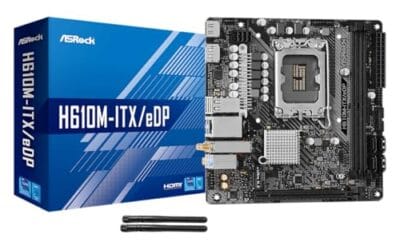
If you've ever stared at a motherboard box and wondered why it lists "PCIe 5.0 x16" and "PCIe 4.0 x4" like they mean something, you're in the right place.

Your chipset is the traffic cop sitting between your CPU, RAM, storage, and every PCIe lane in the box, and knowing exactly which one you have decides.

Every motherboard listing throws the word "chipset" at you, usually right next to a cryptic code like H610, B650, or Z790.
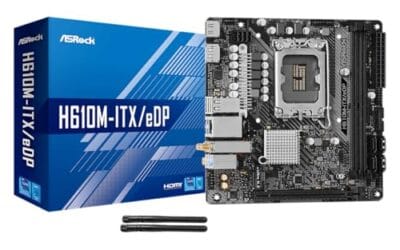
The best budget motherboard 2026 buyers should care about is not always the cheapest board on the shelf.

Checking whether your PC has a BIOS Flashback button is worth doing before you buy a new CPU, rebuild a system, or troubleshoot a board that won't POST.

A BIOS Flashback button is one of those motherboard features that sounds mysterious until the one day you need it. Then it's brilliant.

Spend $200 on a motherboard and you get a solid foundation. Spend $300 and you're paying for headroom you might never use.

Spend $150 on a motherboard and you get a competent foundation. Spend $300 and you're paying double for features most builders never touch.

If you've ever tried to drop a new processor into an old board and hit a wall, you've run straight into the thing nobody explains until it bites you: the CPU.