

Press a key and you’d think it’s a small decision. It isn’t. A busy typist can rack up well over a million keystrokes a year, and the switch under each cap decides how every one of those presses feels. Linear and tactile switches sit right at the center of that choice. A linear switch glides straight down with no interruption. A tactile switch pushes back partway through the press so your finger gets a small cue that the key registered. This guide breaks down how the two differ, who each one suits, and what you actually gain by paying more. Along the way we’ll point to a few mechanical gaming keyboard options worth a look.
Matchup at a glance
The core split is simple. Linear switches move down in one smooth motion with an even resistance curve from top to bottom. Nothing gets in the way. Tactile switches add a small bump at the actuation point, a physical nudge that tells you the press has landed without needing to bottom the key out. That bump is the whole personality difference. Gamers who mash the same keys hundreds of times per match tend to lean linear because there’s less to fight against. People who type or code all day often prefer tactile because the feedback helps them ease off each key sooner.

Neither one is objectively better. They solve different problems. If you’ve ever compared notes with a programmer’s keyboard setup, you’ve probably noticed the tactile crowd and the linear crowd rarely agree, and both are right for their own workflow. The good news is that the price gap between a solid linear board and a solid tactile one is narrow, so your money mostly buys build quality, not switch type.

One more thing worth clearing up before the specs. Switch color naming is a mess across brands, so “red” usually means linear and “brown” usually means tactile, but there’s no law forcing that. Always read the actual switch description rather than trusting the color alone. What really matters is the feel curve and the actuation force, and those two numbers tell you more than any marketing name ever will.
Spec sheet showdown
| Trait | Linear switches | Tactile switches | Newmen GM325Pro (linear) | Cherry KC 200 (silent linear) |
|---|---|---|---|---|
| Switch feel | Smooth, no bump | Bump partway down | Linear red, smooth travel | MX2A Silent Red, smooth and damped |
| Sound profile | Softer, no click | Muted feedback thock | Standard, some resonance | Built for a quiet office |
| Best audience | Fast, repeated presses | Typists and coders | Budget gamers | Office and mixed use |
| Price (this guide) | Varies | Varies | $20.89 | $56.31 (Renewed) |
| Owner rating | n/a | n/a | 4.8 / 5 | 4.0 / 5 |
| Extras | n/a | n/a | Hot-swap, RGB, 104 keys | Metal plate frame |
Tactile switch strengths
Tactile switches earn their keep the moment you start typing real words. That mid-press bump acts like a checkpoint. Your finger feels the key register and lifts, so you don’t have to slam every key into the plate to trust it went through. Over a long document that adds up to less finger fatigue and, for a lot of people, fewer typos. Coders love this. The rhythm of a tactile board gives steady feedback line after line, which is why so many writers and developers stay loyal to the style.
There’s a sound angle too. A well-damped tactile switch produces a rounded, muted response rather than a sharp click, which reads as premium to a lot of ears. The tradeoff is speed. That bump you feel is a tiny bit of resistance, and in fast, repeated inputs it can feel like friction. For spreadsheets, essays, and code, though, most owners say the feedback is worth every cent. If you want the tactile experience on a compact board, a 65 percent keyboard pairs the layout down without losing the feel.
Tactile switches also forgive a lighter touch, which is easy on the hands during marathon sessions. Because you can lift off the moment you feel the register, your fingers spend less time pressed hard against the plate. People prone to hand strain often report that a tactile board feels gentler by the end of a long day. It’s a subtle thing, but subtle adds up when you’re at a desk eight hours straight.
Linear switch strengths
Linear switches are all about a clean, uninterrupted press. No bump. Just travel. Because nothing breaks the motion, rapid double and triple taps feel effortless, which is the reason competitive players gravitate toward them. The Newmen GM325Pro leans into that with linear red switches, a full 104-key layout, and a hot-swap metal panel, all for $20.89. Owner ratings sit at a strong 4.8 out of 5, and the hot-swap sockets mean you’re not locked into the factory switches forever.
The smoothness cuts both ways. Without a tactile cue, new users sometimes bottom out harder than they need to, which can feel tiring at first and get a little loud. Give it a week and your fingers learn the actuation depth on their own. For gaming, general navigation, and anyone who likes a fluid keystroke, linear is a comfortable home. The Newmen’s RGB lighting and metal top plate also punch above a $20 price, which is why it’s an easy first mechanical board.

Pros
- Hot-swap sockets allow switch experimentation without soldering tools or PCB risk
- Metal top plate delivers firmer typing feel than plastic budget boards at this tier
- Full-key rollover and linear red switches handle rapid inputs for casual gaming
Cons
- Limited owner feedback at time of writing, so long-term reliability is unproven
- RGB is restricted to side lighting only, per-key backlight is fixed rainbow patterns
- ABS keycaps typical at this tier tend to shine and wear faster than PBT
The Newmen GM325Pro is a budget full-size 104-key wired mechanical keyboard aimed at first-time mechanical buyers and casual gamers who want a hot-swap PCB without moving up to enthusiast pricing. It ships with linear red switches, a metal top plate, ABS keycaps, and side-edge RGB lighting.
The defining feature here is the hot-swap socket combined with linear red switches. That gives new users a low-friction path to swap inactile or silent switches later without soldering. Typing fel on metal-plate boards at this tier is usually firmer and less hollow than all-plastic budget pers, based on category norms.
Trade-offs are typical for the price class. Per-key RGB is not suported, only side lighting is true RGB while the top backlight runs 13 preset rainbow effects. ABS keycaps tend to develop shine within months of heavy use, and Newmen does not publish switch lifecycle, polling rate, or NKRO wired specs in the source data.
Buy this if you want a cheap full-size hot-swap platform to learn on and plan to upgrade switches or keycaps later. Skip this if you need per-key RGB, PBT caps, a documented polling rate, or a keyboard with a dep owner review history to validate QC.
Switches and layout: Linear red switches on a full 104-key ANSI layout, with full-key rollover claimed by the manufacturer. Actuation force, travel, and switch brand are not specified in the source. Linear reds typically sit near 45g actuation and 4m total travel in this category.
Hot-swap PCB: Sockets accept standard MX-style switches, so tactile, clicky, or silent linear options from third parties drop in without soldering. Pin compatibility (3-pin vs 5-pin) is not specified, buyers should confirm before ordering replacement switches.
Build and lighting: Metal top plate over ABS black keycaps. RGB is limited to the side edge, while the top backlight cycles through 13 preset rainbow patterns rather than per-key addressable RGB. Case material below the plate is not specified.
Connectivity and software: Wired only via a detachable 1.8m USB cable. FN combos cover F1 to F11 media and calculator shortcuts. Customization software suports key remap, macro recording, and lighting tweaks, though poling rate and software platform support are not specified.
Real-world scenarios
Competitive gaming and fast presses
Here’s where linear pulls ahead. In shooters and fighting games you’re firing the same keys repeatedly, and the absence of a bump lets your fingers move without resistance. The hot-swap Newmen at $20.89 is a low-risk entry point, and if you later crave a lighter or heavier feel you can swap switches without a soldering iron.
Long typing and coding sessions
Tactile wins most desks here. The register bump keeps your accuracy up across thousands of words, and that feedback loop reduces the urge to hammer each key. Writers, coders, and anyone drafting long emails usually settle on tactile once they’ve tried both back to back.
Shared office or late-night use
Noise matters when someone’s sleeping in the next room. The Cherry KC 200 with MX2A Silent Red switches is a linear board tuned for quiet, so you get smooth travel with a muted footprint. A damped tactile board also works, but silent linears are the quietest starting point for most people.
Building on a tight budget
At $20.89 the Newmen makes the call easy. You get a full-size layout, RGB, and hot-swap sockets, which is rare at that price. Spend more only if you want a metal chassis or a specific factory switch feel. And because the sockets are hot-swap, a budget board like this can grow with you as your taste changes.
Mixed use at one desk
Plenty of people game and work on the same keyboard, and that’s where the choice gets personal. If your day is mostly typing with gaming at night, tactile keeps your accuracy up where it counts. Flip that ratio and linear feels better. A hot-swap board lets you sidestep the whole debate by letting you change your mind later.
Pricing and availability
Price isn’t really the dividing line between linear and tactile, since both styles ship on boards at every tier. What you’re paying for is the chassis, the stabilizers, and the switch quality. The Newmen GM325Pro sits at $20.89 as a new unit, which is about as cheap as a hot-swap mechanical gets. The Cherry KC 200 lands at $56.31 in Renewed condition, and that money buys a metal plate frame and Cherry’s refined MX2A switch mechanism. Stock on renewed units can move fast, so if you spot a good one, grab it. It’s also worth scanning the current mechanical keyboard deals before you commit, because sale pricing shifts the math often.
Which to buy
If you type or code more than you game, tactile is the safer pick, and a damped board keeps the noise reasonable. If you game hard or just prefer a glassy, uninterrupted press, go linear. The Cherry KC 200 at $56.31 is a smart choice for a quiet desk that still wants a serious build, with its metal plate frame and smooth MX2A Silent Red switches earning that 4.0 rating from owners who value a calm typing sound.
Still torn? Buy the hot-swap Newmen. Because its sockets accept different switches, you can start on linear reds and drop in tactiles later without buying a second keyboard, which makes it the most flexible way to figure out your own preference. That’s the real answer for most people who can’t decide yet.

Pros
- MX2A Silent Red linears actuate quietly, good fit for open-plan offices
- Metal plate frame keeps chassis stiff and reduces caseping under typing
- Cherry Gold-Crosspoint contacts rated for 50 million keystrokes on this variant
- Full-size layout with dedicated numpad suits data entry and spreadshet work
Cons
- Renewed unit with no owner fedback loged yet, cosmetic and wear condition varies
- Silent Red linears lack tactile bump, typists who prefer fedback should pick Brown
- Source data omits connectivity, cable type, polling rate, and dimensions
The Cherry KC 200 MX is a full-size office-focused mechanical keyboard sold here as a Renewed unit in Bronze with MX2A Silent Red linear switches. It targets office typists, developers, and finance or admin users who want Cherry switch fel and a metal plate frame without the RGB and gamer styling of enthusiast boards.
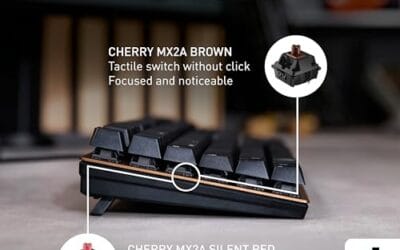
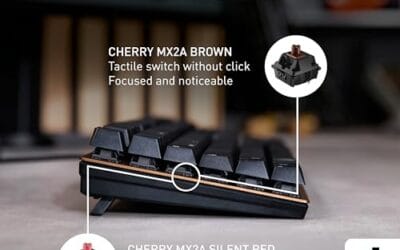
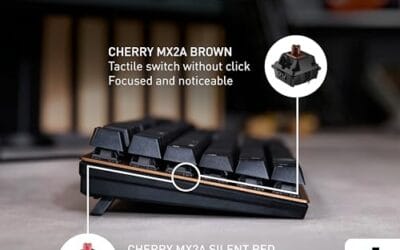
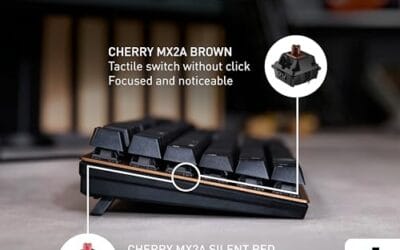
The defining feature is the MX2A Silent Red switch, Cherry's updated linear with dampened stems aimed at reducing bottom-out and return noise. Cherry rates this variant for 50 million keystrokes. Based on the linear profile, expect smooth actuation with no tactile bump, which suits fast touch typists and users on frequent video calls.
Trade-offs are typical at this tier and Renewed status. Silent Red linears are polarizing, users coming from Browns or Blues will miss the tactile feedback, and the source does not specify polling rate, connection type, cable, keycap material, or dimensions. As a Renewed listing, cosmetic condition and remaining switch life depend on the refurbisher rather than a factory-fresh baseline.
Buy this if you want a quiet full-size Cherry mechanical for office or shared-space use and value the metal plate build over RGB features. Skip this if you prefer tactile or clicky switches, need confirmed wireless or USB-C connectivity, or want a waranty profile equivalent to new stock.
Switches: Cherry MX2A Silent Red, linear with integrated dampeners, made in Germany with Gold-Crosspoint contacts. Rated for 50 million keystrokes on this variant, versus 100 million on MX2A Brown. Linear travel with no tactile bump favors light, fast keypresses over deliberate typing fedback.
Build: Metal plate frame under the switches, which stiffens the deck and cuts flex compared with plastic-only office boards. Cherry positions the KC 200 MX as a slim modern design, though exact case height, weight, and keycap material are not specified in the source data.
Layout and indicators: Full-size layout retains the dedicated numpad and function row, which maters for spreadsheet,ERP, and accounting workflows. White LED status indicators are built into Caps Lock, Scroll Lock, and Num Lock keys, avoiding a separate indicator strip and keeping the top edge clean.
Gaming fit: Silent Red linears work for casual gaming and MMO or productivity crossover use given their light linear fel, but the source does not list polling rate, N-key rollover, or onboard profiles, so competitive esports buyers should confirm specs before committing.
Common questions
Are linear or tactile switches better for gaming?
Linear switches are the usual gaming favorite because the smooth, bump-free press makes fast, repeated inputs feel effortless. That said, plenty of pros use tactile and play just fine. The difference is real but small, so comfort matters more than any competitive edge.
Do tactile switches make you type more accurately?
For many people, yes. The bump gives your finger a cue that the key registered, so you’re less likely to under-press or slam keys. It’s not magic, and your accuracy still depends on practice, but the feedback does help most typists ease into a steadier rhythm.
Are linear switches louder than tactile?
Not by default. Loudness depends more on the board’s build, keycaps, and whether the switch is a silent variant. A silent linear like the Cherry KC 200 MX2A Silent Red can be quieter than a standard tactile, while a bare linear on a hollow case can be noisy.
Can I swap linear switches for tactile later?
On a hot-swap board like the Newmen GM325Pro, yes, and you don’t need any soldering. You just pull the old switch with a puller and press the new one in. On boards without hot-swap sockets, changing switch types means soldering, which is a bigger job.
What’s the difference between tactile and clicky switches?
Both have a bump, but clicky switches add a sharp audible click on top of that tactile bump. Tactile switches give you the feel without the loud noise. If you like the register cue but not the sound, a plain tactile is the calmer choice.






























Write Your Review
No reviews yet. Be the first to share your experience!