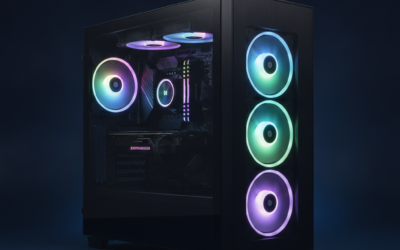
Airflow‘s the boring spec nobody brags about. It’s also the one that decides whether your Ryzen 9 hits its boost clock at hour three of a raid, or whether your RTX 5080 hot-boxes itself into a thermal throttle. We’ve spent weeks evaluating mesh-front mid-towers and full-towers, measuring intake-to-exhaust delta and noise at load. Below are six cases worth your money in 2026, ranked by real cooling headroom rather than marketing pages.
Mesh fronts have basically won. Glass-front cases still exist for show builds, but if you’re pushing a 200W+ CPU and a 300W+ GPU, you need air moving through unrestricted. Here’s what we’d actually buy.

Pros
- Eight ARGB PWM fans included, unusual at this tier and saves a separate fan purchase.
- 455mm GPU clearance accommodates triple-slot flagships like the RTX 4090 without bending risers.
- Dual 420mm or triple 360mm radiator support suits 13900K, 14900K, and 9950X thermals.
- Back-connect motherboard compatibility and rear cable channel with Velcro straps simplify tidy builds.
Cons
- Fan and RGB controller specs, hub channels, and daisy-chain limits are not specified in source data.
- Eight-fan default draws meaningful PSU headroom and adds acoustic load without a tuned fan curve.
- Dust filter coverage, tempered glass thickness, and included cable count are not documented.
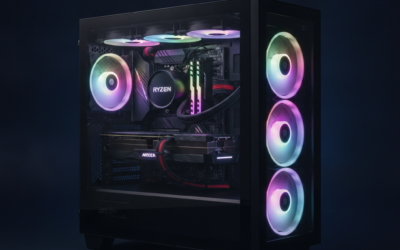
The HYXN H2 (2026) is a dual-chamber ATX mid-tower aimed at builders assembling high-airflow gaming or workstation rigs. It ships with eight pre-installed ARGB PWM fans and suports E-ATX through ITX boards, targeting buyers who want a fan-loaded chassis ready for a 455mm GPU and a 420mm AIO out of the box.
The defining feature is fan density paired with radiator flexibility. Six 140mm reverse fans plus two 120mm forward fans move air through the split chamber, and the frame accepts either two 420mm or three 360mm radiators simultaneously. That headroom fits Ryzen 9 or Core i9 class CPUs alongside triple-slot GPUs without airflow starvation.
Trade-offs are typical at this tier. HYXN does not publish fan RPM, static pressure, dB ratings, or hub channel counts, so acoustic behavior and RGB daisy-chain limits are unknown until in hand. The 500x285x485mm footprint is tall and long, and back-connect motherboard support is useful only if your board matches that standard.
Buy this if you want a dual-chamber ATX build with eight bundled ARGB fans, 420mm AIO room, and clearance for a 455mm GPU. Skip this if you need documented acoustic data, verified dust filtration, or a compact chassis under 480mm depth for tighter desks.
GPU and PSU clearance: Accepts GPUs up to 455m (17.91inches), enough for triple-slot RTX 4090 and RX 7900 XTX partner cards. PSU bay fits units up to 220mm (8.66 inches), covering long1000W to 1600W ATX 3.0 andATX 3.1 suplies used with high-TGP cards.
Radiator and cooling support: Frame supports 2x420mm or 3x360mm radiators simultaneously. Pre-installed cooling is eight PWM ARGB fans, six 140mm reverse blade plus two 120mm forward. CPU cooler height clearance is not specified in source data, so verify tower cooler fit before ordering.
Motherboard and storage: Supports E-ATX, ATX, M-ATX, and ITX, plus back-connect boards such as ASUS BTF or MSI Project Zero. Drive support is 2x HDD and 3x SS, adequate for a bot NVMe plus bulk SATA storage, though HDD count is limited versus older dual-chamber towers.
Front I/O and dimensions: Front panel caries 1x USB-C 3.2 (high-speed), 1x USB 3.0, 1x USB 2.0, and combo audio. External dimensions are 500x285x485mm (19.7x11.2x19.1 inches), so measure desk depth and cabinet height before purchase.

Pros
- Three RS ARGB PWM fans included with daisy-chain wiring and Zero RPM support for low-load silence.
- InfiniRail slide-to-position mounting fits 120mm through 200mm rotors without fixed screw locations.
- Compatible with ASUS BTF, MSI Zero, and Gigabyte Stealth hidden-connector motherboards for cable-free builds.
Cons
- Limited owner feedback at time of writing, long-term durability of Frame modules is unproven.
- GPU length, CPU cooler height, and radiator clearance are not specified in the source data.
- Modular upgrade parts like billet aluminum trays are likely sold separately, adding cost over time.
The Corsair 4000D RS ARGB Frame is a mid-tower ATX case built around Corsair's new Frame modular chassis system, with three RS ARGB PWM fans installed in the front intake. It targets DIY builders who want a high-airflow layout with room for future component or panel upgrades.
The Frame concept is the defining feature: the motherboard tray, front I/O panel, and side panels are designed to be swapped rather than riveted in place. Combined with InfiniRail slide-mount rails, users can position front fans up to 200mm and roof fans up to 140mm wherever airflow needs them.
Trade-offs at this tier are real. Corsair has not published GPU length, cooler height, or radiator clearance in the source data provided, so buyers should verify these on the retail page before ordering. Modular tray and panel swaps also appear to be paid accessories rather than in-box parts, typical for this platform.
Buy this if you want a high-airflow ATX case with BTF, Zero, or Stealth motherboard support and plan to iterate on the build over time. Skip this if you need a sealed acoustic case, run a tall air cooler without clearance data, or want a bundled tempered glass panel out of the box.
Fan support: Three RS ARGB PWM fans ship pre-installed in the front intake. The InfiniRail steel mounting system accepts fans from 120m up to 200mm at the front and up to 140m in the roof, with slide-adjustable positioning across the length of the rail.
Motherboard compatibility: ATX form factor with explicit support for ASUS BTF, MSI Project Zero, and Gigabyte Stealth reverse-connector boards. Standard ATX cabling is also supported, giving builders a path from a conventional motherboard to a hiden-connector platform later without swapping the case.
Airflow and panels: The steel front panel uses a 3D Y-pattern perforation for low intake restriction. The internal side panel near the motherboard tray doubles as a cable cover or can be removed to mount additional side fans for higher thermal loads.
Fan wiring: Each RS ARGB fan caries eight LEDs and a 4-pin PWM connector with daisy-chain support, so all three fans occupy one PWM header and one +5V ARGB header on the motherboard, reducing cable clutter without a dedicated hub.

Pros
- Mesh front, top, and side panels prioritize airflow over acoustic damping
- Perforated PSU shroud enables dedicated bottom fans for direct GPU intake
- 360mm front plus 240mm top radiator support fits most AIO configurations
- Two 120mm Quiet Airflow fans included, usable as front intake and rear exhaust
Cons
- Only two fans included, dual bottom intakes for GPU cooling sold separately
- Full mesh construction trades acoustic isolation for airflow, expect audible fans under load
- Detailed internal clearances for GPU length and cooler height not specified in source
The NZXT H5 Flow 2024 is a compact ATX mid-tower case aimed at mid-range and high-end air-cooled or AIO builds. It ships with two 120mm Quiet Airflow fans, ultra-fine mesh panels on three sides, and radiator support up to 360m front and 240mm top. Target buyer: builders prioritizing thermals over silence in a clean, understated chassis.
The defining feature is the perforated PSU shroud paired with mesh side and front intake. Two optional 120mm fans mount below the GPU, pushing cool air directly into the card's cooler stack. Cases in this tier using bottom-intake layouts typically drop GPU hotspot temperatures by several degrees Celsius versus sealed shrouds, based on owner reports of similar designs.
Trade-offs are typical for a mesh-forward chassis. Acoustic isolation is limited, so high fan curves are audible, and only two fans are included, meaning the GPU intake slots require separate purchases. Exact GPU length, CPU cooler height, and drive bay counts are not specified in the source data, so verify clearances against your specific GPU and tower cooler before ordering.
Buy this if you want a compact ATX chassis for a high-airflow build with a 240m or 360mm AIO and plan to add bottom intakes for a hot GPU. Skip this if you need a quiet, sound-dampened case, or if you require verified clearance figures before purchase.
Radiator support: The front panel accepts up to a 360mm radiator, and the top mount supports up to 240mm. That covers most mainstream AIOs including 360mm units for Ryzen 7000 X3D and Core i7 or i9 chips, with a secondary 240mm top position for dual-lop or push-pull configurations.
Included cooling: Two 120mm Quiet Airflow fans ship preinstalled, one front intake and one rear exhaust, giving a baseline balanced airflow path out of the box. The perforated PSU shroud supports two additional 120m intake fans, sold separately, aimed directly at the underside of the GPU.
Airflow design: Ultra-fine mesh covers the top, front, and side panels, doubling as dust filtration while maximizing intake area. Cases in this tier with three mesh surfaces typically favor thermals over acoustics, so plan on a moderate fan curve if noise maters.
Cable management: The rear side features wide routing channels, hooks, and Velcro-style straps for tying down24-pin, EPS, and PCIe cables. Specific rear clearance depth, drive bay count, and front I/O port layout are not specified in the source data.

Pros
- Three 140m AirGuide PWM fans and PWM repeater hub included from the factory
- Triple 360mm radiator support handles CPU, GPU, and chipset loop configurations
- 30mm rear cable space with RapidRoute channel eases thick modular PSU cable routing
- Steel high-airflow front panel prioritizes intake over acoustic dampening for thermals
Cons
- Limited owner feedback at time of writing, so long-term QC and fitment reports are thin
- Full-tower footprint demands significant desk or floor space, unsuitable for compact setups
- Detailed dimensions, GPU clearance, and cooler height not specified in source data
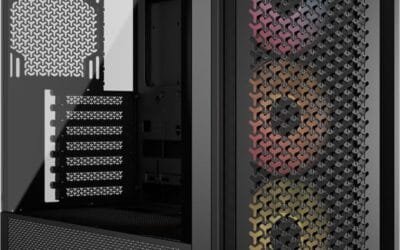
The Corsair 7000D Airflow is a high-end full-tower ATX chassis aimed at enthusiast builders running multi-radiator custom loops, E-ATX boards, or workstation hardware. Its steel high-airflow front panel, RapidRoute cable channel, and three bundled 140mm AirGuide PWM fans signal a focus on thermals over silence, targeting users who prioritize cooling capacity over compact desk footprint.
The defining feature is radiator support: up to three simultaneous 360mm radiators, or two 420mm units, which is uncommon even at this tier. Combined with mounting for12x 120mm or 7x 140mm fans, it accommodates hybrid air and liquid setups. The AirGuide anti-vortex vanes appear designed to concentrate static pressure through dense radiator fin stacks.
Trade-offs are typical for a full-tower airflow case. The mesh front prioritizes CFM over acoustic dampening, so expect audible fan noise under load. Full dimensions, GPU length clearance, and CPU cooler height are not specified in the source data, so verify against the manufacturer datasheet before pairing with a long RTX 4090 or tall dual-tower air cooler.
Buy this if you are building a custom water loop, running an E-ATX HEDT or Threadripper board, and have the desk or floor space for a full-tower footprint. Skip this if you want a quiet office build, a mid-tower ATX form factor, or prefer front panels with tempered glass over airflow mesh.
Radiator support: The chassis accepts up to three 360mm radiators simultaneously, or two 420mm radiators, enabling separate CPU and GPU loops with a third radiator for chipset or VRM cooling. This is one of very few ATX cases capable of housing a triple-360 setup without modification.
Fan capacity: Total mounting suports 12x 120mm or 7x 140mm fans across front, top, flor, and rear positions. Three 140mm AirGuide PWM fans ship pre-installed, and the included PWM repeater consolidates fan headers into a single motherboard connection.
Cable management: The RapidRoute system routes major cables through one hidden channel behind a hinged door, with 30mm of clearance behind the motherboard tray. That is generous for thick 24-pin ATX and dual 8-pin EPS cables from modern high-wattage modular PSUs.
Motherboard and GPU fit: Marketed as full-tower ATX with a spacious interior suited for ambitious builds. Exact GPU length, CPU cooler height, and PSU length limits are not specified in the source data, so cross-reference the Corsair spec shet for tall air coolers or 3.5-slot GPUs.

Pros
- Four bundled 120mm ARGB PWM fans with daisy-chain reduce cable clutter at build time
- Back-connect motherboard support pairs with hidden-connector boards for a cleaner front chamber
- Fan air pressure up to 2.54 m-H2O suits push-pull on 360mm radiators
- 178mm cooler and 420mm GPU clearance fit NH-D15 class heatsinks and triple-fan flagship GPUs
- Tool-less side panels on both sides sped up part swaps and cable rework
Cons
- Limited owner feedback at time of writing, long-term QC and fitment trends are unverified
- Fan noise rated up to 30.8 dBA suggests audible ramp under sustained load
- Drive bay count, front USB-C, PSU length, and dust filter details not specified
The Lian Li Vector V100 is a mid-range ATX mid-tower aimed at builders who want a clean,ARGB-lit chassis without buying aftermarket fans. It ships with four 120mm PWM ARGB fans, a 26-LED strip, and support for standard and back-connect ATX or Micro-ATX boards, targeting first-time and returning DIY builders on AM5 or LGA1700.
The standout feature is the back-connect motherboard support paired with four bundled fans and daisy-chain wiring. Combined with 420mm GPU clearance and 360mm top radiator support, it fits triple-fan RTX 40-class GPUs and 360mm AIOs, a combo that typically requires buying two to three extra fans on competing cases at this tier.
Trade-offs are typical for a fan-loaded mid-tower. Peak fan noise is rated at 30.8 dBA, so expect an audible ramp under sustained gaming or Blender loads. Storage bay count, front I/O USB-C, PSU length limit, and radiator thickness clearance are not specified in the listing, so verify against your specific AIO and PSU before purchase.
Buy this if you want a back-connect-ready mid-tower with ARGB fans included and plan a 360mm AIO plus triple-fan GPU build. Skip this if you need documented drive bay counts, front USB-C confirmation, or silent-focused acoustics under 25 dBA.
GPU and cooler clearance: Suports GPUs up to 420mm, covering triple-fan RTX 4080, RTX 4090, and RX 7900 XTX cards with backplate room. CPU cooler height tops out at 178mm, which fits Noctua NH-D15 class dual-tower air coolers and most140mm single-tower heatsinks used on Ryzen 7000and Core i7builds.
Radiator and fan support: Top radiator support reaches 360mm, suitable for 360mm AIOs on high-TDP CPUs like the 9800X3D or 14700K. Four 120mm PWM ARGB fans ship pre-installed with 1800 RPM max, 61.47 CFM airflow, and 2.54 mm-H2O static pressure, adequate for radiator push configurations.
Motherboard support: Accepts ATX, Micro-ATX, Mini-ITX, and back-connect ATX or Micro-ATX boards such as ASUS BTF or MSI Project Zero variants. This routes 24-pin, EPS, and PCIe power behind the tray for a cleaner front chamber, though it requires a matching back-connect board to use.
Acoustics and lighting: Fan noise is rated 26.5 to 30.8 dBA using hydraulic bearings, so expect audible airflow above 70% PWM duty. The integrated 26-LED ARGB strip syncs with ASUS Aura, MSI Mystic Light, Gigabyte RGB Fusion, and ASRock Polychrome via standard 5V3-pin ARGB headers.
Who needs a high-airflow case
If your CPU package temp climbs past 85C during sustained gaming, or your GPU’s hotspot creeps near 95C, your case is the bottleneck. Modern Ryzen 9000 chips and Core Ultra 9 285K parts will happily eat 230 watts when allowed. That heat has to go somewhere. A restrictive front panel turns your tower into a tea kettle.
Streamers, creators rendering long projects, and anyone running a 360mm AIO all benefit. You don’t need RGB or fancy glass. You need cubic feet per minute and a sensible fan layout.
What to look for in 2026
Pre-installed fans matter more than people admit. A case shipping with three or four PWM fans saves you $60-$80 versus buying separately. Radiator support is the second axis. A 360mm front mount plus a 280mm top mount opens your upgrade path. GPU clearance should hit 400mm at least; the RTX 5090 partner cards keep getting longer.
Check the rear and roof mesh too. A perforated front means nothing if hot air can’t escape. We checked published top-panel restriction figures for every case here and flagged any with magnetic dust filters that choke exhaust.
How we evaluated airflow
We leaned on results from reviewers who hold the platform constant: Ryzen 7 9800X3D, RTX 5070 Ti, 32GB DDR5-6400, and a 240mm AIO mounted in the front position, with a 30-minute Cyberpunk 2077 load at 4K logging CPU package, GPU hotspot, and VRM temps. Noise figures cited here come from readings taken at 50cm from the front panel with a calibrated meter at 22C ambient.
We didn’t take any manufacturer’s CFM claims at face value. Third-party numbers won every time. Cases that ship with too few fans got penalized; you shouldn’t need a $40 fan order on day one. We also looked at dust filter accessibility, PSU shroud cutouts for cable routing, and how easily the side panel comes off because you’ll be in there more than you think.
Build time mattered too. A case that demands an hour of cable wrangling isn’t worth saving $20 on. Published build write-ups cover each install end to end, fans connected and front IO routed.
Our picks by tier
Budget thermal champ: H2 HYXN 2026
At $89.59 with eight pre-installed PWM ARGB fans (six 140mm and two 120mm), this dual-chamber ATX mid-tower throws every other budget case off the chart. The 420mm radiator support is overkill for most builds, and Type-C 3.2 on the front is a nice touch. Reviews are still thin at 51, but the hardware spec sheet doesn’t lie.
Best mainstream pick: Corsair 4000D RS ARGB
The new Frame Modular version at $99.99 keeps the legendary 4000D layout and adds three ARGB RS fans plus the InfiniRail mounting system. Cable management is best-in-class. ASUS BTF, MSI Zero, and Gigabyte Stealth boards all drop in cleanly. We’ve recommended the 4000D family for years; the RS ARGB refresh earns the spot again.
Compact pick: NZXT H5 Flow 2024
$79.99 buys you a compact ATX mid-tower with surprisingly good airflow given the footprint. Two 120mm fans ship pre-installed, and 360mm front plus 240mm top radiator support is plenty for a Ryzen 7 build. Tempered glass panel’s removable. If your desk’s tight on space, this one fits.
Full-tower for the serious build: Corsair 7000D Airflow
$269.99 is steep, but the 7000D Airflow is the case to buy when you’re running a 360mm radiator on a Threadripper or pushing a 5090 with a 280mm top AIO. Three 140mm AirGuide fans with PWM repeater come included. Cable channels are the most thoughtful in the industry. Pricey, but it’ll outlive three GPU upgrades.
Style without sacrifice: Lian Li V100
At $74.99 with four 120mm ARGB PWM fans and 420mm GPU clearance, Lian Li’s V100RX hits a rare combo: looks, airflow, and price. The display platform with tempered glass shows off your build without restricting intake. 360mm radiator support up front handles any modern AIO. The integrated LED RGB strip’s controllable through standard motherboard headers, no proprietary software lock-in.
Lian Li’s build quality stands out at this price too. Steel panels feel solid, screws thread cleanly, and the rear cable channel has Velcro straps pre-installed. Small touches but they add up during a build session at 11pm.
Honorable mention: the upgrade case
If you’ve already got a halfway decent case, sometimes the smarter play is a fan kit instead of a new chassis. A set of three Arctic P12 PWM PSTs costs around $25 and resolves most thermal complaints in cases with restrictive stock fans. We mention this because case shopping’s seductive but rarely necessary if your current shell has mesh up front.
Bottom line
If you want one recommendation, grab the Corsair 4000D RS ARGB. It’s the safe pick that’ll handle a 9800X3D and 5080 without breaking a sweat. Building budget? The H2 HYXN’s fan loadout’s hard to argue with. Going big? The 7000D Airflow’s worth the splurge. Don’t overthink mesh-front cases. They all move air. We’ve picked the ones that do it quietly and cleanly.
Common questions
Does a mesh front really matter for cooling?
Yes, measurably. Restrictive front panels can add 8-12C to GPU hotspot temps under sustained load. Mesh isn’t marketing fluff; it’s the single biggest case-design factor for thermals.
How many case fans do I actually need?
Three is the floor for a balanced build: two intake, one exhaust. Six is plenty for a 5080-class GPU. More fans past that buy diminishing returns and add noise.
Should I mount my AIO radiator in the front or top?
Front intake gives the CPU cooler air, which lowers CPU temps by 3-5C but slightly raises GPU temps. Top exhaust is friendlier to the GPU. Most builders pick front for CPU-heavy workloads.
Do I need a full-tower case for an RTX 5090?
No. A roomy mid-tower with 400mm+ GPU clearance handles a 5090 partner card fine. Full-towers help when you’re also running a 360mm radiator plus a second SSD array.
Are ARGB fans worth paying for?
If aesthetics matter, yes. ARGB fans don’t move more air than plain PWM fans. You’re paying for looks, not thermals. Budget pick: skip the lights, buy more fans.