

Roughly a quarter of desk width vanishes when you drop from a full-size keyboard to a compact one, and that reclaimed space is why the 65 percent and 75 percent layouts have taken over gaming setups. Both ditch the number pad. The difference between them is small but real, and it changes how the board feels for both fragging and typing. So which layout actually buys you more, and does spending up get you a better gaming experience? We researched both formats and lined them up head to head. If you’re weighing options, our picks for the best 65 percent keyboard for gaming and the best 65 percent keyboards overall pair well with everything below.
Matchup at a glance
The 65 percent layout is the minimalist’s pick. It keeps the arrow keys and a handful of navigation keys but drops the function row, squeezing everything into the smallest footprint that’s still comfortable for daily use. For gaming, that tighter layout means your mouse hand sits closer to your movement hand, which some players swear improves comfort during long sessions. It’s the choice when desk space and a clean look matter most.

The 75 percent layout adds back the function row in a condensed block, so it’s a bit wider than a 65 but still far smaller than full-size. You get F-keys without reaching for a Fn combo, which helps in games that lean on them and in everyday work. It’s the middle ground: nearly the compactness of a 65 with more direct key access. Neither is objectively better. They serve slightly different priorities, and the right call depends on how you actually use the board.

Spec sheet showdown
| Spec | 65% layout | 75% layout | Budget reference kit |
|---|---|---|---|
| Function row | No (Fn layer) | Yes, condensed | Full row (full-size) |
| Arrow keys | Yes, dedicated | Yes, dedicated | Yes, dedicated |
| Footprint | Smallest usable | Slightly wider | Largest |
| Best for | Max desk space, mouse room | F-key access, balance | Full-feature budget builds |
| Example switch feel | Linear/silent options | Linear/tactile options | Linear red (Newmen) |
One honest note on the products in this comparison. The two budget boards we reference, a Cherry office model and a Newmen gaming model, are actually full-size 104-key layouts, not literal 65 or 75 percent boards. We’re using them as real-world examples of switch feel and budget pricing rather than as stand-ins for the compact formats themselves. Where we mention them, we’ll be clear about what they are so you’re not picturing a compact board that isn’t one.
65 percent strengths
The 65 percent layout’s biggest win is space. By cutting the function row entirely, it gives you the smallest board that still keeps dedicated arrow keys, which is a line a lot of gamers won’t cross. That freed-up desk real estate lets you swing a low-sensitivity mouse across a wider arc without clipping the keyboard, and for FPS players who game at low DPI, that room genuinely helps. It’s also just cleaner on the desk, which matters more than people admit.
The tradeoff is the missing function row. On a 65 you hit F-keys through an Fn layer, a hold-and-press combo that’s fine for occasional use but clumsy if a game maps important actions to F1 through F12. For pure gaming where WASD, the arrows, and a few mouse buttons carry the load, that’s rarely an issue. For anyone who leans on function keys in-game or at work, though, it’s a daily friction you’ll notice. The 65 rewards players who’ve trimmed their keybinds down to essentials.
75 percent strengths
The 75 percent layout answers the 65’s one real weakness. It keeps the function row, just condensed and pushed tight against the rest of the keys, so you get direct F1-through-F12 access without a footprint much larger than a 65. For games that use the function row for abilities, quick-saves, or menu toggles, that direct access removes a real annoyance. You’re not fumbling an Fn combo mid-fight. It’s the layout that asks you to give up the least.
It’s also the friendlier pick for people who both game and work. Spreadsheets, creative apps, and productivity software lean on F-keys constantly, and a 75 handles that natively while still clearing desk space for your mouse. The cost is a slightly wider board and a marginally busier top row, since keys sit closer together than on a full-size. Most people adapt in a day. If you want compactness without surrendering functionality, the 75 is the layout that bends least to fit your habits. As a budget example of the linear switch feel many 75 percent gamers prefer, the Newmen GM325Pro, about $20.89 with a 4.8-star rating, uses hot-swap linear red switches on a metal panel, though note it’s a full-size 104-key board rather than a true 75 percent form factor.

Pros
- Hot-swap sockets allow switch experimentation without soldering tools or PCB risk
- Metal top plate delivers firmer typing feel than plastic budget boards at this tier
- Full-key rollover and linear red switches handle rapid inputs for casual gaming
Cons
- Limited owner feedback at time of writing, so long-term reliability is unproven
- RGB is restricted to side lighting only, per-key backlight is fixed rainbow patterns
- ABS keycaps typical at this tier tend to shine and wear faster than PBT
The Newmen GM325Pro is a budget full-size 104-key wired mechanical keyboard aimed at first-time mechanical buyers and casual gamers who want a hot-swap PCB without moving up to enthusiast pricing. It ships with linear red switches, a metal top plate, ABS keycaps, and side-edge RGB lighting.
The defining feature here is the hot-swap socket combined with linear red switches. That gives new users a low-friction path to swap inactile or silent switches later without soldering. Typing fel on metal-plate boards at this tier is usually firmer and less hollow than all-plastic budget pers, based on category norms.
Trade-offs are typical for the price class. Per-key RGB is not suported, only side lighting is true RGB while the top backlight runs 13 preset rainbow effects. ABS keycaps tend to develop shine within months of heavy use, and Newmen does not publish switch lifecycle, polling rate, or NKRO wired specs in the source data.
Buy this if you want a cheap full-size hot-swap platform to learn on and plan to upgrade switches or keycaps later. Skip this if you need per-key RGB, PBT caps, a documented polling rate, or a keyboard with a dep owner review history to validate QC.
Switches and layout: Linear red switches on a full 104-key ANSI layout, with full-key rollover claimed by the manufacturer. Actuation force, travel, and switch brand are not specified in the source. Linear reds typically sit near 45g actuation and 4m total travel in this category.
Hot-swap PCB: Sockets accept standard MX-style switches, so tactile, clicky, or silent linear options from third parties drop in without soldering. Pin compatibility (3-pin vs 5-pin) is not specified, buyers should confirm before ordering replacement switches.
Build and lighting: Metal top plate over ABS black keycaps. RGB is limited to the side edge, while the top backlight cycles through 13 preset rainbow patterns rather than per-key addressable RGB. Case material below the plate is not specified.
Connectivity and software: Wired only via a detachable 1.8m USB cable. FN combos cover F1 to F11 media and calculator shortcuts. Customization software suports key remap, macro recording, and lighting tweaks, though poling rate and software platform support are not specified.
Real-world scenarios
Competitive FPS at low sensitivity
If you play shooters at low DPI and make big arm sweeps, the 65 percent layout’s smaller footprint is the stronger fit. That extra desk width for your mouse is exactly what low-sens players want, and you rarely need the function row mid-match. The board gets out of the way and lets the mouse do the work.
MMOs and games with heavy keybinds
Games that map abilities across the function row favor the 75 percent layout. Reaching F5 through F8 directly, without an Fn hold, keeps your rotations smooth when the action is fast. The 65 can do it through its layer, but under pressure that extra step costs you. For keybind-heavy genres, the 75’s function row earns its slightly larger size.
Gaming plus work on one desk
If the same keyboard pulls a shift in spreadsheets or creative software, the 75 percent is the practical winner. Productivity apps live on F-keys, and native access beats a combo every time. You still get most of the compactness. For a single board that games hard and works hard, the 75 is the low-compromise choice most dual-use players land on.
Small desks and tidy battle stations
When the desk is genuinely cramped, the 65 percent layout wins on pure size. It’s the smallest board that keeps arrow keys, so it fits setups where a 75 would feel tight. If your priority is a minimal, uncluttered space and you’ve trimmed your keybinds, the 65 slots in where bigger boards can’t. Our compact-desk keyboard picks dig into this case.
Pricing and availability
Both layouts span the full price range, from sub-$30 budget boards to premium custom builds north of $150. The layout itself doesn’t dictate cost much. Build quality, switches, and features do. You can find a decent 65 or 75 for around $40 to $60, and that’s where most gamers should shop unless they want hot-swap sockets, gasket mounts, or wireless.
Among budget reference boards, the Cherry KC 200 MX runs about $56.31 with a 4.0-star rating and uses Cherry’s newer MX2A silent red switches in a metal-plate frame, while the Newmen GM325Pro sits near $20.89 with a 4.8-star rating and hot-swap linear reds. Worth repeating that both are full-size office and gaming boards, not compact 65 or 75 percent layouts, so treat their prices as switch-and-quality benchmarks rather than as compact-board pricing. True 65 and 75 percent boards typically start a little higher for the same switch quality.
Which to buy
Pick the 65 percent layout if desk space and a minimal look top your list, you game at low sensitivity, and you rarely need the function row in-game. It’s the layout for players who’ve pared their keybinds to essentials and want the mouse to own the desk. For pure competitive FPS on a tight surface, it’s the cleaner, more focused choice, and you won’t miss the F-keys you weren’t using.
Pick the 75 percent layout if you want compactness without giving anything up. The condensed function row makes it the safer all-rounder for keybind-heavy games and for anyone splitting time between play and work. It costs you a sliver of desk space and nothing else. For most people buying one board to do everything, the 75 is the recommendation. If you want a budget board with the linear switch feel many gamers prefer, the full-size Newmen GM325Pro at around $20.89 is a cheap way to sample hot-swap linear reds before committing to a compact custom build, just remember it’s a 104-key layout.

Pros
- MX2A Silent Red linears actuate quietly, good fit for open-plan offices
- Metal plate frame keeps chassis stiff and reduces caseping under typing
- Cherry Gold-Crosspoint contacts rated for 50 million keystrokes on this variant
- Full-size layout with dedicated numpad suits data entry and spreadshet work
Cons
- Renewed unit with no owner fedback loged yet, cosmetic and wear condition varies
- Silent Red linears lack tactile bump, typists who prefer fedback should pick Brown
- Source data omits connectivity, cable type, polling rate, and dimensions
The Cherry KC 200 MX is a full-size office-focused mechanical keyboard sold here as a Renewed unit in Bronze with MX2A Silent Red linear switches. It targets office typists, developers, and finance or admin users who want Cherry switch fel and a metal plate frame without the RGB and gamer styling of enthusiast boards.
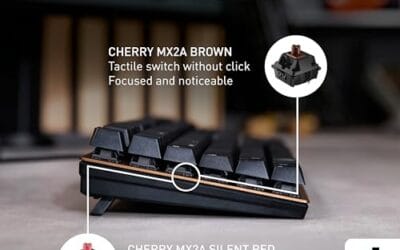
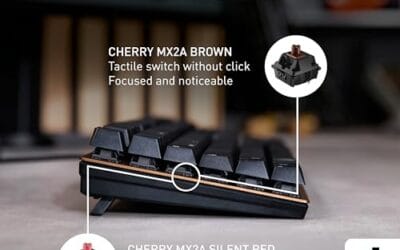
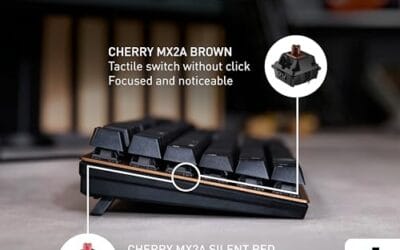
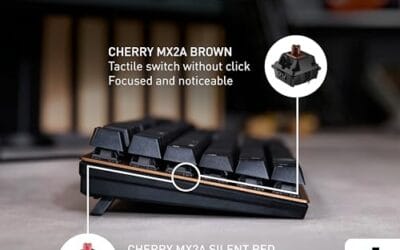
The defining feature is the MX2A Silent Red switch, Cherry's updated linear with dampened stems aimed at reducing bottom-out and return noise. Cherry rates this variant for 50 million keystrokes. Based on the linear profile, expect smooth actuation with no tactile bump, which suits fast touch typists and users on frequent video calls.
Trade-offs are typical at this tier and Renewed status. Silent Red linears are polarizing, users coming from Browns or Blues will miss the tactile feedback, and the source does not specify polling rate, connection type, cable, keycap material, or dimensions. As a Renewed listing, cosmetic condition and remaining switch life depend on the refurbisher rather than a factory-fresh baseline.
Buy this if you want a quiet full-size Cherry mechanical for office or shared-space use and value the metal plate build over RGB features. Skip this if you prefer tactile or clicky switches, need confirmed wireless or USB-C connectivity, or want a waranty profile equivalent to new stock.
Switches: Cherry MX2A Silent Red, linear with integrated dampeners, made in Germany with Gold-Crosspoint contacts. Rated for 50 million keystrokes on this variant, versus 100 million on MX2A Brown. Linear travel with no tactile bump favors light, fast keypresses over deliberate typing fedback.
Build: Metal plate frame under the switches, which stiffens the deck and cuts flex compared with plastic-only office boards. Cherry positions the KC 200 MX as a slim modern design, though exact case height, weight, and keycap material are not specified in the source data.
Layout and indicators: Full-size layout retains the dedicated numpad and function row, which maters for spreadsheet,ERP, and accounting workflows. White LED status indicators are built into Caps Lock, Scroll Lock, and Num Lock keys, avoiding a separate indicator strip and keeping the top edge clean.
Gaming fit: Silent Red linears work for casual gaming and MMO or productivity crossover use given their light linear fel, but the source does not list polling rate, N-key rollover, or onboard profiles, so competitive esports buyers should confirm specs before committing.
Common questions
Is a 65 or 75 percent keyboard better for gaming?
Both are excellent for gaming. The 65 gives more mouse room and a smaller footprint, which suits low-sensitivity FPS players. The 75 keeps a function row for games with heavy keybinds. If you want maximum desk space, go 65. If you want F-key access without a big board, go 75. Neither hurts your performance, so it comes down to your desk and your keybinds.
Do I lose the arrow keys on a 65 percent board?
No, that’s the key distinction. Both 65 and 75 percent layouts keep dedicated arrow keys, which is what separates them from smaller 60 percent boards that bury arrows under a layer. On a 65 you keep the arrows and lose only the function row. For gaming, keeping physical arrow keys matters, and both formats here deliver that.
Are hot-swap switches worth it on a budget board?
They add real flexibility. Hot-swap sockets let you change switches without soldering, so you can swap linear reds for tactiles later or replace a failed switch cheaply. The budget Newmen board here includes hot-swap on a metal panel, which is generous at its price. If you’re new to mechanical keyboards and might want to experiment, hot-swap is a feature worth having.
Will a compact keyboard slow down my typing?
Only briefly. Both 65 and 75 percent layouts keep the main typing cluster identical to full-size, so letters, numbers, and modifiers are right where you expect. The adjustment is learning the Fn layer for functions you used to press directly. Most people are back to full speed within a day or two, and the reclaimed desk space is usually worth the short transition.
Which layout is easier to find at a good price?
The 65 percent is one of the most popular compact formats, so it has huge selection at every price. The 75 percent has grown fast and is nearly as common now. Both are easy to find between $40 and $60 for a solid gaming board. Availability isn’t a real tiebreaker anymore, so choose on layout preference rather than worrying one will be hard to source.






























Write Your Review
No reviews yet. Be the first to share your experience!