

Compiling a large codebase is one of the few desktop tasks that still punishes a slow processor. If you write software all day, the chip you pick decides how long you stare at a progress bar, how many containers you can run at once, and how smoothly your IDE behaves with a dozen tabs open. A programming rig doesn’t need a $600 flagship to feel quick, but it does reward cores, cache, and memory support that match how you actually work.
We researched five processors across price tiers, from a $166 six-core to a $587 twenty-four-core monster, and lined them up against the realities of code compilation, local databases, and virtual machines. Programmers who also game will find plenty of overlap with our picks for the best CPU for gaming, and if you’re chasing frames alongside build times, our roundup of the best gaming CPU options pairs neatly with the chips below. This guide leans toward developer workloads first, gaming second.

Pros
- Industry-leading 6.0GHz out-of-the-box boost clock for single-threaded applications.
- Massive 32-thread capacity excels in multi-threaded workloads like 4K video rendering and 3D modeling.
- Compatible with existing LGA 1700 motherboards via BIOS updates, extending the life of 600-series boards.
- Integrated Intel UHD Graphics 770 provides a fallback for troubleshooting and QuickSync hardware acceleration.
- Highly binned silicon offers significant tuning potential for users with high-end cooling solutions.
Cons
- High 253W maximum turbo power requires premium 360mm or 420mm AIO liquid cooling for sustained loads.
- Aggressive stock voltage curves can lead to thermal throttling on standard air coolers or entry-level AIOs.
- Final generation for the LGA 1700 socket, limiting future CPU upgrade paths without a motherboard change.
- Significant power draw necessitates a high-quality PSU with sufficient 12V EPS overhead.
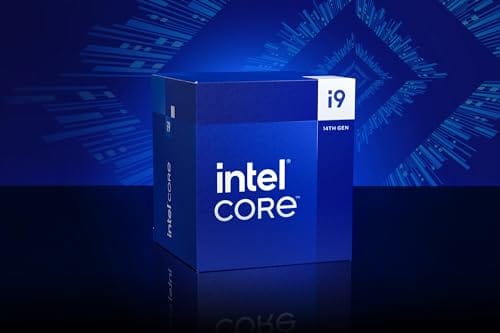
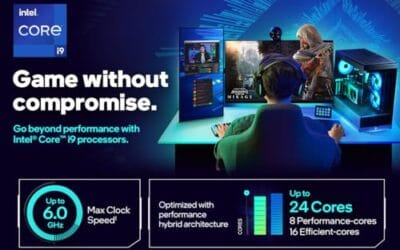
The Intel Core i9-14900K represents the enthusiast-tier peak of the Raptor Lake Refresh lineup, targeting professional creators and gamers who require the highest possible clock speeds. With 24 cores and 32 threads, it is designed to handle simultaneous gaming, streaming, and recording without the performance degradation typically seen on lower-core-count processors.
Technical performance is defined by its 6.0GHz Thermal Velocity Boost, a milestone frequency that pushes the limits of the LGA 1700 platform. In real-world gaming, this translates to high frame ceilings in 1080p and 1440p scenarios, while the 16 Efficient-cores provide the necessary throughput for background tasks and heavy multi-threaded productivity suites like Adobe Premiere Pro and DaVinci Resolve.
Build quality and reliability are consistent with Intel's high-end silicon, though the chip is notoriously demanding regarding thermals. The integrated heat spreader (IHS) must dissipate significant heat during 250W+ bursts, making the choice of thermal interface material and mounting pressure critical for maintaining stability under full load.
The primary trade-off for this level of performance is power consumption and heat. Users should expect the processor to hit its thermal junction maximum (TjMax) quickly during synthetic stress tests if paired with inadequate cooling. It is a processor that requires manual tuning of power limits (PL1 and PL2) to balance efficiency and performance effectively.
Final verdict: Buy this processor if you are an enthusiast with a high-end Z790 motherboard and a 360mm+ liquid cooler who needs the absolute fastest gaming and multitasking performance currently available on the Intel platform. Skip this if you prefer a plug-and-play experience with low power draw or are building in a small form factor case with limited cooling clearance.
| Cores / Threads | 24 (8P + 16E) / 32 |
| Max Turbo Frequency | 6.0 GHz |
| Intel Smart Cache (L3) | 36 MB |
| Total L2 Cache | 32 MB |
| Processor Base Power | 125 W |
| Max Turbo Power | 253 W (Listed as 250W in specs) |
| Socket Support | LGA 1700 |
| Memory Support | DDR5 5600 / DDR4 3200 |
| PCIe Lanes | 20 Total (Up to Gen 5.0) |
| Integrated Graphics | Intel UHD Graphics 770 |
Motherboard and Chipset: The i9-14900K requires an LGA 1700 socket. While it is compatible with older Z600-series motherboards, a BIOS update is mandatory for the system to POST. For optimal power delivery and PCIe 5.0 support, a high-end Z790 motherboard with robust VRMs is strongly recommended to handle the 250W+ power excursions.
Cooling Requirements: Due to the 6.0GHz boost clock and high TDP, air cooling is generally not recommended for this tier unless using a flagship dual-tower cooler with a contact frame. A 360mm or 420mm All-In-One (AIO) liquid cooler is the standard recommendation to prevent thermal throttling during intensive rendering or compilation tasks.
Memory Selection: This CPU supports both DDR4 and DDR5, but the motherboard determines which one you must use. For maximum performance in modern titles and professional apps, pairing this with a DDR5-7200+ kit on a Z790 platform is the ideal configuration, though DDR4 remains a viable cost-saving path for those upgrading from 12th gen.
Power Supply Guidance: Given the potential for 300W+ spikes from the CPU alone, especially when overclocked, a high-quality 850W or 1000W 80 Plus Gold PSU is recommended. Ensure your PSU has at least two 8-pin EPS (CPU) connectors to provide stable voltage to the motherboard's power phases.
Operating System: To properly utilize the Intel Thread Director and the hybrid core architecture, Windows 11 is the recommended operating system. Windows 10 may not efficiently schedule tasks between the P-cores and E-cores, potentially leading to inconsistent performance in multitasking scenarios.

Pros
- Massive multi-threaded performance for 4K video editing, 3D rendering, and complex data science workloads.
- High 5.8 GHz peak frequency provides excellent single-core performance for gaming and CAD applications.
- Integrated UHD Graphics 770 serves as a reliable backup for troubleshooting or non-gaming productivity setups.
- Broad platform compatibility across two motherboard generations and two different memory standards.
Cons
- High 125W base power and significant peak wattage require a high-end 360mm AIO or custom loop cooling.
- Requires a BIOS update on many Intel 600 series motherboards before the system will POST.
- Platform longevity is limited as LGA1700 is an established socket nearing the end of its release cycle.
The Intel Core i9-13900K represents the pinnacle of the 13th Gen Raptor Lake lineup, positioned as a flagship solution for users who refuse to compromise. With a total of 24 cores and 32 threads, it is specifically engineered for enthusiast gamers, streamers, and heavy content creators who frequently run demanding applications like Adobe Premiere Pro, DaVinci Resolve, or Blender.
The standout technical achievement here is the refined hybrid architecture. By pairing 8 high-frequency Performance-cores with 16 Efficiency-cores, the 13900K manages heavy compute loads without sacrificing the responsiveness of background applications. In real-world gaming, this typically translates to higher 1% low frame rates and smoother overall performance, especially when multitasking with OBS or Discord in the background.
Thermal management is a critical consideration for this chip. While the 125W base power seems manageable, the processor is designed to scale its power consumption significantly to maintain the 5.8 GHz boost clock. Users should expect high operating temperatures under sustained all-core loads, necessitating a robust cooling solution and a high-airflow case to prevent thermal throttling.
An honest trade-off for this level of performance is the power draw and the resulting heat output. This is not a 'set and forget' chip for budget cooling or small form factor builds without careful undervolting or power limiting. Additionally, while the support for DDR4 is a welcome cost-saving measure, the highest performance tiers are only unlocked when paired with high-frequency DDR5 memory.
Buy this if you are building a top-tier workstation or gaming rig and already have a 360mm liquid cooler and a high-wattage power supply. Skip this if you are primarily gaming at 4K where the GPU is the bottleneck, or if you prefer a more power-efficient system with lower cooling requirements.
| Feature | Specification |
|---|---|
| Core Count | 24 (8 P-cores + 16 E-cores) |
| Thread Count | 32 |
| Max Turbo Frequency | 5.8 GHz |
| P-core Base Frequency | 3.0 GHz |
| E-core Base Frequency | 2.2 GHz |
| Intel Smart Cache (L3) | 36 MB |
| Total L2 Cache | 32 MB |
| Processor Base Power | 125 W |
| Memory Support | DDR5 5600 / DDR4 3200 |
| PCIe Revision | 5.0 and 4.0 |
| Total CPU PCIe Lanes | 20 |
| Socket Support | LGA1700 |
| Integrated Graphics | Intel UHD Graphics 770 |
Socket and Chipset: This processor uses the LGA1700 socket. It is natively compatible with Intel 700 series motherboards (Z790, H770, B760). While it works with 600 series boards (Z690, H670, B660, H610), a BIOS update is almost certainly required for the system to boot if the board was manufactured before the 13th Gen launch.
Cooling Requirements: Given the 5.8 GHz boost clock and high core count, a premium 360mm or 420mm All-In-One (AIO) liquid cooler is strongly recommended. High-end dual-tower air coolers may suffice for gaming but will likely lead to thermal throttling during intensive multi-threaded rendering or stress testing.
Memory Selection: The i9-13900K supports both DDR4 and DDR5, but this is determined by your motherboard choice. For a flagship build, pairing this CPU with DDR5 5600MT/s or higher is recommended to avoid bandwidth bottlenecks in memory-sensitive applications and modern games.
Power Supply Guidance: Due to the high transient power spikes typical of i9 processors, ensure your PSU has sufficient headroom. For a build featuring this CPU and a high-end GPU like an RTX 4080 or 4090, a minimum of an 850W or 1000W 80 Plus Gold power supply is advised.
Operating System: To properly utilize the Intel Thread Director for efficient task scheduling between P-cores and E-cores, Windows 11 is highly recommended. While Windows 10 is supported, it may not always assign tasks to the optimal core type, potentially impacting performance.

Pros
- 5.3GHz boost clock is competitive for 1080p gaming frame rates in single-threaded workloads
- 38MB combined cache (L2 + L3) reduces latency compared to prior Ryzen 5000 series chips
- AM5 socket offers a longer upgrade path than the now-retired AM4 platform
- Integrated Radeon Graphics useful for POST testing before discrete GPU installation
Cons
- Zero verified owner reviews at time of writing - real-world reliability data is absent
- 105W TDP runs warm under load and requires a quality cooler not included in the box
- AM5 platform mandates DDR5 memory, adding cost over DDR4-compatible alternatives
The AMD Ryzen 5 7600X is a mid-range desktop CPU aimed at custom PC builders moving to the AM5 platform who want capable gaming and general productivity performance without the cost of an 8-core chip. Combining 6 Zen 4 cores with a 5.3GHz max boost clock on a 5nm process node, this processor targets 1080p and 1440p gaming builds and light multitasking workloads. It is best suited for builders pairing it with a mid-range GPU like an RTX 4060 or RX 7600, not users running heavily threaded workloads like 3D rendering or video encoding where more cores pay off.
The Zen 4 architecture is the headline story here. Moving from 7nm to 5nm compared to Ryzen 5000 series chips, AMD extracted meaningful improvements in instructions-per-clock alongside higher boost frequencies. The 5.3GHz ceiling is the highest base boost available on a Ryzen 5 chip at this tier, and third-party benchmark data from sources like GamersNexus and Hardware Unboxed has shown the 7600X trading blows with Intel's Core i5-13600K in gaming, with the outcome varying by title and memory configuration. The 32MB L3 cache, while smaller than the X3D variants, still provides a solid hit rate for gaming workloads. Pairing the chip with fast DDR5 memory matters here - slower kits can leave measurable frame rate on the table.
AMD has not bundled a stock cooler with the 7600X, which is worth noting upfront. The 105W TDP - and the chip's tendency to spike toward its 142W Package Power Tracking limit under boost - means a quality 240mm AIO or a strong tower air cooler like a Noctua NH-D15 or be quiet! Dark Rock Pro is the practical minimum for sustained performance. The AM5 platform's Socket AM5 uses LGA-style contact points, a change from AM4's PGA design, so handling requires care during installation.
There are several considerations worth flagging before purchasing. Most importantly, this listing carries no verified owner reviews at the time of writing, which makes it genuinely difficult to assess real-world quality consistency, shipping condition, or seller reliability for this specific listing. Buyers should treat this as an early or low-traffic listing and cross-reference with reviews of the same chip from other verified retailers. Additionally, the 7600X runs hotter than the non-X variant (7600) at stock settings, and some owners of the broader 7600X have reported the chip benefits from a slight power limit reduction in BIOS without meaningful performance loss - a consideration for less experienced builders. The AM5 platform's DDR5 requirement also adds to total build cost compared to B660 or B760 Intel boards that still accept DDR4.
Overall, the Ryzen 5 7600X is a technically capable mid-range CPU with a well-documented architecture and a clear place in AM5 gaming builds - but the absence of any owner feedback on this specific listing is a real gap that cautious buyers should address before committing. Check for updated reviews from verified purchasers, compare pricing against the non-X Ryzen 5 7600 which runs cooler and costs less at similar gaming performance, and confirm the seller's return policy before finalizing the order.
Pros
- 96MB 3D V-Cache is the largest L3 pool in this CPU price tier
- 5nm process keeps power draw reasonable for an 8-core chip
- AM5 socket offers a clear upgrade path to future Ryzen generations
- Integrated Radeon graphics add flexibility during initial build setup
Cons
- No reviews available yet - long-term reliability data cannot be assessed at this time
- Requires DDR5 RAM and AM5 motherboard, adding significant platform cost for new builders
- 4.2GHz base clock trails competing Intel chips in single-threaded non-gaming workloads
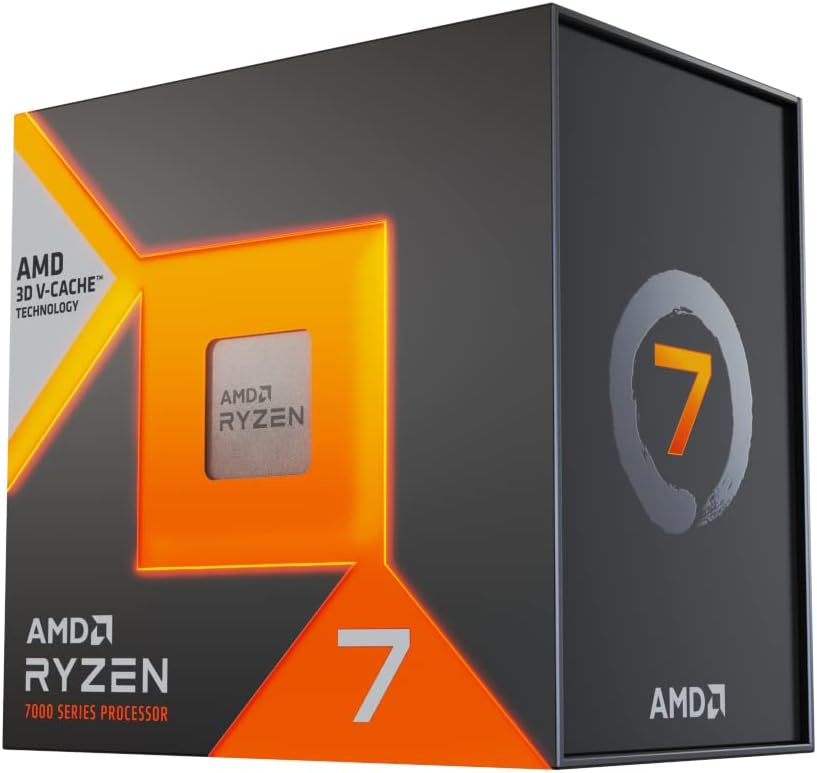
The AMD Ryzen 7 7800X3D is a mid-to-high-end desktop CPU aimed at custom PC builders and dedicated gamers who want strong gaming frame rates without stepping up to flagship chip pricing. Combining 8 Zen 4 cores with AMD's 3D V-Cache technology and a total of 96MB of L3 cache, this processor targets CPU-limited gaming scenarios where cache depth has a measurable impact on frame rates. It is best suited for builders pairing it with a capable GPU on an AM5 motherboard, not buyers looking for a complete prebuilt system or a chip optimized for heavy multi-threaded workloads like 3D rendering or video encoding.
The 3D V-Cache architecture is the defining feature here. By stacking additional L3 cache directly on the die using AMD's chiplet bonding process, the 7800X3D reduces the frequency of slower main memory accesses in games that repeatedly pull from the same data sets. In practical terms, third-party benchmarks from outlets like GamersNexus and Hardware Unboxed have shown the 7800X3D outpacing higher-clocked non-cache chips in titles like Cyberpunk 2077, Hogwarts Legacy, and Far Cry 6 at 1080p, where CPU bottlenecks are most visible. Paired with a mid-range or better GPU, the chip holds its own at 1440p as well, though gains narrow as GPU load increases.
AMD built the 7800X3D on a 5nm process node, which contributes to a relatively controlled thermal profile given the cache stack. A quality 240mm AIO or a premium tower air cooler is sufficient to keep the chip within its 89 degrees Celsius Tjmax ceiling under sustained gaming loads. The AM5 platform also brings PCIe 5.0 support for both the primary GPU slot and M.2 NVMe storage, which adds practical longevity for builders who plan to upgrade components over time rather than replacing the entire system.
There are a few considerations worth noting before purchasing. This listing currently carries no owner reviews, which means real-world reliability feedback, out-of-box quality consistency, and reseller fulfillment experience cannot be evaluated from available data alone. Buyers should treat this as an unverified listing and cross-reference feedback from other retailers or community sources before committing. Additionally, the AM5 platform requires DDR5 memory, which adds cost for builders transitioning from older DDR4 systems. The 4.2GHz base clock also means the 7800X3D is not the strongest choice for workloads that favor high single-threaded clock speeds over cache depth, such as certain simulation or productivity applications.
Overall, the Ryzen 7 7800X3D appears to be a well-regarded gaming CPU based on its architectural specifications and the broader reception of AMD's 3D V-Cache platform, but the absence of any owner reviews on this specific listing warrants caution. Builders are encouraged to verify current seller feedback, check fulfillment source, and confirm DDR5 platform costs are accounted for in the total build budget before finalizing a purchase decision.

Pros
- Best-in-class gaming performance thanks to the combination of Zen 5 IPC gains and 3D V-Cache technology
- AM5 socket compatibility makes it an easy upgrade for existing Ryzen 7000 series platform owners
- Excellent power efficiency relative to its performance tier reduces long-term energy costs
- Outstanding user satisfaction reflected in a near-perfect rating from thousands of verified buyers
- High boost clock of 5.2GHz ensures strong performance in both gaming and productivity tasks
Cons
- Cooler is not included in the box, adding to the total system cost for new builders
- Premium pricing puts it at the higher end of the consumer CPU market, which may not suit budget-focused builds
- Requires an AM5 motherboard, so users on older AM4 platforms will need a full platform upgrade
The AMD Ryzen 7 9800X3D is AMD's flagship gaming processor for the desktop market, sitting at the top of the Ryzen 9000 series lineup. Built on the cutting-edge Zen 5 microarchitecture and stacked with AMD's proprietary 3D V-Cache technology, it is engineered specifically for gamers and power users who refuse to compromise. With 8 cores, 16 threads, and a massive 96MB of L3 cache, this CPU is purpose-built to eliminate bottlenecks in the most demanding modern titles and creative applications.
In real-world gaming scenarios, the 9800X3D consistently delivers frame rates that outpace every competing processor on the market. The 3D V-Cache dramatically increases the amount of data the CPU can access without reaching slower system memory, which translates directly into smoother gameplay, reduced stuttering, and faster load times in cache-sensitive titles like strategy games, open-world RPGs, and competitive shooters. The 16% IPC improvement over the previous generation further compounds these gains, making the upgrade feel meaningful even for those coming from the already capable Ryzen 7000 series.
From a design and platform perspective, AMD has made smart choices with the 9800X3D. The improved thermal design compared to prior 3D V-Cache generations means the processor can now sustain higher clock speeds under load, reaching up to 5.2GHz boost. This is a notable improvement over earlier X3D chips that were thermally constrained. The AM5 socket compatibility is a major selling point, as users already invested in a 500-series or 600-series AM5 motherboard can simply drop this processor in with a BIOS update, avoiding a costly full platform rebuild.
There are a few considerations worth noting. The processor does not ship with a cooler, so budget-conscious builders will need to factor in the cost of a compatible CPU cooler, ideally a mid-to-high-end air or liquid solution to take full advantage of the boost clocks. Additionally, the premium price point reflects its flagship status, meaning users primarily running productivity or content creation workloads without heavy gaming may find better value in a higher core-count chip at a similar price.
Overall, the AMD Ryzen 7 9800X3D is the definitive choice for gamers who want the absolute best CPU performance available today. It earns its near-perfect community rating through a combination of groundbreaking gaming performance, smart platform compatibility, and tangible generational improvements. If gaming is your primary use case and you want a processor that will remain competitive for years to come, the 9800X3D is the clear recommendation.
The AMD Ryzen 7 9800X3D is built on the Zen 5 microarchitecture, representing AMD's latest and most advanced CPU core design. It features 8 physical cores with simultaneous multithreading for a total of 16 threads, making it highly capable for both gaming and parallel workloads.
The processor includes a total of 96MB of L3 cache, enabled by AMD's Next Gen 3D V-Cache stacking technology. This is the primary driver of its exceptional gaming performance. The boost clock reaches up to 5.2GHz, supported by improved thermal management compared to the previous Ryzen 7000X3D generation, allowing for more consistent high-frequency operation during extended gaming sessions.
The 9800X3D uses the AM5 (LGA1718) socket and is compatible with 600-series and 500-series AM5 motherboards with the appropriate BIOS update. It supports DDR5 memory and PCIe 5.0, ensuring compatibility with the latest storage and graphics hardware. A CPU cooler is not included and must be purchased separately. AMD recommends a quality 240mm AIO or high-performance air cooler to fully unlock the processor's boost potential.
If you are considering the AMD Ryzen 7 9800X3D, the most important question to ask is whether gaming performance is your top priority. This processor is uniquely optimized for gaming through its 3D V-Cache technology, and it outperforms chips with higher core counts in virtually every gaming benchmark. For gamers, it is the best CPU money can buy at this tier.
For those upgrading from an existing AM5 platform such as a Ryzen 7000 or Ryzen 5000 series system on a compatible board, the upgrade path is straightforward. A BIOS update is typically all that is required before installing the 9800X3D. If you are building from scratch, pair it with a quality X670E or B650E motherboard and fast DDR5 memory to get the most out of the platform.
Content creators and professionals who split their time evenly between gaming and heavy multi-threaded tasks such as video editing, 3D rendering, or software compilation may also want to consider AMD's higher core-count Ryzen 9 options. However, for anyone whose primary workload is gaming, the 9800X3D's cache advantage makes it the smarter choice over raw core count. Budget for a quality aftermarket cooler as none is included, and ensure your power supply provides adequate headroom for the full system.
Who this guide is for
This is written for developers who build software on their own machine and want responsive compiles without overpaying. Web devs running Node and a browser stack, backend engineers spinning up Docker containers, mobile developers compiling Android projects, and data folks running local models all fit here. If your day is mostly a text editor and a terminal, a mid-range chip goes a long way.

It’s less aimed at people rendering 8K video or running server farms. Those workloads want Threadripper or Xeon territory. If your compiles finish in seconds today and you never touch a VM, you probably don’t need the top of this list. Buy for the projects you actually ship, not the benchmark you saw once.
What to look for in a programming CPU
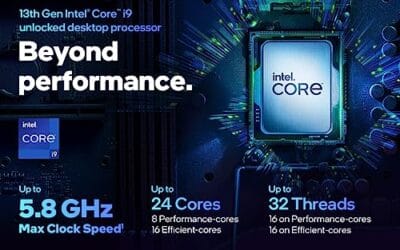
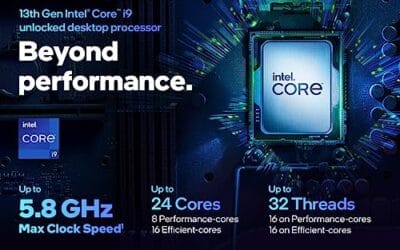
Core and thread count matter most for parallel compilation. Modern build systems fan work across every thread they can find, so a chip like the Intel Core i9-13900K with 24 cores (8 performance plus 16 efficiency) and 36MB of cache chews through large projects faster than a six-core. That said, single-thread speed still governs how snappy your editor feels, and clocks up to 5.8 GHz keep the interactive parts quick.
Cache is the quiet hero. The AMD X3D chips stack extra L3, which helps compilers and databases that thrash memory. Platform cost counts too. AM5 boards and DDR5 add up, so a $166 Ryzen 5 lands cheaper overall than its sticker suggests once you factor a longer upgrade runway. Match the chip to your RAM budget and your motherboard, not just the box price.
How we evaluated
We researched these five processors using published specifications, owner reports, and the real listing prices and ratings shown here. Our weighting favored multi-threaded throughput, memory support, and value per dollar for developer workloads rather than pure gaming frame rates. We looked at core layout, cache size, and how each chip’s platform ages over the next few build cycles.
Ratings came straight from current listings, from 4.6 up to 4.9 stars, and we treated price-to-core ratios as a tiebreaker. We didn’t run benchmarks ourselves. Instead we cross-checked spec sheets against how programmers describe their day: many terminals, a heavy IDE, and the occasional container storm. Value carried the most weight for the budget-focused readers this guide serves.
Our top picks
Best Overall: Intel Core i9-14900K
At $469 and a 4.7-star rating, the Intel Core i9-14900K is the chip we’d hand most serious developers who want raw compile speed. It carries a hybrid core layout with high boost clocks, so heavy multi-threaded builds finish quickly while your editor stays responsive. For anyone juggling large monorepos, multiple containers, and a busy browser, the headroom here is hard to argue with.
The catch is power and heat. This is a hungry chip that wants a strong cooler and a capable board, which nudges the real cost above the sticker. It’s overkill for a developer whose projects compile in a blink. But if build times are your daily bottleneck, this Intel flagship earns its keep and then some. Pair it with fast DDR5 and don’t skimp on cooling.
One thing worth calling out: the hybrid layout puts background tasks like file indexing, linters, and language servers onto the efficiency cores while the performance cores handle your active build. That division keeps your editor smooth even when a huge compile is chewing through every thread. For developers who live in an IDE with a dozen extensions running, that responsiveness is the quiet reason this chip feels so good day to day, beyond the raw benchmark numbers.
Best Premium: Intel Core i9-13900K
The Intel Core i9-13900K runs $587.77 and holds a strong 4.8-star rating, the priciest option on our list. Its headline spec is 24 cores split into 8 performance and 16 efficiency cores, backed by 36MB of cache and boost up to 5.8 GHz. That combination is a compiler’s friend, spreading parallel jobs across a wide pool of threads while keeping interactive tasks fast.
Why buy last generation’s flagship over the newer one? Sometimes it’s cheaper per core on sale, and the platform is mature. The downside is the premium price and the same appetite for power as its successor. It’s a lot of chip for a small team or a solo dev who compiles constantly. If you want maximum threads and don’t mind the cost, this one delivers.
This is the pick for the developer whose build times genuinely hurt. Running a full CI pipeline locally, compiling a large native codebase, or spinning up a swarm of containers all lean on thread count, and 24 cores handle that load without flinching. The mature LGA1700 platform also means plenty of proven boards and coolers to choose from. Just size your cooling honestly, because a chip this wide throws serious heat when every core lights up at once.
Best Budget: AMD Ryzen 5 7600X
Here’s the value story. The AMD Ryzen 5 7600X costs just $166 with a 4.6-star rating, and its 6 cores and 12 threads handle most developer workloads without breaking a sweat. Web development, small-to-medium compiles, a couple of containers, and a full IDE all run comfortably. For students and early-career devs, this is the smart place to start.
It won’t match a 24-core chip on a giant C++ build, and that’s fine. Most people aren’t compiling Chromium every hour. The bigger win is the AM5 platform underneath it, which leaves room to drop in a stronger chip later without a new board. Great performance for the money, a modern socket, and a price that leaves budget for RAM and a good SSD.
Think of it as the chip that respects your whole budget. At $166 it frees up cash for 32GB of RAM and a fast NVMe drive, the two upgrades that actually make a developer machine feel quick. A six-core running out of memory feels far worse than a six-core waiting a few extra seconds on a big build. Spend where it counts, start here, and upgrade the CPU down the road only if your projects genuinely outgrow it.
Best Value: AMD Ryzen 7 7800X3D
The AMD Ryzen 7 7800X3D sits at $348.99 with a standout 4.9-star rating, the highest score on this list. Its 8 cores and 16 threads plus stacked 3D cache make it a favorite for developers who also game hard after hours. That extra cache helps database work and certain compilers, and the efficiency means less heat and a quieter room during long sessions.
It trades some raw multi-thread grunt to the Intel chips, so a massive parallel build finishes a touch slower. But for a mixed day of coding, containers, and evening frames, it’s the most balanced pick here. The 4.9-star rating tells you owners are happy. If you want one chip that does developer duty and doubles as a gaming heart, start here.
There’s also an efficiency angle that developers underrate. The 7800X3D runs cool and draws less power than the Intel flagships, which means a quieter room during long compile marathons and a smaller cooler bill. If you work from a home office where fan noise grates after eight hours, that matters. You give up a little peak throughput and gain a calmer, more efficient machine that still flies through everyday builds.
Best Modern Pick: AMD Ryzen 7 9800X3D
The AMD Ryzen 7 9800X3D lands at $444.99 with a 4.6-star rating and represents the current X3D generation. It keeps the 8-core, 16-thread layout and the cache advantage while pushing clocks and efficiency further than the prior model. For a developer building a rig meant to last several years, buying into the newest platform is a reasonable hedge.
The premium over the 7800X3D is real, and for pure programming the older chip often gives you most of the performance for less. So think about how long you plan to keep this build. If it’s a five-year machine and you want the latest AM5 silicon, the 9800X3D is the forward-looking choice. If value rules, the 7800X3D undercuts it nicely and leaves money in your pocket for RAM.
Buying mistakes to avoid
The biggest trap is overbuying cores you’ll never saturate. A 24-core flagship looks impressive, but if your compiles finish in ten seconds, that money is better spent on RAM, a faster NVMe drive, or a second monitor. Match the chip to your real workload, not to a spec-sheet fantasy.
The other mistake is forgetting the platform total. A cheap chip on an expensive board with pricey DDR5 can cost more than a mid-range combo. And don’t pair a hungry Intel flagship with a weak cooler, since thermal throttling erases the speed you paid for. Buy the whole system, cooling included, as one budget rather than five separate impulse purchases.
Bottom line
For most developers, the AMD Ryzen 5 7600X at $166 is the pragmatic starting point, and the AM5 socket gives you room to grow. If compile times genuinely eat your day, the Intel Core i9-14900K at $469 brings serious multi-threaded muscle. And for a mixed coding-and-gaming machine, the 4.9-star Ryzen 7 7800X3D at $348.99 is the balanced sweet pick.
Decide by your bottleneck. Slow builds? Go wide on cores. Snappy already? Save the cash. Want longevity? The 9800X3D buys you the newest platform. Any chip here will handle a modern dev stack, so pick the tier that fits your projects and your wallet, then put the savings into RAM and storage.
Common questions
How many cores do I really need for programming?
For most web and backend work, 6 cores and 12 threads like the Ryzen 5 7600X are plenty. You’ll notice extra cores mainly during large parallel compiles or when running several virtual machines at once. If your projects are small to medium, don’t chase a 24-core chip. Spend that budget on RAM instead, since memory pressure hurts developers more often than core count.
Does cache matter for compiling code?
Yes, it helps. The AMD X3D chips stack extra L3 cache, and that benefits compilers and databases that hammer memory. The i9-13900K’s 36MB pool serves the same purpose across its many cores. More cache means fewer trips to slower system RAM, which can shave time off build-heavy workflows. It’s not the only factor, but it’s a real one for code-centric machines.
Intel or AMD for a developer build?
Both are excellent, so it’s about your priorities. Intel’s i9 chips give you the most threads for heavy parallel compiles. AMD’s AM5 platform offers a longer upgrade path and efficient X3D chips that run cooler and quieter. If you value a future drop-in upgrade and lower power draw, lean AMD. If you want maximum thread count today, the Intel flagships answer that.
Is the 7800X3D worth it over the 7600X?
If you also game or run cache-sensitive workloads, the $348.99 Ryzen 7 7800X3D adds two cores, more threads, and stacked cache over the $166 Ryzen 5 7600X. Its 4.9-star rating reflects how happy owners are. For pure lightweight coding, the 7600X saves you real money. For a machine that pulls double duty as a gaming rig, the 7800X3D is the stronger long-term buy.
Will these chips handle Docker and virtual machines?
All five run containers and VMs fine, but headroom scales with cores and RAM. The six-core 7600X handles a few containers comfortably, while the 24-core i9-13900K lets you stack many more without slowdown. Memory usually caps you before the CPU does, so pair any of these with 32GB or more if virtual machines are part of your daily routine.




























Write Your Review
No reviews yet. Be the first to share your experience!