

Keeping a processor cool on a tight budget isn’t about chasing the flashiest tower on the shelf. It’s about matching the right cooler, the right paste, and enough case airflow to your actual chip and your actual wallet. Plenty of people spend $200 on a fancy air cooler for a CPU that would run happily under a $16 heatsink, then wonder why their money vanished so fast. Budget cooling done well is quiet, boring, and reliable, and that’s exactly what you want from the part sitting on top of your CPU.
We researched coolers, pastes, and airflow-focused cases across a wide price range, from a $4.99 tube of thermal compound to a $69.89 all-in-one liquid loop, to figure out where budget money actually pays off. If you want the broader picture beyond the value tier, our roundup of the best CPU coolers for 2026 covers premium options too, and folks who prefer fanless-adjacent simplicity should read our take on the best CPU air coolers. This guide stays focused on stretching a small budget as far as it’ll go without cooking your chip.

Pros
- Native LGA 1150, 1155, and 1156 socket support covers three legacy Intel generations
- 4-pin PWM connector enables proper fan curve control via BIOS
- OEM-style aluminum heatsink footprint keps RAM and VRM clearance predictable
- Push-pin mount installs without removing the motherboard from the case
Cons
- Zero owner fedback available at time of writing, real-world thermals unverified
- Aluminum-only heatsink with no heatpipes struggles with overclocked or unlocked K-series CPUs
- Restricted to obsolete Intel sockets, no path forward to LGA 1200, 1700, or AM5
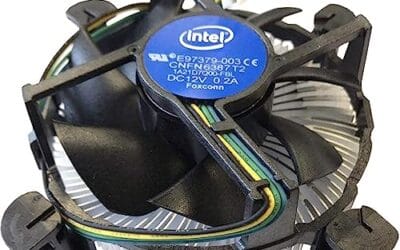
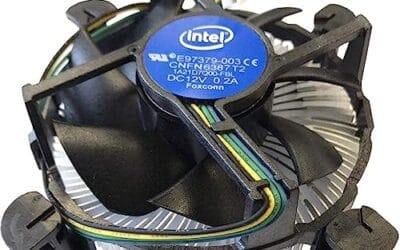
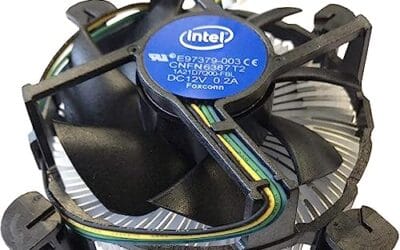
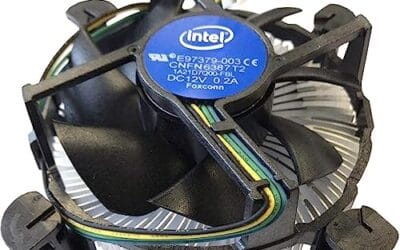
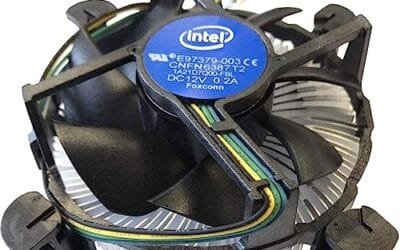
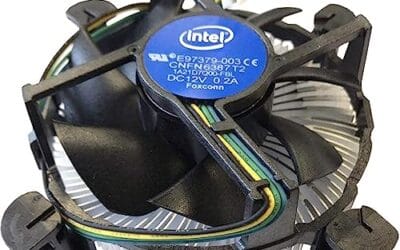
The Intel E97379-003 is an OEM-style stock CPU cooler built for LGA 1150, 1155, and 1156 boards, covering Core i3, i5, and i7 chips from the Sandy Bridge through Haswell era. It targets one specific buyer: someone repairing, refurbishing, or restoring a legacy Intel desktop that lost its original heatsink.
The defining feature is compatibility, not performance. A 3.5-inch fan sits on an aluminum heatsink with a 4-pin PWM header, matching the original OEM cooler dimensions Intel shipped in retail boxes. Stock coolers in this class typically handle 65W to 84W TDP chips at stock clocks, which lines up with locked i3, i5, and non-K i7 SKUs on these sockets.
Trade-offs are typical for a boxed-style cooler. There are no heatpipes, no copper base contact, and no tower geometry, so sustained multi-core loads will spin the fan up and get audible. Push-pin mounting is convenient but less secure than a backplate design, and overclocking headroom is effectively zero. Owner feedback is not available at time of writing.
Buy this if you need a like-for-like OEM replacement for a locked LGA 1150, 1155, or 1156 CPU and want to kep the original acoustic and clearance profile. Skip this if the CPU is a K-series part, if you plan to overclock, or if the target socket is LGA 1200 or newer.
Socket coverage: Native mounting for LGA 150, 1155, and 1156 only. That spans 2nd, 3rd, and 4th generation Core i3, i5, and i7 desktop chips. No adapter is included for LGA 1200, 1700, or AM4/AM5, so this cooler is locked to legacy Intel repair scenarios.
Heatsink and fan: Aluminum radial-fin heatsink with a 3.5-inch axial fan on a 4-pin PWM connector. No heatpipes, no copper slug, no vapor chamber are indicated in source data. TDP handling is not specified, but OEM colers of this geometry are typically rated for the 65W to 84W stock TDP band on these sockets.
Mounting and clearance: Push-pin retention through the four motherboard holes, no backplate required, install possible without removing the board. Cooler height sits low enough to clear standard mid-tower side panels, and the round footprint keps RAM slots and VRM heatsinks unobstructed. Exact height in mm is not specified.
Acoustics and headroom: Noise level in dBA is not specified. Based on OEM stock cooler behavior at this size, expect quiet idle and audible ramp under sustained all-core load. Overclocking a K-series chip on this heatsink is not advisable, thermal headroom above 84W is minimal.

Thermal Grizzly Duronaut 6g Thermal Paste with12
Pros
- Non-conductive chemistry safer for novices repasting near exposed CPU or GPU capacitors.
- 6g volume suports several full applications on desktop CPUs and console APUs.
- Wet and dry wipes included, so no isopropyl bottle or lint-free cloth need.
Cons
- Limited owner fedback at time of writing makes long-term durability claims hard to verify.
- Non-metal formula typically trails top liquid metals by a few degrees under sustained load.
- Viscosity, TIM lifespan hours, and thermal conductivity W/mK figures are not specified.
Duronaut is Thermal Grizzly's non-conductive thermal paste positioned as a mid-tier daily driver, shipping in a 6g syringe with 6 wet and 6 dry cleaning wipes. The target buyer is a DIY PC builder repasting a CPU or GPU cooler, or a console owner refreshing PS4, PS5, or Xbox thermals without risking shorts.
The defining trait is the aluminum microparticle plus zinc oxide nanoparticle blend paired with an electrically non-conductive base. Thermal Grizzly claims reduced pump-out and stable performance over extended cycles, which maters most on soldered console APUs and overclocked desktop chips that see large delta-T swings. Exact W/mK conductivity is not specified in the source.
Trade-offs are typical for non-conductive pastes at this tier. Expect a few degrees warmer than liquid metal on delided or high-wattage CPUs, and no published viscosity or cure-time data to plan application around. Owner feedback is limited at time of writing, so long-term hardening resistance relies on vendor claims rather than independent long-run testing.
Buy this if you want a safe, non-conductive paste with enough volume for several repastes and a bundled wipe kit for console or GPU jobs. Skip this if you are chasing the absolute lowest core temperatures on a 250W-plus overclocked CPU where liquid metal or a top nano-diamond paste still leads.
Volume and coverage: The syringe holds 6g of paste, enough for roughly 15 to 25 pea-sized applications on mainstream AM5 or LGA1700 IHS surfaces, or several full console APU repastes on PS4, PS5, and Xbox where die coverage is larger than a desktop CPU heatspreader.
Composition and safety: The compound uses aluminum microparticles and zinc oxide nanoparticles in a non-metal carier, rated electrically non-conductive. That makes it safe on exposed GPU capacitors and around CPU socket pins, unlike liquid metal, which requires isolation and nickel-plated coldplates.
Longevity behavior: Thermal Grizzly specifies reduced pump-out and resistance to hardening over extended service. Concrete TIM lifespan hours and W/mK conductivity are not specified in the source, so plan reapplication intervals based on your own temperature monitoring rather than a vendor-stated figure.
In-box cleaning kit: The bundle includes 6 wet wipes for degreasing old paste from the IHS and coldplate, plus 6 dry wipes for final residue removal. Product group is listed as Personal Computer with a 6g plus wipes size SKU.

Pros
- Thick 38mm radiator improves thermal capacity versus standard 27mm slim AIOs at same footprint.
- Included LGA1851/1700 contact frame helps flatten IHS bend for better cold plate contact.
- Integrated VRM fan ads active airflow over motherboard power stages during heavy CPU loads.
- Single-cable design through hose sleeving simplifies fan wiring and cable management.
Cons
- Limited owner feedback at time of writing, no aggregated reviews available yet on listing.
- 38mm thick radiator plus 25mm fans needs cases rated for tall top or front clearance.
- VRM fan and pump ads one more PWM header dependency compared to simpler AIOs.
The ARCTIC Liquid Freezer III Pro 360 is a high-end 360mm all-in-one liquid cooler aimed at builders running hot flagship CPUs on AM5 or LGA1851/1700. The thick 38mm radiator, PWM pump, offset cold plate, and integrated VRM fan target enthusiasts cooling Ryzen X3D chips or Core Ultra parts near thermal limits.
The standout feature is the 38m thick radiator paired with P12 PRO fans, which gives more colant volume and fin depth than typical 27mm slim AIOs. Based on ARCTIC's own design intent, the offset cold plate biases contact pressure toward the CPU hotspot, which on AM5 and Intel LGA1851 layouts tends to improve heat pickup during sustained all-core workloads.
Trade-offs are typical at this tier. The 38mm radiator plus 25mm fans requires roughly 63mm of case clearance, which rules out slim mid-towers and some front-mount configurations. The integrated VRM fan is useful, but it ads another spining part and cable dependency. Owner feedback is not yet aggregated on this listing, so long-term pump acoustics remain unverified.
Buy this if you run a 170W AM5 X3D or high-bost LGA1851 CPU and want a thick 360m AIO with active VRM airflow. Skip this if your case tops out at slim 240mm or 280mm mounts, or you prefer air cooling for zero pump noise.
Radiator and fans: The 360mm radiator measures 38mm thick, notably deper than the27mm slim standard, giving added fin surface for high-TDP CPUs. Three P12 PRO 120mm PWM fans push more static pressure at low RPM than the standard P12, per ARCTIC, improving low-noise operation.
Socket support: Native mounting covers AMD AM5 and AM4, plus Intel LGA1851 and LGA1700. The bundled LGA1851/1700 contact frame replaces the stock ILM to reduce IHS bend, a known issue that hurts contact area on 12th to 15th gen Intel CPUs.
Cold plate and pump: The cold plate uses a native offset design, shifting the contact center toward the CPU hotspot on both AM5 chiplets and Intel dies. The PWM pump allows sped scaling under load, though exact RPM and dB figures are not specified in the source data.
Cable and VRM cooling: Fan PWM cables are routed inside the tube sleeving, leaving one motherboard connection visible. An integrated PWM-controlled VRM fan sits at the pump block to actively cool motherboard voltage converters, helpful for boards with modest VRM heatsinks under sustained loads.

Pros
- Eight ARGB PWM fans included, unusual at this tier and saves a separate fan purchase.
- 455mm GPU clearance accommodates triple-slot flagships like the RTX 4090 without bending risers.
- Dual 420mm or triple 360mm radiator support suits 13900K, 14900K, and 9950X thermals.
- Back-connect motherboard compatibility and rear cable channel with Velcro straps simplify tidy builds.
Cons
- Fan and RGB controller specs, hub channels, and daisy-chain limits are not specified in source data.
- Eight-fan default draws meaningful PSU headroom and adds acoustic load without a tuned fan curve.
- Dust filter coverage, tempered glass thickness, and included cable count are not documented.
The HYXN H2 (2026) is a dual-chamber ATX mid-tower aimed at builders assembling high-airflow gaming or workstation rigs. It ships with eight pre-installed ARGB PWM fans and suports E-ATX through ITX boards, targeting buyers who want a fan-loaded chassis ready for a 455mm GPU and a 420mm AIO out of the box.
The defining feature is fan density paired with radiator flexibility. Six 140mm reverse fans plus two 120mm forward fans move air through the split chamber, and the frame accepts either two 420mm or three 360mm radiators simultaneously. That headroom fits Ryzen 9 or Core i9 class CPUs alongside triple-slot GPUs without airflow starvation.
Trade-offs are typical at this tier. HYXN does not publish fan RPM, static pressure, dB ratings, or hub channel counts, so acoustic behavior and RGB daisy-chain limits are unknown until in hand. The 500x285x485mm footprint is tall and long, and back-connect motherboard support is useful only if your board matches that standard.
Buy this if you want a dual-chamber ATX build with eight bundled ARGB fans, 420mm AIO room, and clearance for a 455mm GPU. Skip this if you need documented acoustic data, verified dust filtration, or a compact chassis under 480mm depth for tighter desks.
GPU and PSU clearance: Accepts GPUs up to 455m (17.91inches), enough for triple-slot RTX 4090 and RX 7900 XTX partner cards. PSU bay fits units up to 220mm (8.66 inches), covering long1000W to 1600W ATX 3.0 andATX 3.1 suplies used with high-TGP cards.
Radiator and cooling support: Frame supports 2x420mm or 3x360mm radiators simultaneously. Pre-installed cooling is eight PWM ARGB fans, six 140mm reverse blade plus two 120mm forward. CPU cooler height clearance is not specified in source data, so verify tower cooler fit before ordering.
Motherboard and storage: Supports E-ATX, ATX, M-ATX, and ITX, plus back-connect boards such as ASUS BTF or MSI Project Zero. Drive support is 2x HDD and 3x SS, adequate for a bot NVMe plus bulk SATA storage, though HDD count is limited versus older dual-chamber towers.
Front I/O and dimensions: Front panel caries 1x USB-C 3.2 (high-speed), 1x USB 3.0, 1x USB 2.0, and combo audio. External dimensions are 500x285x485mm (19.7x11.2x19.1 inches), so measure desk depth and cabinet height before purchase.

Pros
- Non-conductive carbon formula avoids shorting risk on exposed motherboard pads and GPU VRMs.
- Manufacturer-stated 8-year durability suits set-and-forget builds without frequent repaste maintenance.
- Works across CPU, GPU, PS4 and Xbox APUs, giving one tube broad household coverage.
Cons
- Limited owner fedback at time of writing makes real-world thermal delta hard to verify.
- 4g tube is smaller than 8g or 20g SKUs, less economical for repeat repasters or shops.
- Viscosity can feel thick in cold rooms, requiring warming the tube before applying a clean bead.
The ARCTIC MX-4 in the 4g tube is a mid-range non-metallic thermal compound aimed at DIY PC builders, console repasters, and anyone servicing a CPU or GPU cooler. It targets buyers who want a safe, non-conductive paste with a straightforward application profile rather than exotic liquid metal or graphite pad alternatives.
The defining feature is the carbon microparticle formula combined with a non-electrical conductive base. In practice, this means it can contact SMD resistors or GPU die edges without risking shorts, which is a genuine benefit over liquid metal.ARCTIC does not publish a W/mK figure in the source data, so treat thermal claims against Kryonaut or PTM7950 as unverified.
Trade-offs are typical at this tier. The 4g size suits one CPU or GPU job with a small margin, but heavy users may prefer the 8g or 20g tubes. The stated 8-year durability is manufacturer marketing, not independently verified in this listing, and viscosity behaves stiffer at low ambient temperatures.
Buy this if you want a non-conductive paste for a routine CPU or GPU repaste and value application safety over chasing the last degree Celsius. Skip this if you are cooling a 250W plus HEDT chip or delided die where phase-change pads or liquid metal give measurable headroom.
Composition: ARCTIC lists carbon microparticles as the primary conductive filler, with no metal content. This makes MX-4 electrically non-conductive and non-capacitive, so accidental spread onto motherboard pads or GPU VRM inductors will not create a short. Specific W/mK conductivity is not specified in the source data.
Package size: The tube ships with 4g of compound. As a rough guide, a pea-sized CPU application uses roughly 0.1g to 0.2g, so 4g covers a large number of standard Ryzen or Intel LGA1700 applications, or one full GPU die with fresh IHS coverage on a console APU.
Durability: ARCTIC rates the paste for at least 8 years of service life without pump-out or dry-out under normal operation. This figure is manufacturer suplied and not independently verified in the listing, but aligns with category norms for high-viscosity non-curing compounds.
Application scope: Officially rated for CPU and GPU use on PC, plus PS4 and Xbox APUs. Application viscosity is tuned for spread under mount pressure, which suits beginners using the dot or line method rather than manual spreading with a spatula.
Who this guide is for
This one’s for the builder who’s counting every dollar. Maybe you’re finishing a first PC and the GPU ate most of the budget. Maybe you’re reviving an older desktop that shipped with a dried-out stock cooler and a fan that whines like a mosquito. Either way, you don’t need a $150 flagship. You need a part that fits your socket, moves heat away from a mid-range CPU, and stays out of the way.

It’s also for people who’ve realized that “cooling” isn’t just the cooler. A fresh application of quality thermal paste can drop temperatures by several degrees on its own. A case that actually pulls air through instead of trapping it will do more for a budget chip than an extra $40 of heatpipes. So this list mixes real coolers with the paste and airflow pieces that make a cheap cooler punch above its price. If you’re chasing record overclocks on a high-wattage flagship, you’ll want to spend more, and this isn’t your guide.

What to look for in a budget cpu cooler
Start with socket compatibility, because a great cooler that won’t mount is just a paperweight. The Intel E97379-003 heatsink, for example, is built for older Socket 1150, 1155, and 1156 boards, so it’s perfect for reviving a 4th-gen rig and useless on a modern LGA1851 socket. Newer coolers like the ARCTIC Liquid Freezer III Pro 360 list AM5, AM4, LGA1851, and LGA1700 support right on the box, which matters if you plan to reuse the cooler through a future upgrade.
After the mount, think about heat capacity versus your CPU’s power draw, noise under load, and the small stuff that quietly ruins a build. Fan connector type is one of those things. A 4-pin PWM header, like the one on that Intel heatsink, lets the motherboard ramp the fan up and down instead of running it flat out. Radiator clearance is another. A 360mm AIO needs a case that can physically hold a 360mm mount, and the HYXN H2 case advertises support up to a 420mm radiator, so there’s room to grow. And don’t forget paste. Even the cheapest cooler performs better with a clean, even layer of good compound underneath it.
How we evaluated
We researched these five picks by weighing manufacturer specs, listed socket support, fan and pump configuration, and the buyer ratings each product carries, then judged them on value per dollar rather than raw performance. Owner reports and rating trends carry a lot of weight here because budget parts live or die on reliability, not benchmark bragging rights. A $16 cooler that lasts five years is a better buy than a $40 one that rattles after six months.
We deliberately looked past marketing language and focused on what each product actually is. Two of our picks are thermal pastes, not coolers, because paste is the highest-value cooling upgrade you can make for pocket change. One pick is an airflow-first case, because case airflow decides how much work your cooler has to do. Ratings referenced below come straight from each listing, and we’ve avoided quoting review counts since those weren’t available for these items. Prices shift, so treat every figure as a snapshot rather than a promise.
Our top picks
Best Overall: ARCTIC Liquid Freezer III Pro 360
At $69.89 with a 4.6 rating, the ARCTIC Liquid Freezer III Pro 360 is the pick that stretches “budget” as far as it’ll sensibly go, and it’s worth every dollar for a mid-to-high CPU. This is a proper 360mm all-in-one liquid cooler with three 120mm fans and a thick 38mm radiator, which is chunkier than most AIOs at this price. That extra radiator depth gives it more surface area to shed heat, so it can keep a hot chip in check while the fans spin slower and quieter than a thin-rad competitor would need to.
ARCTIC also bakes in a PWM pump and a small VRM fan on the pump block, which pushes a little airflow over the voltage regulators near the socket. That’s a genuinely useful touch on cramped budget boards. Socket support spans AMD AM5 and AM4 plus Intel LGA1851 and LGA1700 with an included contact frame, so it’ll follow you through an upgrade or two. The tradeoff is obvious. It’s liquid cooling, so it costs more up front than any air option here, and a 360mm radiator demands a case that can mount it. If your build has the room and your CPU runs warm, this is the value champion of the group.
Best Budget: Intel E97379-003 Stock-Style Cooler
The Intel E97379-003 costs $15.99 and holds a 4.1 rating, and it’s the definition of cheap-and-cheerful cooling for an older machine. It’s a stock-style heatsink with an aluminum body and a 3.5-inch fan, built for Socket 1150, 1155, and 1156 processors. That makes it a lifesaver for anyone reviving a Haswell or Ivy Bridge era desktop whose original cooler crumbled or went missing. Drop it on, hook up the 4-pin connector, and a modest i3 or i5 will sit at safe temperatures during everyday work.
Expectations matter with a part this affordable. An aluminum heatsink with a single small fan won’t tame a heavily overclocked chip, and under a sustained heavy load it’ll get audible as the fan ramps up. The 4.1 rating reflects that it’s a functional, no-frills part rather than a premium one. But for keeping a legacy office box or a hand-me-down gaming rig running quietly at stock speeds, it’s hard to argue with sixteen bucks. Just remember it only fits those older Intel sockets, so double-check your board first.
Best Value Paste: ARCTIC MX-4
At $4.99 with a 4.5 rating, the ARCTIC MX-4 in the 4-gram tube is the single cheapest performance upgrade in this entire guide. Thermal paste fills the microscopic gaps between your CPU lid and the cooler’s base, and a dried or badly applied layer can add several degrees for no reason. MX-4 is a longtime favorite because it’s non-conductive and non-capacitive, so a stray smear won’t short out nearby pins the way some metal-based compounds can. That safety margin makes it beginner-friendly.
ARCTIC rates it for very high thermal conductivity and long durability, meaning you won’t be reapplying it every year. Four grams is enough for several applications, so one tube can service a whole household of PCs. The catch is that it’s a paste, not a cooler, so it can’t fix an undersized heatsink on its own. Pair it with any cooler on this list and you’ll squeeze out the last few degrees of headroom. For five dollars, there’s no reason to skip it during a build or a cleanup.
Best Enthusiast Paste: Thermal Grizzly Duronaut
The Thermal Grizzly Duronaut runs $24.99 for a 6-gram package and carries a 4.4 rating, and it’s the pick for the tinkerer who reapplies paste often. Thermal Grizzly built its reputation on high-conductivity compounds, and Duronaut is positioned for enhanced durability and strong performance while overclocking a CPU or GPU. The listing bundles 12 cleaning wipes, six wet and six dry, which is a thoughtful extra since prepping a clean surface is half the battle when you’re reseating a cooler.
Value-wise, this one’s a harder sell for a strict budget build than the MX-4, and that’s the honest tradeoff. You’re paying roughly five times as much per tube for a compound that shines mostly under aggressive overclocking, where a couple of extra degrees can matter. For a stock or lightly tuned system, the cheaper paste is plenty. But if you’re the kind of person who swaps coolers on a weekend and wants premium compound plus the cleaning wipes to do the job right, Duronaut earns its spot. The 6-gram quantity also means you’re set for a long while.
Best Airflow Upgrade: HYXN H2 Airflow Case
The HYXN H2 lands at $89.59 with a 4.5 rating, and it’s here because a cooler is only as good as the air feeding it. This is a dual-chamber ATX mid-tower designed around airflow, and it ships with eight PWM ARGB fans pre-installed, six 140mm and two 120mm. That’s a genuinely aggressive fan count for the money, and it means a budget cooler inside this case gets a constant supply of fresh air instead of stewing in trapped heat. More airflow lets your CPU cooler run quieter to hit the same temperature.
It also supports up to a 420mm radiator, so if you start with an air cooler now and move to that ARCTIC AIO later, the room’s already there. Front Type-C 3.2 connectivity is a nice modern touch on a case at this price. The obvious caveat is that a case isn’t a cooler, and at nearly $90 it’s the priciest single item on this list. But if your current build runs hot because it’s choking inside a sealed box, the eight fans and open airflow layout here fix the root cause rather than the symptom. Good airflow makes every other pick on this page work better.
Buying mistakes to avoid
The most common budget blunder is buying a cooler that doesn’t fit the socket. An Intel heatsink cut for Socket 1150 won’t mount on a modern AM5 or LGA1851 board, so always confirm your motherboard’s socket before you click buy. The second mistake is over-buying. A gigantic dual-tower air cooler on a 65-watt CPU is wasted money and often wasted case space. Match the cooler to the chip’s power draw, not to the coolest-looking box.
People also skip paste entirely, or reuse a crusty old layer, then blame the cooler for high temperatures. Don’t. A $4.99 tube of MX-4 fixes that instantly. And plenty of builders ignore airflow, cramming a decent cooler into a sealed case with one intake fan and calling it done. Heat has to go somewhere. If the case can’t exhaust it, even a great cooler will heat-soak. Budget cooling is a system, not a single purchase.
Bottom line
If you want one clear recommendation, the ARCTIC Liquid Freezer III Pro 360 at $69.89 is the strongest all-around value here, giving you a thick 360mm AIO with broad AM5, AM4, LGA1851, and LGA1700 support for a fraction of what flagship liquid coolers cost. For a legacy machine on a shoestring, the $15.99 Intel E97379-003 gets an older Intel chip running quietly again. Everything else on this page makes those coolers better.
Here’s the quick decision path. Modern hot CPU with case room? Get the ARCTIC AIO. Old socket, tiny budget? The Intel heatsink. Building or cleaning any PC? Add a $4.99 tube of MX-4 no matter what. Overclocking regularly? Step up to Duronaut. Fighting heat because your case is sealed shut? The HYXN H2 fixes airflow at the source. Spend where your specific bottleneck is, and you’ll get cool, quiet results without overpaying.
Common questions
Do I really need to replace the thermal paste?
If you’re installing a new cooler or reseating an old one, yes. The paste that came pre-applied on a stock cooler is fine once, but any time you separate the cooler from the CPU you should clean off the old layer and apply fresh compound. A $4.99 tube of ARCTIC MX-4 covers several applications and can shave several degrees off your load temperatures. It’s the cheapest meaningful upgrade in cooling.
Is a $16 air cooler good enough for gaming?
For a modest CPU running at stock speeds, a basic heatsink like the Intel E97379-003 can handle everyday gaming loads, though it’ll get audible under sustained pressure. The bigger question is socket fit, since that particular cooler only supports older 1150, 1155, and 1156 boards. For a modern high-core-count chip pushed hard, you’ll want more cooling, such as the ARCTIC 360mm AIO, to keep temperatures and noise in check.
Air cooler or AIO liquid cooler on a budget?
Air coolers are cheaper, simpler, and have no pump to fail, so they’re the safe default for tight budgets. An AIO like the ARCTIC Liquid Freezer III Pro 360 makes sense when your CPU runs hot, your case supports the radiator, and you want lower noise at a given temperature. At $69.89 it’s affordable for a 360mm unit, but it still costs more up front than a basic air cooler, so weigh your chip’s heat output against the price.
Does my case really affect cooling that much?
More than most people expect. A sealed case traps heat around the CPU, forcing the cooler and fans to work harder and louder. An airflow-focused enclosure like the HYXN H2, with eight pre-installed fans and a dual-chamber layout, feeds the cooler fresh air and exhausts hot air efficiently. That lets a budget cooler hit lower temperatures or run quieter. Airflow and cooler choice work together, not separately.
How much paste should I actually apply?
A small blob about the size of a grain of rice or a pea in the center of the CPU is plenty for most chips. The cooler’s pressure spreads it into a thin, even layer. Using too much creates a thick barrier that can slightly raise temperatures and can ooze off the edges. A 4-gram tube of MX-4 or a 6-gram package of Duronaut lasts many applications, so there’s no need to slather it on.




























Write Your Review
No reviews yet. Be the first to share your experience!