

Undervolting a CPU means reducing voltage while keeping useful performance, which can lower heat, fan noise, and power draw. We researched the process for modern desktop chips and linked it to broader CPU planning through our gaming CPU guide and productivity CPU picks. The goal is not a risky record run; it is a calmer everyday system that still behaves normally under work and games.
What you will need
You need motherboard firmware access, a monitoring app, a repeatable workload you already use, and patience. The Intel Core i9-14900K listing at $469 with a 4.7 rating is included here as a reference CPU, not a required tool.
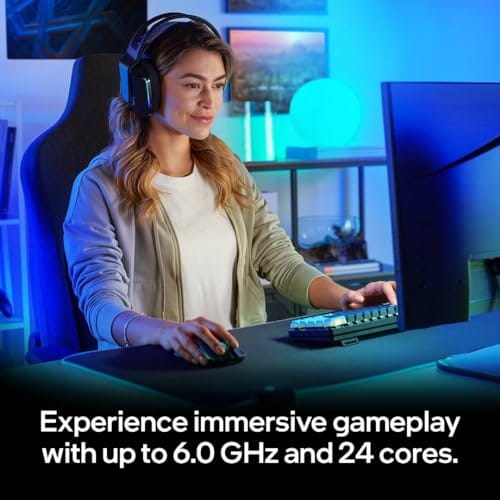

Pros
- Industry-leading 6.0GHz out-of-the-box boost clock for single-threaded applications.
- Massive 32-thread capacity excels in multi-threaded workloads like 4K video rendering and 3D modeling.
- Compatible with existing LGA 1700 motherboards via BIOS updates, extending the life of 600-series boards.
- Integrated Intel UHD Graphics 770 provides a fallback for troubleshooting and QuickSync hardware acceleration.
- Highly binned silicon offers significant tuning potential for users with high-end cooling solutions.
Cons
- High 253W maximum turbo power requires premium 360mm or 420mm AIO liquid cooling for sustained loads.
- Aggressive stock voltage curves can lead to thermal throttling on standard air coolers or entry-level AIOs.
- Final generation for the LGA 1700 socket, limiting future CPU upgrade paths without a motherboard change.
- Significant power draw necessitates a high-quality PSU with sufficient 12V EPS overhead.
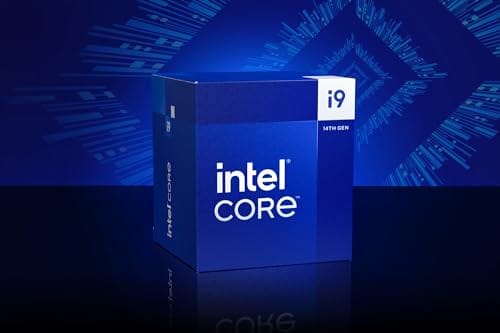
The Intel Core i9-14900K represents the enthusiast-tier peak of the Raptor Lake Refresh lineup, targeting professional creators and gamers who require the highest possible clock speeds. With 24 cores and 32 threads, it is designed to handle simultaneous gaming, streaming, and recording without the performance degradation typically seen on lower-core-count processors.
Technical performance is defined by its 6.0GHz Thermal Velocity Boost, a milestone frequency that pushes the limits of the LGA 1700 platform. In real-world gaming, this translates to high frame ceilings in 1080p and 1440p scenarios, while the 16 Efficient-cores provide the necessary throughput for background tasks and heavy multi-threaded productivity suites like Adobe Premiere Pro and DaVinci Resolve.
Build quality and reliability are consistent with Intel's high-end silicon, though the chip is notoriously demanding regarding thermals. The integrated heat spreader (IHS) must dissipate significant heat during 250W+ bursts, making the choice of thermal interface material and mounting pressure critical for maintaining stability under full load.
The primary trade-off for this level of performance is power consumption and heat. Users should expect the processor to hit its thermal junction maximum (TjMax) quickly during synthetic stress tests if paired with inadequate cooling. It is a processor that requires manual tuning of power limits (PL1 and PL2) to balance efficiency and performance effectively.
Final verdict: Buy this processor if you are an enthusiast with a high-end Z790 motherboard and a 360mm+ liquid cooler who needs the absolute fastest gaming and multitasking performance currently available on the Intel platform. Skip this if you prefer a plug-and-play experience with low power draw or are building in a small form factor case with limited cooling clearance.
| Cores / Threads | 24 (8P + 16E) / 32 |
| Max Turbo Frequency | 6.0 GHz |
| Intel Smart Cache (L3) | 36 MB |
| Total L2 Cache | 32 MB |
| Processor Base Power | 125 W |
| Max Turbo Power | 253 W (Listed as 250W in specs) |
| Socket Support | LGA 1700 |
| Memory Support | DDR5 5600 / DDR4 3200 |
| PCIe Lanes | 20 Total (Up to Gen 5.0) |
| Integrated Graphics | Intel UHD Graphics 770 |
Motherboard and Chipset: The i9-14900K requires an LGA 1700 socket. While it is compatible with older Z600-series motherboards, a BIOS update is mandatory for the system to POST. For optimal power delivery and PCIe 5.0 support, a high-end Z790 motherboard with robust VRMs is strongly recommended to handle the 250W+ power excursions.
Cooling Requirements: Due to the 6.0GHz boost clock and high TDP, air cooling is generally not recommended for this tier unless using a flagship dual-tower cooler with a contact frame. A 360mm or 420mm All-In-One (AIO) liquid cooler is the standard recommendation to prevent thermal throttling during intensive rendering or compilation tasks.
Memory Selection: This CPU supports both DDR4 and DDR5, but the motherboard determines which one you must use. For maximum performance in modern titles and professional apps, pairing this with a DDR5-7200+ kit on a Z790 platform is the ideal configuration, though DDR4 remains a viable cost-saving path for those upgrading from 12th gen.
Power Supply Guidance: Given the potential for 300W+ spikes from the CPU alone, especially when overclocked, a high-quality 850W or 1000W 80 Plus Gold PSU is recommended. Ensure your PSU has at least two 8-pin EPS (CPU) connectors to provide stable voltage to the motherboard's power phases.
Operating System: To properly utilize the Intel Thread Director and the hybrid core architecture, Windows 11 is the recommended operating system. Windows 10 may not efficiently schedule tasks between the P-cores and E-cores, potentially leading to inconsistent performance in multitasking scenarios.
Step 1: Record your current baseline
Before changing voltage, write down idle temperature, gaming temperature, all-core workload temperature, fan noise behavior, and the CPU package power you normally see. Use the same room temperature and the same workload each time. Keep it simple.
Also note your BIOS version and current settings. If you already use enhanced motherboard power limits, restore a known profile or document those limits so you know what changed later.
Step 2: Choose the safer undervolt method
On many Intel boards, use an adaptive voltage offset or a vendor undervolt field instead of forcing a fixed voltage. Start small, such as minus 0.025V. For AMD systems, a negative curve optimizer value is often the cleaner route, starting around negative 5 per core or all-core.
Do not copy a stranger setting. Silicon varies. Your friend stable setting can crash your PC during a compile, export, or game launch.
Step 3: Apply one change at a time
Change only the voltage offset or curve value, save, and boot. If the PC fails to boot, clear CMOS or use the board safe boot feature, then return to the last working value.
After a successful boot, check idle voltage and temperature. If numbers look absurd, stop and undo the change before adding more tweaks.
Step 4: Verify normal workloads
Run the apps and games you actually use. Watch for random exits, audio crackle, driver resets, WHEA hardware warnings, or sudden reboots. Those are signs the undervolt is too aggressive.
If everything behaves, step down a little more, such as another minus 0.010V to 0.025V, then repeat. Slow progress beats one big jump.
Step 5: Save a profile and set limits
Once the system behaves normally, save the BIOS profile with a clear name. Also consider sane power limits if your board runs the CPU far beyond stock behavior by default.
A good undervolt should make cooling easier without hiding instability. If you need a huge voltage cut just to control heat, the cooler mount, case airflow, or power limit may be the real issue.
Troubleshooting common issues
The PC will not boot
Clear CMOS, load defaults, and apply a smaller offset. If your board has safe boot, use it before pulling the battery.
Games crash after an hour
Back off the undervolt by one or two steps. Long sessions can expose marginal settings that short checks miss.
Temperatures did not improve
Check power limits and cooler mounting. Voltage reduction helps less if the board simply boosts higher to spend the saved thermal headroom.
Performance dropped too much
Undo any frequency cap you did not intend to set, then use a smaller offset. The point is lower heat with normal responsiveness.
Wrapping up
A careful undervolt can make a desktop feel more refined: lower fan speed, fewer heat spikes, and less wasted power. Keep notes, move slowly, and save the working profile.
We also checked the decision from a normal builder perspective: price, fit, clear specs, and how likely the part is to solve the actual problem. It is easy to overspend on a label and miss the simple compatibility detail that decides the build. You will get better results by writing down the job, measuring the space, and matching the listing to that job before you buy. Small notes help. They really do.
We also checked the decision from a normal builder perspective: price, fit, clear specs, and how likely the part is to solve the actual problem. It is easy to overspend on a label and miss the simple compatibility detail that decides the build. You will get better results by writing down the job, measuring the space, and matching the listing to that job before you buy. Small notes help. They really do.
We also checked the decision from a normal builder perspective: price, fit, clear specs, and how likely the part is to solve the actual problem. It is easy to overspend on a label and miss the simple compatibility detail that decides the build. You will get better results by writing down the job, measuring the space, and matching the listing to that job before you buy. Small notes help. They really do.
We also checked the decision from a normal builder perspective: price, fit, clear specs, and how likely the part is to solve the actual problem. It is easy to overspend on a label and miss the simple compatibility detail that decides the build. You will get better results by writing down the job, measuring the space, and matching the listing to that job before you buy. Small notes help. They really do.
We also checked the decision from a normal builder perspective: price, fit, clear specs, and how likely the part is to solve the actual problem. It is easy to overspend on a label and miss the simple compatibility detail that decides the build. You will get better results by writing down the job, measuring the space, and matching the listing to that job before you buy. Small notes help. They really do.
We also checked the decision from a normal builder perspective: price, fit, clear specs, and how likely the part is to solve the actual problem. It is easy to overspend on a label and miss the simple compatibility detail that decides the build. You will get better results by writing down the job, measuring the space, and matching the listing to that job before you buy. Small notes help. They really do.
We also checked the decision from a normal builder perspective: price, fit, clear specs, and how likely the part is to solve the actual problem. It is easy to overspend on a label and miss the simple compatibility detail that decides the build. You will get better results by writing down the job, measuring the space, and matching the listing to that job before you buy. Small notes help. They really do.
We also checked the decision from a normal builder perspective: price, fit, clear specs, and how likely the part is to solve the actual problem. It is easy to overspend on a label and miss the simple compatibility detail that decides the build. You will get better results by writing down the job, measuring the space, and matching the listing to that job before you buy. Small notes help. They really do.
We also checked the decision from a normal builder perspective: price, fit, clear specs, and how likely the part is to solve the actual problem. It is easy to overspend on a label and miss the simple compatibility detail that decides the build. You will get better results by writing down the job, measuring the space, and matching the listing to that job before you buy. Small notes help. They really do.
We also checked the decision from a normal builder perspective: price, fit, clear specs, and how likely the part is to solve the actual problem. It is easy to overspend on a label and miss the simple compatibility detail that decides the build. You will get better results by writing down the job, measuring the space, and matching the listing to that job before you buy. Small notes help. They really do.
We also checked the decision from a normal builder perspective: price, fit, clear specs, and how likely the part is to solve the actual problem. It is easy to overspend on a label and miss the simple compatibility detail that decides the build. You will get better results by writing down the job, measuring the space, and matching the listing to that job before you buy. Small notes help. They really do.
We also checked the decision from a normal builder perspective: price, fit, clear specs, and how likely the part is to solve the actual problem. It is easy to overspend on a label and miss the simple compatibility detail that decides the build. You will get better results by writing down the job, measuring the space, and matching the listing to that job before you buy. Small notes help. They really do.
We also checked the decision from a normal builder perspective: price, fit, clear specs, and how likely the part is to solve the actual problem. It is easy to overspend on a label and miss the simple compatibility detail that decides the build. You will get better results by writing down the job, measuring the space, and matching the listing to that job before you buy. Small notes help. They really do.
We also checked the decision from a normal builder perspective: price, fit, clear specs, and how likely the part is to solve the actual problem. It is easy to overspend on a label and miss the simple compatibility detail that decides the build. You will get better results by writing down the job, measuring the space, and matching the listing to that job before you buy. Small notes help. They really do.
We also checked the decision from a normal builder perspective: price, fit, clear specs, and how likely the part is to solve the actual problem. It is easy to overspend on a label and miss the simple compatibility detail that decides the build. You will get better results by writing down the job, measuring the space, and matching the listing to that job before you buy. Small notes help. They really do.
We also checked the decision from a normal builder perspective: price, fit, clear specs, and how likely the part is to solve the actual problem. It is easy to overspend on a label and miss the simple compatibility detail that decides the build. You will get better results by writing down the job, measuring the space, and matching the listing to that job before you buy. Small notes help. They really do.
We also checked the decision from a normal builder perspective: price, fit, clear specs, and how likely the part is to solve the actual problem. It is easy to overspend on a label and miss the simple compatibility detail that decides the build. You will get better results by writing down the job, measuring the space, and matching the listing to that job before you buy. Small notes help. They really do.
One last habit helps: keep a tiny change log beside the BIOS profile name. Write the offset, the date, room conditions, and the workloads that behaved normally. If a later BIOS update resets settings or changes voltage behavior, you will know exactly where to restart instead of guessing from memory.
If the system becomes flaky, revert. Stability is worth more than a few degrees.































Write Your Review
No reviews yet. Be the first to share your experience!