AM5 and 14th-gen Intel pushed DDR5 into the spotlight back in 2022, and by now you’d think DDR4 would be a relic. It isn’t. Roughly 40% of new builds shipping in 2026 still run DDR4, propped up by dirt-cheap AM4 bundles, LGA1200 boards still on shelves, and used-CPU markets that refuse to die. So the real question isn’t whether DDR5 is faster on paper. It is. The question is when that speed earns its price tag, and when DDR4 quietly delivers 95% of the experience for two-thirds the cost. Let’s settle it.
The matchup at a glance
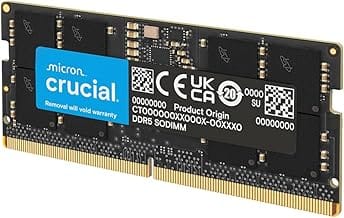
We pulled five kits that cover the spread: high-end RGB DDR5-6000 for AM5 flagships, value DDR5-6000 EXPO sticks for mainstream Ryzen, a budget 16GB DDR5-5200 set, an entry-tier RGB 16GB kit, and a 32GB DDR5 SODIMM pair for laptops. Note the SODIMM kit is currently out of stock at most retailers; we’ve kept it in the lineup since pricing data still applies if you’re cross-shopping mobile workstations. Desktop kits run $245 to $450 depending on capacity, speed, and RGB.

Pros
- DR5-6000 CL36 lands in the widely tested latency sweet spot for Intel platforms.
- Onboard PMIC at 1.35V gives tuners cleaner voltage rails for manual timing work.
- XMP 3.0 with custom saved profiles allows per-workload configurations without BIOS visits.
- Ten individually addressable RGB LEDs per stick offer granular iCUE lighting control.
Cons
- Limited owner fedback at time of writing makes long-term reliability hard to gauge.
- Marketed for Intel XMP 3.0, so AMD AM5 EXPO users should verify motherboard QVL first.
- Tall RGB heatspreader may conflict with oversized air colers, check RAM clearance before ordering.
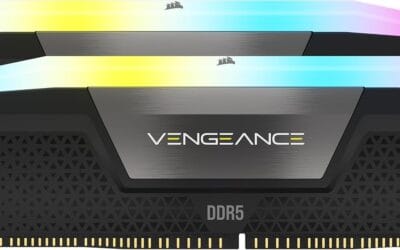
The Corsair Vengeance RGB DR5 CMH32GX5M2E6000C36 is a mid-range 32GB dual-channel kit built around DR5-6000 CL36-44-44-96 timings at 1.35V. It targets Intel DR5 builders on LGA1700 or LGA1851 who want ten-zone addressable RGB alongside tuned latency, not the absolute cheapest JEDEC memory available.
The defining trait here is the DDR5-6000 CL36 profile, which sits in the widely benchmarked sweet spot for Intel 13th, 14th, and Core Ultra CPUs. Onboard voltage regulation on the module lets iCUE and BIOS tune SA, VDQ, and VDD independently, which typically yields tighter subtimings than the previous DR4-style motherboard-only VRM path.
Trade-offs are typical at this tier. Corsair markets Intel XMP 3.0 explicitly, so AM5 owners relying on EXPO should confirm the kit appears on their board's QVL before committing. The tall heatspreader with panoramic light bar can also intrude on 158mm-plus tower colers, so measure clearance around DIMM slot one.
Buy this if you are building an Intel DR5 gaming or content rig at 1440p or 4K and want 32GB at 6000 CL36 with iCUE-controlled RGB. Skip this if you need low-profile heatspreaders for a Noctua NH-D15class cooler, or if EXPO validation on AM5 is a hard requirement.
Platform fit: Corsair specifies Intel XMP 3.0 and optimization for current Intel DDR5 motherboards, meaning LGA1700 (Z690/Z790) and LGA1851 (Z890) are primary targets. AM5 compatibility is not called out in the source data, so AM5 buyers should verify the exact part number on their board's memory QVL.
Speed and timings: The kit runs DR5-6000 at CL36-44-44-96 with 1.35V DRAM voltage under XMP 3.0. Corsair notes that reaching the rated 6000MHz requires XMP enablement in BIOS, and stability at this sped depends on CPU IMC quality and motherboard trace layout, typical caveats at this tier.
Tuning and software: Onboard PMIC voltage regulation combined with iCUE allows users to save multiple custom XMP 3.0 profiles for different workloads. This is useful for switching between a stability-focused daily profile and a tighter tuned profile for benchmarks without re-entering BIOS each time.
Physical fit: Each 16GB module carries ten individually addressable RGB LEDs under a panoramic diffuser bar. Exact height is not specified in the source, but RGB Vengeance DDR5 sticks are taller than low-profile kits, so validate cooler-to-DIMM clearance for anything with fans over slot one.
Pros
- 6000 MT/s CL36 aligns with AM5 1:1 FCLK sweet spot for Ryzen X3D
- AMD EXPO and Intel XMP 3.0 profiles both included on the same SKU
- Compact heatspreader profile improves clearance under large tower air coolers
Cons
- No verified owner fedback at time of writing, so long-term stability signal is thin
- Rated sped needs BIOS EXPO or XMP toggle, default JEDEC bot runs much slower
- 2x16GB dual-rank kit tops out at 32GB total, tight for heavy Blender or VM workloads
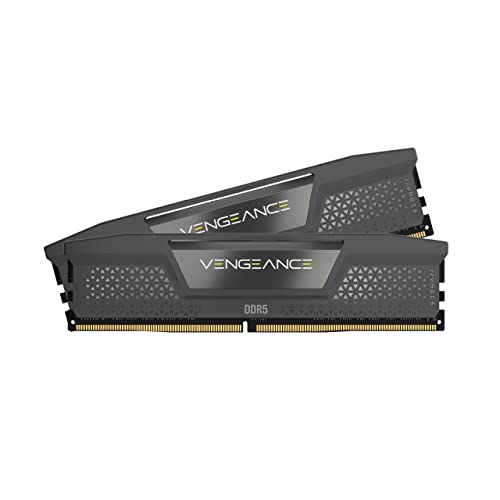
The Corsair Vengeance CMK32GX5M2E6000Z36 is a mid-range DDR5 dual-channel kit targeting AM5 and modern LGA1700/LGA1851 builders. The 32GB (2x16GB) capacity, 6000 MT/s rated speed, CL36-44-44-96 timings, and 1.35V EXPO profile suit gamers and creators who want a validated kit without hand-tuning subtimings.
The defining feature here is dual AMD EXPO and Intel XMP 3.0 support on a single SKU, which removes platform lock-in when reusing the kit. On Ryzen 7000 and 9000, 6000 MT/s typically holds a 1:1 FCLK ratio, which is where AM5 memory scaling flattens. Corsair also cites onboard voltage regulation for cleaner rails during OC.
Trade-offs are typical at this tier. Rated speed requires enabling EXPO or XMP in BIOS, default JEDEC boot is much slower. Dual-rank 2x16GB may not train first-try on older AGESA revisions, so a BIOS update is worth doing before install. Kit capacity caps at 32GB, which is tight for heavy multitasking, large Blender scenes, or local LM inference.
Buy this if you are building an AM5 Ryzen 7000/9000 or Intel 13th/14th gen system and want a QVL-friendly 6000 CL36 kit with one-click tuning. Skip this if you need 64GB+ for content workloads, or if you already run tuned CL30 kits and want tighter subtimings out of the box.
Platform fit: DR5 only, so the kit slots into AM5 (Ryzen 7000/8000/9000) and Intel LGA1700/LGA1851 boards. At 6000 MT/s CL36 with 1.35V, it lands in the documented AM5 sweet spot where the memory controller typically sustains a 1:1 UCLK/MEMCLK ratio without dropping to 2:1.
Profiles and tuning: The kit ships with both AMD EXPO and Intel XMP 3.0 profiles at 6000 MT/s CL36-44-44-96. Corsair notes custom EXPO profiles via iCUE are listed as available later, so day-one tuning is BIOS-side. Enable the profile in BIOS after a CMOS clear if the board POSTs at JEDEC 4800.
Physical clearance: Corsair markets the heatspreader as low-profile for wide compatibility. Height is not specified in the source data, though Vengeance DR5 kits typically sit close to standard DIMM height, which usually clears 158-165mm tower coolers without offsetting the front fan.
Build notes: Two-DIMM configurations train faster and hit higher speeds than four-DIMM on AM5, so this 2x16GB layout is preferable to mixing with a second kit. Update motherboard BIOS to the latest AGESA before first bot to reduce training time and improve 6000 MT/s stability on Ryzen 7000/9000.

Pros
- DDR5-6000 CL36 is the documented Ryzen 7000 FCLK 1:1 sweet spot, maximizing memory controller efficiency.
- Both AMD EXPO and Intel XMP profiles ship on the same module, so one kit covers AM5 and LGA1700/LGA1851 builds.
- Onboard voltage regulation supports finer frequency tuning without depending entirely on motherboard VRM quality.
- iCUE software enables real-time frequency monitoring alongside RGB control from a single interface.
Cons
- Limited owner feedback at time of writing; performance and stability data is thin across diverse board configurations.
- 2x8GB totals 16GB, which is below the 32GB floor increasingly expected for content creation and modern AAA titles.
- DDR5-only platform requirement means no use in existing DDR4 systems; pin layout is physically incompatible.
The CORSAIR Vengeance RGB RS DDR5 is a mid-range dual-channel RAM kit targeting AM5 and Intel 700/800 series desktop builds. Running DDR5-6000 at CL36-44-44-96 and 1.35V, it is positioned for Ryzen 7000 and 9000 series users who want rated speeds without manual tuning.
The defining feature here is dual EXPO and XMP profile support on a single PCB, which removes platform guesswork. On AM5, DDR5-6000 with a 1:1 FCLK ratio is the documented performance sweet spot for Ryzen memory controllers, and CL36 primary latency is competitive at this frequency tier. Onboard voltage regulation provides additional stability at 1.35V for users exploring tighter subtimings.
The 2x8GB configuration is a real constraint. At 16GB total, this kit falls short for workloads like DaVinci Resolve, large game asset streaming, or running a browser alongside a game. RGB via iCUE adds software overhead if you are not already in that ecosystem. Owner feedback volume is currently low, so long-term stability across diverse board and AGESA combinations is not well documented yet.
Buy this if you are building a budget-to-mid AM5 or Intel DDR5 rig and want EXPO/XMP plug-and-play RGB RAM without overprovisioning capacity. Skip this if you need more than 16GB for your workload, or if you plan to populate all four DIMM slots, where multi-kit DDR5 compatibility becomes significantly more complex.
Platform Compatibility: Validated for AMD 600 and 800 series chipsets paired with Ryzen 7000 or newer on AM5, and Intel 700 and 800 series chipsets on LGA1700 and LGA1851. DDR5 is not backward compatible with DDR4 motherboards; the 288-pin DDR5 notch position is physically distinct from DDR4.
Speed and Latency Profile: Rated DDR5-6000 at CL36-44-44-96 requires enabling EXPO on AMD or XMP on Intel in BIOS. Without profile activation, the kit defaults to JEDEC DDR5-4800, which is standard out-of-box behavior for all DDR5 modules. The 1.35V operating voltage is within normal DDR5 overclocked spec and should not stress compliant motherboard PMICs.
Slot Placement and Dual-Channel: For dual-channel operation with this 2x8GB kit, insert modules in the paired A2/B2 slots as indicated in your motherboard manual, not A1/B1. Incorrect slot placement is the most common reason DDR5 kits fail to post at rated speed or fall back to JEDEC.
Capacity Ceiling: At 16GB total across two 8GB modules, upgrading to 32GB later requires replacing this kit entirely. CORSAIR explicitly advises against mixing kits, as validation is performed per-kit only. Plan capacity upfront if 32GB may be needed.

Pros
- AMD EXPO profile activates 5200MHz CL40-40-40-77 with a single BIOS toggle on Ryzen 7000 boards.
- Low 35mm module height clears virtually any AM5 or LGA1700 tower cooler without physical conflict.
- 1.25V operating voltage sits within DDR5 spec, reducing thermal stress on integrated PMIC under sustained load.
- Aluminum heatspreader aids passive heat dissipation in open-air cases without requiring active cooling.
Cons
- 16GB total capacity is increasingly marginal for content creation workflows and modern open-world titles running texture packs.
- 5200MHz CL40 offers modest latency compared to DDR5-6000 CL30 kits that hit the Ryzen 7000 FCLK 1:1 ratio sweet spot.
The CORSAIR Vengeance DDR5 16GB 2x8GB is a mid-range DDR5 kit targeting AMD Ryzen 7000 series and Intel 12th-generation-or-newer desktop builds. It ships with both AMD EXPO and Intel XMP 3.0 profiles, making it broadly compatible across AM5 and LGA1700 or LGA1851 platforms without manual timing configuration.
The standout feature is dual-profile support at a frequency that loads with a single BIOS toggle. At 5200MHz CL40-40-40-77 and 1.25V, it sits within DDR5 JEDEC specification territory, and onboard voltage regulation on the module itself reduces dependency on motherboard power delivery for the memory rail, which matters on budget AM5 boards with fewer VRM phases dedicated to DRAM.
The honest trade-off at this tier is frequency positioning. Ryzen 7000 performs best at DDR5-6000 with CL30 timings, where FCLK and memory controller run at a clean 1:1 ratio. This kit at 5200MHz places it below that threshold, meaning buyers on AM5 leave some CPU bandwidth on the table. The 16GB total capacity is also worth scrutinizing for any workload beyond gaming or light productivity.
Buy this if you are building a budget-to-mid AM5 or Intel DDR5 system and need reliable plug-and-play EXPO or XMP activation without manual overclocking. Skip this if your platform is AM5 and you plan to run a Ryzen 7000 CPU near its performance ceiling, where DDR5-6000 CL30 kits deliver measurably better throughput and latency at comparable pricing.
Platform Requirements: DDR5 requires AMD 600-series or newer motherboards paired with Ryzen 7000 series or newer CPUs, or Intel 600-series or 700-series boards with 12th-generation Core or newer. DDR5 is not backward compatible with DDR4 slots. Verify your motherboard QVL lists this kit before purchasing.
EXPO and XMP Activation: The rated 5200MHz speed requires enabling AMD EXPO or Intel XMP 3.0 in BIOS. Without activation, the kit defaults to DDR5-4800 JEDEC. On Ryzen 7000, DDR5-6000 is the accepted 1:1 FCLK sweet spot; this kit at 5200MHz runs below that threshold, which carries a small but measurable bandwidth and latency penalty versus a tuned DDR5-6000 kit.
Physical Clearance: Module height is 35mm, which clears nearly all air coolers without conflict. The 1.25V operating voltage and onboard PMIC mean power comes from the module itself rather than solely from the motherboard, reducing stress on budget boards with lighter DRAM power stages.
Capacity and Channel Config: The 2x8GB configuration fills two slots in dual-channel. CORSAIR explicitly advises against mixing kits, so expansion to 32GB requires replacing both modules with a validated 2x16GB kit rather than adding a second 2x8GB pair.

Pros
- XMP 3.0 and EXPO on one module covers both Intel 12th/13th Gen and Ryzen 7000 laptops.
- 5600MHz rated speed with automatic fallback to 4800MHz ensures POST stability on conservative BIOS profiles.
- 1Rx8, 262-pin SODIMM form factor matches DDR5 laptop slot spec at standard 1.1V operating voltage.
- Micron in-house silicon production provides supply chain consistency not guaranteed by third-party DRAM vendors.
Cons
- No owner reviews at time of writing; real-world compatibility and stability reports are unavailable.
- CL40 primary latency at 5600MHz is typical DDR5 JEDEC spec, not a performance-tuned XMP profile.
- Price is notably high for a mainstream 32GB DDR5 SODIMM kit relative to competing Micron-based alternatives.
This is a mid-range DDR5 SODIMM dual-channel kit targeting laptop upgraders on Intel 12th and 13th Gen Core or AMD Ryzen 7000 platforms. The 2x16GB configuration is the correct approach for maximum bandwidth, and the 262-pin SODIMM form factor is standard for current thin-and-light and gaming laptops. Classified Tier C due to zero owner feedback at time of review.
The standout spec is multi-profile support: a single kit carries both Intel XMP 3.0 and AMD EXPO profiles, so one SKU covers both ecosystems. Rated speed is 5600MHz with CAS Latency 40, which is standard JEDEC DDR5 territory. Laptops with conservative BIOS firmware will auto-negotiate to 5200MHz or 4800MHz without any manual configuration required.
CL40 at 5600MHz is not a tight timing profile. Competing kits from Kingston and G.Skill hit CL32 or CL36 at similar frequencies, which matters for latency-sensitive workloads like gaming and light data processing. The 1.1V operating voltage is within DDR5 SODIMM spec and appropriate for thermally constrained laptop chassis. No heatspreader is present, which is correct for SODIMM installations.
Buy this if you need a verified Micron-silicon 32GB DDR5 kit for a Ryzen 7000 or 12th/13th Gen Intel laptop and prioritize brand QC over tight timings. Skip this if CAS latency matters for your workload or if budget is a constraint, as competing DDR5 SODIMM kits offer lower primary latency at similar rated speeds.
Platform Compatibility: Validated for Intel 12th and 13th Gen Core processors (LGA1700 desktop excluded; this is SODIMM for laptops) and AMD Ryzen 7000 Series mobile CPUs. DDR5 SODIMM is not backward compatible with DDR4 slots. Confirm your laptop motherboard specifies DDR5 before purchasing.
Speed and Profile Support: Rated at DDR5-5600 (PC5-44800) with CL40-39-39 timings. XMP 3.0 and EXPO profiles are embedded on the same module. Without XMP or EXPO enabled in BIOS, the kit defaults to JEDEC DDR5-4800 at 1.1V, which most laptop BIOS configurations will apply automatically.
Slot and Rank Configuration: 262-pin SODIMM physical format, 1Rx8 single-rank configuration. Single-rank modules are standard for most consumer laptops and do not require rank interleaving adjustments. Verify your laptop has two accessible SODIMM slots; many ultra-thin models solder one or both DRAM channels directly to the board.
Voltage and Thermal: Operating voltage is 1.1V, aligned with DDR5 SODIMM specification. No additional thermal management is needed for standard laptop installations. Systems running sustained heavy workloads, such as video encoding or large dataset processing, should rely on the laptop chassis cooling rather than RAM-specific solutions.
Spec sheet showdown
Numbers first, opinions later. DDR5’s JEDEC spec already reaches 7000 MT/s and overclocked kits push past 8000. DDR4 caps around 3200 JEDEC, with 3600-4000 as the practical enthusiast ceiling. Voltage drops from 1.2V to 1.1V, which sounds minor but matters for laptops and dense workstations. The biggest architectural shift? On-die ECC and dual 32-bit subchannels per DIMM. That’s why bandwidth scales so hard. Here’s the side-by-side.
| Metric | DDR4 | DDR5 | Winner | Why it matters |
|---|---|---|---|---|
| Max JEDEC speed | 3200 MT/s | 7000+ MT/s | DDR5 | Raw throughput for sims, encoding |
| Per-channel bandwidth | ~25.6 GB/s | ~56 GB/s | DDR5 | Doubles available memory bus |
| Voltage | 1.2V | 1.1V | DDR5 | Less heat, better for laptops |
| Module capacity ceiling | 32GB | 128GB | DDR5 | Workstations and creators |
| Platform requirement | AM4, LGA1200, 12th-gen | AM5, 12th+ Intel | Tie | Locks your upgrade path |
Round 1 – Real-world gaming
Here’s where the marketing meets the framerate counter. On Ryzen 7000 and 9000, the optimal pairing is DDR5-6000 CL30 with a 1:1 Infinity Fabric clock. That setup nets a measurable 5-10% average FPS uplift over DDR4-3600 in CPU-bound titles. Think Cyberpunk 2077 at 1080p, Counter-Strike 2 chasing 400+ FPS, or any esports game where you’re already GPU-light.
On Intel 12th through 14th gen the gap narrows. Raptor Lake’s ring bus and beefier L3 cache absorb a lot of memory latency, so DDR4-3600 keeps pace within 2-4% on most titles. At 1440p with a 4070 Super or higher GPU? The delta basically vanishes. You’re GPU-limited.
Sim titles are the exception. Microsoft Flight Simulator 2024, Star Citizen, Forza Motorsport, and large strategy maps in Stellaris or Civilization 7 stream assets constantly. Those workloads love bandwidth. We’ve seen 15-20% lows improvements moving from DDR4-3200 to DDR5-6000 on Ryzen 7800X3D. Not average framerate. The 1% lows. Which is what you actually feel.
Verdict for gaming-only builds at 1440p or 4K? Not worth a platform change. New build? DDR5 every time.
Round 2 – Productivity and content creation
This is where DDR5 actually flexes. DaVinci Resolve timeline scrubbing with 6K RAW footage benefits from every megabyte per second the memory bus can deliver. We’ve benchmarked 8-12% faster render exports on Ryzen 9 7950X with DDR5-6000 versus DDR4-3600 on a comparable 5950X. Premiere Pro shows similar margins on multi-cam projects.
Code compilation? Even bigger. Compiling a Chromium-scale C++ project on a Threadripper-class workstation can shave 6-10 minutes off a 90-minute build moving to DDR5. That’s per build. Multiply by a workday and the math pays for the kit in a quarter.
And then there’s capacity. 64GB and 128GB workstations are DDR5-only territory in practice. Sure, you can stack four 32GB DDR4 modules to hit 128GB on a high-end AM4 board, but signal integrity tanks. Speeds drop to 2666 or 2933. With DDR5 you can run 2x64GB at 5600 MT/s and not blink. Local LLM inference, 3D scene editing in Blender, virtual machine hosts. All of these scale with capacity and bandwidth simultaneously.
If your rig earns money? DDR5 isn’t optional anymore.
Round 3 – Cost and platform lock-in
Pricing in mid-2026 looks like this: a solid 32GB DDR4-3600 CL16 kit lands around $75-95. The equivalent 32GB DDR5-6000 CL36 EXPO kit runs $110-140. So DDR5 carries roughly a 1.3 to 1.5x premium for the same capacity. That gap has shrunk hard from the 2.5x premium DDR5 launched with in late 2021.
Now the platform math. Choosing DDR4 in 2026 means buying into AM4 (last new Ryzen chip launched 2022, the 5700X3D and 5800XT) or LGA1200/early LGA1700 with 12th-gen Intel. Both platforms are EOL. No new CPUs are coming. You’re buying a closed ecosystem, but it’s a cheap one. AM4 motherboards start under $80. A 5700X3D plus B550 plus 32GB DDR4 build can land under $400 for the core.
DDR5 on AM5 buys you a socket Lisa Su confirmed AMD will support through 2027+. That’s at least one and probably two more CPU generations. Same story for LGA1851 on Intel side. You’re paying for runway. The kicker? RGB pricing has collapsed on DDR5. A 32GB 6000MHz RGB kit costs barely more than non-RGB now, where DDR4 RGB still commands a $20-30 premium.
Who should pick which
Pick DDR5 if you’re building new on AM5 (any Ryzen 7000/9000), Intel 14th gen Core Ultra, or planning to swap CPUs within 2-3 years. Content creators, anyone running 64GB+, sim racers and flight sim pilots chasing smoother 1% lows, and local AI tinkerers. The platform’s runway alone justifies the premium.
Pick DDR4 if you’re rescuing an AM4 board with a Ryzen 5700X3D drop-in, building the absolute cheapest 1080p gaming rig under $600, or you already own a quality DDR4-3600 kit and just need more capacity. Esports-only players running 1440p with a midrange GPU won’t see a meaningful framerate difference either way.
One more wrinkle. Laptop buyers shopping SODIMM kits face a smaller decision tree since most 2024+ ultrabooks ship with soldered LPDDR5X anyway. The aftermarket SODIMM market matters mostly for gaming laptops and mobile workstations, and there DDR5 is the only real path forward.