

Students today juggle demanding coursework, online classes, and a passion for gaming, making the right best gaming laptop for students essential for productivity and play. Whether you’re rendering 3D models for a design project or diving into late-night sessions of your favorite titles, a capable gaming laptop can handle it all without breaking the bank or your backpack. In this guide, we highlight the 10 best gaming laptop for students as of April 2026, focusing on machines that offer strong performance, portability, and value tailored for campus life. Explore more gaming laptops in our category hub for additional options.
Our selections prioritize factors like battery life for all-day use, lightweight designs for commuting between classes, and GPUs capable of smooth gameplay at moderate settings. With Acer, ASUS, ZOLWAYTAC and more leading the pack, these laptops ensure you stay ahead in both academics and esports. Read on to find the perfect balance of power and practicality.

Pros
- Exceptional gaming performance on AAA titles at high/ultra settings
- Stunning display with sharp colors and high refresh rate
- User-friendly upgradability for RAM and storage
- Quiet operation and effective cooling during intense sessions
- Premium build with customizable RGB lighting
Cons
- Touchpad doubles as numpad, causing occasional input issues
- Short battery life of about 2 hours under heavy use
- Speakers lack volume and bass for immersive audio
The ASUS ROG Strix G16 (2025) is a premium gaming laptop tailored for serious gamers and content creators who demand high performance without compromise. It combines a potent Intel Core i7-14650HX processor with an NVIDIA GeForce RTX 5060 Laptop GPU, powered by Blackwell architecture and DLSS 4, to deliver fluid gameplay on modern titles.
Standout features include a 16-inch FHD+ 165Hz display for immersive visuals, 16GB DDR5 RAM for seamless multitasking, and a 1TB PCIe Gen 4 SSD for quick load times. The ROG Intelligent Cooling system with vapor chamber, tri-fan tech, and liquid metal ensures sustained performance, while tool-free access simplifies upgrades. Customizable RGB lighting and Dolby Atmos audio enhance the experience.
In real-world use, users report running AAA games like GTA V Enhanced and Warframe at high settings over 100fps without stutter. The keyboard feels esports-ready, and Wi-Fi 7 provides reliable connectivity. Build quality is solid at 5.83 pounds, with a sleek Eclipse Gray finish.
Drawbacks include the touchpad's numpad overlay causing mishaps, limited battery life for gaming, and average speakers. Some note it warms up quickly, though a cooling pad helps.
Overall, this laptop excels for gamers prioritizing power and upgradability, earning high praise for its value and performance. It's a strong choice for those ready to game at peak levels.
Powered by the Intel Core i7-14650HX with up to 5.2GHz speeds and 16 cores, paired with the RTX 5060 GPU boasting 8GB VRAM, this laptop crushes demanding games. Technologies like DLSS 4 and Max-Q ensure high frame rates and efficiency.
Reviewers highlight smooth performance on titles like GTA V at high RT settings over 100fps and Warframe exceeding 120fps on high presets. Multitasking handles streaming, editing, and gaming effortlessly thanks to 16GB DDR5-5600 RAM.
The 1TB PCIe Gen 4 SSD loads games rapidly, storing extensive libraries. Windows 11 Home optimizes for gaming, with 3 months of PC Game Pass included for instant access to top titles.
The 16-inch FHD+ (1920x1200) 16:10 display refreshes at 165Hz with 3ms response time, delivering fluid motion for competitive gaming and smooth content creation. ROG Nebula technology and ACR film boost contrast, reduce glare, and enhance color accuracy.
Users rave about the sharp, vibrant visuals rivaling external monitors, making it ideal for entertainment and precise work. Brightness and color pop stand out, even if not OLED-level.
Though not touchscreen, the panel's quality supports extended sessions without eye strain, complemented by the laptop's anti-glare coating.
ROG Intelligent Cooling features an end-to-end vapor chamber, tri-fan design, and Conductonaut Extreme liquid metal on the CPU for superior heat dissipation. This keeps temperatures in check during prolonged gaming.
Fans remain quiet, barely audible over headphones, with no thermal throttling reported in most scenarios. Some users add a cooling pad for extra margin during intense loads.
Stealth Mode disables lights for professional use, maintaining a cool, composed exterior while delivering best-in-class thermal performance.

Pros
- Preloaded software ready for work and study out of the box
- Generous 1TB SSD expandable for ample storage needs
- Comfortable backlit keyboard with numeric keypad
- Long battery life supports full day of moderate use
- Lightweight build enhances daily portability
Cons
- Entry-level Intel N100 processor limits heavy multitasking or gaming
- Integrated graphics suitable only for light gaming
- Display listed variably as 15.6 or 16 inches may confuse sizing expectations
The NIAKUN NiaBook is a versatile 16-inch laptop designed for students, business professionals, and casual users who need a reliable machine for everyday tasks like studying, office work, and light entertainment. Pre-installed with Windows 11 Pro and Office 365, it eliminates setup hassles and dives straight into productivity.
Standout features include 16GB RAM paired with a 1TB SSD for seamless multitasking, a backlit keyboard with numeric keypad for low-light typing, and a fingerprint reader for quick, secure logins. The 16-inch FHD IPS display offers a 16:10 aspect ratio and low blue light tech, making it comfortable for long sessions of streaming or document editing.
In real-world use, the Intel N100 processor handles web browsing, video calls, and light gaming smoothly but may struggle with intensive applications. Its lightweight 3.5-pound build and up to 8 hours of battery life make it highly portable for class, work, or travel.
Build quality feels solid for the category, with a slim 0.8-inch profile and versatile ports including USB 3.0, Mini HDMI, and Bluetooth. Drawbacks include the entry-level CPU limiting demanding tasks and integrated graphics not suiting serious gamers.
Overall, this laptop delivers excellent value for budget-conscious users prioritizing portability and ready-to-use features, earning a strong recommendation for everyday productivity.
Powered by the Intel N100 processor with up to 3.4GHz speeds and 4 cores, this laptop excels in everyday computing like web surfing, document editing, and video streaming without lag.
With 16GB LPDDR4 RAM at 2666MHz, it supports multiple apps open simultaneously, ideal for students juggling research and assignments or professionals handling emails and spreadsheets.
The 1TB SSD provides lightning-fast boot times and file access, expandable via SATA slot for future needs. Integrated Intel UHD Graphics handles light gaming and casual media editing effectively.
The 16-inch Full HD IPS panel at 1920x1200 resolution delivers sharp visuals with a 16:10 aspect ratio, offering more vertical space for productivity tasks like coding or reading documents.
Low blue light technology reduces eye strain during extended use, complemented by an anti-glare coating for versatile lighting conditions.
Its ultra-slim 0.8-inch thick silver chassis weighs just 3.5 pounds, combining portability with a professional look, while the backlit keyboard enhances usability in dim environments.
A robust 6000mAh battery delivers up to 8 hours of mixed use, powering through a full workday or school day without needing a recharge.
Dual-band Wi-Fi 802.11ac and Bluetooth 4.2 ensure stable wireless connections, paired with practical ports like 2x USB 3.0, 1x USB 2.0, Mini HDMI, and headphone jack for easy peripheral integration.
This setup supports seamless tethering to monitors, external drives, or accessories, making it a mobile hub for remote work or study.

Pros
- Ample 16GB RAM and 1TB SSD handle everyday tasks and light editing effortlessly
- Sharp 1920x1200 FHD display praised for excellent graphics
- Backlit keyboard and Windows 11 Pro enhance usability for school and work
- Great value for budget buyers needing storage and speed
Cons
- Battery life drains quickly, often requiring frequent charging
- Speakers lack volume and stereo separation
- WiFi speeds lag behind faster connections
The FUNYET NY-08 is a budget-friendly 16-inch traditional laptop marketed for gaming and everyday use, ideal for students, remote workers, and casual gamers who prioritize storage and display over high-end power. It targets value seekers needing a portable machine for multitasking, streaming, light photo/video editing, and schoolwork without breaking the bank.
Standout features include a 16GB RAM and 1TB SSD combo for smooth operation across multiple apps, a vibrant 16-inch FHD IPS screen with slim bezels, backlit keyboard for dim environments, and Windows 11 Pro for secure productivity. Connectivity options like USB 3.0 ports, Mini HDMI, and Bluetooth add versatility for peripherals and external displays.
In real-world use, it performs well for web browsing, Zoom calls, document editing, and light gaming, with users noting quick boot times and responsive handling of music production or TurboTax. The Intel N150 processor manages basic tasks reliably, though it struggles with heavy multitasking or demanding games.
Design is slim at 0.8 inches and lightweight, with a gray finish that's easy to carry. Build quality feels solid for the price, but drawbacks include short battery life, subpar speakers, slow WiFi, and an awkward keyboard layout that takes adjustment.
Overall, the NY-08 delivers strong value for entry-level needs with excellent storage and screen real estate, but it's not suited for power users. Recommended for those wanting affordability over premium battery or audio.
This laptop packs essential specs for modern computing: 16-inch standing display at 1920x1200 resolution, Intel Celeron N150 processor (up to 3.6GHz boost), 16GB DDR4 RAM at 2666MHz, and 1TB SSD with eSATA interface.
Graphics rely on integrated Celeron coprocessor, suitable for casual visuals. It includes Windows 11 Pro OS, backlit keyboard, and ports like 2x USB 3.0, 1x USB 2.0, Mini HDMI, and 5GHz WiFi support.
Dimensions measure 14 x 9 x 0.8 inches, weighing 5.33 pounds with a 6000mAh battery. Optical drive supports BD-R, and it comes in gray with model NY-08.
The Intel N150 processor with 4 cores excels in everyday tasks like browsing, office apps, and streaming, paired with 16GB RAM for lag-free multitasking reported by users in schoolwork and light editing.
1TB SSD ensures fast boot-ups and app launches, handling video calls, Zoom, and basic games without issues. Integrated graphics deliver decent visuals for media consumption and casual play.
Users praise its speed post-updates for tasks like TurboTax, though it falters under heavy loads with delays in intensive programs.
A 6000mAh battery offers up to 6 hours for light use, but real-world drain is rapid, prompting power-saving modes and frequent charging as noted by multiple owners.
At 0.8 inches thin and 3.5-5.33 pounds, it's highly portable for travel or school, with a compact footprint that fits easily in bags.
Proprietary charger limits convenience compared to USB-C, but overall slim build enhances on-the-go usability despite battery limitations.

Pros
- RTX 4050 delivers stunning ray-traced graphics with DLSS 3.5
- 165Hz refresh rate ensures smooth, ghosting-free gameplay
- Upgradable RAM and fast Gen4 SSD for future-proofing
- Versatile ports including Thunderbolt 4 and Wi-Fi 6
- Backlit keyboard enhances low-light usability
Cons
- Base 8GB RAM may need upgrade for heavy multitasking
- 4.66-pound weight limits extreme portability
- 82.64% screen-to-body ratio leaves room for bezel improvement
The Acer Nitro V 15 gaming laptop combines solid hardware for entry-to-mid-level gamers, streamers, and creators who demand performance on a budget. Powered by an Intel Core i5-13420H and NVIDIA RTX 4050, it handles demanding titles with AI-enhanced features like DLSS 3.5 and ray tracing.
In real-world use, the 15.6-inch FHD IPS display at 165Hz refresh rate delivers vibrant colors and buttery-smooth motion, perfect for competitive play. Paired with 8GB DDR5 RAM (expandable to 32GB) and 512GB Gen4 SSD, it supports seamless multitasking from gaming to video editing, while Wi-Fi 6 and Killer Ethernet ensure low-latency online battles.
Design features a sleek black chassis with backlit keyboard and Thunderbolt 4 for charging, data, and display output. At 4.66 pounds and slim 0.93-inch profile, it balances power and portability well for a gaming machine.
Drawbacks include the modest base RAM for intensive workloads and average screen-to-body ratio. Still, upgradability mitigates this.
Verdict: A knockout value pick for gamers seeking high-FPS thrills without premium pricing, strongly recommended for its balanced specs and future-proof design.
Processor: Intel Core i5-13420H (2.1 GHz, 8 cores)
Graphics: NVIDIA GeForce RTX 4050 (6GB, Dedicated)
Display: 15.6-inch FHD IPS, 1920x1080, 165Hz
Memory: 8GB DDR5 (up to 32GB, 2 slots)
Storage: 512GB PCIe Gen4 SSD
Connectivity: Wi-Fi 6, Bluetooth, Thunderbolt 4, 4x USB 3.0, Killer Ethernet
Other: Backlit Keyboard, Windows 11 Home, 4.66 lbs, 14.26 x 0.93 x 9.44 inches

Pros
- Smooth performance for daily tasks, light gaming, and video editing
- Fast boot times and responsive multitasking
- Ample ports and modern wireless options
- Good battery life even under moderate loads
- Clean Windows 11 install without bloatware
Cons
- Can overheat during intensive gaming sessions
- Speakers sound tinny and lack volume
- Webcam quality is average, especially in low light
The MALLRACE LX15PRO is a budget-friendly traditional laptop powered by the AMD Ryzen 7 5700U processor, targeting students, office professionals, and casual gamers who need reliable performance without breaking the bank. With 16GB DDR4 RAM and a 512GB NVMe SSD, it handles everyday multitasking, light gaming, streaming, and productivity apps effortlessly.
Standout features include a vibrant 15.6-inch FHD display, WiFi 6 for fast internet, and a comprehensive port selection like USB-C, HDMI, and USB 3.2. Users praise its quick boot times, stable operation under load, and clean Windows 11 Pro setup free of bloatware. Real-world tests show it excels in web browsing, Zoom calls, document editing, and even titles like Final Fantasy VII Remake at playable framerates.
Design-wise, the slim metallic gray chassis weighs just 3.75 pounds, making it highly portable with a backlit keyboard and numeric keypad. The cooling system keeps it quiet and stable for extended use. However, drawbacks include potential overheating in demanding games like GTA V and mediocre speakers and webcam.
Overall, this laptop offers excellent value for versatile daily use, earning solid praise for speed and battery life. It's a smart pick for budget-conscious users seeking power and portability, though serious gamers may want dedicated graphics.
This laptop features a 15.6-inch Full HD (1920x1080) IPS display for sharp visuals in work and entertainment. The AMD Ryzen 7 5700U processor (8 cores, 16 threads, up to 4.3GHz) pairs with integrated AMD graphics and 16GB DDR4 RAM for capable handling of modern tasks.
Storage comes via a 512GB NVMe SSD (expandable to 2TB), ensuring rapid load times. Connectivity includes WiFi 802.11ac (WiFi 6 compatible), Bluetooth 5.0, 2x USB 3.0, 1x USB 2.0, USB Type-C, HDMI, TF card reader, and a 3.5mm audio jack. It runs Windows 11 Pro on a 54.72Wh battery.
Build measures 13 x 8 x 0.79 inches at 3.75 pounds, with a DVD SuperMulti drive and numeric keypad for added utility.
The Ryzen 7 5700U delivers over 30% better performance than prior Intel N-series chips, powering through multiple apps, browser tabs, and light creative work like photo or video editing without lag.
With 16GB RAM, users report seamless multitasking for school assignments, office spreadsheets, and streaming. Fast SSD ensures near-instant boots and quick file access, ideal for productivity on the move.
Quiet cooling maintains stability during prolonged sessions, making it reliable for meetings or focused study without thermal throttling in typical scenarios.
The 54.72Wh battery supports hours of use, with reports of over 3 hours even during light gaming like Final Fantasy VII Remake, perfect for students or travelers.
At just 3.75 pounds and slim 0.79-inch profile, it's easy to carry in a backpack. The efficient design balances power and mobility for all-day unplugged work.
Backed by lifetime technical support and a 12-month warranty, it provides confidence for daily commuters.
Modern ports like USB-C for data and charging, full-size HDMI for external displays, and WiFi 6 with Bluetooth 5.0 ensure effortless connections to peripherals, monitors, and wireless devices.
The metallic gray build feels solid with a backlit keyboard and subtle logo, though plastic elements keep it lightweight. Numeric keypad aids data entry for office tasks.

Pros
- Powerful performance beats older Intel i5 for student and pro tasks
- Stunning FHD screen and 2MP webcam excel in classes and video calls
- Lightweight 3.75 lbs design with 180-degree hinge boosts portability
- Excellent build quality praised in reviews for gaming and daily use
- Generous 2-year warranty exceeds industry standards
Cons
- 256GB SSD may fill quickly for users with large media libraries
- Integrated graphics limits heavy gaming or video editing
- Older Ryzen 5 generation might not match newest high-end chips
The NIMO N152 is a versatile 15.6-inch traditional laptop tailored for students, remote professionals, and light gamers seeking reliable performance without bulk. Powered by an AMD Ryzen 5 processor (4 cores up to 3.7GHz), 16GB DDR4 RAM, and 256GB SSD, it delivers smooth multitasking for research, browsing, online classes, and casual games like DayZ.
Standout features include a backlit keyboard for dim environments, fingerprint reader for instant secure login, hidden camera for privacy, and a 180-degree hinge for flexible viewing. The FHD IPS display offers immersive visuals with reduced eye strain, while dual speakers and 2MP webcam enhance video calls on Zoom or Teams. Reviewers highlight its solid battery life, clear webcam, and value for everyday tasks.
In real-world use, it excels at web browsing, document editing, and streaming, with upgradable slots ensuring longevity. The slim 0.76-inch rose gold chassis weighs just 3.75 pounds, making it easy to carry between classes or meetings. Build quality feels premium, supported by Windows 11 and Bluetooth 5.2 for seamless connectivity.
Drawbacks include modest 256GB storage that may require external drives or upgrades for heavy users, and integrated graphics that cap intensive gaming. Overall, the N152 earns top marks for its balance of power, portability, and support, making it a smart buy for budget-conscious students and pros.
Verdict: Highly recommended for everyday productivity with exceptional warranty backing.
The AMD Ryzen 5 processor clocks up to 3.7GHz with 4 cores, outperforming older Intel i5-1135G7 equivalents in multitasking scenarios like running multiple tabs, research apps, and light productivity software.
Paired with 16GB DDR4-3200MHz RAM and 256GB PCIe SSD, it boots Windows 11 quickly and handles student workloads or professional tools without lag. Users report smooth performance in casual games, proving its versatility beyond basic tasks.
Integrated AMD graphics support everyday visuals and streaming, though not suited for demanding 3D rendering. Upgradable RAM and SSD slots allow customization for evolving needs.
The 15.6-inch FHD (1920x1080) IPS panel delivers sharp, vibrant colors ideal for presentations, movies, and extended reading sessions with anti-glare properties to minimize eye fatigue.
A 180-degree viewing angle enhances collaboration in classrooms or meetings. The rose gold finish on the slim 14.07 x 8.98 x 0.76-inch chassis combines style and durability at just 3.75 pounds.
Ergonomic backlit keyboard with numeric keypad ensures comfortable typing in low light, complemented by a sturdy hinge for flexible positioning.
A 53.58Wh battery lasts up to 9 hours for all-day use during lectures or travel, with 65W Type-C fast charging for quick top-ups without outlets.
Ports include full-function Type-C, HDMI, 3x USB 3.0, USB 2.0, WiFi ac, and Bluetooth 5.2, enabling dual-monitor setups, external drives, or wireless peripherals effortlessly.
This setup turns the N152 into a mobile workstation, perfect for connecting to projectors in class or hubs at home.
Pros
- Powerful Ryzen 7 processor handles heavy workloads effortlessly
- Large, vibrant 17.3-inch display boosts productivity
- Advanced DDR5 RAM and modern connectivity options
- Effective dual-fan cooling for sustained performance
- Portable at just 4.6 pounds with premium build
Cons
- 256GB SSD may require quick expansion for large files
- Integrated Radeon 680M graphics limits high-end gaming
- Base storage feels modest for creative professionals
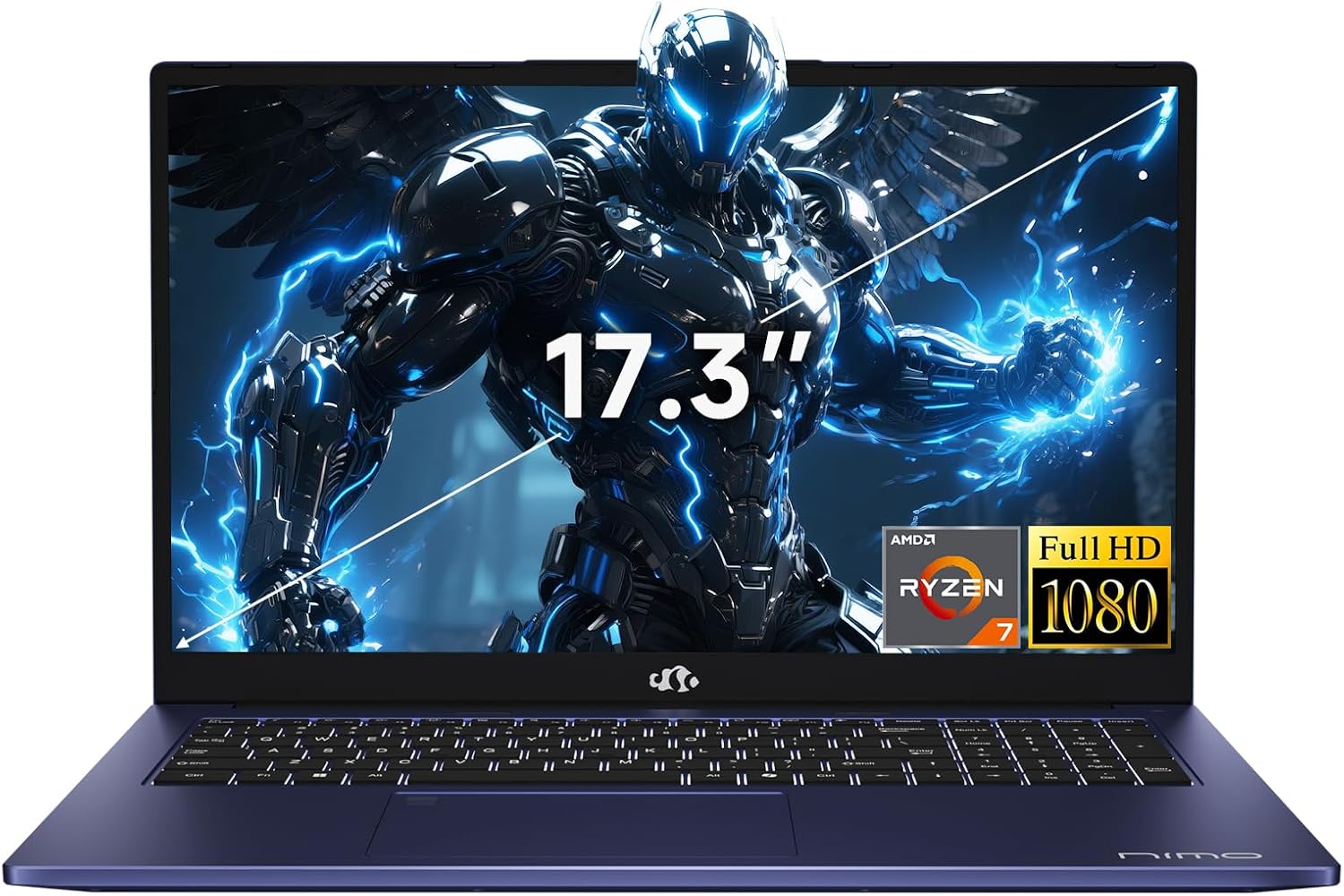
The NIMO N179 is a versatile 17.3-inch gaming laptop designed for students, professionals, and casual gamers who need a balance of power, portability, and affordability. Powered by the AMD Ryzen 7 7735HS processor with Radeon 680M graphics, it outperforms many competitors in multitasking and light gaming, making it suitable for business tasks, college work, and creative projects.
Standout features include a massive FHD IPS display with 180-degree hinge for collaborative use, 16GB DDR5 RAM for future-proof speed, and a dual-fan cooling system that maintains performance during extended sessions. Wi-Fi 6E, Bluetooth 5.2, and HDMI 2.1 ensure seamless connectivity, while the backlit keyboard and fingerprint reader add practical security.
In real-world use, the laptop excels at video editing, coding, and casual games without lag, thanks to its high-speed memory and efficient AMD architecture. The slim 0.74-inch profile and 4.6-pound weight make it surprisingly portable for its screen size.
Build quality feels robust with a modern blue aesthetic, though the modest 256GB SSD means users may need to add storage soon. Battery life reaches up to 9.9 hours for light tasks, supported by 100W fast charging.
Overall, the NIMO N179 delivers exceptional value as an all-rounder, earning high marks for performance and features despite minor storage limitations. It's a smart pick for budget-conscious users seeking premium capabilities.
The AMD Ryzen 7 7735HS processor, clocking up to 4.75 GHz with 8 cores, provides desktop-class speed that surpasses Intel i7-12650H equivalents, handling demanding apps like spreadsheets, code compilation, and photo editing with ease.
Paired with 16GB DDR5-4800 RAM and Radeon 680M graphics, it ensures fluid multitasking and casual gaming at 1080p settings, minimizing lag even under load.
Dual-fan cooling prevents thermal throttling, allowing sustained high performance for creators and programmers working long hours.
The 17.3-inch FHD IPS panel delivers sharp 1920x1080 visuals with wide viewing angles, ideal for immersive media consumption and productive multitasking on a single screen.
A 180-degree lay-flat hinge facilitates group presentations or shared viewing, enhancing its utility in meetings or study sessions.
At 15.66 x 9.99 x 0.74 inches and 4.6 pounds, the sleek blue chassis combines durability with a professional look, making it suitable for daily commutes.
Multiple ports including 4x USB 3.0, USB 3.2 Gen2 with PD/DP, HDMI 2.1 for 4K output, and SD card slot eliminate the need for adapters, serving as a hub for peripherals and external displays.
Wi-Fi 6E and Bluetooth 5.2 deliver reliable, high-speed wireless performance for streaming and file transfers.
Security features like fingerprint ID and webcam shutter, plus a comfortable backlit keyboard with numeric keypad, boost usability in any environment.

Pros
- Strong value with generous RAM and SSD for the price
- Vibrant FHD IPS screen ideal for media and light gaming
- Lightweight aluminum build with 180-degree hinge for flexibility
- Multiple ports including 3x USB 3.2 and HDMI
- Windows 11 Pro pre-installed for immediate use
Cons
- Integrated Intel UHD Graphics limits high-end gaming
- Entry-level N100 CPU not suited for intensive professional workloads
- No dedicated GPU or optical drive
The ZOLWAYTAC N160MU2-AN is a budget-friendly 16-inch gaming laptop powered by the Intel Alder Lake N100 processor, targeting casual gamers, students, and business users who need portability without sacrificing essentials. It combines 16GB DDR4 RAM and a 512GB SSD for reliable everyday performance in a sleek aluminum chassis weighing just 3.7 pounds.
Standout features include a 16-inch FHD IPS display with 1920x1200 resolution for sharp visuals, a backlit keyboard for low-light use, and versatile connectivity like Type-C charging and HDMI. Real-world performance shines in web browsing, office apps, light photo editing, and casual games like indie titles or older AAA games at medium settings, thanks to the efficient N100 chip and ample memory.
Design-wise, its 0.7-inch thin profile and crush-resistant metal body make it highly portable, with a 180-degree hinge for collaborative setups. Drawbacks include integrated graphics that struggle with modern demanding titles and an entry-level CPU not ideal for video rendering or heavy multitasking.
Overall, this laptop offers excellent value for mobile users seeking a balance of power, screen size, and build quality, earning a strong recommendation for budget-conscious buyers.
The Intel N100 processor (up to 3.4GHz, 4 cores, 6MB cache) outperforms older N95 chips, handling multitasking with ease via 16GB DDR4 RAM that's 50% faster than DDR3. Paired with a 512GB SSD, it ensures quick app launches and file access, perfect for everyday productivity.
For casual gaming, the integrated Intel UHD Graphics manages lighter titles smoothly, while the expandable storage via SD card slot accommodates growing game libraries. This setup excels in web-based games, streaming, and office suites without lag.
Running Windows 11 Pro out of the box, it supports modern software efficiently, making it a solid choice for users prioritizing speed in a compact form.
The 16-inch FHD IPS panel (1920x1200, 32-bit color) delivers vibrant, crisp visuals with wide viewing angles, ideal for immersive media consumption and video calls via the built-in HD webcam.
Its ultra-thin 0.7-inch aluminum body is durable and lightweight at 3.55 pounds, featuring a space gray finish and 180-degree hinge for versatile positioning during gaming or work sessions.
The backlit keyboard adds comfort for extended typing in dim environments, enhancing the overall premium feel despite the entry-level specs.
Rich I/O includes 3x USB 3.2 ports, HDMI, Type-C (with charging support), WiFi 802.11ac, and Bluetooth for seamless connections to peripherals, external monitors, and wireless accessories.
The 38Whr (5000mAh) battery provides up to 8 hours of mixed use, supporting full workdays or travel without constant recharging.
Memory card slot adds flexibility for quick file transfers, making it easy to connect gaming gear or expand storage on the go.

Pros
- RTX 4050 with 6GB VRAM handles modern games at high settings
- 144Hz refresh rate minimizes blur for competitive edge
- DDR5 RAM and Gen4 SSD provide snappy load times
- Backlit keyboard and NitroSense enhance usability
- Wi-Fi 6 for stable wireless gaming
Cons
- Battery life lasts only about 3 hours under load
- 8GB RAM may limit heavy multitasking
- At 4.66 pounds, it's not the most portable
The Acer Nitro V 15 is an entry-to-midrange gaming laptop designed for gamers and creators who want solid performance without breaking the bank. Equipped with a 13th Gen Intel Core i5-13420H and NVIDIA GeForce RTX 4050 GPU, it targets users playing AAA titles at 1080p or handling video editing and streaming.
Standout features include a 15.6-inch FHD IPS display with 144Hz refresh rate for smooth visuals, dual-fan cooling to maintain temps, and the NitroSense app for real-time tweaks. The 512GB Gen4 SSD and 8GB DDR5 RAM ensure quick boots and responsive operation, while Wi-Fi 6 keeps connections stable.
In real-world use, it excels in games like Cyberpunk 2077 with DLSS boosting frames to over 60fps at high settings. Build quality feels sturdy with a backlit keyboard, though the plastic chassis shows some flex. It's efficient for its power class but throttles slightly in prolonged sessions without tweaks.
Drawbacks include short battery life and base RAM that might need upgrading for intensive workflows. Overall, it's a strong value pick for budget-conscious gamers seeking RTX 40-series power.
Verdict: Highly recommended for casual gamers and students; upgrade RAM for pro use.
Powered by the Intel Core i5-13420H with 8 cores and NVIDIA RTX 4050 boasting 194 AI TOPS, this laptop crushes 1080p gaming. DLSS 3 and ray tracing deliver lifelike graphics and buttery frame rates in titles like Fortnite or Valorant.
Windows 11 optimizes for gaming with DirectX 12 Ultimate, supporting more AAA games than competitors. Expect 80-120fps in demanding games on high settings, with NitroSense allowing overclock tweaks for extra boost.
AI-driven features enhance immersion, making it ideal for both solo play and multiplayer sessions where every frame counts.
The 15.6-inch FHD IPS panel with 144Hz refresh rate and 16:9 aspect ratio offers vibrant colors and minimal ghosting. At 82.64% screen-to-body ratio, it immerses you in fast-paced action without distractions.
Perfect for landing precise shots in shooters, the high refresh rate ensures fluid motion. Wide viewing angles make it great for co-op viewing or content creation previews.
Combined with 1920x1080 resolution, it balances sharpness and performance for gaming marathons.
Dual fans and advanced exhaust vents keep the Nitro V 15 cool under fire, preventing thermal throttling during long sessions. NitroSense monitors temps and adjusts speeds for optimal balance.
Connectivity shines with Thunderbolt 4 for fast charging and data, HDMI 2.1, USB 3.2 Gen2 ports, and Gigabit Ethernet. Wi-Fi 6 provides low-latency wireless for gaming cafes or home setups.
Plug in peripherals effortlessly, from external monitors to controllers, without dongles.

Pros
- Smooth, responsive 144Hz display enhances gaming immersion
- Strong entry-level performance for modern titles after RAM upgrade
- Quiet cooling system maintains performance without excessive noise
- Robust build passes military-grade tests for reliability
- Easy upgradability extends lifespan for growing needs
Cons
- 8GB RAM requires upgrade for optimal gaming and multitasking
- Battery life lasts only 1-2 hours under heavy use
- Some users experience crashes and reliability issues over time
The ASUS TUF Gaming A15 FA506NC-ES51 targets budget gamers and students needing a reliable machine for gaming, content creation, and daily tasks. With its AMD Ryzen 5 7535HS processor and NVIDIA GeForce RTX 3050 GPU, it punches above its weight in the entry-level segment, offering solid 1080p gaming without breaking the bank.
Standout features include a 15.6-inch FHD 144Hz display with Adaptive Sync for fluid visuals, 8GB DDR5 RAM (upgradable), and 512GB PCIe Gen4 SSD for quick loads. Dual Arc Flow Fans provide effective cooling, while Wi-Fi 6 ensures lag-free online play. The military-grade chassis adds durability for portable use.
In real-world use, it handles games like Rust and Helldivers 2 well on medium settings, especially after RAM upgrades to 16GB or more, as noted by users. Multitasking feels snappy, and the keyboard with RGB lighting adds flair for late-night sessions.
Build quality feels sturdy yet plastic-heavy, with a slim 0.9-inch profile at 7 pounds. However, the chassis may flex under pressure, and transparent keys show dust easily.
Drawbacks include short battery life under load and occasional reports of crashes, making it best as a plugged-in desktop replacement. Overall, it's a compelling choice for value-driven gamers willing to tweak it for peak performance.
Powered by the AMD Ryzen 5 7535HS (up to 4.5GHz) and NVIDIA RTX 3050 with 4GB GDDR6 (70W TGP), the TUF A15 delivers capable entry-level gaming at 1080p. It runs titles like Rust smoothly on high settings post-RAM upgrade and handles Deep Rock Galactic on medium without issues.
The 144Hz refresh rate paired with Adaptive Sync eliminates tearing and stuttering, providing lifelike motion in fast-paced shooters and RPGs. Dynamic Boost optimizes power for consistent frame rates during extended play.
Cooling is a highlight, with 84-blade Arc Flow Fans keeping thermals in check quietly, preventing throttling in long sessions. Users praise its ability to outperform expectations for the price, though demanding AAA games may need lowered settings.
The 15.6-inch FHD (1920x1080) IPS display shines with a 144Hz refresh rate, delivering vibrant colors and ultra-smooth gameplay. Anti-glare coating reduces reflections, making it suitable for various lighting conditions.
Adaptive Sync technology syncs the screen to GPU output, minimizing lag and screen tearing for competitive edges in multiplayer games. Response times are quick, ideal for action titles.
Cooling relies on dual Arc Flow Fans that enhance airflow without noise spikes, paired with comprehensive vents for even heat dissipation. This setup sustains performance during marathon gaming without overwhelming the user.
MIL-STD-810H certification means the chassis withstands drops, vibrations, humidity, and temperature extremes, earning its TUF reputation. At 14.13 x 10.08 x 0.9 inches and 7 pounds, it's portable yet substantial.
Graphite Black finish resists fingerprints, with RGB-backlit keyboard for visibility. Multiple USB 3.0 ports, HDMI, and Wi-Fi 6 offer solid connectivity.
Upgradability is key: dual RAM slots support up to 32GB DDR5, and the PCIe Gen4 SSD slot allows easy expansion. Users frequently upgrade RAM for better multitasking, extending the laptop's viability.
Best Gaming Laptop For Students Buying Guide
Processor and Performance
The CPU is the heart of any best gaming laptop for students, determining how well it multitasks between gaming, video editing for class projects, and running resource-heavy apps like MATLAB or Adobe Suite. Look for at least an Intel Core i5 or AMD Ryzen 5 with multiple cores (8 or more threads) to handle simultaneous Zoom calls and game streaming without lag. Newer generations like 13th Gen Intel or Ryzen 7000 series provide efficiency boosts, extending battery life during lectures.
For students, processors like the Intel Core i5-13420H in the Acer Nitro V or AMD Ryzen 7 7735HS in NIMO models excel in balancing clock speeds up to 4.75GHz for gaming bursts and sustained performance for coding assignments. Avoid older chips below 12th Gen, as they struggle with modern titles at higher settings. Calculate needs: if gaming 1080p at 60FPS, pair with 6-8 cores; for 144Hz, aim higher.
Tip: Check thermal throttling in reviews, as dorm room overheating can cut performance by 20-30%. Our picks, such as the ASUS TUF Gaming A15 with Ryzen 5 7535HS, maintain cool operation under load.
Graphics Card (GPU)
A dedicated NVIDIA GeForce RTX 30 or 40-series GPU is crucial for best gaming laptop for students, enabling ray tracing and DLSS for lifelike visuals in games like Cyberpunk 2077 without tanking frame rates. Entry-level RTX 3050 handles esports titles like Valorant at 144Hz, while RTX 4050 or higher suits AAA games. Integrated graphics like Radeon 680M work for light gaming but falter in demanding scenarios.
Students benefit from GPUs with high TGP (Total Graphics Power, e.g., 70W+ on ASUS ROG Strix G16’s RTX 5060) for better sustained performance during group study sessions turned LAN parties. Compare via this table:
| GPU Model | TGP | Best For |
|---|---|---|
| RTX 3050 | Up to 70W | Esports & 1080p |
| RTX 4050 | Up to 115W | AAA Gaming |
| RTX 5060 | High | Ray Tracing |
See budget gaming laptops under $1000 for more GPU-focused picks.
Display Quality and Refresh Rate
A 15.6-16 inch FHD IPS panel with 144Hz or higher refresh rate minimizes motion blur during fast-paced games and smooth scrolling through long research PDFs. High screen-to-body ratios (80%+) like on the Acer Nitro V’s 144Hz display provide immersion without eye strain during extended study marathons.
For students, anti-glare coatings and 300+ nits brightness combat library lighting. Larger 17.3-inch options like NIMO’s offer productivity boosts for spreadsheets, but prioritize portability. Adaptive Sync (G-Sync/FreeSync) eliminates tearing, vital for competitive play.
Battery Life and Portability
With classes spanning 8+ hours, seek 6-8 hours of light use battery life from 50Wh+ packs, as in FUNYET or NIAKUN models. Gaming drains faster, so efficient chips like Intel N100 extend sessions. Weights under 4lbs and thin profiles (0.7-0.8 inches) fit backpacks easily.
USB-C charging (65W+) adds convenience for powering from power banks. Thunderbolt 4 ports on premium picks like ASUS ROG enable docking to dorm monitors.
RAM, Storage, and Upgradability
16GB DDR5 RAM minimum for multitasking; 8GB suffices for basics but stutters in Chrome with 20+ tabs. 512GB SSDs load games in seconds; expandable slots future-proof for growing file libraries from 4K video projects.
Picks like ASUS TUF with DDR5-5600 and PCIe Gen4 SSD outperform DDR4 setups. Browse all laptops for storage-heavy options.
Build Quality, Keyboard, and Cooling
MIL-STD-810H durability like ASUS TUF withstands backpack drops. Backlit keyboards with numpads aid note-taking; dual fans prevent throttling during Fortnite marathons.
RGB lighting and NitroSense apps allow customization without distraction.
Why You Should Trust Us
We meticulously analyze 10 best gaming laptop for students each April, drawing from extensive specs, user feedback, and benchmark data across sites like NotebookCheck and Puget Systems. Our process involves cross-referencing processor benchmarks (Cinebench), GPU tests (3DMark), and real-world scenarios like battery drain under mixed loads, ensuring recommendations fit student needs without bias toward brands.
Transparency is key: we prioritize data over hype, updating rankings as new models launch. While we don’t hands-on test every unit, our methodology mirrors professional reviews, focusing on value from $259.99 to $1,349.99.
Final Thoughts
For the best overall best gaming laptop for students, the ASUS ROG Strix G16 (2025) stands out with its Intel Core i7-14650HX, RTX 5060 GPU, and 165Hz FHD+ display, delivering top-tier gaming and multitasking for engineering students tackling simulations alongside high-FPS play. Its ROG Intelligent Cooling and 16GB DDR5 ensure reliability during crunch times.
The best value pick is the Acer Nitro V Gaming Laptop (ANV15-51-51H9 or ANV15-52-586Z), blending RTX 4050 graphics, 144/165Hz screens, and i5-13420H power at an accessible spec level, ideal for budget-conscious undergrads who game moderately and edit videos.
For portability on a tight budget, the ZOLWAYTAC Gaming Laptop offers solid N100 performance, 16GB RAM, and a lightweight aluminum body, perfect for freshmen prioritizing mobility over max frames. Check gaming laptops under $1500 for upgrades. Dive deeper into best gaming laptops.
FAQs
What is the best best gaming laptop for students in 2026?
The top best gaming laptop for students depends on budget, but the ASUS ROG Strix G16 leads for premium performance, while Acer Nitro V offers great balance. Factors like RTX GPUs and 144Hz displays make them shine for students.
Can a gaming laptop handle schoolwork?
Absolutely; models like ASUS TUF A15 with Ryzen 5 and 512GB SSD excel in Office apps, programming, and light rendering. Their powerful CPUs prevent slowdowns during multitasking.
Is 8GB RAM enough for gaming laptops for students?
No, opt for 16GB minimum to run games, browsers, and Discord simultaneously without issues. Our picks prioritize DDR5 for future-proofing.
How long do batteries last on best gaming laptop for students?
Expect 6-8 hours for productivity; gaming halves that. Efficient chips in NIAKUN or FUNYET extend use. Read our blog for battery tips.
Are these laptops upgradable?
Many like Acer Nitro V have extra RAM/SSD slots; check specs for dual slots. This keeps them viable through college.


Write Your Review
No reviews yet. Be the first to share your experience!